Notify me when is back in stock.
Enter your e-mail address here and we will send you an update as soon as this product is back in stock.
After submitting your e-mail address, you will receive an e-mail confirming your subscription.
This notification is no guarantee that you can claim items from the new stock. Want to be more certain of receiving the product? Then order and pay for it right away. Your order will be reserved and shipped as soon as the new stock arrives.
Privacy Your e-mail address is stored in a closed database that we cannot access. After the stock update, your e-mail address is automatically deleted.

Reviews

ERGONOMIC MOUSE FOR PAIN IN THE FINGERS/HAND

FROM ONLY 89.95
Filters
Quickly find your ideal mouse
Start decision aid
0 reviews
129,00 99,00 Incl. VAT
81,82 Excl. VAT
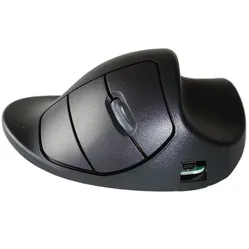
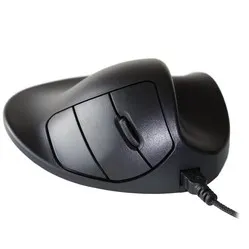
Handshoemouse Original wired/wireless right-handed
0 reviews
140,00 Incl. VAT
115,70 Excl. VAT
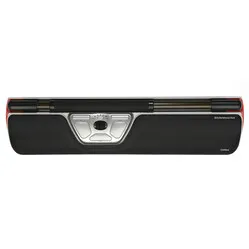
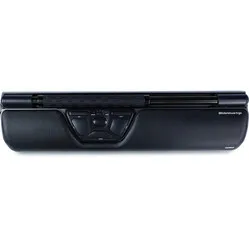
Contour Design Rollermouse Red trackpad wired
0 reviews
399,00 Incl. VAT
329,75 Excl. VAT
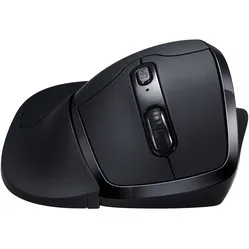
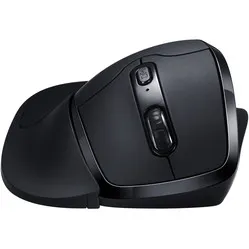
Newtral 3 wireless right-handed
0 reviews
81,95 Incl. VAT
67,73 Excl. VAT
Delux Wow Grip Mouse wired right-handed - black
0 reviews
39,95 Incl. VAT
33,02 Excl. VAT
0 reviews
106,95 94,00 Incl. VAT
77,69 Excl. VAT
Contour Design Rollermouse Red Plus wired trackpad
0 reviews
429,00 Incl. VAT
354,55 Excl. VAT
Contour Design Rollermouse Red wireless trackpad
0 reviews
429,00 Incl. VAT
354,55 Excl. VAT
Newtral 3 Wired Right-Handed
0 reviews
74,95 Incl. VAT
61,94 Excl. VAT
0 reviews
129,00 99,00 Incl. VAT
81,82 Excl. VAT
Handshoemouse Original wired right-handed
0 reviews
129,00 Incl. VAT
106,61 Excl. VAT
Contour Design Rollermouse GO trackpad wireless
0 reviews
289,00 Incl. VAT
238,84 Excl. VAT
Contour Design RollerMouse Pro wired trackpad - Vegan Leather
0 reviews
299,00 Incl. VAT
247,11 Excl. VAT
Contour Design Rollermouse Ergo wired trackpad
0 reviews
449,00 Incl. VAT
371,07 Excl. VAT
0 reviews
309,00 199,00 Incl. VAT
164,46 Excl. VAT
BakkerElkhuizen Midway 3-mode Right-handed
0 reviews
72,95 Incl. VAT
60,29 Excl. VAT
Newtral 3 wireless left-handed
0 reviews
94,00 Incl. VAT
77,69 Excl. VAT
Contour Design RollerMouse Pro trackpad wireless - Vegan Leather
0 reviews
319,00 Incl. VAT
263,64 Excl. VAT
0 reviews
106,95 94,00 Incl. VAT
77,69 Excl. VAT
BakkerElkhuizen Midway 3-mode left-handed
0 reviews
72,95 Incl. VAT
60,29 Excl. VAT
0 reviews
349,00 241,00 Incl. VAT
199,17 Excl. VAT
0 reviews
329,00 241,00 Incl. VAT
199,17 Excl. VAT

Customer reviews of their anti-RSI mouse

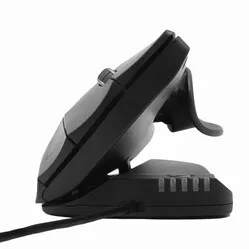
Bram R chose the Contour Design Unimouse : “I bought the mouse because I have RSI in my thumb and my previous, standard mouse didn't provide enough rest for it. The ergonomic mouse from Contour offers specific thumb support that can be fully adjusted to your hand. Additionally, you can tilt the mouse, which puts your upper arm in a much more natural position. After just one week, I had significantly fewer complaints in my thumb, so I am very satisfied with the purchase”.
Adriaan T was able to say goodbye to his complaints after purchasing the Handshoemouse : “Because I suffer from osteoarthritis, I started looking for an ergonomic mouse. Unfortunately, I couldn't see the wood for the trees and ended up on the Ergowerken website. I received truly excellent help via the chat function, and together we selected the right mouse. I have now been using it for several weeks to my complete satisfaction, and I notice that it really gives my hand more rest! A colleague also placed an order immediately yesterday!"

Tips to prevent hand and finger complaints

  • Mind your posture 

    This is perhaps the easiest tip to implement. By consciously focusing on the correct working posture, you will feel fitter and experience less fatigue. Do you keep forgetting to sit in the correct posture? If necessary, stick a post-it under your screen. You can read how to properly adjust your workstation here.

  • Vary your tasks 

    If you have many different tasks (for example, only using the mouse or only the keyboard), it is wise to switch between tasks occasionally. Work with the mouse for a maximum of one hour at a time, and then switch to the keyboard. This gives your hand the opportunity to rest.

  • Take a short break occasionally 

    Doing the same work for hours can not only be boring, but it can also cause or worsen hand complaints. Therefore, take short breaks more often. In the meantime, for example, get coffee for yourself and your colleagues, tidy up your desk drawer, or see if you can do work that doesn't require your mouse.

  • Leave the mouse alone more often 

    Are there tasks you can do without using a mouse? For example, working in Excel or answering your emails. These tasks can often be completed using only your keyboard. Also, use as many shortcuts as possible (e.g., Ctrl + C for copying) instead of the right mouse button.

  • Alternate between left and right 

    Get a mouse that you can use with both your left and right hand. This allows you to alternate between your left and right hand. You'll probably need to get used to it at first, but we promise it will be worth it!