Stel hier je vraag over dit product
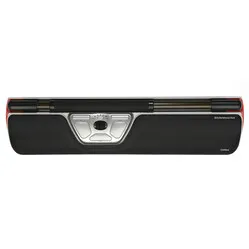
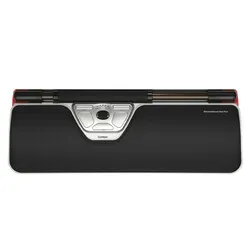
Contour Design Rollermouse Red wireless trackpad


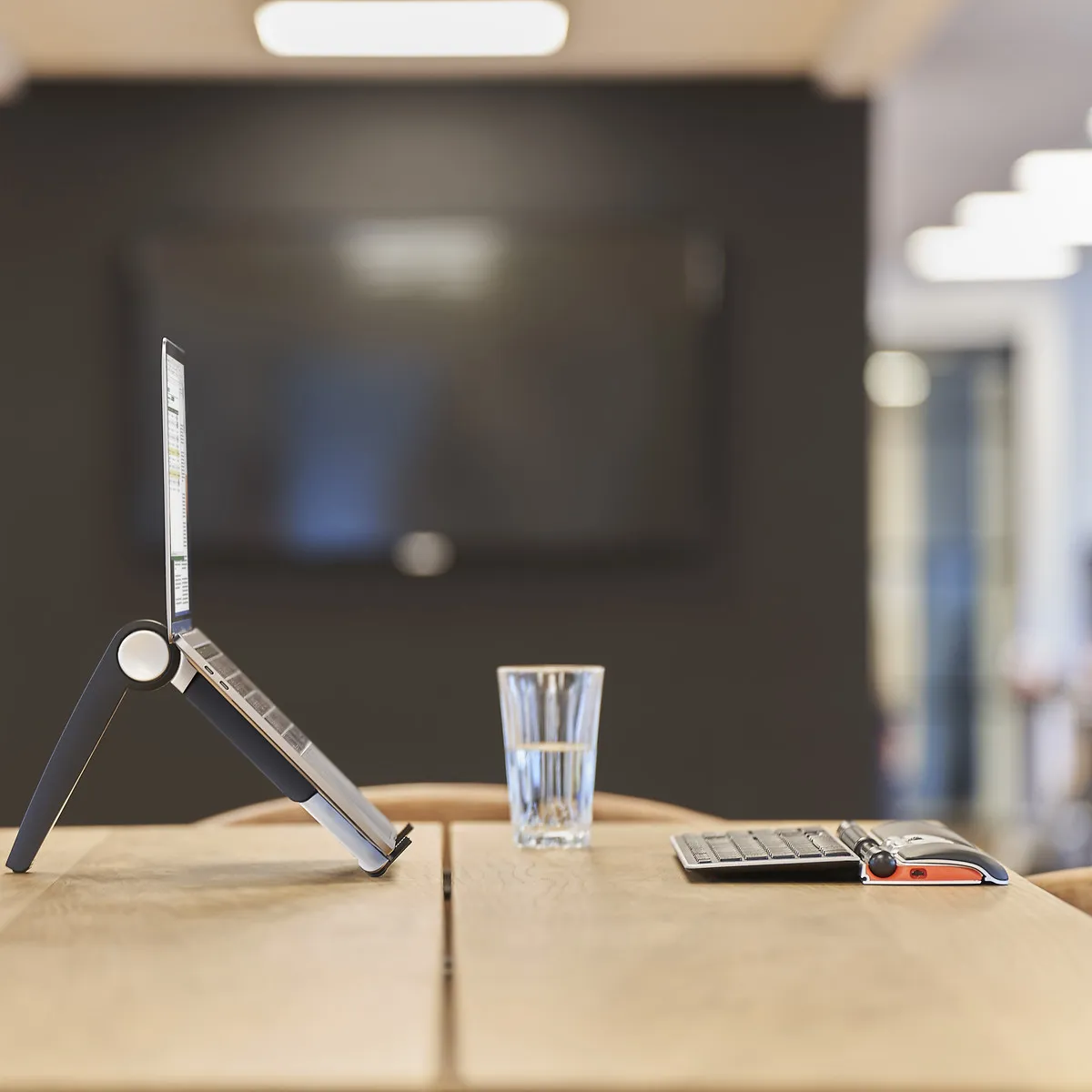


Product description of Contour Design Rollermouse Red wireless trackpad
Which size fits your hand?
Measure your hand as shown in the image and choose your size using the table below:
| Size | Width | Length |
|---|---|---|
| Any hand size | suitable | suitable |

A tribute to the Rollermouse Red wireless
Spaghetti-free
At last. The Rollermouse Red has finally ditched its cable too. Now let’s see how far it really goes. The other side of the table? Another table? Another office? Another country? Don’t be silly, it’s about 8 metres and that’s plenty.
Why choose the Rollermouse Red wireless trackpad?
If everyone knew what a Rollermouse can do, it wouldn’t be a stranger at all. Its appearance alone turns plenty of heads. Just wait until you see it in action.
A treat for your shoulders
You place the wireless Rollermouse RED right in front of you, between the keyboard and yourself. This means you operate it within shoulder width, which immediately highlights one of its strongest points. You don’t have to strain your arms excessively and your shoulders remain relaxed. The strain of using the mouse is distributed across both your hands and arms.
The Contour Rollermouse does everything any other mouse can do. You can still reach every corner of your screen thanks to the rolling bar at the top, and you have a full range of buttons and corresponding options.
True freedom
The scroll bar on the Red operates without limits. There is therefore no restriction on the movement of the cursor. You can scroll the bar endlessly up or down. Sideways, there is a physical limit to the bar itself, but thanks to sensors on the sides, the cursor continues to move left or right. The scroll bar on the Red is characterised by its thick shape, offering plenty of grip and precision.
Thanks to the virtual click in the scroll wheel, it is more precise than the previously familiar mechanical click. The dual laser in the Red tracks the wheel’s movement, making it highly precise. This makes the wireless Red versatile and suitable for both administrative and graphic work.
Strong through versatility
Just how comprehensive is the Contour Rollermouse? It comes as standard with left and right mouse buttons, a scroll wheel, double-click, and copy and paste buttons. These buttons, along with the click of the bar and the click beneath the scroll wheel, are all customisable; you can read more about this under ‘don’t miss this either’. The Rollermouse has modes for Windows, Mac and HID (such as Linux).
The speed at which your cursor responds to the movement of the trackpad can be adjusted. There are 10 settings, ranging from 600 to 2800 DPI. You can see these settings immediately thanks to the LEDs on the trackpad.
You can connect the trackpad using the micro USB receiver and operate it from up to 8 metres away from your computer. On the underside of the Rollermouse is a compartment where you can safely store the receiver. There is also an on/off button on the underside that allows you to switch the Red on and off.
Battery stuff
The battery in the Red is built-in and rechargeable. A 6-hour charge will last up to 3 months with average use. Should it run out of power whilst you’re working, you can use the supplied cable to charge the Rollermouse from your computer whilst you carry on working. Want to check the battery level whilst working? Simply press the DPI button once. The LEDs will first indicate the DPI setting, then the battery level. You can read more about this in the manual.
This is what makes a Rollermouse so good
The most common problems with a standard mouse boil down to two things: its position relative to your keyboard and relative to you. The mouse often taps against the keyboard, preventing you from using it with precision. If you then place it further away, it puts more strain on your arm and shoulder, which can lead to discomfort.
The Rollermouse sits directly in front of you and does not move. All the functions you need can be performed with minimal effort. This helps to alleviate and prevent discomfort.
Get the most out of it
Accessibility is what makes a trackpad such a great mouse. Its positioning is ideal; switching from the keyboard to the Rollermouse and back is a breeze, and you’re constantly using both hands. You’ll probably end up doing more work with one hand, but the option to support the other hand is a nice touch.
The roller bar has a left-click function. This is particularly suitable for advanced users, as it’s easy to accidentally send the mouse flying when clicking on it. Fortunately, you can disable this click or adjust the bar’s sensitivity. You can even adjust the volume of the click itself. As there is no actual click mechanism in the bar, the Rollermouse produces the sound. This gives you feedback so you know what you’re doing.
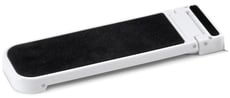
Not every keyboard is the same, which is why Contour supplies keyboard risers. You can slide these risers onto the Red trackpad and set them to different heights. Thanks to this adjustability, virtually any keyboard can be neatly connected to the Rollermouse. You can find an image of the risers in question on the right.
Don’t miss this either
Customise the buttons
To make the Rollermouse even more tailored to your needs, Contour has developed additional downloadable software. By downloading these drivers, you can assign functions to the buttons yourself.
You can go to great lengths with this. All buttons, the click beneath the roller bar and the scroll wheel can be customised. Functions can even be assigned on a per-programme basis. You select your application – for example, Photoshop – and choose the functions you’d like to be able to access quickly.
Furthermore, the Mac download ensures that the copy & paste buttons work. You can find them here.
2024 update
In the spring of 2024, Contour gave a fresh update to a large part of its range, including the RollerMouse Red. A number of well-known advantages, such as the large, textured scroll wheel, programmable buttons and customisable settings, have of course been retained. The update involves a number of changes to the production and design;
| Old model | Model from spring 2024 | |
| Large, textured scroll wheel | ||
| Adjustable setting | ||
| Reducing the number of movements | ||
| Prevents the need to ‘reach’ for the mouse | ||
| Variation in working posture | ||
| Antibacterial wrist rest made from vegan leather | ||
| Wrist support with memory foam | ||
| Bluetooth connectivity (on wireless models) | ||
| Charging via USB-C | ||
| Lower carbon footprint* |
How happy will my body be with this?
| Shoulder | |
| Arm | |
| Hand | |
| Wrist |
Pros and cons
- Also serves as a palm/wrist rest
- Can be used with either hand
- Adjustable button functions
- Wireless up to 8 metres
- Not easy to carry
Key specifications
| Warranty | 2 years |
| Ergonomic design | |
| Usage | Suitable for left- and right-handed users |
| Number of buttons | 6 |
| Connection | Wireless |
| View all specifications > |
Product features
- Prevents RSI symptoms
- Promotes a relaxed shoulder posture
- Wireless up to 8 metres
- Ergonomic design
- Centrally positioned
- More buttons for extra functionality
- Customise buttons with driver
What’s in the box?
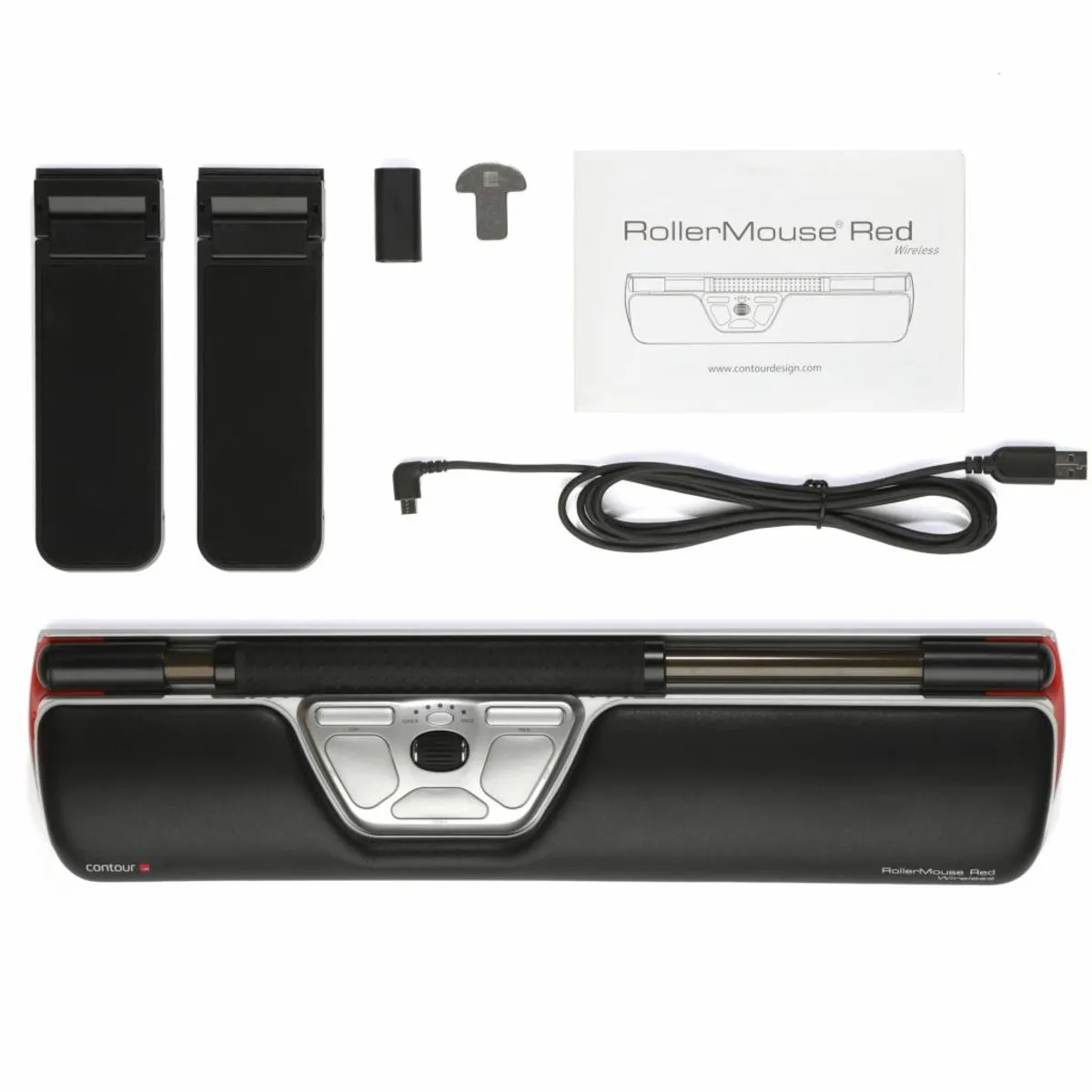
- 1 x Rollermouse Red wireless
- 1 x Nano USB receiver
- 1 x USB 2.0 cable adapter
- 1 x USB to micro-USB 180 cm charging cable
- 1 x Palm/wrist rest
- 1 x Wrist rest removal tool
- 2 x Short keyboard risers
- 2 x Long keyboard risers
- 1 x User manual
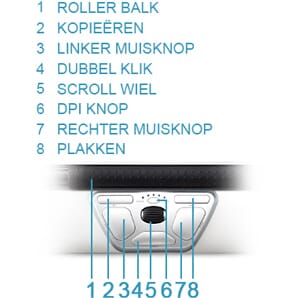
Button functions
The following image shows the standard function for each button.
Keyboard risers
Keyboard risers are included with the Rollermouse. This ensures you can always make the most of this mouse’s benefits.
Frequently asked questions
Specifications
| Item number | ERGO-MI069WL |
| Manufacturer's item number | RM-RED-WL |
| Brand | Contour |
| Warranty | 2 years |
| Type of guarantee | The Ergowerken free return guarantee service |
| Colour | Black and silver grey with red accents |
| Ergonomic design | |
| Management | Trackpad |
| Left- or right-handed | Left- and right-handed |
| Hand length | Suitable for any hand size |
| Hand width | Suitable for any hand size |
| Operation | Buttons and trackpad |
| Connection | Wireless or wired |
| Included receiver | Yes, 2.4 GHz nano receiver |
| Bluetooth | |
| USB port | Yes, USB-C |
| USB version | 2.0 |
| Number of buttons | 6 |
| On/off button | |
| Adjustable buttons | Yes, with the help of the driver |
| Scroll wheel | |
| Trackball | |
| Adjustable sensitivity | |
| Sensitivity | 600/800/1000/1200/1400/1600/1800/2000/2200/2400 dpi |
| Type of power supply | Integrated battery |
| Rechargeable | |
| Minimum system requirements | Mac OS X and above or Windows 7 and above |
| Plug and play | |
| Dimensions length x width x height | 100 x 410 x 23 mm, wrist rest has a depth of 73 mm |
| Product weight | 820 grams |
Reviews Contour Design Rollermouse Red wireless trackpad
Customers who write a review enter a prize draw for a voucher. We pick one winner and publish all reviews, including critical ones.