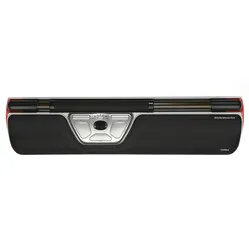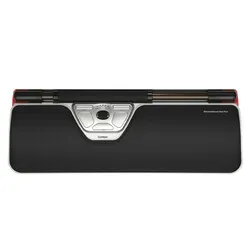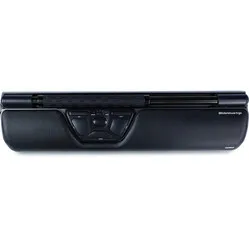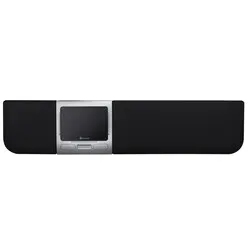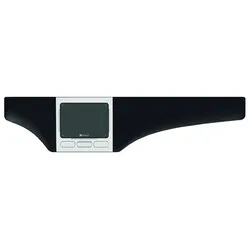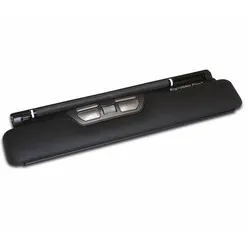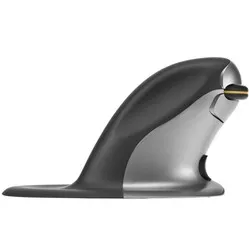
Mooi trackpad
"Hij doet wat hij moet. De service was super snel en keurig:)"



Measure your hand as shown in the image and choose your size using the table below:
| Size | Width | Length |
|---|---|---|
| Any hand size | suitable | suitable |
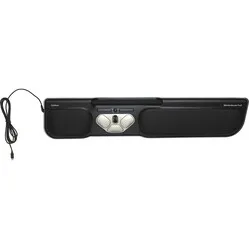
Rollermouse ERGO, ERGOwerken. Coincidence? We think not. We are writing this ode while standing in front of the mirror. Normally, we don't like looking in it at all. But for this one time, with this brilliant product name, we're making an exception.
Contour's Ergo is not just a Rollermouse Red with a Men in Black finish. More has been done with the model than simply giving it a different look. For example, it now features:
The Rollermouse is positioned directly in front of you, between you and your keyboard. This means you don't have to reach out your arm to operate the mouse. It provides more relaxation while working, thereby reducing the risk of RSI complaints.
The Rollermouse Ergo can do everything your current mouse can. You can control the cursor with it, and it features a very extensive array of useful buttons. You operate the mouse using the bar located at the top of the trackpad.
By 'rolling' the bar, the cursor moves vertically; by sliding it, it moves horizontally. Thanks to a special mechanism on the sides of the Rollermouse, your horizontal movement is not restricted. The Ergo's bar is a further developed version. It is thicker and has rubber lines, allowing you to move it with extreme precision.
The mechanical left mouse click has been replaced by a virtual one, which simply means it takes less effort to click. The rolling and sliding of the bar are registered by a dual laser, further increasing precision. It analyses your movements and adapts to your working style.
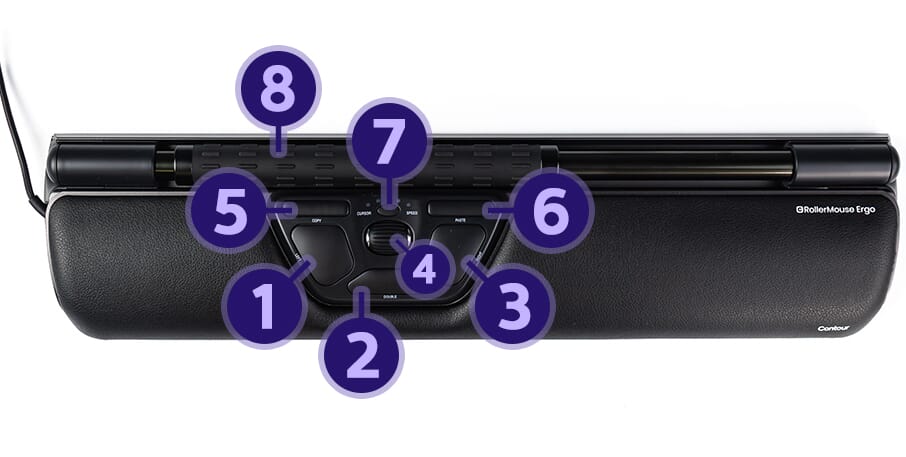
The Ergo Rollermouse is complete thanks to all its buttons and associated functions. Of course, the scroll wheel is also present, allowing you to easily navigate through pages. The image below shows the functions per button.
The common problems with a normal mouse lie in two things: its placement relative to your keyboard and relative to you. The mouse often bumps against the keyboard, preventing precise work. If you then place it further away, more pressure is put on the arm and shoulder, which can lead to complaints.
The Rollermouse is positioned directly in front of you and does not move. All the functions you need can be performed with minimal effort. This way, complaints are counteracted and prevented.
What a trackpad primarily has over a normal mouse is its accessibility. It lies directly in front of you, allowing you to operate it with both hands. This reduces the workload on one hand. Of course, you always have a preference for a certain hand, but the Rollermouse enables you to take over certain functions with the other hand.
For the experienced user, the bar on the Ergo can also be used as a left mouse button. By means of an easy combination of buttons, you can adjust the sensitivity of the bar. The feedback volume can also be adjusted. Since the bar can no longer be pressed mechanically, the Rollermouse makes a sound when you press the bar. This way, you know you are using the left mouse function.
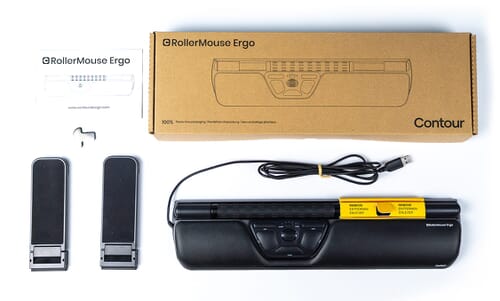
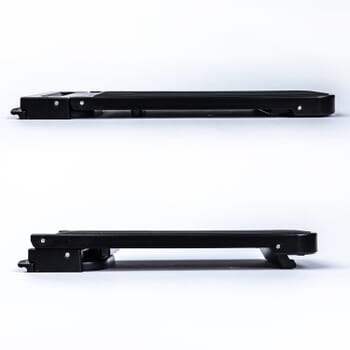
To ensure a good connection between the keyboard and the Rollermouse, keyboard risers are included. These risers are adjustable, allowing almost any keyboard to be seamlessly connected to the trackpad. Below you will find an image of a keyboard riser.
To make the Rollermouse even more to everyone's liking, Contour has developed additional downloadable software. By downloading these drivers, you can assign functions to the buttons yourself. Furthermore, the Mac download ensures that the copy & paste buttons work. You can find them here.
The following image shows the standard function for each button.
| Shoulder | |
| Arm | |
| Hand | |
| Wrist |
| Warranty | 2 years |
| Ergonomic design | |
| Usage | Left and right-handed |
| Number of buttons | 6 |
| Cable length | 2 metres |
| View specifications > |
Keyboard risers are included with the Rollermouse. This way, you can always make optimal use of the advantages of this mouse.
| Item number | ERGO-RMERGO |
| Manufacturer's item number | CDRMERGO20110 |
| Brand | Contour |
| Warranty | 2 years |
| Type of guarantee | Ergowerken free warranty return service |
| Colour | Black |
| Ergonomic design | |
| Management | Trackpad |
| Left- or right-handed | Left- and right-handed |
| Hand length | Suitable for any size hand |
| Hand width | Suitable for any hand size |
| Operation | Buttons and trackpad |
| Included receiver | not applicable |
| Bluetooth | not applicable |
| USB port | |
| USB version | 2.0/3.0 |
| Number of buttons | 6 |
| On/off button | not applicable |
| Adjustable buttons | Yes, with the help of the driver |
| Scroll wheel | |
| Trackball | |
| Adjustable sensitivity | |
| Sensitivity | 600 | 800 | 1000 | 1200 | 1600 | 2000 | 2400 | 2800 | 3400 | 4000 |
| Type of power supply | Cable 2 metres |
| Battery type | not applicable |
| Rechargeable | not applicable |
| Minimum system requirements | Windows and OSX |
| Plug and play | |
| Dimensions length x width x height | 100 x 410 x 23 millimetres, wrist rest has a depth of 73 millimetres |
Customers who write a review enter a prize draw for a voucher. We pick one winner and publish all reviews, including critical ones.