Notify me when is back in stock.
Enter your e-mail address here and we will send you an update as soon as this product is back in stock.
After submitting your e-mail address, you will receive an e-mail confirming your subscription.
This notification is no guarantee that you can claim items from the new stock. Want to be more certain of receiving the product? Then order and pay for it right away. Your order will be reserved and shipped as soon as the new stock arrives.
Privacy Your e-mail address is stored in a closed database that we cannot access. After the stock update, your e-mail address is automatically deleted.

Reviews

ERGONOMIC WIRELESS MOUSE

FROM 39.95

Ergonomic wireless mouse | from 39.95
Filters
Quickly find your ideal mouse
Start decision aid
0 reviews
129,00 99,00 Incl. VAT
81,82 Excl. VAT
0 reviews
77,72 69,95 Incl. VAT
57,81 Excl. VAT
0 reviews
46,95 39,95 Incl. VAT
33,02 Excl. VAT
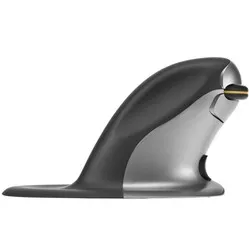
Posturite Penguin Mouse Wireless Left/Right
0 reviews
109,00 Incl. VAT
90,08 Excl. VAT
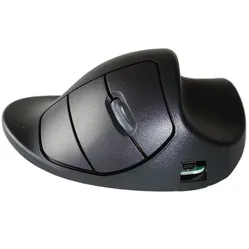
Handshoemouse Original wired/wireless right-handed
0 reviews
140,00 Incl. VAT
115,70 Excl. VAT
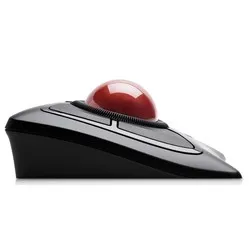
Kensington Expert Mouse wireless trackball mouse
0 reviews
129,00 Incl. VAT
106,61 Excl. VAT
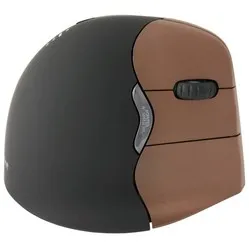
Evoluent VerticalMouse 4 Right wireless right-handed
0 reviews
122,95 Incl. VAT
101,61 Excl. VAT
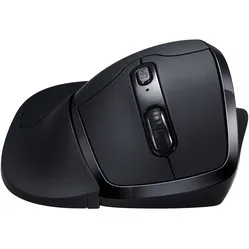
Newtral 3 wireless right-handed
0 reviews
81,95 Incl. VAT
67,73 Excl. VAT
Evoluent D black glossy wireless (right-handed)
0 reviews
129,00 Incl. VAT
106,61 Excl. VAT
Evoluent VerticalMouse4 Bluetooth right-handed for Mac
0 reviews
129,00 Incl. VAT
106,61 Excl. VAT
Delux Mini Onyx Charge Wireless Right-handed
0 reviews
49,95 Incl. VAT
41,28 Excl. VAT
Evoluent VerticalMouse 4 Small right-handed wireless
0 reviews
129,00 Incl. VAT
106,61 Excl. VAT
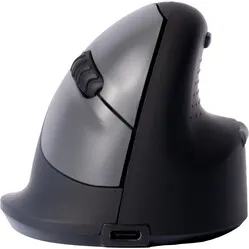
R-Go  HE Mouse Break Bluetooth Right-Handed
0 reviews
91,95 Incl. VAT
75,99 Excl. VAT
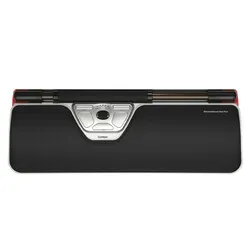
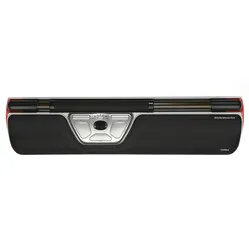
Contour Design Rollermouse Red wireless trackpad
0 reviews
429,00 Incl. VAT
354,55 Excl. VAT
DXT Precision Mouse wireless left/right
0 reviews
129,00 Incl. VAT
106,61 Excl. VAT
0 reviews
79,95 69,95 Incl. VAT
57,81 Excl. VAT
Delux Mini Ice Charge Wireless Right-Handed
0 reviews
49,95 Incl. VAT
41,28 Excl. VAT
0 reviews
129,00 99,00 Incl. VAT
81,82 Excl. VAT
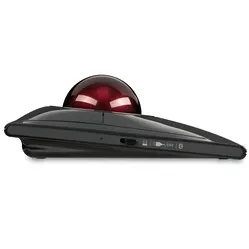
Kensington SlimBlade™ Pro wireless trackball mouse
0 reviews
129,00 Incl. VAT
106,61 Excl. VAT
Contour Design Rollermouse GO trackpad wireless
0 reviews
289,00 Incl. VAT
238,84 Excl. VAT
Contour Design Rollermouse Red Plus wireless trackpad
0 reviews
449,95 Incl. VAT
371,86 Excl. VAT
Delux Mini Onyx charge wireless left-handed
0 reviews
49,95 Incl. VAT
41,28 Excl. VAT
Delux Wow Grip Mouse wireless rechargeable right-handed - anthracite
0 reviews
49,95 Incl. VAT
41,28 Excl. VAT
DXT 3 Precision Mouse wireless left/right
0 reviews
139,00 Incl. VAT
114,88 Excl. VAT

Customer reviews of their wireless mouse

John chose the Bluetooth variant of the VerticalMouse4 : “There are many different versions; large, small, wired, wireless via USB or Bluetooth. My choice ultimately fell on wireless via Bluetooth because usually only 1 dongle is supplied, while I will be using the mouse in 2 different workplaces (office and home office)”.
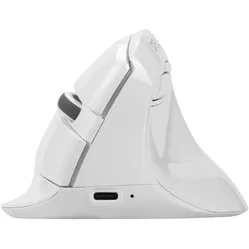
Nikky is pleased with the wireless connection of her Delux Mini : “Connectivity is also good. You get a wireless 2.4Ghz receiver (which you can conveniently store in the mouse itself if you want to take it with you) and with a button on the bottom, you can switch between a connection with this receiver (which is in my PC) and a Bluetooth connection. Of course, it is also possible to connect it with the supplied USB C to USB A cable."

Wireless Bluetooth or Wireless USB?

Wireless mice come in two different variants. Sometimes you have to choose, sometimes a mouse has both features. The latter case is easy, because then you're always covered.

With a USB wireless mouse, you always receive a USB receiver. You plug this into your PC or laptop and often you can start working immediately, in other words, “plug & play”. Installation for basic use of the mouse is then not necessary. A disadvantage of a USB wireless mouse is that you can forget or lose the receiver, for example, when you regularly change workplaces. The receiver is almost always in the form of USB-A. Check carefully whether your PC or laptop supports this. If not, you can use an adapter.

An alternative to a USB wireless mouse is a wireless Bluetooth mouse. As you can probably guess, the connection between the mouse and PC/laptop is based on Bluetooth. With a mouse that only has a Bluetooth connection, no USB receiver is supplied. The advantage of this is that you cannot lose or forget it, for example, when changing workplaces. A disadvantage, however, is that the response time of a Bluetooth mouse can be a fraction slower. Also, if your PC or laptop does not have Bluetooth, a Bluetooth mouse is not a wise choice, unless you can use a separate Bluetooth receiver. This allows the mouse to still connect.

Disadvantages of a wireless mouse

So, a wireless mouse has many advantages. However, there are also a few (minor) disadvantages. For example, you have to charge a wireless mouse occasionally or replace its batteries. A wireless mouse also reacts a fraction slower than a wired mouse. For example, we always advise avid gamers to choose a wired model. At least then it won't be the mouse's reaction time if you lose a game ;-).