Update mij als weer op voorraad is.
Vul hier je e-mailadres in en wij geven jou een update wanneer wij weer voorraad hebben.
Je ontvangt na het versturen van jouw e-mailadres een e-mail met daarin de bevestiging van jouw inschrijving.
Wij kunnen met deze notificatie geen garantie bieden dat je 100% zeker weten aanspraak maakt bij nieuwe voorraad. Wil je meer kans om het product te krijgen bij nieuwe voorraad? Kies er dan voor om het nu gelijk te bestellen en af te rekenen. Dan krijg je
Privacy Je e-mailadres wordt opgeslagen in een gesloten database. Wij kunnen die niet inzien. Je e-mailadres wordt na de voorraad update automatisch weer verwijderd.

Reviews

ERGONOMIC WIRELESS MOUSE

FROM 39.95

Filters
Vind snel jouw ideale
Start keuzehulp
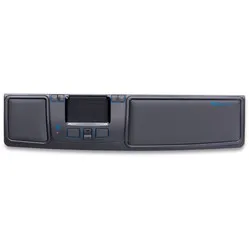
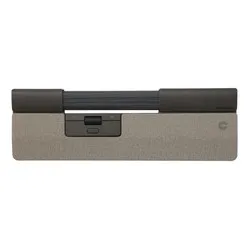
Contour Design Rollermouse GO trackpad wireless
0 reviews
289,00 Incl. tax
238,84 Excl. tax
0 reviews
53,95 41,95 Incl. tax
34,67 Excl. tax
0 reviews
309,00 199,00 Incl. tax
164,46 Excl. tax
Delux Mini Onyx charge wireless left-handed
0 reviews
49,95 Incl. tax
41,28 Excl. tax
Minicute EZMouse2 wireless left-handed
0 reviews
69,95 Incl. tax
57,81 Excl. tax
DXT 3 Precision Mouse wireless left/right
0 reviews
139,00 Incl. tax
114,88 Excl. tax
BakkerElkhuizen PRF wireless mouse
0 reviews
79,95 Incl. tax
66,07 Excl. tax
0 reviews
94,95 89,00 Incl. tax
73,55 Excl. tax
Contour Design Touch Wireless Trackpad
0 reviews
179,00 Incl. tax
147,93 Excl. tax
R-Go  HE Mouse Break Bluetooth left-handed
0 reviews
91,95 Incl. tax
75,99 Excl. tax
DXT 3 Precision Mouse wired left/right
0 reviews
119,00 Incl. tax
98,35 Excl. tax
Mousetrapper® Prime wireless Bluetooth trackpad
0 reviews
369,00 Incl. tax
304,96 Excl. tax
Newtral 3 wireless left-handed
0 reviews
94,00 Incl. tax
77,69 Excl. tax
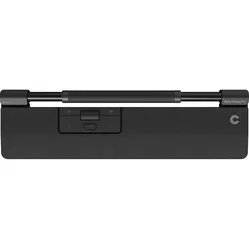
Contour Design RollerMouse Pro trackpad wireless - Vegan Leather
0 reviews
319,00 Incl. tax
263,64 Excl. tax
R-Go  HE Mouse Large wireless left-handed
0 reviews
91,95 Incl. tax
75,99 Excl. tax
Delux Mini White wireless left-handed
0 reviews
49,95 Incl. tax
41,28 Excl. tax
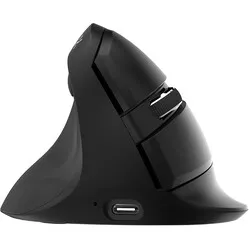
BakkerElkhuizen FastForward Pro vertical mouse
0 reviews
114,95 Incl. tax
95,00 Excl. tax
BakkerElkhuizen Grip Pro
0 reviews
44,95 Incl. tax
37,15 Excl. tax
Delux AIR Gaming white wireless right-handed
0 reviews
59,95 Incl. tax
49,55 Excl. tax
Delux AIR Gaming black wireless right-handed
0 reviews
59,95 Incl. tax
49,55 Excl. tax
0 reviews
349,00 241,00 Incl. tax
199,17 Excl. tax
BakkerElkhuizen Midway 3-mode Right-handed
0 reviews
72,95 Incl. tax
60,29 Excl. tax
BakkerElkhuizen Midway 3-mode left-handed
0 reviews
72,95 Incl. tax
60,29 Excl. tax

Customer reviews of their wireless mouse

John chose the Bluetooth variant of the VerticalMouse4: “There are many different versions; large, small, wired, wireless via USB or Bluetooth. My choice ultimately fell on wireless via Bluetooth because usually only 1 dongle is supplied, while I will be using the mouse in 2 different workplaces (office and home office)”.
Nikky is pleased with the wireless connection of her Delux Mini: “Connectivity is also good. You get a wireless 2.4Ghz receiver with it (which you can conveniently store in the mouse itself if you want to take it with you) and with a button on the bottom, you can switch between a connection with this receiver (which is in my PC) and a Bluetooth connection. Of course, it is also possible to connect it with the supplied USB C to USB A cable."

Wireless Bluetooth or wireless USB?

Wireless mice come in two different variants. Sometimes you have to choose, sometimes a mouse has both features. The latter case is easy, because then you're always covered.

With a USB wireless mouse, you always receive a USB receiver. You plug this into your PC or laptop and often you can start using it straight away, i.e., “plug & play”. Installation for basic use of the mouse is then not necessary. A disadvantage of a USB wireless mouse is that you can forget or lose the receiver, for example, when you regularly switch workplaces. The receiver is almost always in the form of USB-A. Check carefully whether your PC or laptop supports this. If not, you can use an adapter.

An alternative to a USB wireless mouse is a wireless Bluetooth mouse. As you can probably guess, the connection between the mouse and PC/laptop is based on Bluetooth. A mouse with only a Bluetooth connection does not come with a USB receiver. The advantage of this is that you cannot lose or forget it, for example, when changing workplaces. A disadvantage, however, is that the response time of a Bluetooth mouse can be a fraction slower. Also, if your PC or laptop does not have Bluetooth, a Bluetooth mouse is not a wise choice, unless you can use a separate Bluetooth receiver. This allows the mouse to still connect.

Disadvantages of a wireless mouse

So, a wireless mouse has a lot of advantages. However, there are also a few (minor) disadvantages. For example, you occasionally have to charge a wireless mouse or replace its batteries. A wireless mouse also reacts a fraction slower than a wired mouse. For example, we always advise avid gamers to choose a wired model. At least then it won't be the mouse's reaction time if you lose a game ;-).