An ode to the HE mouse Break Bluetooth
A compromise
"We're going to make a mouse for the hand. No, for the wrist. No, for the hand. Well, this is tricky. Shall we do both?"
Wireless comfort
The computer mouse. You secretly hold it more often than your loved one's hand. So your mouse deserves to convey a little comfort and love. And the HE Mouse does this excellently. It fits comfortably in the hand and allows you to work relaxed. All day long. But beware! Once tried, you won't want anything else.
Why the HE Mouse wireless?
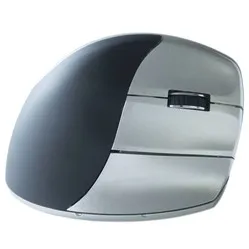
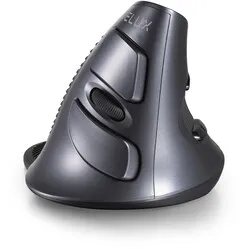
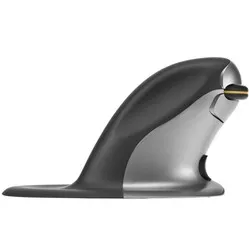
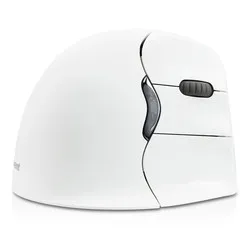
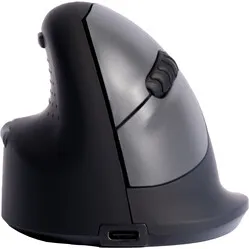
The HE Mouse has a vertical design that contributes to a healthier arm posture when working with the mouse. The arm is tilted into its natural position, which reduces muscle tension and makes you less prone to annoying (RSI) complaints and aches. You have more comfort and can work more pleasantly.
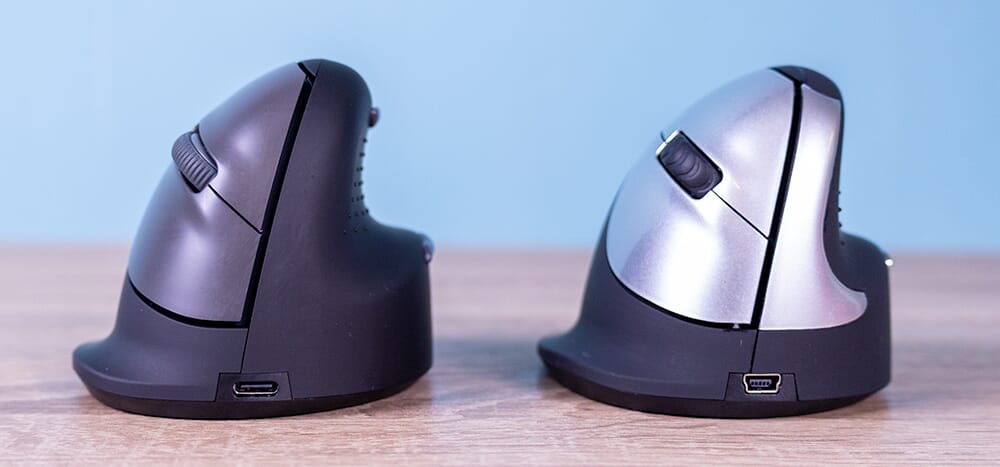
On the inside of the HE Mouse wireless mouse, there is an indentation where your thumb can rest comfortably. Furthermore, the mouse is made of special materials that provide a pleasant grip during use. The mouse has 5 buttons and the ability to adjust the accuracy to 800, 1200 or 1600 DPI.
The wireless HE Mouse has a Li-ion battery that can be charged via the included cable. With 3.5 hours of charging, the mouse can be used for 57 consecutive hours. Furthermore, the plastic parts of the HE Mouse are made entirely from recycled material. In addition, R-Go is a member of the WEEE, a European body that regulates the collection and recycling of electronic devices.
What makes the R-Go HE Break Mouse Bluetooth so good?
The HE Break has been updated and therefore has several improvements compared to the other Break mice. An example of this is the silent mouse buttons. When you press them, you'll barely hear anything. Unfortunately, the thumb buttons (standard backward & forward on Windows) are not silent, and a click is clearly audible.
Get the most out of your R-Go Break Bluetooth
(optional) Break software
R-Go Break is a software tool that reminds you to take a break from your work occasionally. Once the installation is complete, the programme will send signals to your mouse, causing the R-Go logo to light up. When the logo is green, it indicates that you are working healthily. If the logo turns orange, it's time for a short break from your work. A red logo means you have been working too long without a break. The software can be adjusted to personal preference; for example, you can increase the break frequency.
You can read more about the software or download it here. Unfortunately, the software tool only works on Windows.
Comfortable grip & extra features
The ergonomic HE wireless mouse is a lightweight mouse with several handy features. The mouse offers a comfortable grip thanks to soft rubber nubs on the aforementioned thumb indentation. Additionally, the ergonomic mouse is easy to control because your thumb won't slip due to the nubs.
The rubber scroll wheel on the wireless mouse feels pleasant to your fingertips and operates flexibly. The mouse also features a backward and a forward button. These buttons make browsing pages and folders easier. The buttons will not get in your way and are easy to reach.
Don't miss this either
The buttons on the HE mouse work plug & play by default. Please note: on iMacs and Macbooks, the thumb buttons (backward and forward) do not work without additional software. The wireless HE mouse does not have its own control programme to change the functions of the buttons. Programmes that do offer this support are available. You can find them here for Windows and MAC.