Stel hier je vraag over dit product
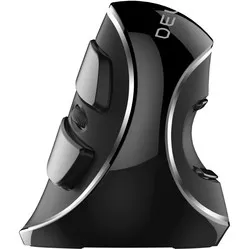
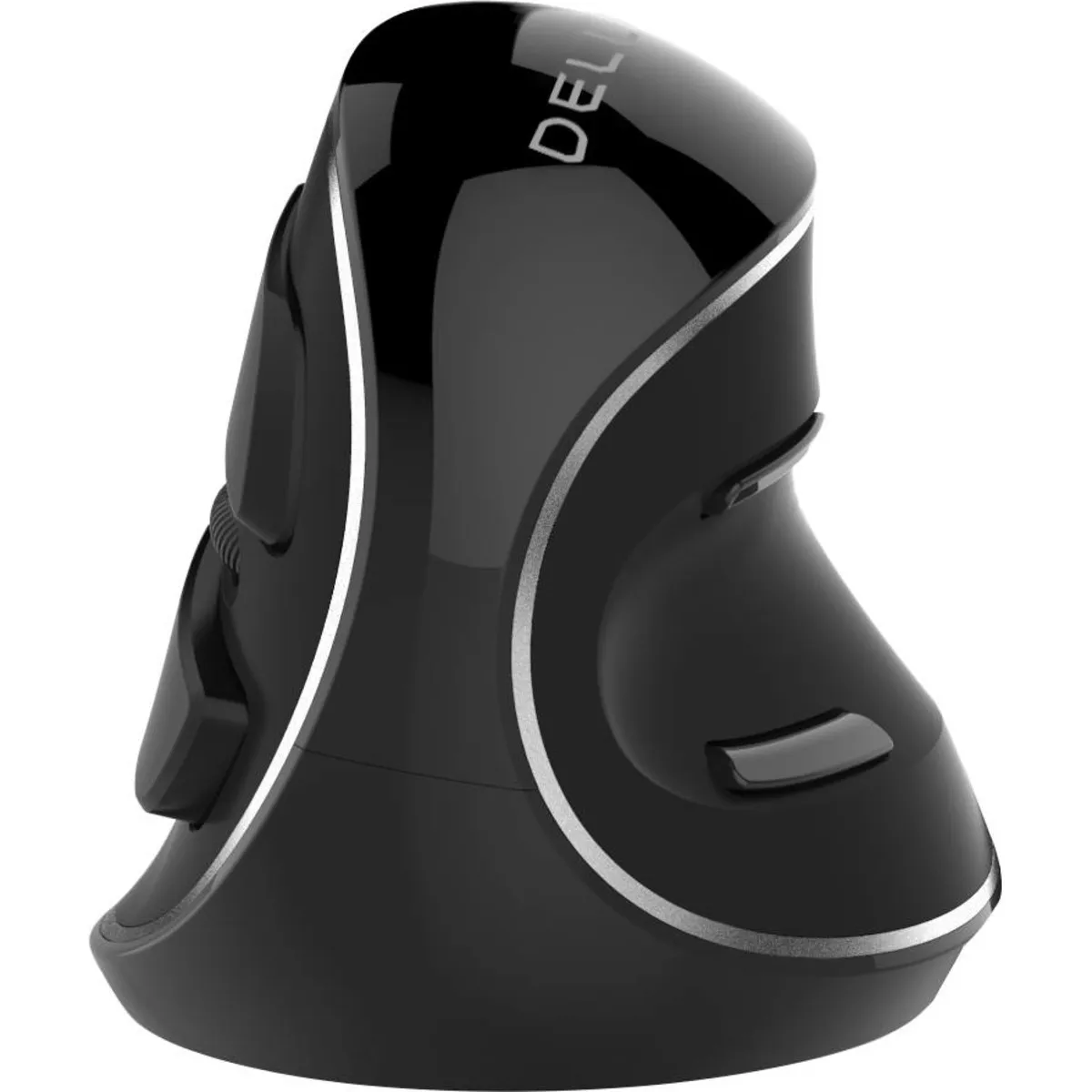
Delux grip mouse Plus wireless right-handed ergonomic mouse




Product description of Delux grip mouse Plus wireless right-handed ergonomic mouse
Which size fits your hand?
Measure your hand as shown in the image and choose your size using the table below:
| Size | Hand width | Hand length |
|---|---|---|
| One size | 80 - 100 mm | 170 - 190 mm |

An ode to Delux Plus
A big boy for the small tasks
The latest addition to the Delux family has the size of a grizzly bear, but also the fine motor skills of a glassblower. You don't often see a sumo wrestler achieve a perfect score in the floor exercise.
Why the Delux Plus wireless?
In the Delux mouse series, the Plus is by far the best choice for larger hands. Its spacious body provides a good grip for the hand, and its detachable wrist rest ensures you primarily use your arm for mousing.
Comfort for your hand and wrist
The vertical design of the Delux Plus makes it very suitable for the wrist. Your arm is guided into a better posture, making it easier to find a relaxed working position. Thanks to its rather thick design, the hand also rests comfortably around the mouse, reducing the need to grip tightly.
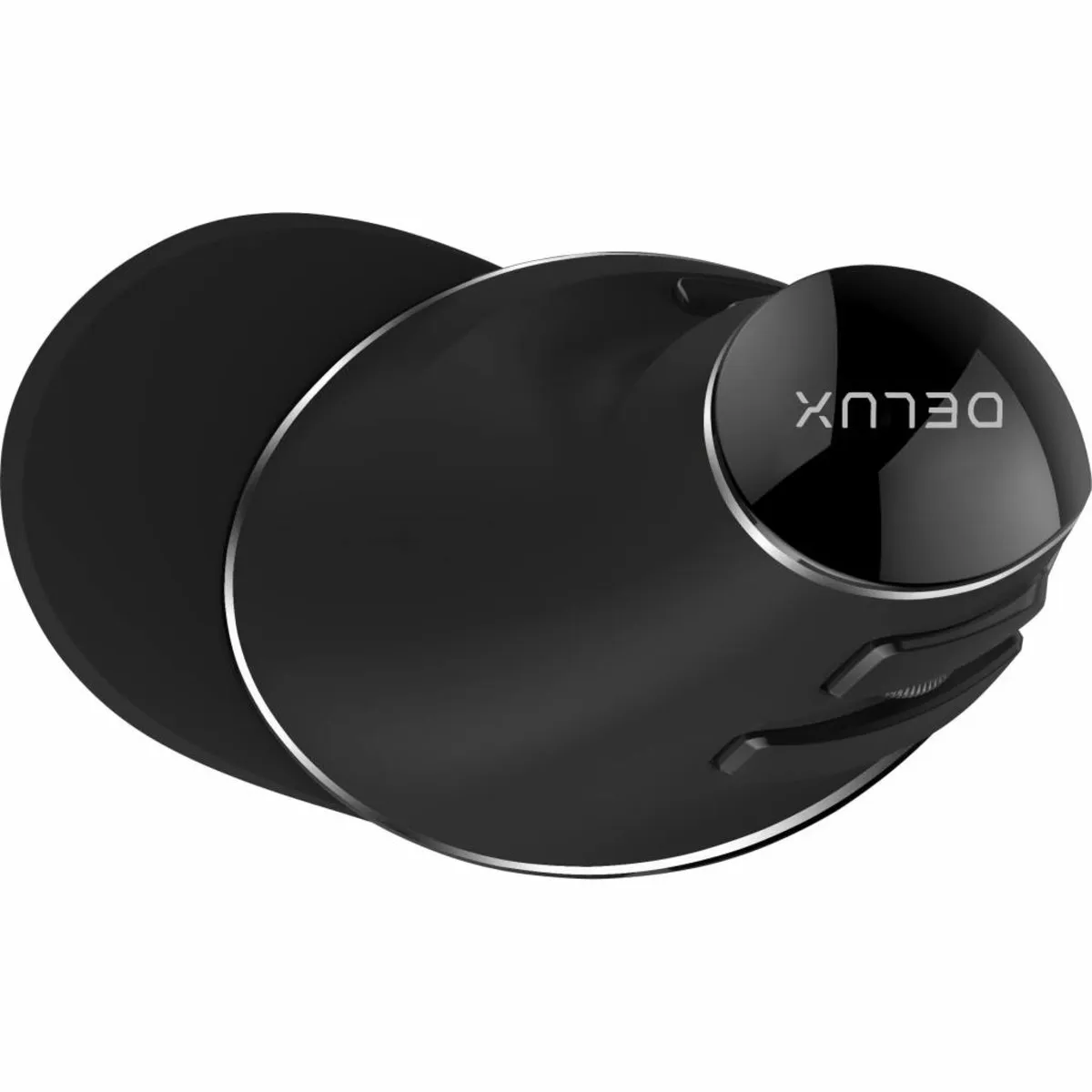
The large Delux mouse features a detachable wrist rest. This rest primarily ensures that you are less likely to mouse from the wrist. This effectively combats overuse. Additionally, it prevents your palm/wrist from rubbing against the desk. However, with the wrist rest attached, you are slightly less precise with the mouse.
Excellent button positioning
Delux excels in positioning its buttons. The buttons are thoughtfully spaced and positioned quite far forward, allowing you to keep your fingers flat when clicking.
The extra thumb buttons have also been carefully considered. Where you often see these buttons placed one after another, they are now positioned above and below the thumb. This makes clicking easy and fast; you never have to search for a button. The button functions are forward (top button) and backward (bottom button). This allows you to navigate in folders and on websites, for example.
Only the placement of the scroll wheel on this Delux mouse could have been slightly deeper. You now have to retract your index or middle finger a bit further if you want to scroll with the tip of your finger. For larger hands, we recommend keeping the finger flat and scrolling with the middle knuckle. It takes some getting used to, but it puts less strain on your hand.
Wireless via USB
This wireless version of the Plus features a nano USB receiver and is powered by an integrated rechargeable battery. The mouse can also be connected via Bluetooth. The internal battery can be charged using a USB-C cable. Thanks in part to the mouse's sleep mode, it can last quite a long time. After a short period of inactivity, the mouse enters this sleep mode, from which it can be quickly reactivated with a left mouse click. Do you want to get the most out of the battery? Then turn it off at night.
The mouse receiver is located in a compartment on the underside of the mouse. Not convenient when connecting for the first time (#$%! where is that receiver!?), but you'll be glad of it later, as you can always store it safely when transporting it.
The mouse can be operated up to 10 metres from the computer. This is an obstacle-free distance. If a wall, desk or other objects are placed in between, you will have to sit a few metres closer.
What makes a vertical mouse so good?
The great advantage of a vertical model like the Delux Plus is what it does for your arm. It takes your arm out of the twisted posture caused by a flat mouse. Thanks to the improved posture, there is less tension on your arm, and you should be able to mouse for longer without discomfort.
Get the most out of the Plus
Switch between comfort and precision
The detachable wrist rest of the Plus offers you 2 working modes. With the rest attached to the mouse, you can work relaxed, and general tasks, in particular, are perfectly manageable. If you remove the rest from the mouse, you become much more precise. Tasks such as drawing and video editing become smoother and more accurate. You can now move a little more from the wrist. However, make sure you take enough breaks and do not overstrain your wrist.
No more sweaty hands
The soft-touch coating on the Delux Plus offers optimal grip during your work. A nice bonus is that it also prevents sweaty hands. You can continue to work accurately with it all day long.
Don't miss this either
On Windows computers, you can use all the mouse functions. On Mac OS, the backward and forward buttons do not work.
As a Mac user, do you want to be able to use all the buttons? Then consider purchasing the USB Overdrive programme. With this, you can not only get all the buttons working, but you can also assign them any function you have in mind. You can use the programme for free with adverts.
Pros and Cons
- Wireless
- Forces arm into natural posture
- Ideal for larger hands
- Extra mouse buttons (forward & backward)
- Excellent button placement
- Scroll wheel could have been slightly deeper
Brief specifications
| Warranty | 2 years |
| Ergonomic design | |
| Usage | Right-handed |
| Number of buttons | 5 |
| Colour | Black |
How happy will my body be with this?
| Wrist | |
| Arm | |
| Hand | |
| Shoulder |
Product features
- Prevents RSI complaints
- Ergonomic design
- Wireless USB and Bluetooth
- Adjustable DPI (800/1600/2400)
- Suitable for larger hands up to 19 cm
- With anti-slip and anti-sweat coating
What's in the box?
- 1 x Right-handed wireless mouse
- 1 x Manual
- 1 x Wireless micro USB receiver
- 1 x USB-C cable
Button functions
The following image shows the standard function for each button.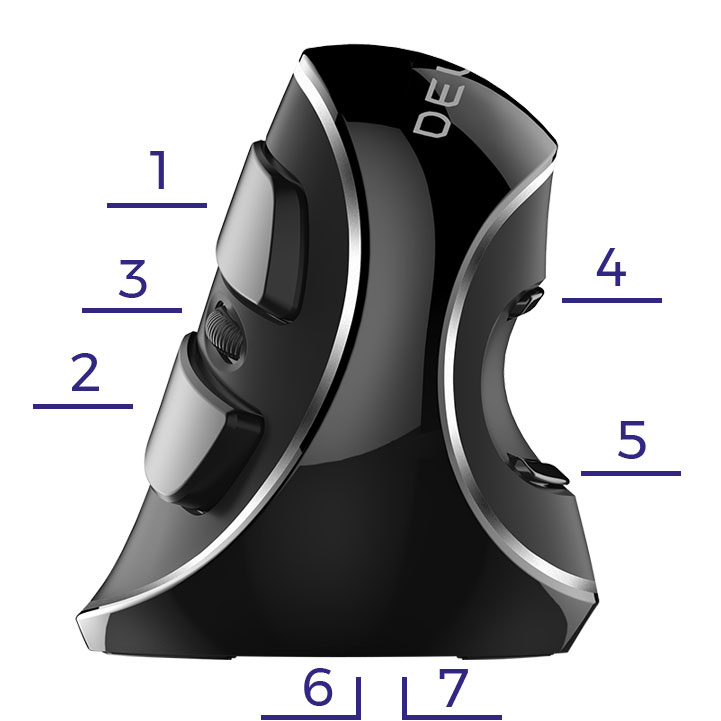
- Left mouse button
- Right mouse button
- Scroll wheel
- Forward button (does not work on MAC)
- Backward button (does not work on MAC)
- On/Off Button
- DPI button (mouse sensitivity)
Frequently Asked Questions
Specifications
| Item number | ERGO-MI005L |
| Manufacturer's item number | M618Plus |
| Brand | Deluxe |
| Warranty | 2 years |
| Type of guarantee | Ergowerken free warranty return service |
| Colour | Black |
| Ergonomic design | |
| Management | Optical |
| Left- or right-handed | Right-handed |
| Hand length | 170 to 190 cm, measured from the tip of the middle finger to the edge of the wrist |
| Hand width | from 80 to 100 mm, measured on the palm, 1 cm below the four fingers |
| Operation | Buttons and scroll wheel |
| Connection | Wireless USB |
| Included receiver | Yes, 2.4 GHz nano receiver |
| Bluetooth | |
| USB port | |
| Number of buttons | 5 + a scroll wheel |
| On/off button | |
| Adjustable buttons | |
| Scroll wheel | |
| Trackball | |
| Adjustable sensitivity | |
| Sensitivity | 800/1600/2400 DPI (dots per inch) |
| Type of power supply | Integrated battery |
| Rechargeable | Yes, using the supplied USB-C cable. |
| Minimum system requirements | Windows 2000 and above - Mac OS |
| Plug and play | |
| Dimensions length x width x height | 149 x 95 x 99 millimetres |
| Product weight | 178 grams (with USB receiver in mouse 180 grams) |
Reviews Delux grip mouse Plus wireless right-handed ergonomic mouse
Customers who write a review enter a prize draw for a voucher. We pick one winner and publish all reviews, including critical ones.