


ERGONOMIC MOUSE
FROM JUST €36.95
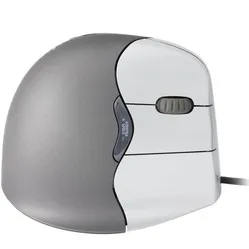
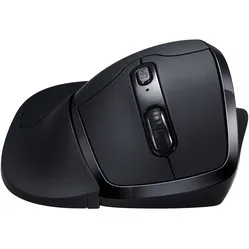
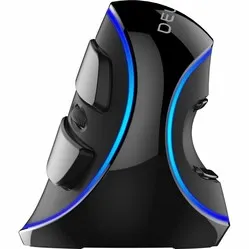
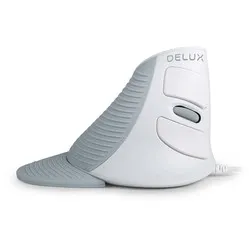
Customer reviews of their ergonomic mouse
Why do I need an ergonomic mouse?
An ergonomic mouse, also known as a vertical mouse or RSI mouse, encourages a better and healthier arm posture. Its special design positions the hand, wrist, arm and shoulder in their natural positions, helping to prevent complaints such as mouse arm or carpal tunnel syndrome.
The traditional mouse was designed with just one simple idea in mind: to simplify the use of the computer. The mouse allowed you to navigate your computer easily, carry out tasks, and was simple to use. When the first mouse was developed in 1963 by Douglas Engelbart, no one could have predicted that jobs would emerge where people would sit at a computer for more than 6–7 hours a day. The design of a traditional mouse is therefore not at all suited to this.
Today’s ergonomic mouse is the result of numerous studies and tests. A study comparing two old-fashioned mice with an ergonomic mouse revealed that 80% of participants found the ergonomic mouse the most comfortable. Compared to the ‘old’ computer mouse, it scores better on a wide range of factors.
| Ergonomic mouse | Non-ergonomic mouse | |
|---|---|---|
| Shaped to fit the hand | ||
| Natural arm position | ||
| Supports the hand | ||
| Relaxes the muscles | ||
| Increases comfort | ||
| Good grip | ||
| Effective against RSI | ||
| Promotes a healthy working posture |
What health issues does an ergonomic mouse help to alleviate?
Thanks to the use of an ergonomic mouse, muscles and tendons are under less strain. The body is more relaxed, resulting in fewer complaints, a better mood, a healthier body and higher productivity. An ergonomic workspace can increase productivity by up to 11%.
The ergonomic mouse is developed by engineers, doctors and other professionals. There is a rationale behind every ergonomic mouse design. The mice are developed using a scientific approach and are often extensively tested and researched to ensure they have a genuinely positive effect. They alleviate and prevent all sorts of physical conditions, including a wide range of RSI/mouse arm-related complaints.

Hands
The hand is a very sensitive area prone to complaints when using a mouse. This is because you hold the mouse all day long. And it goes like this: grip, release, grip, release, and so on. The repeated effort required of the hand can be tiring.
The traditional flat mouse, which is still commonly used, does not provide the right support. As a result, you naturally end up gripping the mouse more tightly. In most cases, such a flat mouse is also too small for your hand. This only makes the gripping worse.

Wrists
Wrist and forearm complaints are the most common issues associated with mouse use. When using a traditional mouse, you are forced to position your arm in a twisted posture. This posture is unnatural and places unnecessary strain on your forearm and wrist.
A flat mouse also makes it even easier to move from the wrist, something you want to avoid. Over time, this strain can lead to serious problems. Naturally, you’d prefer to avoid this, as using a mouse with a sore wrist is very restrictive.

Elbows
Elbow complaints often arise from a combination of poor sitting posture, intensive mouse use and the use of the wrong mouse. If your sitting position is too low in relation to the desk, your elbow is not at an open angle of at least 90 degrees. This causes unnecessary strain.
Combined with intensive mouse use and the use of the wrong mouse, the tension in the elbow only builds up further. When you rotate your arm, you can feel the muscles very clearly on the underside. This tension then travels up into your elbow.

Shoulders
Shoulder complaints are least related to using the wrong mouse, and most to poor posture and intensive mouse use. Of course, the tension caused by a flat and/or too-small mouse can radiate to the shoulder. In most cases, however, the complaints arise when the mouse is operated too far from the body.
A centred working posture, with key tools such as the mouse and keyboard positioned as close as possible, is very important for the shoulders.
The ergonomic mouse can effectively help with the following common complaints:
Carpal Tunnel Syndrome (CTS)
Compression of the median nerve in the carpal tunnel
Tenosynovitis
Inflammation of the tendon sheath
Tendinitis
Inflammation of the tendon tissue
Shoulder girdle syndrome
Collective term for conditions in which the brachial plexus is compressed in the shoulder region
Trigger finger
Condition affecting the tendons in the hand and fingers
Myofascial pain syndrome
A chronic pain condition. It is characterised by painful knots in any muscle
Various studies demonstrate how important it is not to underestimate the impact of mouse use. Research shows, for instance, that Carpal Tunnel Syndrome accounts for 15% of workplace injuries. Of that 15%, 42% required long-term sick leave (more than 30 days). A British study of managers from various companies revealed that in 20% of the companies surveyed, employees had reported complaints of shoulder, neck and arm pain due to intensive mouse use.
Another study showed that 42% of those interviewed had occasionally experienced symptoms due to mouse use. This is not an implausible figure, given that office workers spend an average of 95% of their time at a computer.
A study of Computer-Aided Design (CAD) operators revealed the extent to which a mouse contributed to complaints in the hand/wrist, elbow and shoulder. On the side where the mouse was used, the figures for the past 12 months were 49%, 35% and 52% respectively. For the side that did not need to operate a mouse, the figures were 13%, 15% and 19%.
Mouse arm is the most common mouse-related complaint. It is essentially a collective term for complaints in the hand, wrist, arm and shoulder caused by using the wrong mouse or intensive mouse use. On our blog, you can read more about mouse arm, including the possible causes, the three stages of pain, and tips for treatment and prevention. You can also find out who is responsible for ensuring a good workplace.
7 tips to get the most out of your ergonomic mouse
- Keep the mouse as close to your body as possible
Your shoulder and arm will be most relaxed if you keep your workspace compact. The closer your arm is to your body, the less tension there will be in your arm and shoulder
- Work with an elbow angle of at least 90 degrees
For the best relaxed posture, keep your arm slightly bent. However, don’t make the angle too large – around 110 degrees. Otherwise, you’ll end up ‘reaching’ for your mouse, which puts extra strain on your arm
- Move the mouse from the elbow
Do not move the mouse using your wrist; keep it in line with your arm. Moving the mouse too much from the wrist can quickly lead to strain, potentially resulting in long-term issues. By moving the mouse using the larger muscles, you run a much lower risk of strain
- Hold the mouse with a loose grip
You don’t need to grip it tightly. Let your hand rest on it. Let gravity press your hand onto the mouse, and your fingers will thank you
- Do not use a wrist rest whilst using the mouse
Use the wrist rest between tasks to rest your wrists. When operating the ergonomic mouse, your wrists need freedom of movement. If they don’t have this, your arms cannot move freely and you force yourself to move the mouse using your wrists
- Do not clamp your wrists against the desk
Clamping your wrists can pinch important blood vessels just beneath the skin. Poor blood circulation increases the risk of injury. It is therefore important to maintain space between your wrists and the desk
- Ensure your arm has freedom of movement
If your arm is fixed on an armrest, you are more likely to operate the mouse using your wrist. So make sure your arm can move freely when you are using the mouse, and you will prevent nasty injuries.
Variety of ergonomic mice
Just as with a standard mouse, you can choose from a wide range of ergonomic mice. Not only can you choose between wired and wireless, right-handed and left-handed, but there are also different sizes of mice so you can always find one that fits your hand perfectly. You can even opt for a combination of keyboard and mouse in a single product. For this, please visit the ergonomic keyboards page.
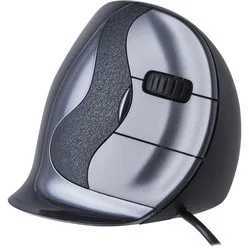
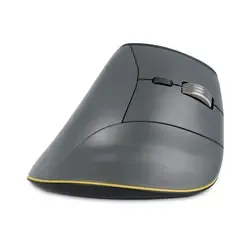
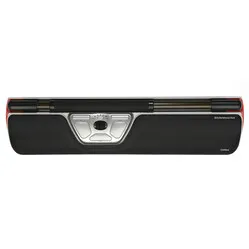
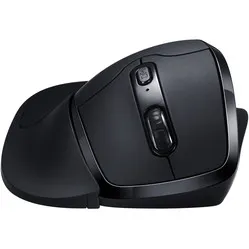
Ergonomic mice come in a wide variety. You can see this clearly from the four different features highlighted below. The most common ergonomic mice are the vertical mouse (also excellent for use as a gaming mouse), trackball mouse and trackpad mouse. In addition, there are also keyboards with built-in touchpads and trackball mice. Although they have all been developed according to the principle of the ‘healthy mouse’, there is a distinct and unique concept behind the way each mouse works and is used. And, of course, every manufacturer claims that their mouse is the best.
Wired, wireless or Bluetooth
Wired
Never run out of battery

A major advantage of a wired mouse is that it doesn’t suddenly stop working because the battery has run out. It is constantly powered by the computer, so in theory it should always work.
What’s more, the wired version is always cheaper than its wireless counterparts. A disadvantage of the cable is that it can restrict your freedom of movement.
Wireless
Plenty of freedom of movement

A wireless USB mouse gives you greater freedom of movement. They remain highly accurate even at a distance of several metres, and there are no cables cluttering up your desk. The absence of a cable also makes it easier to take the mouse with you.
Bear in mind, however, that the batteries will need to be replaced or recharged from time to time. Some mice come with a charging cable, so you can get straight back to work.
Bluetooth
Never lose your receiver

A Bluetooth mouse is very handy for devices with Bluetooth. There are no cables getting in the way, and you can’t lose the wireless USB receiver either, as it simply isn’t included.
You can locate the mouse from your computer or laptop and connect it in a flash. Please note that these mice also require a battery and that you’ll need a laptop or computer with Bluetooth.
Right, left and right- and left-handed
Left-handed
For lefties

Fortunately, left-handed ergonomic mice are becoming increasingly common. As a left-hander, you now have plenty of choice.
However, you don’t necessarily have to be left-handed to use a left-handed mouse. It can be particularly beneficial to switch from your right hand to your left hand if you suffer from serious conditions such as osteoarthritis or rheumatism.
Right-handed
Most commonly used, widest choice
There is still the widest choice available for all right-handed mouse users. Take a look at a computer workstation and you will almost always see the mouse positioned to the right of the keyboard.
That is why even left-handed people often use a right-handed mouse. It is therefore logical that manufacturers of ergonomic mice have the most to offer right-handed users.
Right/left
Switching between them

A mouse for left- and right-handed people? No, a mouse for left-handed people who also want to use it right-handed, and vice versa.
When it comes to sharing the strain of using a mouse, there’s no better solution than a mouse that lets you use both hands.
Centred, vertical and joystick
Centred
Centred working position

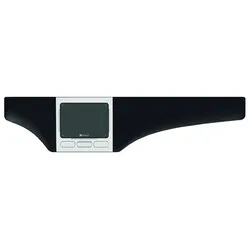
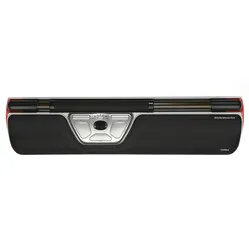
A centred mouse, also known as a Central Pointing Device (CPD) or trackpad, contributes to a healthy working posture and reduces tension in the arms, shoulders and neck. Because it is positioned directly in front of you, your arms remain close to your body.
Furthermore, you operate it with both hands, which distributes the workload. It sits between you and the keyboard and, thanks to its built-in wrist rest, provides extra comfort whilst working.
Vertical
Promotes a natural posture

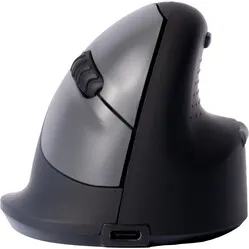
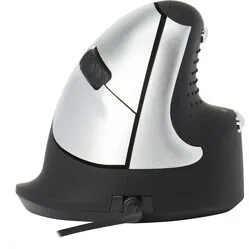
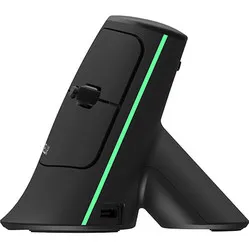
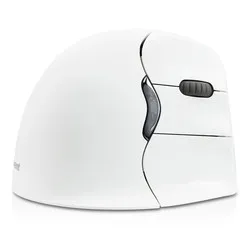
The vertical mouse features a design commonly found in many ergonomic mice. Its special ‘handshake’ design positions the arm in its natural posture, reducing strain on the hand, wrist, arm and shoulder.
Your hand fits comfortably around the mouse, making it easy to move and eliminating the need to apply pressure with your fingers.
Joystick
Shaped to fit the hand

The Joystick mouse encourages the user to adopt a natural posture. The hand-shaped joystick provides relief for the hand, wrist, arm and shoulder.
Don’t be misled by the term ‘joystick’. You operate it in the same way as most other mice, by moving it across your desk.
Finger-hand, wrist-forearm, elbow and shoulder complaints
Wrist and forearm
Arm in a natural position

Wrist and forearm complaints often stem from mouse use. In particular, intensive mouse use combined with a flat mouse can quickly lead to complaints. The vertical mouse, such as the HE mouse, was developed to address this .
Thanks to the vertical mouse, your arm is back in a natural position and you can use the mouse in a relaxed manner. Thanks to the fairly large size of these mice, you often still have sufficient support for your hand.
Hand and fingers
Full support for the hand

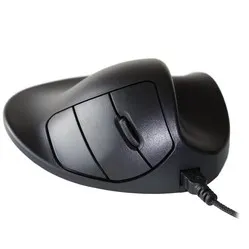
If you experience discomfort in your hand and fingers, good support is crucial. You don’t want to have to grip the mouse too tightly in order to relax your hand as much as possible. Mice with a less vertical design give your hand the support it needs. Consider, for example, the Handshoemouse.
It is particularly important that the mouse isn’t too small, as you’ll end up gripping it too tightly.
Elbow
Straighten your arm
Just like the forearm, the elbow can become overloaded from using the wrong mouse for long periods. As with wrist problems, a vertical mouse is a good choice for the elbow. Consider, for example, the Evoluent.
By positioning the hand vertically, it returns to a natural posture. The relaxing effect often extends throughout the entire arm.
Shoulders
Centred working posture
If you have a sore shoulder, there’s a good chance your mouse is positioned too far away from you. Two types of mouse are ideal for this. Firstly, there’s the trackpad, such as the Contour Rollermouse, which allows you to maintain a centred working posture and puts less strain on your shoulder.
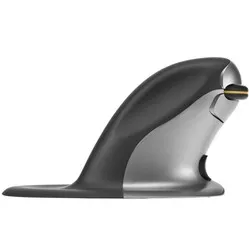
You can also opt for a left/right mouse, so that the strain can be distributed across both shoulders. The Penguin mouse is a very popular product.
Choose the right ergonomic mouse
Choosing an ergonomic mouse isn’t easy. With over 40 models available, the range is extensive. There are also different types of mice: left-handed mice, right-handed mice and mice that can be used with either hand. Fortunately, we’re here to help you choose the ideal mouse. Ask yourself the following questions to make the right choice more quickly:
- 1. Do I want a wired or wireless model?
First, decide what type of mouse you’d like. Consider: ‘Do I want a wired or wireless model?’ As you’ve read above, a wired model can never run out of power, whilst a wireless model offers greater freedom of movement. A wired ergonomic mouse is always cheaper than a wireless version. If price is important to you, that’s good to know.
Use the filters on the left-hand side of the category page to make your choice.
- 2. Do I want a left-handed, right-handed or ambidextrous model?
You’ve already read a bit more about this above. There’s the widest choice when it comes to right-handed models, and left/right models are best at distributing the strain whilst using the mouse.
Use the filters on the left-hand side of the category page to make your choice.
- 3. Does the mouse fit my hand size?
It is important that the size of the ergonomic mouse you have in mind suits your hand size. A mouse that is too large offers too little control, whilst one that is too small forces you to grip it tightly and results in a tense posture.
Measure your hand and use the filters on the left-hand side of the category page to make your choice.
- 4. How intensively do I use the mouse?
The intensity of your mouse use can be a deciding factor in choosing the right mouse. Do you use the mouse all day long? Then the finish, ease of use and overall quality of the mouse are more important than if you only use it occasionally for a bit of browsing in the evening.
A DXT mouse is less suitable for intensive use than an HE mouse. And whilst the HE mouse is ideal for long days, the Evoluent takes it a step further.
- 5. Do I have specific complaints I want to address?
Not every ergonomic mouse addresses the same issues. Different designs all have a slightly different effect on the body. For hand-related issues, a slightly flatter model such as the Handshoe Mouse is better, as it provides more support for the hand.
Wrist and elbow complaints are often the result of a mouse that is too flat. In that case, you’re better off choosing a mouse that is nice and vertical, such as the HE mouse.
There are two different ways to tackle shoulder complaints. You can centre your working posture using, for example, a trackpad, or you can distribute the strain across both shoulders using, for example, the symmetrical Penguin mouse.
- 6. What tasks do I mainly perform with the mouse?
The tasks you perform with the mouse on a daily basis are also very important when making your choice. If you do a lot of general work that mainly involves clicking, dragging and scrolling, you should focus on the type of mouse that works well for your condition.
However, if you often carry out precision work such as using Photoshop or CAD, it is important to choose a mouse that allows you to make precise movements. A vertical mouse such as the Evoluent is far more suitable for this than the flatter Handshoemouse or the Anir mouse with its platform.
- 7. Can I find all the information I need?
You’ll find a wealth of information on every product page. We write about the mice, highlight their pros and cons, unique features, and often include a ‘frequently asked questions’ section further down the page. And that’s by no means all. If you do find yourself missing any important information, please do get in touch with us.
- 8. Why might this mouse be better than that one?
You can already find out a lot from the product information and photos. “Does this mouse also have that handy tab so my little finger doesn’t drag across the desk?” and “Why is this mouse more expensive than the other one? Oh, this mouse has software so I can customise the mouse button functions”.
On the category page, you can also add the mice to a comparison using the eye icon. You can then open the overview, which presents the specifications and prices in a clear table.
- 9. What do others who have bought this product for me say?
“Is this product any good? Does it do what it promises?” Naturally, you don’t just want to hear this from us, but also from others who are already using it. Our advice is therefore to always read the reviews of the product you’re considering. Here you’ll find not only the pros but also the cons of products.
Other people’s experiences may contain information that we haven’t covered, but which is important to you.
- 10. What should I do if I really can’t make up my mind?
Ask us! Every day, we help people who are struggling to make the right choice for their situation, complaint or work. Based on that experience, we give slightly better advice every day.
And what if we recommend something you’re not entirely happy with? Then you can simply return the product free of charge within 90 days. That makes us unique in the market and gives you peace of mind.
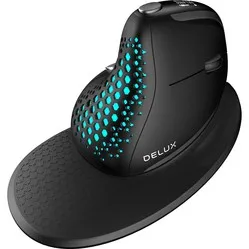
Delux Mini
Best-selling mouse
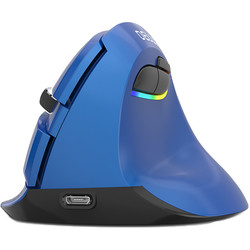
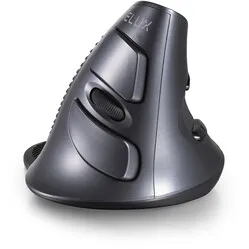
It’s vertical and gentle on the wrist, yet offers enough support to make your hand fall in love with it. The mouse is so well-shaped that the thumb sits relatively close to the fingers, which helps the hand to relax.
- Effective against wrist and elbow complaints
- Forces the arm into a natural position
- Wireless USB and Bluetooth
- DPI button on the mouse
- Silent mouse buttons
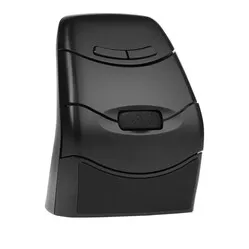
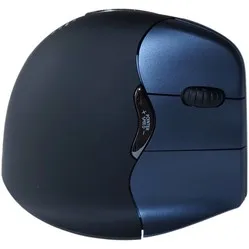
Evoluent D
The Ergowerken favourite
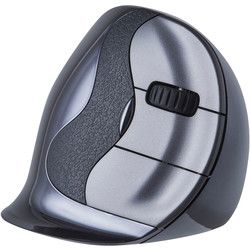
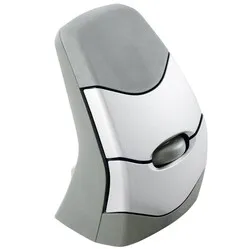
The Evoluent D is a vertical mouse that positions the arm in a relaxed, natural posture. Put simply, it is a standard mouse tilted at a 90-degree angle. The forearm and wrist in particular benefit greatly from this.
- Effective against wrist and elbow complaints
- Programmable buttons
- Curved buttons for greater control
- Fine indentation specially designed for the thumb
- Available in various sizes
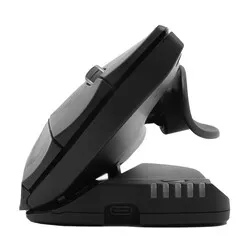
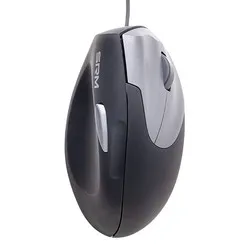
Contour Unimouse
The infinitely adjustable tilting mouse
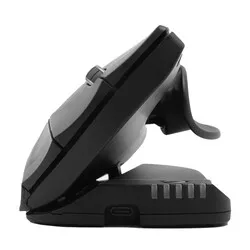
Every user is different, and it was with this in mind that the Unimouse was created. Not only is the angle of the mouse infinitely adjustable, but the thumb rest can also be moved in any direction. So you can adjust it entirely to your liking.
- Infinitely adjustable angle
- Adjustable thumb rest
- Long mouse buttons
- Tiltable between 35˚ and 70˚
- Available in wired and wireless versions
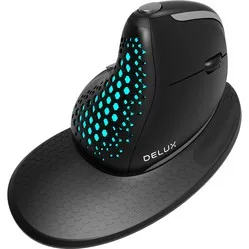
Delux Seeker
Scroll vertically and horizontally

The Seeker’s vertical design makes it comfortable to hold, just like shaking someone’s hand. It also comes with a wrist rest to relieve strain on your wrist. When using Windows, you can customise all the buttons to suit your preferences.
- Thumb scroll wheel for horizontal scrolling
- Can be used on 4(!) devices simultaneously
- Driver for customising the buttons
- Lightweight
- Can be used wirelessly or with a cable
Posturite Penguin
Suitable for left- and right-handed use
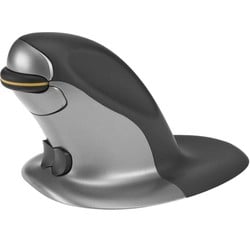
The Penguin mouse is suitable for both left- and right-handed use. Its symmetrical shape ensures that the workload can be distributed across both hands. This reduces the strain on one arm, as you can switch between left and right hands as you work. This can significantly reduce the risk of discomfort.
- Effective against shoulder complaints
- Can be operated with either hand
- Antibacterial coating
- No friction between hand and desk
- Available in 3 sizes
Home office value packs
Three essential ergonomic products in one bundle
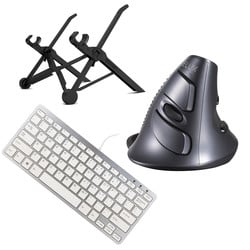
To make things easier, we have put together home working bundles consisting of: an ergonomic mouse, an ergonomic keyboard and a laptop stand. If you spend a lot of time working on your laptop, these items will help you easily transform your home workspace into an ergonomically sound one.
- Increases productivity
- Effective against RSI and back/neck complaints
- Greater comfort whilst working
- Choice of several packages
- Combination discount
Our brands
 | |
| Website | www.3m.com |
| Price range | € € € € € |
| View all 3M products | |
 | |
| Website | www.contourdesign.com |
| Price range | € € € € € |
| View all Contour products | |
 | |
| Website | deluxworld.com |
| Price range | € € € € € |
| View all Delux products | |
 | |
| Website | www.evoluent.com |
| Price range | € € € € € |
| View all Evoluent products | |
 | |
| Website | R-Go-Tools.nl |
| Price range | € € € € € |
| View all R-Go products | |
 | |
| Website | www.handshoemouse.com |
| Price range | € € € € € |
| View all Handshoemouse products | |
 | |
| Website | www.minicute.com |
| Price range | € € € € € |
| View all Minicute products | |
 | |
| Website | www.penclic.se |
| Price range | € € € € € |
| View all Penclic products | |
 | |
| Website | www.posturite.co.uk |
| Price range | € € € € € |
| View all Posturite products | |
 | |
| Website | mousetrapper.nl/ |
| Price range | € € € € € |
| View all Mousetrapper products | |
 | |
| Website | kensington.com |
| Price range | € € € € € |
| View all Kensington products | |
 | |
| Website | Sun-flex.com |
| Price range | € € € € € |
| View all Sun-Flex products | |
Frequently asked questions about ergonomic mice
- Does every mouse help with the same complaints?
No. Although every brand will claim that its mouse is the best for you, there is quite a difference in effectiveness when it comes to addressing a specific complaint. A flatter model is generally better for the hand, whilst a more vertical model provides greater relaxation for the wrist.
- What is the advantage of a wireless model over a wired one?
A wireless model gives you a bit more freedom. You aren’t restricted by the maximum length of a cable. A wireless model is also a bit easier to carry around in, say, a laptop bag.
- How do I know I’ve chosen the right mouse?
We always recommend the following: 1) Use the filters on the category page, where hand size and grip are particularly important. 2) Read the product pages carefully and check the reviews. 3) Ask us for live advice via chat.
- Why is there such a big price difference between the different mice?
The main reason for the price difference is the quality of the mouse. In addition, certain models involve a great deal of research and development. Brand value also has a small influence on the price.
- I have problems with my hand. What type of mouse do you recommend?
Generally speaking, a mouse with a slightly less pronounced angle is the best choice for hand problems. This is because the mouse can provide more support for the hand and distributes the pressure evenly. Examples of this type of mouse are the Handshoemouse and the Newtral mouse.
- I have wrist pain. What type of mouse do you recommend?
A vertical model usually works best. The mouse positions your arm in a better posture, allowing it to relax more. A couple of popular vertical models are the Evoluents and the HE mice.
- I have shoulder pain. What type of mouse do you recommend?
Shoulder problems often stem from poor posture and the layout of your workspace. First, make sure your working posture and workspace layout are correct. If you want a good mouse to help with shoulder problems, we recommend a trackpad or a mouse that is suitable for both left- and right-handed users.
- I’m struggling to make the right choice. What’s the best thing to do?
Pop over to the chat during working hours or send us an email. We can often provide good advice with just a few targeted questions.
- Does it take a long time to get used to an ergonomic mouse?
It usually takes about 3–5 days to really get to grips with the mouse. Once you’ve got past that adjustment period, you should start noticing its benefits a little more each day.
- What should I do if I don’t like the mouse at all?
Please get in touch with us. We may be able to help you get started with a few tips. And if you really just can’t get used to it, you’re always entitled to a free return within 90 days of receiving your purchase
- I have quite small hands. Is there a mouse for me too?
To date, we’ve been able to provide a suitable mouse for every hand size. Measure your hand and use the filters on the category page. We can also lend a helping hand, so just pop us a message on the chat.
- How do I know that an ergonomic mouse will actually reduce my symptoms?
You can never be absolutely sure. In any case, make sure the mouse suits your hand size and the issue you’re experiencing. If those conditions are met, there’s a better chance the mouse will be effective.