Notify me when is back in stock.
Enter your e-mail address here and we will send you an update as soon as this product is back in stock.
After submitting your e-mail address, you will receive an e-mail confirming your subscription.
This notification is no guarantee that you can claim items from the new stock. Want to be more certain of receiving the product? Then order and pay for it right away. Your order will be reserved and shipped as soon as the new stock arrives.
Privacy Your e-mail address is stored in a closed database that we cannot access. After the stock update, your e-mail address is automatically deleted.
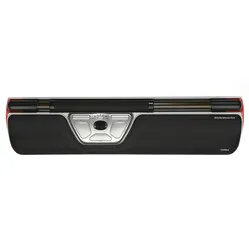
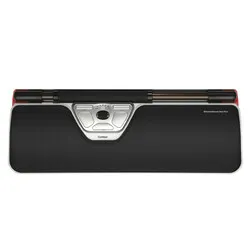
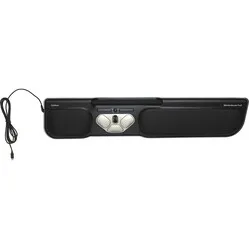
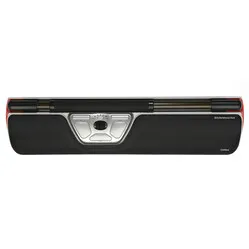
Contour Design Rollermouse Red trackpad wired
0 reviews
399,00

Tell us about yourself

We'll get back to you as soon as possible with a proposal.

Stel vraag
Configure your product
399,00
Incl. VAT
329,75
Excl. VAT
Article number: ERGO-MI069
The product is in stock and, if ordered before 17:00 on business days, will be shipped the same day.
Hierboven staat de verwachte levertijd. Zodra het pakket verstuurd is, ontvang je een berichtje.
Is this the right product for you?
Use our handy selection check
  • Order 2 for 379,05 each (incl. VAT) and save 5%
  • Order 4 for 369,08 each (incl. VAT) and save 7,5%
  • Order 8 for 359,10 each (incl. VAT) and save 10%

Product description of Contour Design Rollermouse Red trackpad wired

Which size fits your hand?

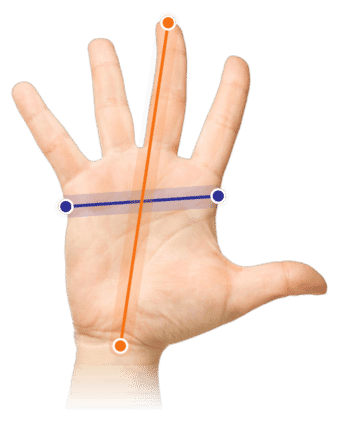
Measure your hand as shown in the image and choose your size using the table below:

SizeWidthLength
Any hand sizesuitablesuitable
Which size fits your hand?

An ode to the Rollermouse Red

Rollin Rollin Rollin

What if we agree to start working healthier today? That we want to be a bit more productive, show a bit less absenteeism, but don't really want to put too much effort into it. Then you've landed on the right page. Want to know more? You can read it below.

Why the Rollermouse Red trackpad mouse?

Given what the Rollermouse can do for your workplace, it is relatively unknown. Strange, because it possesses a number of features that your current mouse can only be jealous of.

Perfect placement

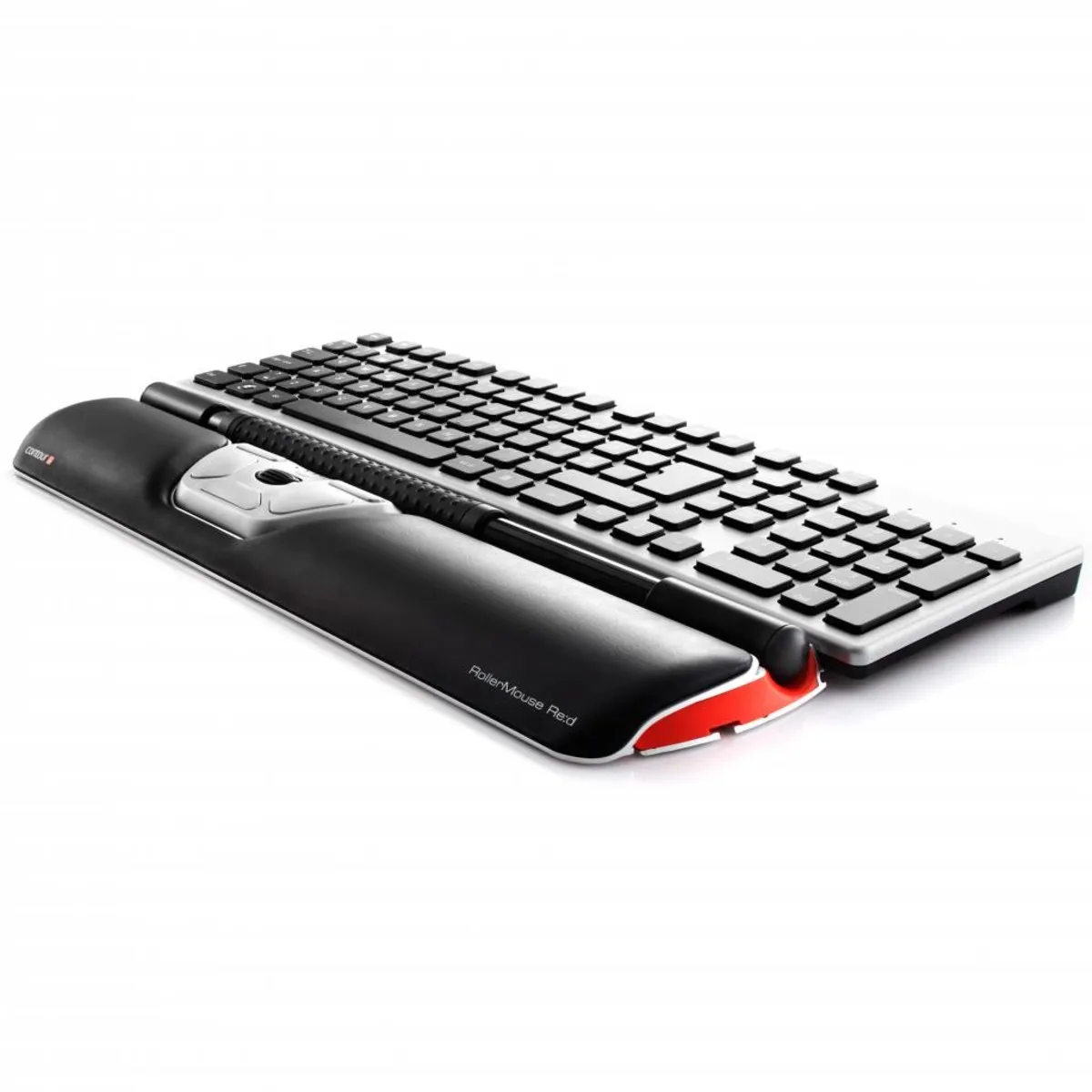
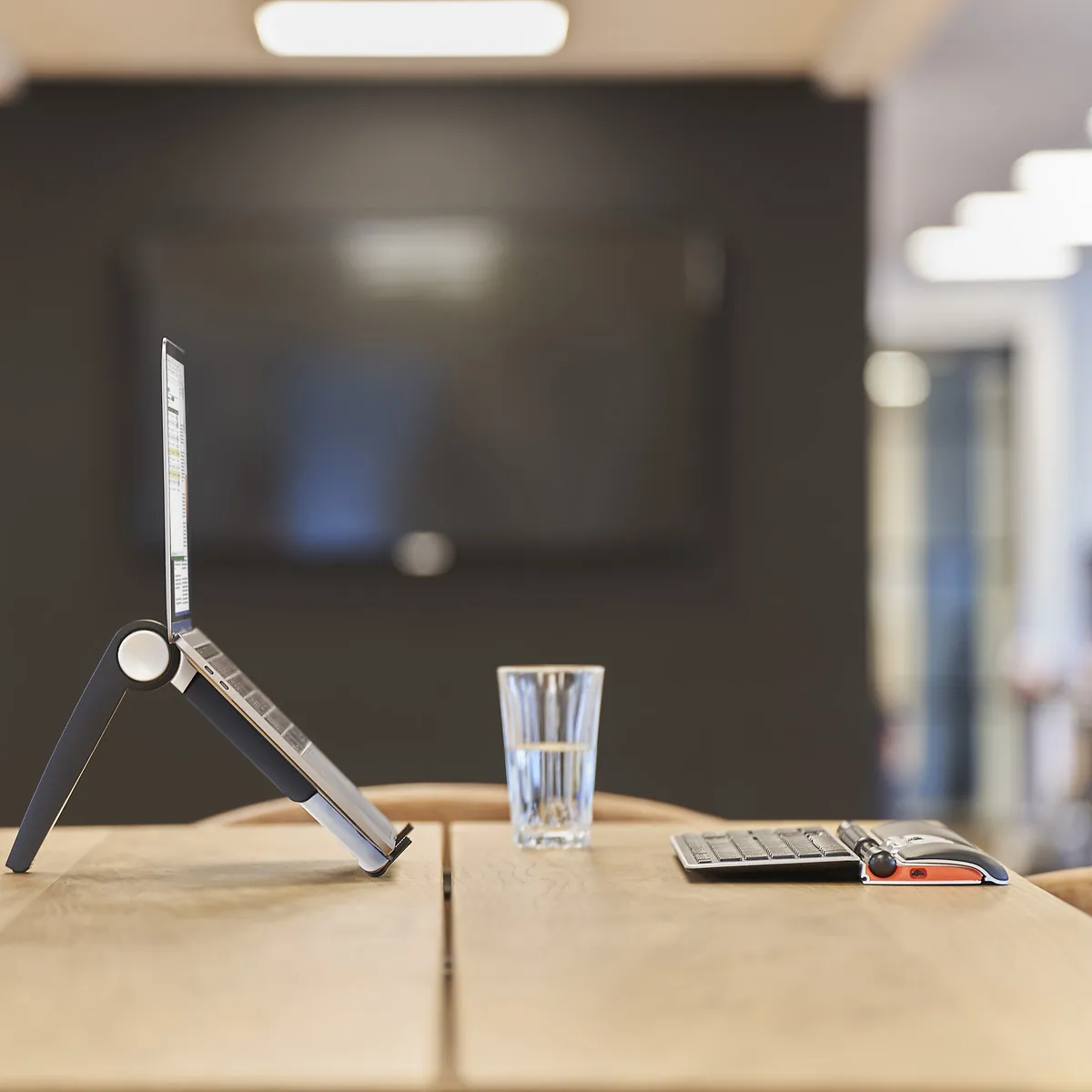
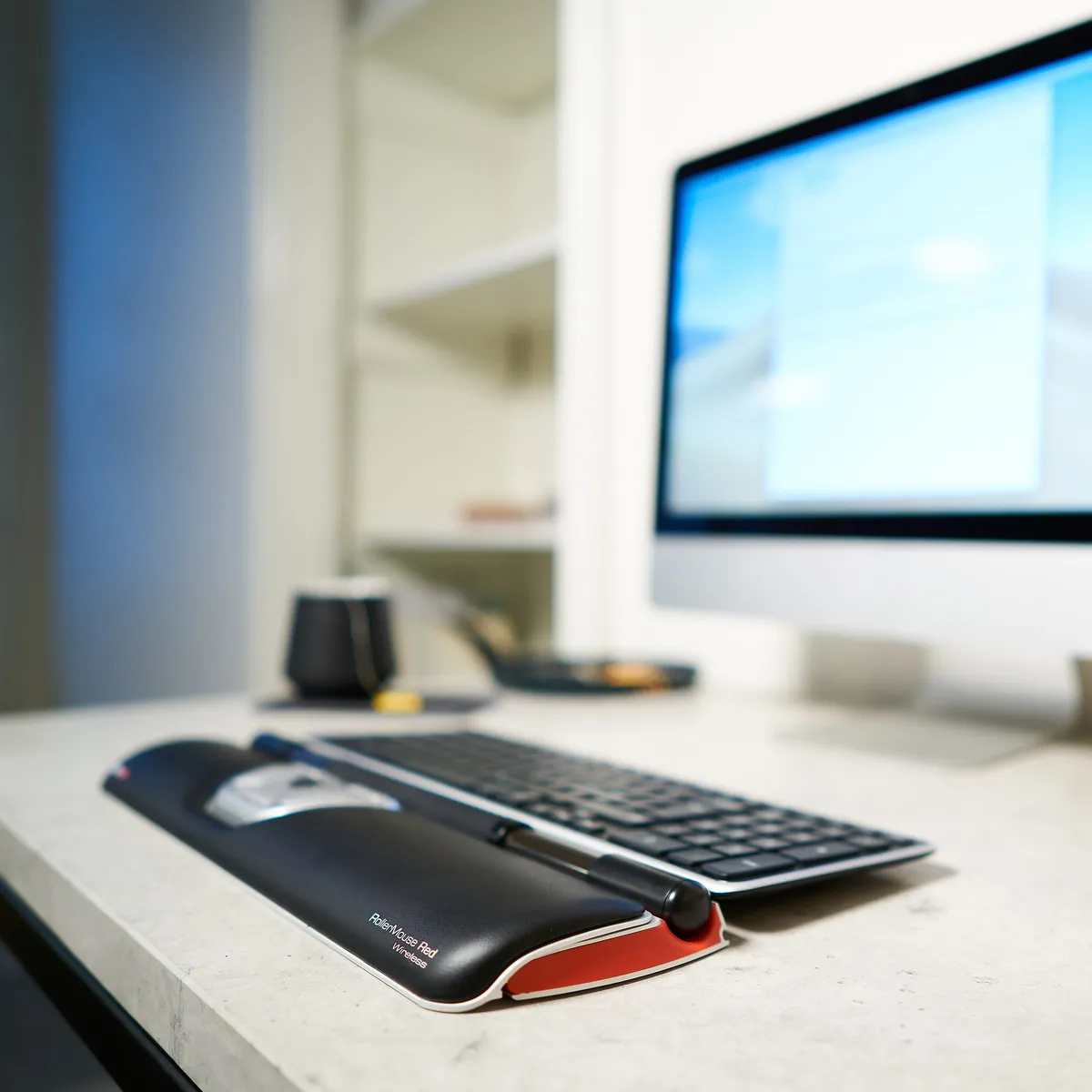
The Rollermouse is positioned directly in front of you, between you and your keyboard. So you don't have to stretch out your arm to operate the mouse. It provides more relaxation while working, thereby reducing the risk of RSI complaints.

The Rollermouse Red can do the same as your current mouse. You can control the cursor with it, and it features a very extensive arsenal of useful buttons. You operate the mouse using the bar found at the top of the trackpad.

How to operate it

By 'rolling' the bar, the cursor moves vertically; by sliding it, it moves vertically. Thanks to a special mechanism on the sides of the Rollermouse, you are not limited in your horizontal movement. The Red's bar is a further developed version. It is thicker and has rubber nubs, allowing you to move it with super precision.

The mechanical left mouse click has been replaced by a virtual one, which simply means it takes less effort to click. The rolling and sliding of the bar are registered by a dual laser, further increasing precision. It analyses your movements and adapts to your working style.

The Red Rollermouse is complete thanks to all its buttons and associated functions. Of course, the scroll wheel is also present, allowing you to easily navigate through pages. The image below shows the functions per button.

This is what makes the Rollermouse so good

The common problems with a normal mouse lie in two things: its placement relative to your keyboard and relative to you. The mouse often bumps against the keyboard, preventing you from working precisely with it. If you then place it further away, more pressure is created on the arm and shoulder, which can lead to complaints.

The Rollermouse is positioned directly in front of you and does not move. All the functions you need can be performed with minimal effort. This way, complaints are counteracted and prevented.

Get the most out of it

What a trackpad primarily has over a normal mouse is its accessibility. It lies directly in front of you, allowing you to operate it with both hands. This reduces the workload on one hand. Of course, you always have a preference for a certain hand, but the Rollermouse enables you to take over certain functions with the other hand anyway.

For the demanding user

For the experienced user, the bar on the Red can also be used as a left mouse button. By means of an easy combination of buttons, you can adjust the sensitivity of the bar. The feedback volume can also be adjusted. Since the bar can no longer be pressed mechanically, the Rollermouse makes a sound when you press the bar. This way, you know you are using the left mouse function.

Connect the Red seamlessly to your keyboard

To ensure a good connection between the keyboard and the Rollermouse, keyboard risers are included. These risers are adjustable, allowing almost any keyboard to be seamlessly connected to the trackpad. Below you will find an image of a keyboard riser.

Don't miss this either

To make the Rollermouse even more to everyone's liking, Contour has developed additional downloadable software. By downloading these drivers, you can assign functions to the buttons yourself. Furthermore, the Mac download ensures that the copy & paste buttons work. You can find them here.

2024 update

In spring 2024, Contour gave a fresh update to a large part of their product range, including the RollerMouse Red. A number of well-known advantages, such as the large and structured roller bar, programmable buttons, and adjustable settings, have naturally remained. The update concerns a number of changes within production and design;

 Old modelModel from spring 2024
Large and structured roller bar  
Adjustable setting  
Reduction in the number of movements  
Prevents 'gripping' the mouse  
Variation in working posture  
Antibacterial wrist rest made of vegan leather  
Wrist rest with memory foam  
Bluetooth connectivity (for the wireless versions)  
Charging via USB-C  
Lower ecological footprint*  
* Made from recycled aluminium (GRS-certified) and a reduction in CO2-eq per product by more than 50% compared to previous versions.

 

How happy will my body be with this?

Shoulder     
Arm     
Hand     
Wrist     

Pros and Cons

  •  Also a wrist rest
  •  Very effective against shoulder complaints
  •  With useful shortcuts
  •  Can be used with both hands
  •  Adjustable button functions
  •  Not easy to carry

Brief specifications

Warranty2 years
Ergonomic design 
UsageLeft and right-handed
Number of buttons6
Cable length2 metres
 View specifications >

Product features

  •  Prevents RSI complaints
  •  Ergonomic design
  •  Centrally placed
  •  Features 6 buttons and a scroll wheel
  •  Large ribbed roller bar
  •  More buttons for extra functionality

What's in the box?

  • 1 x Rollermouse Red
  • 1 x Wrist rest
  • 1 x Wrist rest removal tool
  • 2 x Short keyboard risers
  • 2 x Long keyboard risers
  • 1 x Manual

Overall rating: 4.7868853 / 5 from 61 reviews.
AI Generated Review Summary

The Contour Rollermouse Red trackpad, a Red Dot Design award winner in 2013, is generally sensitive and easy to use. However, some users reported compatibility issues, wrist pain, and back pain.

Summary topics

  • Sensitivity and Ease of Use (26%): In general, customers found the Rollermouse to be sensitive and easy to use, but some experienced compatibility issues.
  • User Comfort Issues (19%): In general, customers have no complaints about the rollermouse, except for wrist pain and back pain.

Review topics: ["improvement","size","service","difference","support","design","advantage","problem","works","price","mouse","movement","pain","functions","monitor","shoulders","keyboard","posture","pressure","glides","device","mouse pad"].

Review highlights

  • "Happy with Roller Mouse and Balance Keyboard"Daphne a.
  • "This is now my second rollermouse, it works so smoothly and no more wrist pain complaints."A. v.
  • "This rollermouse also has a longer wrist support to support it properly."J. v.

Reviews

Fijnste en mooiste rollermouse

"Ik heb in totaal 5 rollermouses geprobeerd met allemaal hun eigen voor- en nadelen. Afhankelijk van eigen klachten en voorkeuren zit er een tussen die je verder kan helpen. Hoewel de rollermouse fantastisch is, wordt nekpijn ook voorkomen door gebruik van 1 groot 34 inch curved beeldscherm ipv 2 schermen naast elkaar. De rollermouse is vooral tegen schouderpijn naar mijn ervaring. Afstelling van stoel en bureau is net zo belangrijk als de devices die je gebruikt. Bij het testen van de rollermouses is gebruik gemaakt van logitech mx mini keys (compact toetsenbord). Onderstaand een korte samenvatting van mijn ervaringen: 1. red slim: de polssteun is te klein, verder een stevig device. Zelf vind ik de kleur rood wat minder mooi, maar dat doet natuurlijk geen afbreuk van de werking. 2. red max: voor mijn thuiswerkplek heb ik deze aangeschaft. Ik heb vaker last van de rechterkant aan mijn bovenlichaam en deze helpt daartegen. Naast de max heb ik nog een verticale muis ter afwisseling. 3. ergo: deze is naar mijn mening de beste rollermouse vanwege de grip en heeft hetzelfde design als de red. Als de steun verwisselbaar was met de steun van de red max, had ik 100% deze gehouden. Gezien ik meer steun nodig heb dan de ergo geeft, heb ik deze helaas toch terug gestuurd. - pro: design is prachtig maar minder fijne rollerbalk. Hij is namelijk heel beweeglijk en heb zelf liever een balk met iets meer weerstand. Voor kantoor is deze wat praktischer dan bijv de red. - go: deze heeft een fijn meeneem-formaat, maar nam bij mij geen klachten af doordat de rollerbalk te smal is en weinig polssteun geeft. Daarom gebruik ik deze eigenlijk nooit."

Fleur h. (5/5)

Rollermouse

"Een verademng voor mijn pols: met beginnende RSI klachten is dit een fantastische uitkomst. Geen enkele klachten meer. In no-time gewend aan het klikken en scrollen met de rollermouse. Een superding"

Erna G. (5/5)

blij metRollermouse en balance toetsenbord

"ivm schouderklachten de rollermouse met toetsenbord gaan proberen. installatie is vrij eenvoudig, na wat zoeken en uitproberen de juiste positie gevonden. merk dat mn schouder minder getriggerd wordt waardoor er minder klachten zijn. Het is heel anders als een gewone muis maar went snel, heeft ook veel meer/uitgebreidere functies. groot voordeel dat je m met beide handen kan bedienen."

Daphne a. (4/5)

Rollermouse

"Prima apparaat ben dol op!"

N. L. (5/5)

Een super muismat bij hand/polsklachten. Gebruik ik al jaren!

"Dit is echt een top muismat als je last hebt van je hand(en), vingers en/of polsen. Kan met welke vinger(s) dan ook gebruikt worden want de muis is gelijktijdig links- en rechtshandig te gebruiken. Kopieëren, plakken en dubbelklikken kan ook met links of rechts (alle knoppen trouwens). En de polsen steunen op de 'ingebouwde' polsmat. (Er bestaat ook een mat zonder het polsgedeelte). Ik voel geen druk op welke pijnlijke plek dan ook in mijn handen, vingers en polsen. Ik gebruik deze mat ondertussen al zo'n 9 jaar en ik begin nu aan de 2e mat."

Jeannine h. (5/5)

Werkt goed

"De Rollermouse is gevoelig daardoor makkelijk in gebruik. Het is wel erg wennen maar zeker beter voor mijn overbelaste linkerarm en rechterschouder, die nu meer rust krijgen en ik aan een betere houding kan werken."

Karin M. (5/5)

Wennen

"Ik gebruikte de nrollermouse pro en moet zeggen dat de overgang naar de Red wel wennen is. Maar gaat steeds beter."

Marc M. (4/5)

Rollermouse functioneert OK

"Ik heb last ven een "muizenarm" en kan niet langer dan een paar uur werken met een gewone muis. Ik heb lang geleden 2e hands een rollermouse gekocht. Dit oudere model functioneert na 10 (?) jaar nog steeds prima. Ik heb binnen 2 jaar 2 exemplaren van de Rollermouse Red trackpad bedraad gekocht. Het oude model had een "plastic tafel" voor de eigenlijke rollermouse. Dat was vrij log, maar je kon er elk toetsenbord op kwijt. Bij het nieuwere model kan dat niet. Eén van de redenen is dat je normaal het niet-numerieke deel van het toetsenbord in het midden van je rollermouse wilt hebben. Dat betekent dat de uitstekende "pootjes" van de rollermouse verder van elkaar zouden moeten staan, dan mogelijk is. Dit kan echter eenvoudig verholpen worden door een latje van ca. 50 x3x1 cm op de "pootjes" te leggen. De eventuele uitlapbare pootjes van het toetsenbord hoeven dan niet meer gebruikt te worden. Mijn ervaring is dat het toetsenbord dan niet verschuift. Verder is het even wennen en voorzichtig met de knoppen omgaan zodat er niet onverwacht files geopend worden of zo. Dit is echter een kwestie van gewenning."

Willem A. (4/5)

De Rollermouse Red trackpad bedraad getest voor de tweede keer!

"Ik ben nu de rollermouse voor de tweede keer aan het testen. De eerste keer kon ik er niet aan wennen, waarom weet ik niet meer. Toen ik de rollermouse weer tegen kwam en las dat die verbeterd was, werd mijn interesse weer gewekt. Ik ga er van uit dat ik de rollermouse deze keer blijf gebruiken. Ook nu is het weer even wennen maar na 17 dagen ben ik nog steeds vol goede moet dat het goed komt. De voordelen van deze muis zijn: Hij is snel en deze snelheden zijn heel gemakkelijk aan te passen, Je voorkom dat je met 1 hand langdurig kleine repeterende bewegingen maak wat vaak fysieke problemen geeft. De Copy en Paste functie vindt ik handig. De dubbel klik functie vindt ik echt te gek. Mijn houding achter de PC is sterk verbeterd ik zit rechter op en ben daardoor meer ontspannen. Het is echt een heel groot voordeel dat je deze muis met tweehanden bedien. Wat nog wennen is dat ik de spatsietoets zoek op de Rollermouse maar die moet ik bedienen op mijn toetsenbord. De muis sleden kan je verrassen als je hem per ongeluk beweeg of aanraak. Dus al met al ben ik erg tevreden met de Rollermouse Red trackpad bedraad. O ja de scrol functie werkt heel erg goed!"

Kees V. (5/5)

Zeer comfortabele muis

"Erg blij met deze rollermouse Red Plus! Al eerder deze gehad maar oude was kapot en direct weer nieuwe besteld."

Karin N. (5/5)

Q&A

Item number ERGO-MI069
Manufacturer's item number RM-RED
Brand Contour
Warranty 2 years
Type of guarantee Ergowerken free warranty return service
Colour Black with red accents
Ergonomic design
Management Trackpad
Left- or right-handed Left- and right-handed
Hand length Suitable for any hand size
Hand width Suitable for any hand size
Operation Buttons and trackpad
Connection USB-C
Included receiver not applicable
Bluetooth not applicable
USB port Yes, USB-C
USB version 2.0/3.0
Number of buttons 6
On/off button not applicable
Adjustable buttons Yes, with the help of the driver
Scroll wheel
Trackball
Adjustable sensitivity
Sensitivity 800/1000/1200/1600/2400 dpi
Type of power supply Cable 2 metres
Battery type not applicable
Rechargeable not applicable
Minimum system requirements Mac OS X v10.5, Mac OS X v10.6, Mac OS X v10.7, Mac OS X v10.8, Mac OS X v10.9, Mac OS X v10.10, Mac OS X v10.11, Windows XP, Windows Vista, Windows 7, Windows 8, Windows 10
Plug and play
Dimensions length x width x height 100 x 410 x 23 mm, wrist rest has a depth of 73 mm