






Round recessed socket

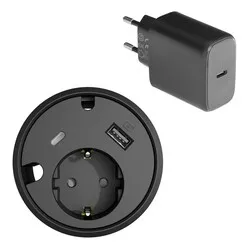
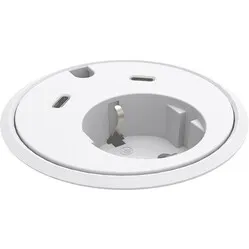
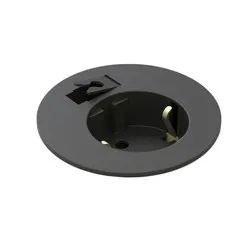
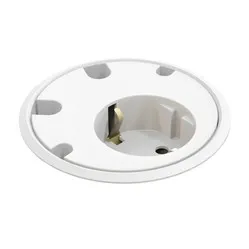
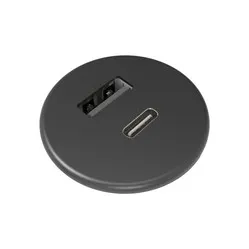
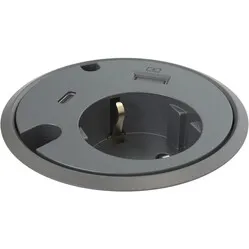
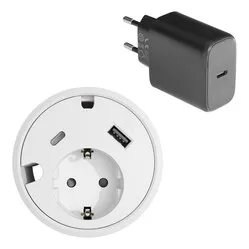
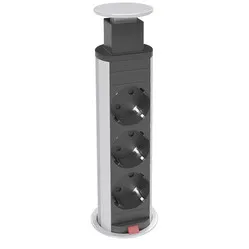
When do you choose a round built-in power socket?
You choose a round built-in power socket when you need a few connections at a fixed workspace and want to keep the top as clear as possible.
- Do you mainly charge your phone, tablet or laptop?
- Are you looking for a solution that takes up little room in the top?
- Do you want to be able to make the hole yourself with a hole saw?
- Is one socket plus a USB charger enough for your workspace?
Need more sockets or network and HDMI as well? Then look at a square built-in power socket.
What makes a good round built-in power socket stand out?
Round built-in power sockets look alike, but they differ in three points you notice in daily use.
Diameter and top thickness
The diameter determines the hole you make: in our range this runs from 19 to 79 mm, with 51, 60 and 79 mm as common sizes. Also check the maximum top thickness, because the clamping ring under the top has a range.
Charging power
A 30 W USB-C charger charges a phone or tablet quickly; lighter chargers are mainly suited to phones. A laptop often needs more power than a built-in charger supplies.
Finish
Some models have a cover or sliding lid that shields the socket when you're not using it. That keeps dust and crumbs out.
How does a round built-in power socket help at your workspace?
A round built-in power socket puts power and charging where you work. You need to bend down less and search under the desk for a free socket less often.
- less unnecessary bending and reaching during the working day
- a desktop without a loose power strip
- fewer loose cables across the top
- a tidy meeting table
Want to tidy away the cables under the desk as well? Take a look at a cable tray. Need more connections? See the square built-in power sockets.
What should you look for when choosing a round built-in power socket?
The right round built-in power socket depends on what you want to connect and how much room there is in and under the top.
Connections
Decide whether you need a socket, only USB chargers, or a combination. A socket plus USB-C is a popular mix for a home office.
Room under the top
The housing sticks out under the top. Check that there's no frame, drawer or cable tray at that spot.
Cable and connection
Check how long the cable is and whether it has a fixed plug or a pluggable connector. With a pluggable system you can link several units together.
Tips for installing a round built-in power socket
- Choose the spot before you drill
Place the unit within reach, but away from where your keyboard and mouse sit. A corner at the side of the desk often works well.
- Use a hole saw of the right size
Take a hole saw with exactly the diameter from the specifications. Too large means the unit won't clamp properly.
- Lightly sand the edge
A light sanding removes splinters and keeps the edge of the top from getting damaged.
- Route the cable away under the top
Secure the cable with a cable tie or in a cable tray so it doesn't pull on the unit.
- Check the clamping ring
Tighten the clamping ring under the top firmly so the unit doesn't turn when you pull out a plug.
Frequently asked questions about round built-in power sockets
- What is a round built-in power socket?
A round built-in power socket is a socket unit you fit into a round hole in your desk or table top, so the socket and USB charger sit sunk into the top.
- Who is a round built-in power socket suitable for?
For anyone with a fixed workspace who wants one or two connections on the top, such as a home office, desk or meeting table.
- What size hole do I need?
That depends on the model. In our range it runs from 19 to 79 mm; the exact size is listed in the specifications of each product.
- Can I fit a round built-in power socket myself?
Yes. You make the hole with a hole saw and secure the unit with the clamping ring. The cable goes into a wall socket, so you don't need an electrician.