Stel hier je vraag over dit product
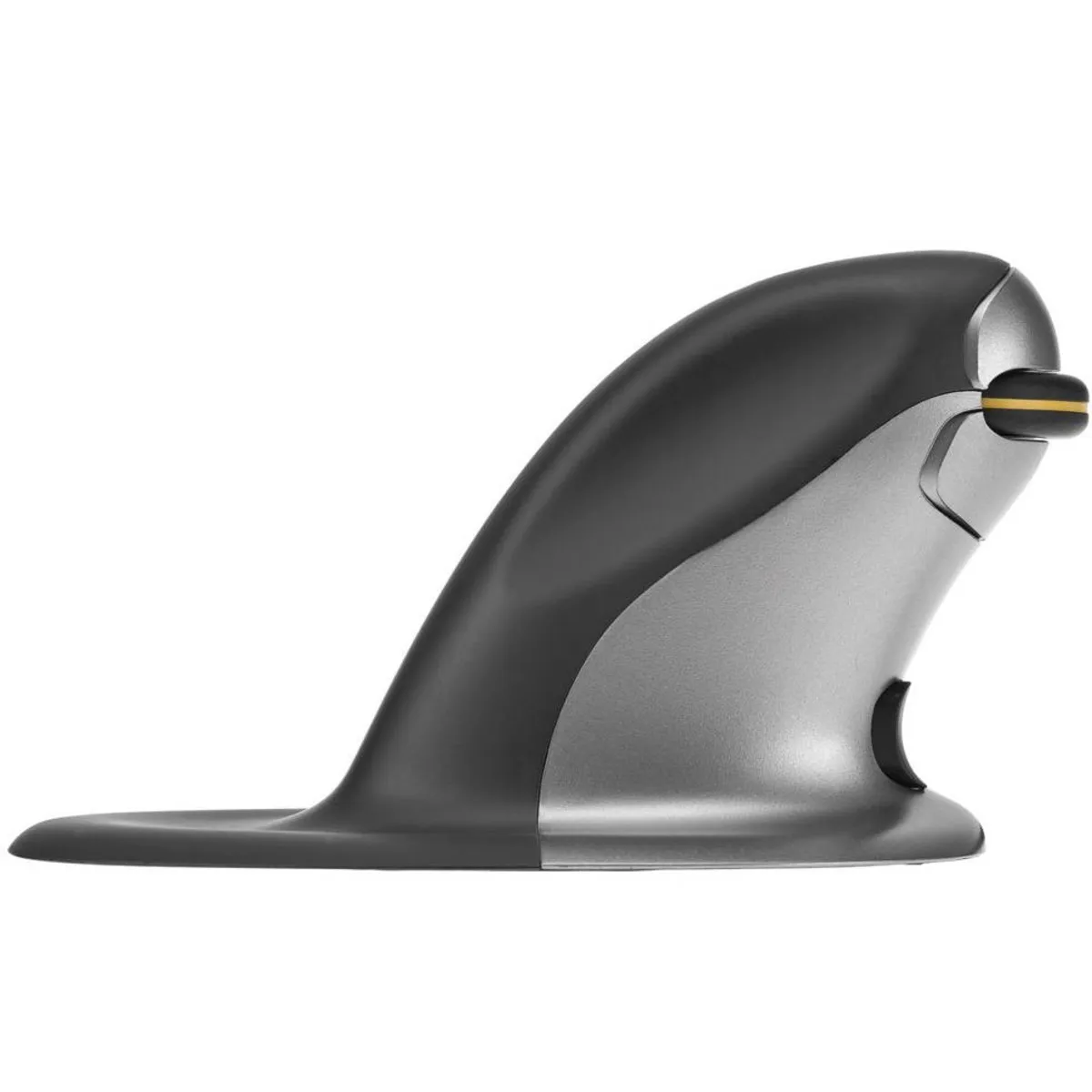
Posturite Penguin Mouse Wireless Left/Right Ergonomic Mouse



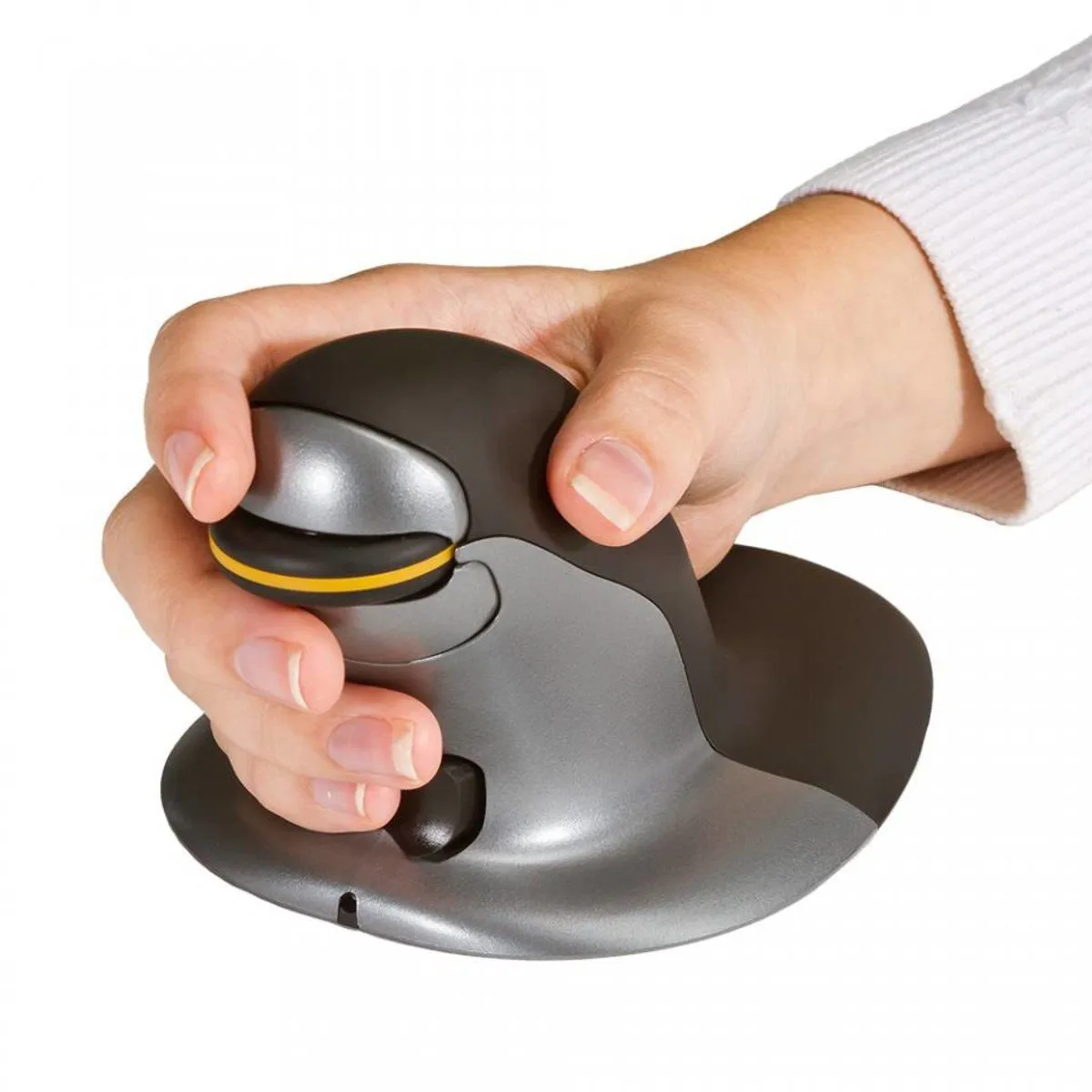


Product description of Posturite Penguin Mouse Wireless Left/Right Ergonomic Mouse
Which size fits your hand?
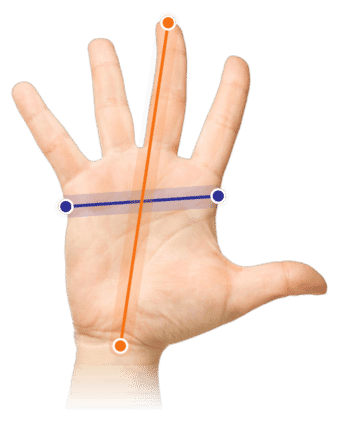
Measure your hand as shown in the image and choose your size using the table below:
| Size | Hand length |
|---|---|
| Small | 140 - 160 mm |
| Medium | 160 - 180 mm |
| Large | > 180 mm |
Important: in between two sizes? Choose the smaller model.
An ode to the Posturite Penguin
Fine blend
Hey, that mouse, it looks like a penguin. Indeed, but it's a mouse. Right. The Penguin mouse incorporates 20 years of experience, and it shows. This animalistic blend works wonderfully. (Not suitable for penguins)
Why the Penguin mouse?
For both left and right-handed use
The Penguin mouse is suitable for left and right-handed use. Its symmetrical shape ensures that the workload can be distributed between both hands. This reduces pressure on one arm, as you can switch between left and right intermittently. This can significantly reduce the risk of complaints.
Vertical = good for the wrist
Thanks to the vertical design of the Penguin mouse, the arm is forced into a natural posture. The hand rest significantly reduces wrist-based usage. This promotes the use of larger muscles. It also ensures that your hand does not drag across the desk. Larger muscles are less prone to injury when performing the same actions repeatedly.
The mouse is equipped with soft key touch. This means the buttons can be pressed easily. This reduces strain on the muscles, making RSI complaints less likely to occur.
Antibacterial
Furthermore, the mouse is also a good choice in terms of hygiene. The growth of bacteria is inhibited by an antibacterial coating.
Choose the right size
The size of the mouse is very important if you want to make the most of the benefits of an ergonomic mouse. The Penguin mouse is therefore available in 3 sizes. You can easily determine which size suits you by measuring your hand length. As we indicated above, it's best to choose the smaller size if you are between two sizes.
This is what makes an ergonomic mouse so good
Traditional mice often cause complaints such as RSI. The ergonomic mouse is designed to counteract and prevent these complaints. The tilted design ensures that the wrist, arm, and hand adopt a natural posture. This allows you to work more relaxed.
Get the most out of it
At the front of the mouse, there is a bow-tie shaped button that allows you to set the scroll wheel for left and right-handed use. The thick, rubber scroll wheel is wonderfully comfortable and provides optimal control when scrolling.
The mouse's sensitivity can be adjusted from 800 to 2400 DPI in 4 steps using the DPI button. This makes the mouse suitable for various tasks. On the one hand, you can easily fly across your screen when you choose a high DPI. On the other hand, the mouse can also handle precise tasks perfectly thanks to the low DPI.
Pros and Cons
- Can be used left and right-handed
- wireless via both USB 2.4 GHz & Bluetooth
- Special handshake design
- Antibacterial coating
- No friction between hand and desk
- Slightly more button resistance
Brief specifications
| Warranty | 2 years |
| Ergonomic design | |
| Usage | Left and right-handed |
| Hand length | From 140 mm to 210 mm |
| Plug & play | Yes |
How happy will my body be with this?
| Hand | |
| Wrist | |
| Arm | |
| Shoulder |
Product features
- Prevents RSI complaints
- Ergonomic design
- Adjustable DPI
- Can be used left and right-handed
- Available in 3 sizes
- Hygienic thanks to antibacterial coating
- Wireless via USB receiver and Bluetooth
- USB-C port
What's in the box?
- 1 x Left/right-handed wireless mouse
- 1 x Manual
- 1 x Charging cable USB-A > USB-C
- 1 x Wireless micro USB receiver (located in the mouse)
Frequently Asked Questions
Specifications
| Item number | ERGO-MI070SW/MW/LW |
| Manufacturer's item number | 9820099 (small)/ 9820102 (medium)/ 9820103 (large) |
| Brand | Posturite / Fellowes |
| Warranty | 2 years |
| Type of guarantee | Ergowerken free warranty return service |
| Colour | Anthracite with silver accents |
| Ergonomic design | |
| Management | Laser |
| Left- or right-handed | Left- and right-handed |
| Hand length | SW: <160mm/MW: 160-180mm/LW: >180mm, measured from the tip of the middle finger to the edge of the wrist |
| Hand width | not applicable |
| Operation | Buttons and scroll wheel |
| Included receiver | |
| Bluetooth | |
| USB port | |
| USB version | 2.0 |
| Number of buttons | 4 |
| On/off button | |
| Adjustable buttons | |
| Scroll wheel | |
| Trackball | |
| Adjustable sensitivity | |
| Sensitivity | 800 - 1200 - 1600 - 2400 dpi |
| Type of power supply | Battery |
| Battery type | Li-ion battery |
| Rechargeable | |
| Minimum system requirements | Mac OS X v10.5 and above, Windows XP and above. |
| Plug and play | |
| Dimensions length x width x height | SW: 124 x 99 x 76 mm/MW: 137 x 114 x 89 mm/LW: 152 x 121 x 98 mm |
| Product weight | Small: 180 grams / Medium: 230 grams / Large: 270 grams |
Reviews Posturite Penguin Mouse Wireless Left/Right Ergonomic Mouse
Customers who write a review enter a prize draw for a voucher. We pick one winner and publish all reviews, including critical ones.