






Built-in socket with USB

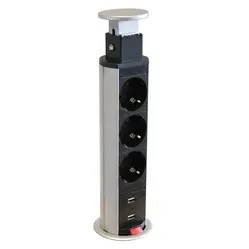
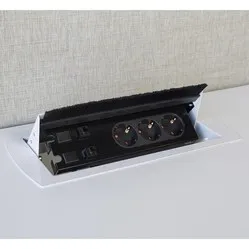
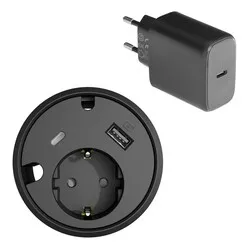
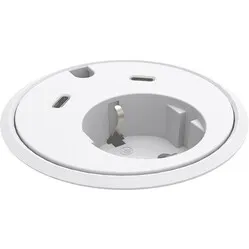
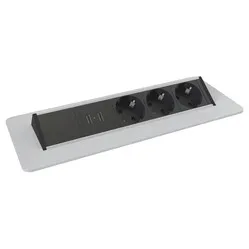
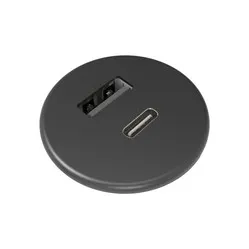
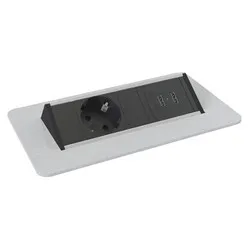
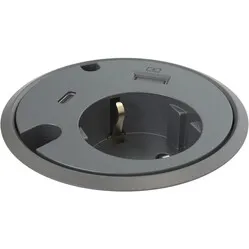
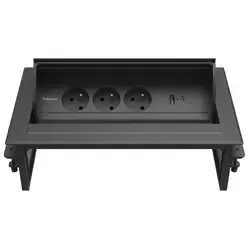
When do you choose a built-in power socket with USB?
You choose a built-in power socket with USB when charging is a fixed part of your working day and you want to keep the sockets free.
- Do you charge your phone or tablet at your workspace?
- Do you use devices with USB-C?
- Are your sockets currently full of adapters?
- Do you want to make charging easy for others at a meeting table?
If you charge a laptop via USB-C, check the power carefully: many laptops need more than a built-in charger supplies.
What makes a good built-in power socket with USB stand out?
With a built-in power socket with USB, three points make the difference.
Charging power
Power is listed in watts. Around 30 W on USB-C charges a phone or tablet quickly; a 10 to 15 W charger takes longer.
USB-A, USB-C or both
Newer devices charge via USB-C, older cables often have USB-A. A unit with both is the most flexible.
Combined with sockets
Check how many sockets you need besides the chargers. There are units with USB only, and units with one to three sockets.
How does a built-in power socket with USB help at your workspace?
A built-in power socket with USB makes charging a fixed point on your desk. You search less for a charger or a free socket.
- fewer loose adapters and chargers on the desk
- less bending down to a wall socket
- charging within reach, also at a meeting table
- a tidy top without a tangle of cables
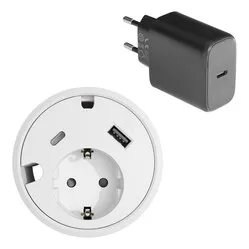
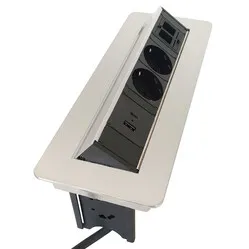
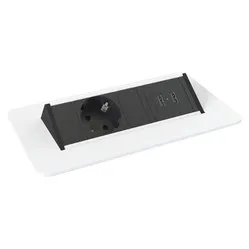
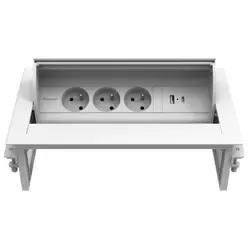
Also take a look at the round built-in power sockets for a compact charger in the top, or the square built-in power sockets if you want more connections.
What should you look for when choosing a built-in power socket with USB?
Choose based on what you want to charge, how many sockets you need and the room in the top.
What do you charge?
For a phone and tablet, USB-C up to 30 W is enough. For a laptop you usually just use its own charger in the socket.
Round or square
Round models are compact and quick to fit. Square models have more sockets and sometimes room for network or HDMI.
Top thickness and room
Check the maximum top thickness and the room under the top for the housing and cable.
Tips for using a built-in power socket with USB
- Use a good USB-C cable
A cable that supports fast charging gets the most out of the charger. An old or thin cable charges more slowly.
- Place the unit on the side where you charge
Put the unit where your phone usually lies, so the cable doesn't run across your workspace.
- Keep the ports free of dust
Choose a model with a lid or clean the ports now and then with a dry brush.
- Charge your laptop with its own charger
A laptop often needs more power than the USB charger supplies. Plug the laptop charger into the socket of the unit instead.
- Route the cables away under the top
Tidy the connection cable away under the top with a cable tray or cable ties.
Frequently asked questions about built-in power sockets with USB
- What is a built-in power socket with USB?
A built-in power socket with USB is a unit in your desk or table top with sockets and built-in USB chargers, so you can charge without an adapter.
- Who is a built-in power socket with USB suitable for?
For anyone who charges a phone, tablet or other USB device every day at a fixed workspace or meeting table.
- Can I charge my laptop via the USB port?
That depends on your laptop. Laptops often need more than 30 W; use their own charger in the socket of the unit instead.
- What's the difference between USB-A and USB-C?
USB-A is the older, rectangular connector. USB-C is smaller, fits either way round and charges faster on most units.