Stel hier je vraag over dit product
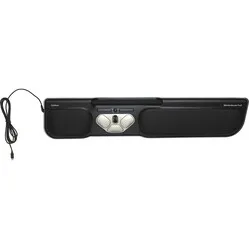
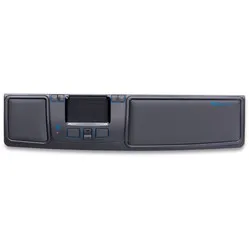
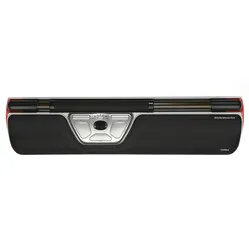
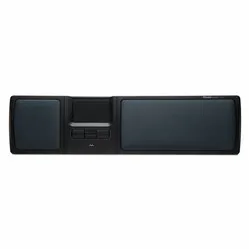
Mousetrapper® Lite trackpad black


Product description of Mousetrapper® Lite trackpad black
Which size fits your hand?
Measure your hand as shown in the image and choose your size using the table below:
| Size | Width | Length |
|---|---|---|
| Any hand size | suitable | suitable |

An ode to the Mousetrapper Lite
Lite up your day
The Mousetrapper Lite. You shouldn't take it too lightly. It's also slightly exaggerated to think that this is a half-baked entry-level model. Below, we shed some light on the Lite and we're not being coy about it.
Why the Mousetrapper Lite
Simple to use, effective for a relaxed and centred working posture, kind to your shoulders. That, in short, is the Mousetrapper Lite. If you want the long version, be sure to read on.
Good for the shoulders
In a way, you can compare it to your laptop's touchpad, only the Mousetrapper is better. Better because the mat provides more cursor precision, better because it has supportive pads for your wrist and palm, better because it has physical buttons giving you more control over your work.
With the Mousetrapper between you and your keyboard, you maintain a centred working posture. The shoulders, in particular, find more relaxation through this posture. However, the arms and hands will also benefit, because thanks to the central position, you can operate the Mousetrapper with both left and right hands.
Operating the Lite
You operate the Mousetrapper with the rolling and sliding ribbed mat. This principle gives you a lot of feedback and feel when controlling the cursor. Rolling the mat moves the cursor up or down. If you slide it left or right, the cursor moves with it.
You can press the mat to activate the left mouse button. Experience shows, however, that it is easier to work with 2 hands and use the physical left mouse button. When pressing the mat, especially at the beginning, it often happens that you also let it slide slightly, causing the cursor to jump.
Below the Lite trackpad's mat, you can find 4 buttons. The 2 large buttons are the left mouse button (left) and the right mouse button (right). The 2 buttons in between are scroll up (top button) and scroll down (bottom button). When you press one of the scroll buttons, you can scroll through a document at lightning speed using the mat, which can be very pleasant for long web pages or documents. The Mousetrapper Lite is available in black or red.
What makes a centric Mousetrapper so good?
A trackpad or centric mouse, as mice like the Mousetrapper are called, keeps your posture compact. Your elbows are closer to your body and you can operate the most important tools within shoulder width.
Furthermore, the central positioning of the trackpad offers you the possibility to work with 2 hands simultaneously. This increases your precision and nicely distributes the load between left and right.
How to control the cursor

Mousetrapper try-out package
Especially for businesses. Try out all Mousetrappers for free with your colleagues. Request your package here now.
How happy will my body be with this?
- Shoulder
- Arm
- Hand
- Wrist
Pros and Cons
- Ensures a compact working posture
- Reduces tension in shoulders and arms
- Operable with two hands
- Trackpad can collect dust
Brief specifications
| Warranty | 2 years |
| Ergonomic design | |
| Usage | Left and right-handed |
| Number of buttons | 4 |
| Plug & play | Yes |
| Colour | Black |
| view all specifications |
Product features
- Prevents RSI complaints
- Operable with 2 hands simultaneously
- Ergonomic design
- Centrally placed
- 4 buttons
- Encourages a compact working posture
- Integrated wrist rest
- Cable 170 cm long
Button functions
The following image shows the standard function for each button.
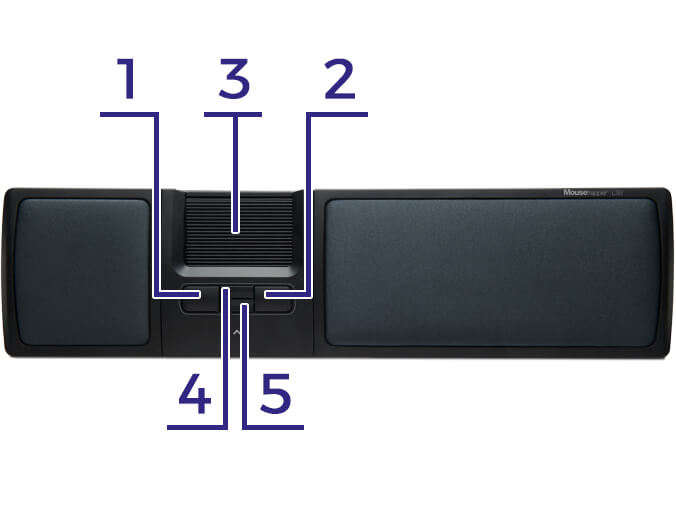
- Left mouse button
- Right mouse button
- Trackpad/left mouse button
- Scroll up
- Scroll down
What's in the box?
- Mousetrapper® Lite
- Manual
Frequently Asked Questions
Specifications
| Item number | ERGO-MTL |
| Manufacturer's item number | MT114 |
| Brand | Mousetrapper® |
| Warranty | 2 years |
| Type of guarantee | The Ergowerken free return guarantee service |
| Colour | Black |
| Ergonomic design | |
| Management | Trackpad |
| Left- or right-handed | Can be operated with either the left or right hand |
| Hand length | Suitable for all arm lengths |
| Hand width | Suitable for all hand sizes |
| Operation | Buttons and trackpad |
| Connection | Wired via USB 170 cm |
| Included receiver | Not applicable |
| Bluetooth | |
| USB port | |
| USB version | 2.0 |
| Number of buttons | 4 |
| On/off button | |
| Scroll wheel | No, this function is operated using buttons. |
| Trackball | |
| Adjustable sensitivity | |
| Sensitivity | N.B. |
| Type of power supply | Wired |
| Battery type | Not applicable |
| Rechargeable | Not applicable |
| Minimum system requirements | Windows XP or higher and Mac OS X |
| Plug and play | |
| Dimensions length x width x height | 115 x 500 x 22 millimetres |
| Product weight | 650 grams |
Reviews Mousetrapper® Lite trackpad black
Customers who write a review enter a prize draw for a voucher. We pick one winner and publish all reviews, including critical ones.