Stel hier je vraag over dit product
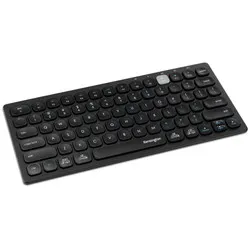
Kensington Multi-Device compact keyboard


Product description of Kensington Multi-Device compact keyboard
Is this keyboard right for me?
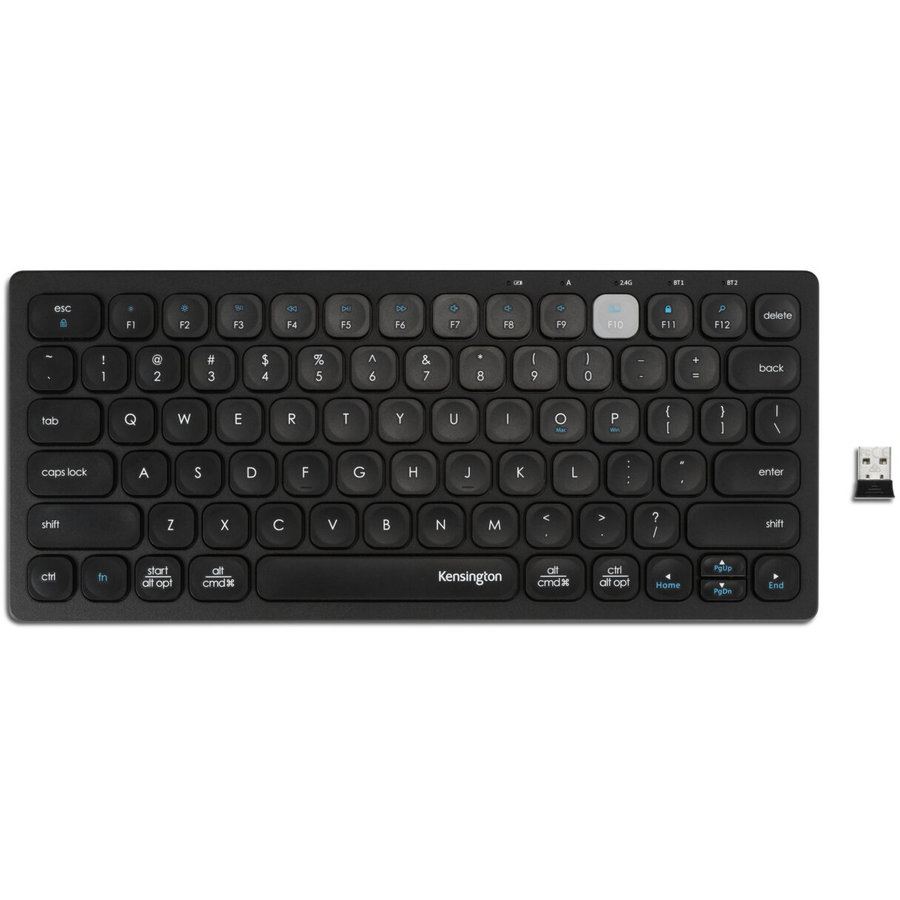
| Width | 287.95 mm |
| Depth | 125 mm |
| Height | 21.82 mm |
| Version | Windows/Mac |
| Key layout | QWERTY (ANSI US int.) |
| Key type | Scissor-switch mechanism |
| Connection | Bluetooth & wireless USB |
An ode to the Kensington Multi-Device compact keyboard
Versatile
The Multi-Device keyboard is wonderfully multi-functional. As long as your device has Bluetooth, you can use this keyboard with it. Do you have a Mac desktop and a Windows laptop, or vice versa? No problem! Both Mac and Windows are supported, and the keyboard features both key layouts.
Why the Multi-Device compact keyboard?
Kensington's compact keyboard is easy to carry. Thanks to its compact size, you can also keep the mouse close to your body, which minimises tension in the shoulder. The Multi-Device can connect to three devices simultaneously via Bluetooth. With a combination of keys, you can switch between devices easily and quickly.
Furthermore, the keyboard features a row of shortcut keys at the top, which reduces mouse usage. The keyboard uses scissor-switch keys. This makes the keys low-profile, which is better for the wrists.
What makes an ergonomic keyboard so good?
Anyone who spends a lot of time working on a computer knows that this can be strenuous for your wrists, shoulders, back, and neck. A good keyboard can help with this. The Multi-Device compact, for example, has a compact design. The keys are also extra easy to press. All of this is to minimise muscle tension, thereby preventing or reducing injuries.
Get the most out of this product
Initially, take the time to master as many of the shortcut keys as possible. This not only works faster and more efficiently but also reduces mouse usage. This benefits relaxation.
Don't miss this either
Does your laptop or computer not have Bluetooth? No problem! The keyboard comes with a nano USB receiver. You plug this into your laptop or desktop, and it connects wirelessly to the keyboard.
How happy will my body be with this?
- Wrist
- Shoulder
- Hand
- Arm
Pros and Cons
- Flat and compact
- Wireless
- For Windows & Mac
- With shortcut keys
- Light key press
- No numpad
Brief specifications
| Warranty | 3 years |
| Ergonomic design | |
| Colour | Black |
| Material | Aluminium |
| Product weight | 326 grams |
| view all specifications |
Product features
- Compact design
- With shortcut keys
- For Windows and Mac
- Wireless via Bluetooth and USB receiver
- Scissor-switch keys
- Connect up to three devices simultaneously
- Perfect for portability
- Aluminium casing
What's in the box?
- Multi-Device keyboard
- Nano USB receiver
- 2x AAA batteries
- Manual
Frequently Asked Questions
Specifications
| Item number | ERGO-KEKEY01 |
| Manufacturer's item number | K75502WW |
| Brand | Kensington |
| Warranty | 3 years |
| Type of guarantee | The Ergowerken free return guarantee service |
| Colour | Black |
| Keyboard type | Compact keyboard |
| Ergonomic design | |
| Keyboard layout | QWERTY (ISO) |
| Connection | Wired USB & Bluetooth |
| Bluetooth | |
| USB version | 2.4 GHz |
| Type of keys | Scissor mechanism |
| Numeric keypad | |
| Shortcut keys | |
| Programmable buttons | |
| Trackball/touchpad | |
| Type of power supply | 2x AAA |
| Battery type | not applicable |
| Rechargeable | not applicable |
| Minimum system requirements | Windows, Mac, Linux, iOS, Android |
| Plug and play | |
| Dimensions length x width x height | 285 x 287.95 x 21.82 millimetres |
| Product weight | 326 grams |
Reviews Kensington Multi-Device compact keyboard
Customers who write a review enter a prize draw for a voucher. We pick one winner and publish all reviews, including critical ones.