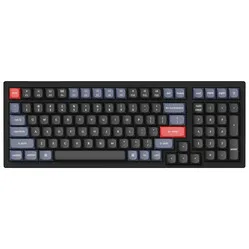
Nieuw toetsenbord
"Na de bestelling werd het toetsenbord werd deze snel geleverd, echt een verbetering t.o.v. het oude. (Geen vage toetsaanslagen meer)"



.png)
| Width | 390.6 mm |
| Depth | 139.2 mm |
| Height | 40 mm |
| Version | Windows and Mac |
| Key layout | QWERTY (ANSI US int.) |
| Switches | Keychron K Pro Mechanical See which variants |
| Connection | Bluetooth 5.1 and USB |
The Keychron K4 Pro is like a rock star among keyboards. Every keystroke is a powerful note, and when you type, you feel as if you are giving a keyboard concert. Rock on, typing hero!
The Keychron K4 Pro has a 96% ANSI layout, which means it is a compact full size keyboard. The K4 Pro has all the keys (100 in total), but has a more compact design than a 100% keyboard. The 12 multimedia keys sit at the top of the keyboard and let you carry out certain functions quickly.
The K4 Pro has been redesigned and redeveloped from the inside out (compared with the K4 ) to improve the typing experience. The added sound-absorbing foam layer, a thick silicone damping bottom and a steel plate provide responsive feedback and a quiet sound while typing, while the extra weight increases stability.
The Keychron K4 Pro is fitted with pre-lubed Keychron K Pro mechanical switches, the mechanisms that sit beneath the keycaps. The K4 is available with red or brown switches.
The red switches are linear, so you can press them straight down without any noticeable resistance or feedback. Red switches are ideal for office work or gamers. Brown switches are tactile and give a slight resistance at the point of actuation. The advantage of this is that you get feedback when a keystroke has been registered. This makes brown switches suitable for people who have to type a lot.
When choosing a switch there is no right or wrong, it comes down purely to personal preference. Gamers can also use brown switches, and typists red switches. You can read more about mechanical switches here.
The Keychron K4 Pro keyboard is hot swappable, which means you have more freedom to replace switches. You can easily remove them from the keyboard with the supplied switch puller. That way you can easily fit different switches in your K4 Pro. On a keyboard that is not hot swappable the switches are soldered in place, making it harder to replace them.
The switches of the K4 Pro are topped with a nice set of double shot PBT keycaps. These contain a double layer of sturdy plastic so the print sits, as it were, inside the keycap rather than printed on top. That way they are more resistant to wear. In addition, PBT plastic is also less prone to grease marks such as fingerprints. The keycaps have an OSA profile (OEM with a spherical corner).
Beneath the keycaps comes a crisp white or RGB backlight, depending on the model you choose. You can adjust its brightness to your own liking. The backlight is also south-facing, meaning it points towards the user. That way the lighting shows to better effect. For the lighting pattern you can choose from 22(!) different options.
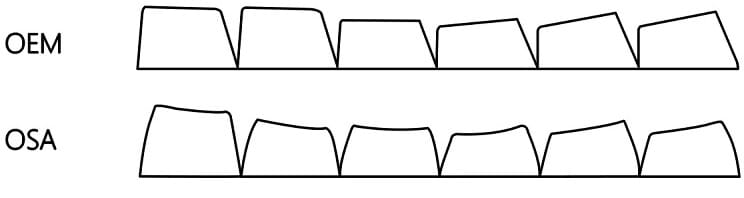
The K4 Pro has an impressive 4000mAh rechargeable battery. That is equal to 330 hours of use without backlight or 160 hours with the backlight on the lowest brightness. The keyboard can be connected to several different devices using Bluetooth 5.1. With a single press of the button you switch easily between your desktop computer, laptop and/or tablet. Of course the K4 Pro can also be used wired with the supplied cable.
Stabilisers are mechanisms designed to stabilise and guide the movement of keys. They help the keys move evenly and prevent them from wobbling or sitting at an angle when pressed. Stabilisers sit beneath the larger keys such as the Enter key, the Shift key, the space bar and the Backspace key. The stabilisers of the K4 Pro are screwed onto the PCB, giving you more freedom to customise the keyboard.
The Keychron K4 Pro can be programmed using QMK/VIA software. With this software you can give any key the function you want, such as combination keys and macros. By compressing a number of actions into a single press of the button, you will be able to work faster. In the blog that Keychron has written you can read all about this software.
The Keychron K4 Pro can be used on Windows and Mac. At the top of the keyboard there is a switch that lets you change operating system easily. In addition, extra keycaps are supplied to replace keys such as command and option. The keyboard can also be used on Linux, but no extras are supplied for this.
On the underside of the keyboard there are fold-out feet with which you can adjust the angle of the keyboard (3°, 7° and 10°). However, we would advise you not to use these, because this can actually cause complaints in the wrists. We do recommend using a matching wrist rest where your wrists can rest in a relaxed position.
The dimensions of the K4 Pro are 390.6 x 139.2 x 40 mm. The frame of the keyboard is made of sturdy ABS plastic. Finally, the K4 Pro has N-Key Rollover (NKRO), in both wireless and wired use. The keyboard has the capacity to handle multiple simultaneous keystrokes correctly. It can accurately detect when several keys are pressed at the same time, regardless of the number of other keys also being pressed at that moment.
| Dimensions | 390.6 x 139.2 x 40 mm |
| Hot swappable | |
| Battery capacity | 4000mAh |
| Weight | 1280gr |
| Programmable | Yes, using QMK/VIA |
| Fingers | |
| Hand | |
| Wrist | |
| Shoulder |
| Animation | 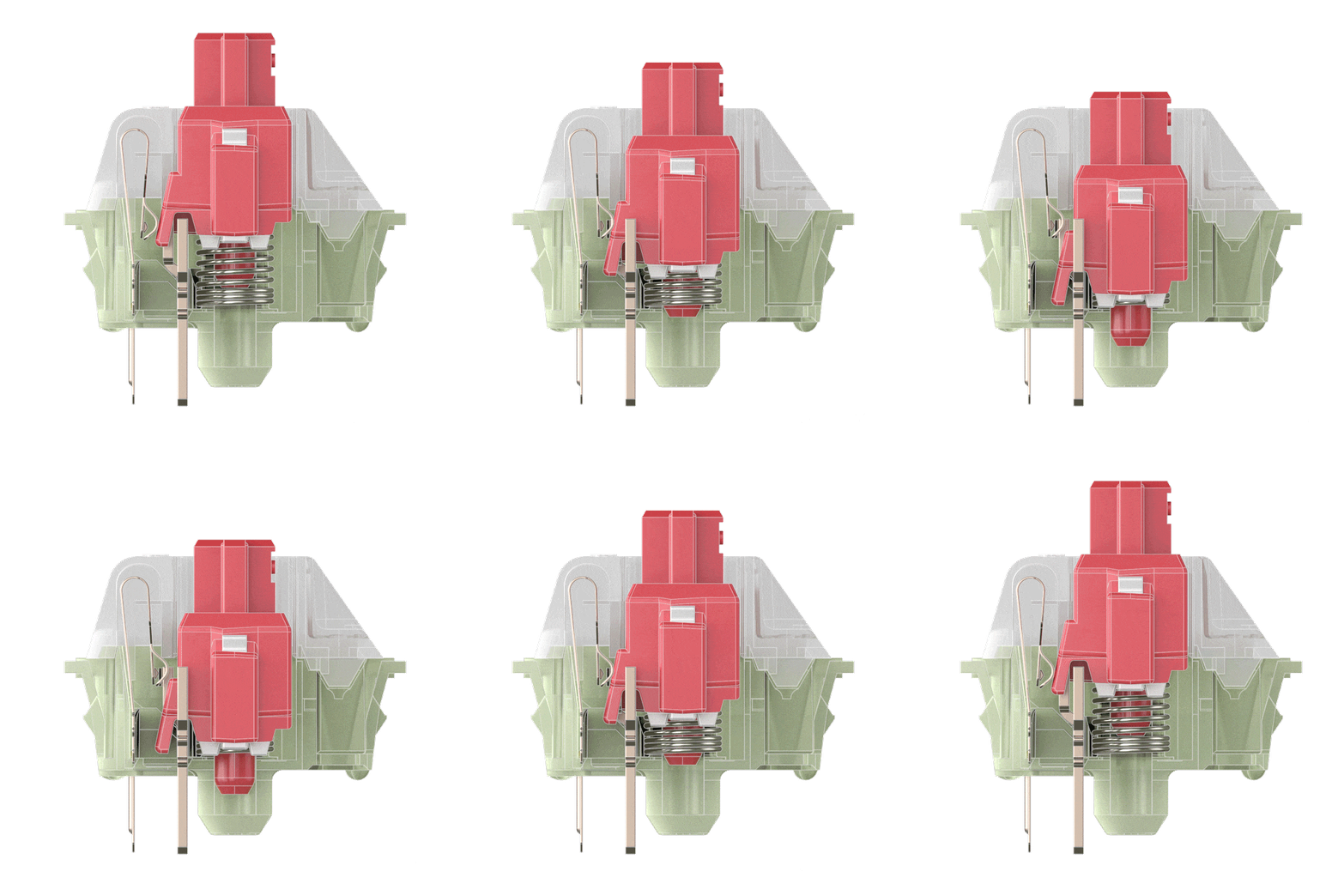 | 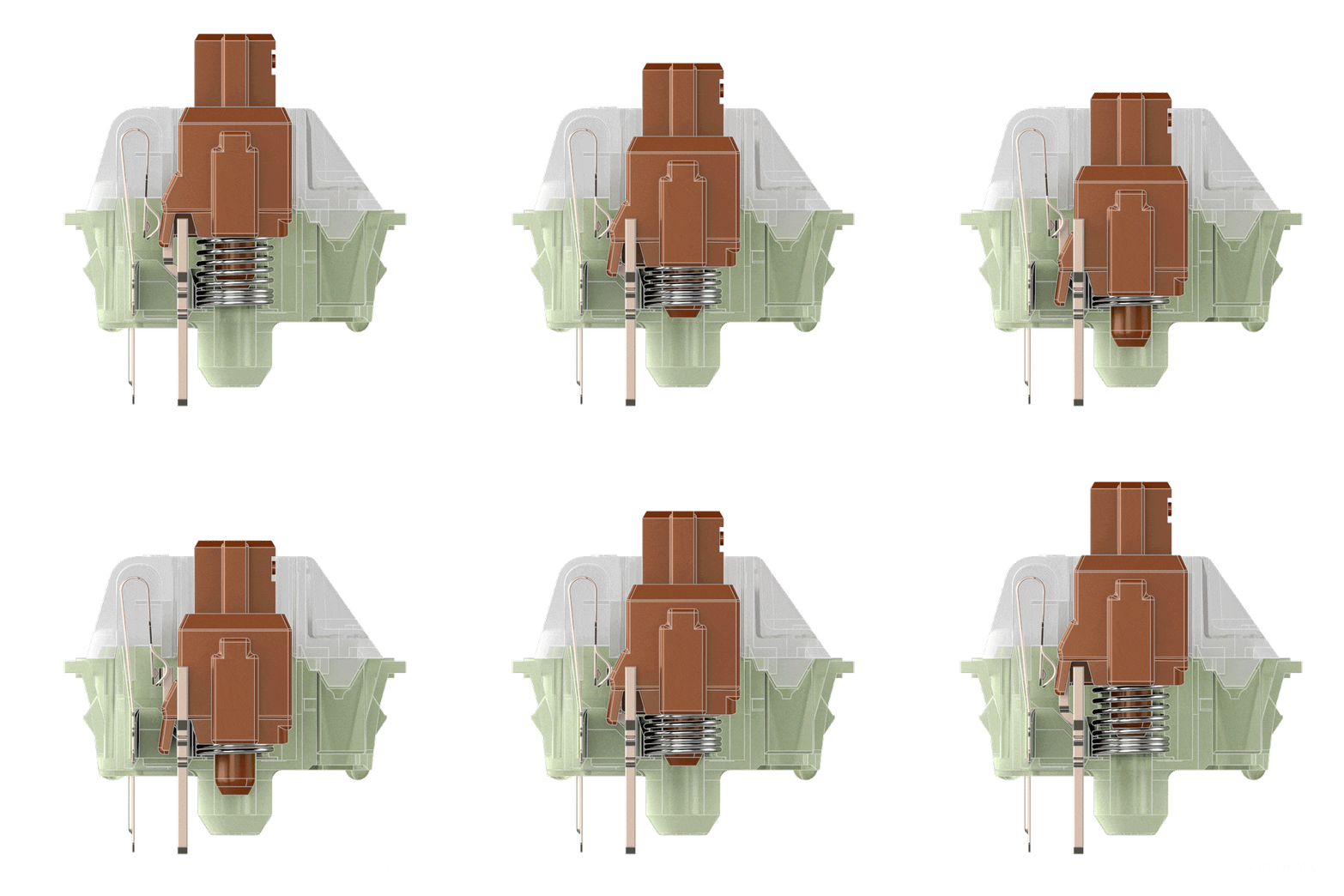 |
| Movement | Linear | Tactile |
| Force required | 45gf | 50gf |
| Actuation point: | 2mm | 2mm |
| Maximum travel: | 4mm | 4mm |
| Noise level: | Silent | Quiet |
| Ideal for: | Office/gaming | All-round/typing |
| Image | 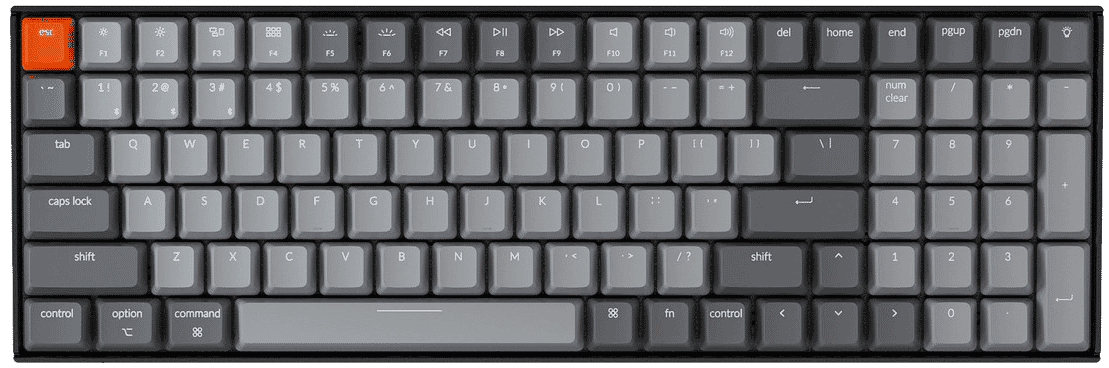 | |
| Model | K4 | K4 Pro |
| Switches | Gateron G Pro | Keychron K Pro |
| Hot swappable | Optional | Standard |
| Programmable | No | Yes, using QMK/VIA |
| Battery capacity | 4000mAh | 4000mAh |
| Frame material | Aluminium or plastic | ABS plastic |
| Sound-absorbing foam | No | Yes |
| Screwed stabilisers | No | Yes |
| Keycaps | ABS | Double shot PBT |
| Weight | 933gr | 1280gr |
| Backlight | North-facing | South-facing |
| Item number | ERGO-KCK4PG1 | ERGO-KCK4PG3 |
| Brand | Keychron |
| Warranty | 1 year |
| Type of guarantee | The Ergowerken free return guarantee service |
| Colour | Black with blue and red |
| Keyboard type | Mechanical |
| Ergonomic design | |
| Keyboard layout | QWERTY (ANSI US int.) |
| Connection | Wired or wireless |
| Bluetooth | 5.1 |
| Type of keys | Keychron K Pro mechanical switches (red or brown) |
| Numeric keypad | |
| Shortcut keys | |
| Programmable buttons | Yes, using QMK/VIA |
| Trackball/touchpad | |
| Type of power supply | Cable or battery |
| Battery type | 4000 mAh rechargeable li-polymer battery |
| Rechargeable | |
| Minimum system requirements | Mac OS X v10.5, Mac OS X v10.6, Mac OS X v10.7, Mac OS X v10.8, Mac OS X v10.9, Mac OS X v10.10, Mac OS X v10.11, Windows XP, Windows Vista, Windows 7, Windows 8, Windows 10 |
| Plug and play | |
| Dimensions length x width x height | 390.6 x 139.2 x 40 millimetres |
| Product weight | 1280 grams |
Customers who write a review enter a prize draw for a voucher. We pick one winner and publish all reviews, including critical ones.