Stel hier je vraag over dit product
Keychron K12 compact keyboard for Windows & Mac


Product description of Keychron K12 compact keyboard for Windows & Mac
Does this keyboard suit me?

| Width | 298 mm |
| Depth | 107 mm |
| Height | 30 mm |
| Compatibility | Windows and Mac |
| Key layout | QWERTY (ANSI US int.) |
| Switch type | Gateron mechanical switches |
| Connection | Bluetooth and USB |
| Switches | Gateron View variants |
| an overview of all Keychron keyboards can be found here |
Make yourself comfortable
Normally, we use this section of text to write something fun and light-hearted about a product. But now I want to use it to make sure you start reading with a cup of coffee or tea, because there is quite a lot to tell about the K12. Are you seated? Perhaps a biscuit too? Let's go!
Why the Keychron K12 keyboard?
The Keychron K12 is specially designed to optimise your workspace while providing you with all the necessary keys/shortcuts. The K12 does not have a numpad or arrow keys. But the arrow keys, like many other keys, can be accessed by combining them with the Fn1 key. The Fn2 key gives you access to the F1 to F12 keys.
The K12's connectivity is fantastic. Via Bluetooth, you can connect up to three devices to the keyboard simultaneously. Using combination keys, you can quickly and easily switch between your devices. For example, one moment you might be working on your laptop, and the next you can quickly type a WhatsApp message about dinner. A fourth device can be connected with a cable (USB). Of course, connecting a single device and using the USB cable for that is also possible.
Travel pouch
The Keychron travel pouch is the optimal way to carry your Keychron K12 keyboard. The pouch is made of Saffiano leather, which provides a combination of style, durability, and flexibility. The pouch is available in three colours. You can find more information about the travel pouch here. At the top right of the page, you can add it to your order in the desired colour.
Gateron switch puller
The Gateron switch puller is the ultimate addition to your hot-swappable keyboard. Our hot-swappable keyboards already come standard with a keycap and switch puller. But this switch puller is more user-friendly.
Place the Gateron switch puller over the switch and push down until you hear a click. Now you can easily pull out the switch. With a press of the button on top, the puller releases the switch. You can read more about the Gateron switch puller here.
What makes an ergonomic keyboard so good?
Anyone who performs a lot of computer work knows that this can be strenuous for your wrists, shoulders, back, and neck. A good keyboard can help you with this. The Keychron K12, for example, has a compact design. The keys are also extra easy to press. You can also place your mouse close to the keyboard. All of this is to minimise muscle tension, which can help prevent or reduce injuries.
Get the most out of this product
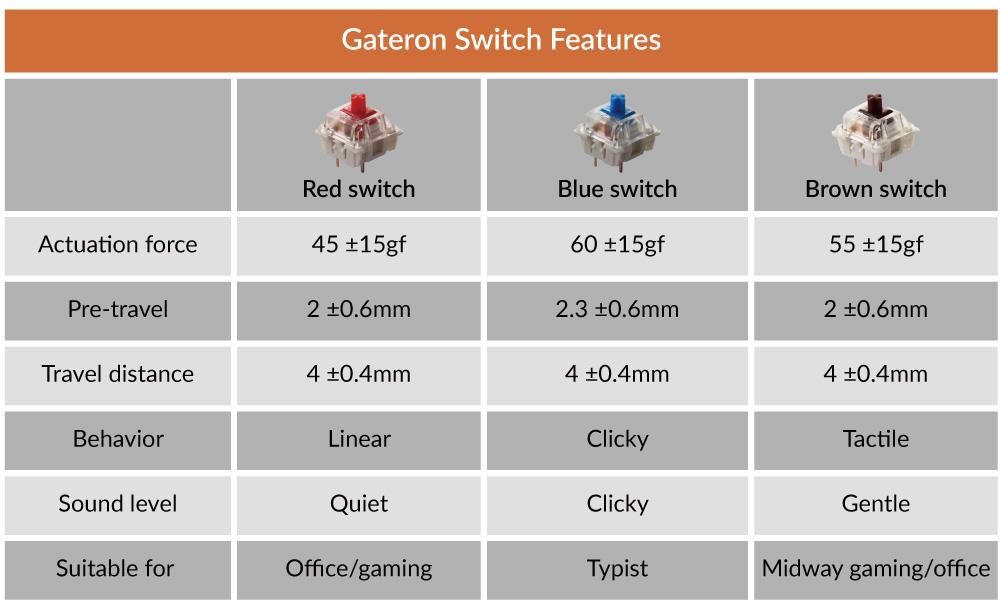
Here you choose not only the keyboard but also the type of switches it is equipped with. You can choose from Red, Brown, and Blue Gateron mechanical switches. Here you will find an overview of the different switches so you can choose the right one for you.
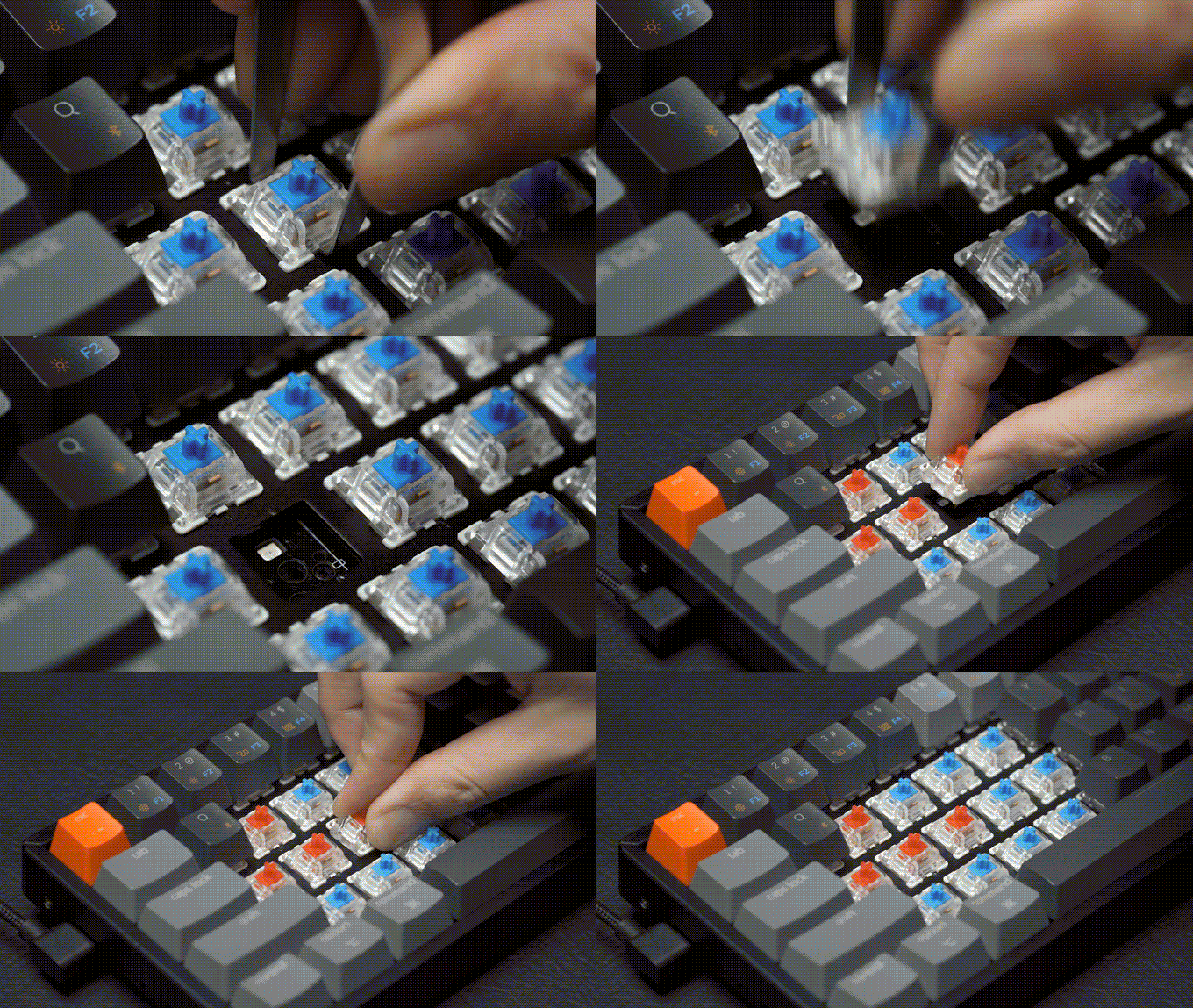
Would you prefer to customise the board completely? Then choose the Hot-swappable keyboard. It is very easy to remove and replace the switches on this board. Almost all MX-type mechanical switches work on this board (Gateron, Cherry, Kailh, etc.).
The K12 can be updated to remove any production and/or design flaws. Therefore, regularly check this Keychron page to see if updates are available.
Don't miss this either
The Keychron K12 features a powerful 4000mAh battery that lasts up to 70 hours with normal use. The keyboard also has backlighting, making the keys clearly visible in dimly lit areas. The RGB version gives you access to 18 different modes. The keyboard also comes in a sturdy aluminium casing.
The K12 can easily be raised slightly by unfolding two feet at the back. But we advise against this for ergonomic reasons. The Keychron K12 is suitable for both Windows & Mac. With a slider switch on the side, you can easily switch between operating systems. System-related keys are included and can be easily swapped by yourself.
How happy will my body be with this?
- Shoulder
- Hand
- Wrist
- Arm
Pros and Cons
- Compact size
- Shortcuts
- High quality
- Strong battery
- Versatile
- No numeric keypad
Brief specifications
| Warranty | 1 year |
| Colour | Black/Grey |
| Layout | 61-keys |
| Ergonomic design | |
| Plug & Play | |
| view all specifications |
Product features
- Ergonomic design
- 60% layout
- Mechanical keys
- With backlighting
- 61-key version
- No numpad
- Gateron red/blue/brown switch
- Cable length 120 cm
- 12 multimedia keys
- Aluminium frame
- For Windows, Mac, Android and iOS
- 4000mAh Li-Polymer battery
- 72 hours of work with full battery
- Bluetooth and USB wired connection
What's in the box?
- 1 x compact QWERTY keyboard
- 1 x USB-C cable
- 1 x user manual
- 6 x Windows keycaps
- 1 x keycap puller
Battery specifications with Bluetooth
| Version | Charging time | Backlight | Battery life |
| RGB backlight | 3 hours | Off | 240 hours 30 days |
| RGB backlight | 3 hours | On | 672 hours 9 days |
K12 RGB Backlight
Hot-swappable explained
Gateron Switches
 | 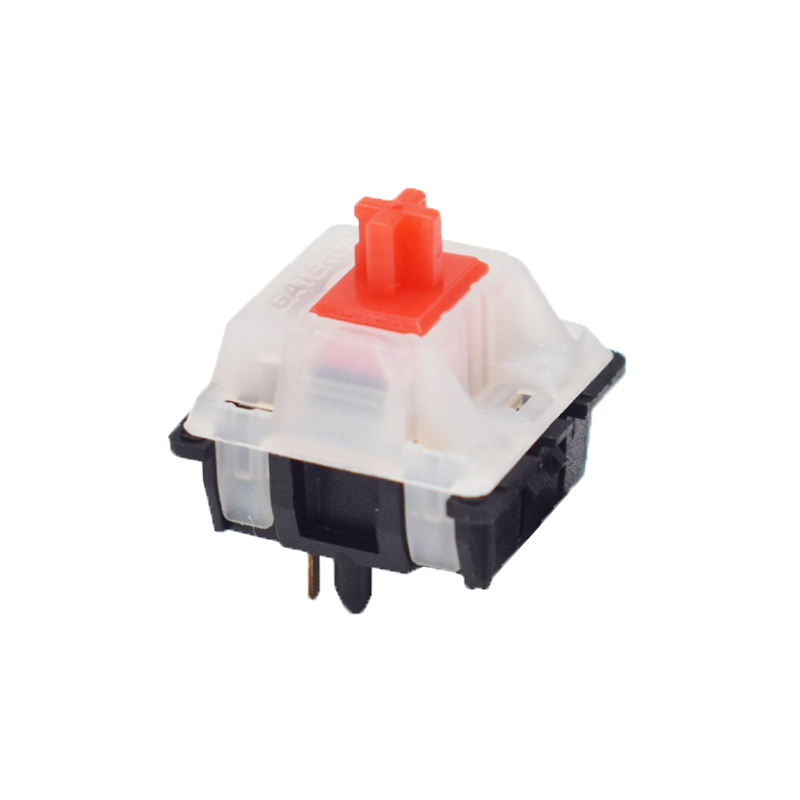 | 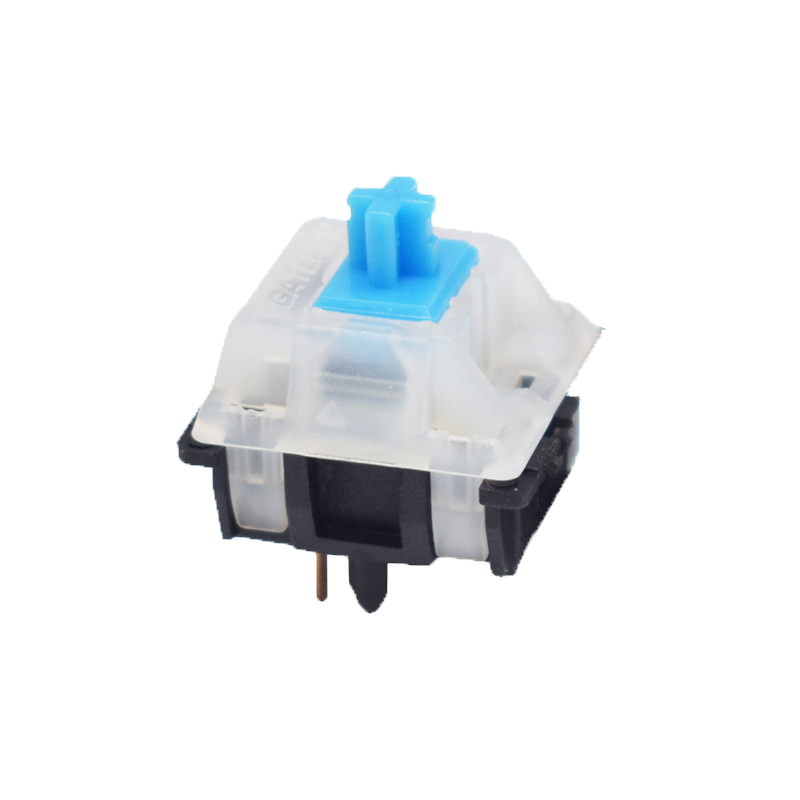 | 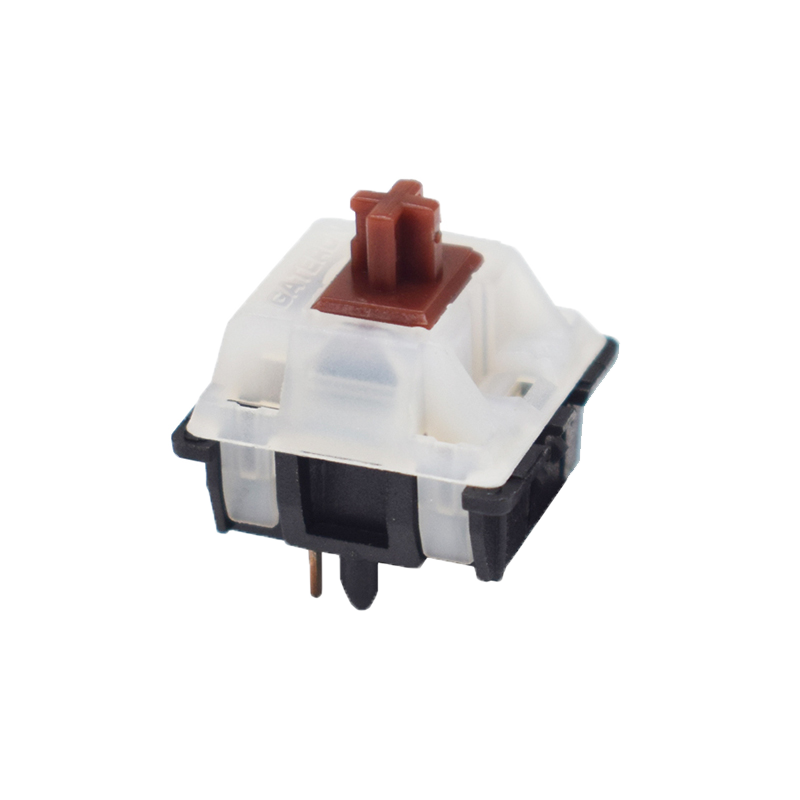 |
| Colour: | Red | Blue | Brown |
| Type: | Linear | Clicky | Tactile |
| Force(g): | 45 | 60 | 55 |
| Actuation point(mm.): | 2 | 2.3 | 2 |
| Max. travel(mm.): | 4 | 4 | 4 |
| Lifespan (clicks): | 50 million | 50 million | 50 million |
| Sound level: |
Frequently asked questions
Specifications
| Item number | ERGO-KCK12J1/J2/J3 |
| Brand | Keychron |
| Warranty | 1 year |
| Type of guarantee | The Ergowerken free return guarantee service |
| Colour | Black/Grey |
| Keyboard type | Compact |
| Ergonomic design | |
| Keyboard layout | QWERTY (ANSI US int.) |
| Connection | Bluetooth and USB-C cable to USB-A (120 cm) connection |
| Bluetooth | |
| USB version | 2.0/3.0 |
| Type of keys | Gateron mechanical keys |
| Numeric keypad | |
| Shortcut keys | |
| Programmable buttons | |
| Trackball/touchpad | |
| Type of power supply | Battery |
| Battery type | 4000mAh Li-Polymer battery |
| Rechargeable | |
| Minimum system requirements | Mac OS X v10.5, Mac OS X v10.6, Mac OS X v10.7, Mac OS X v10.8, Mac OS X v10.9, Mac OS X v10.10, Mac OS X v10.11, Windows XP, Windows Vista, Windows 7, Windows 8, Windows 10 |
| Plug and play | |
| Dimensions length x width x height | 298 x 107 x 30 millimetres |
| Product weight | 664 grams |
Reviews Keychron K12 compact keyboard for Windows & Mac
Customers who write a review enter a prize draw for a voucher. We pick one winner and publish all reviews, including critical ones.