Stel hier je vraag over dit product
Evoluent Mouse-friendly ergonomic keyboard



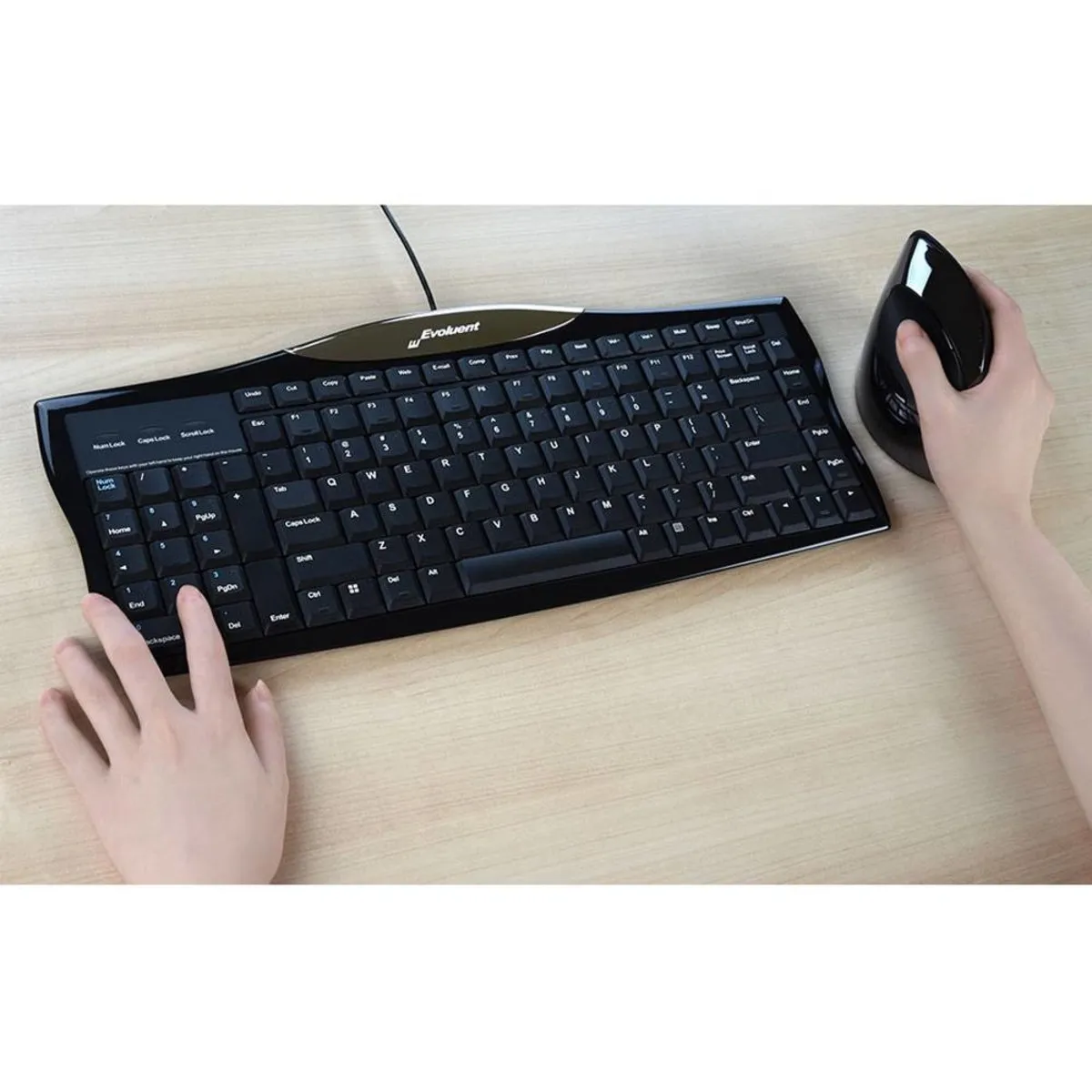


Product description of Evoluent Mouse-friendly ergonomic keyboard
An ode to the Evoluent mouse-friendly keyboard
Simply ingenious
The numeric keypad gets in the way when using a mouse; fact. Many keyboard manufacturers solve this by omitting the numeric section. Except Evoluent. Someone there saw the light and said aloud, stroking their chin; “why don't we place the numeric section on the other side of the keyboard?” Bravo.
Why the mouse-friendly Evoluent?
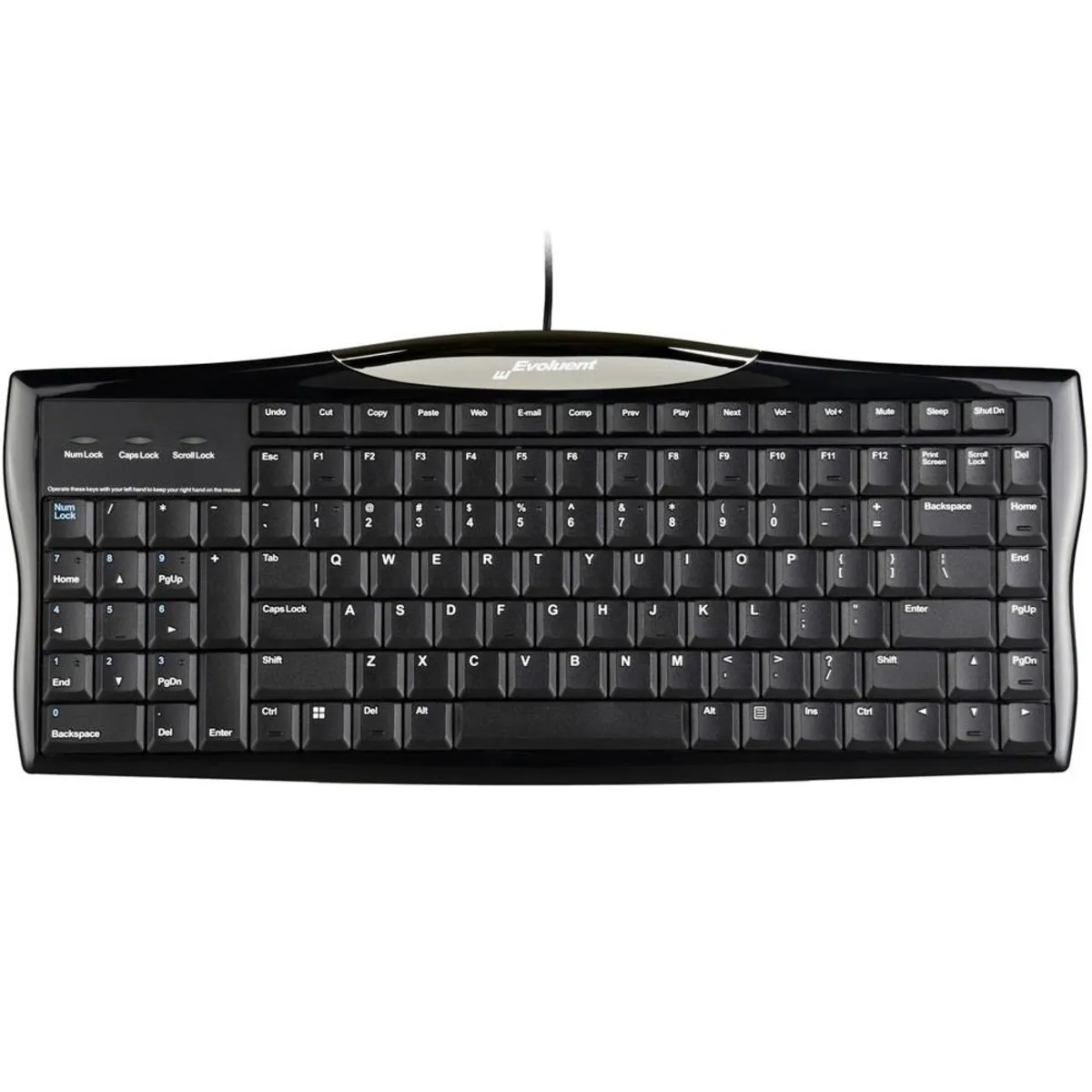
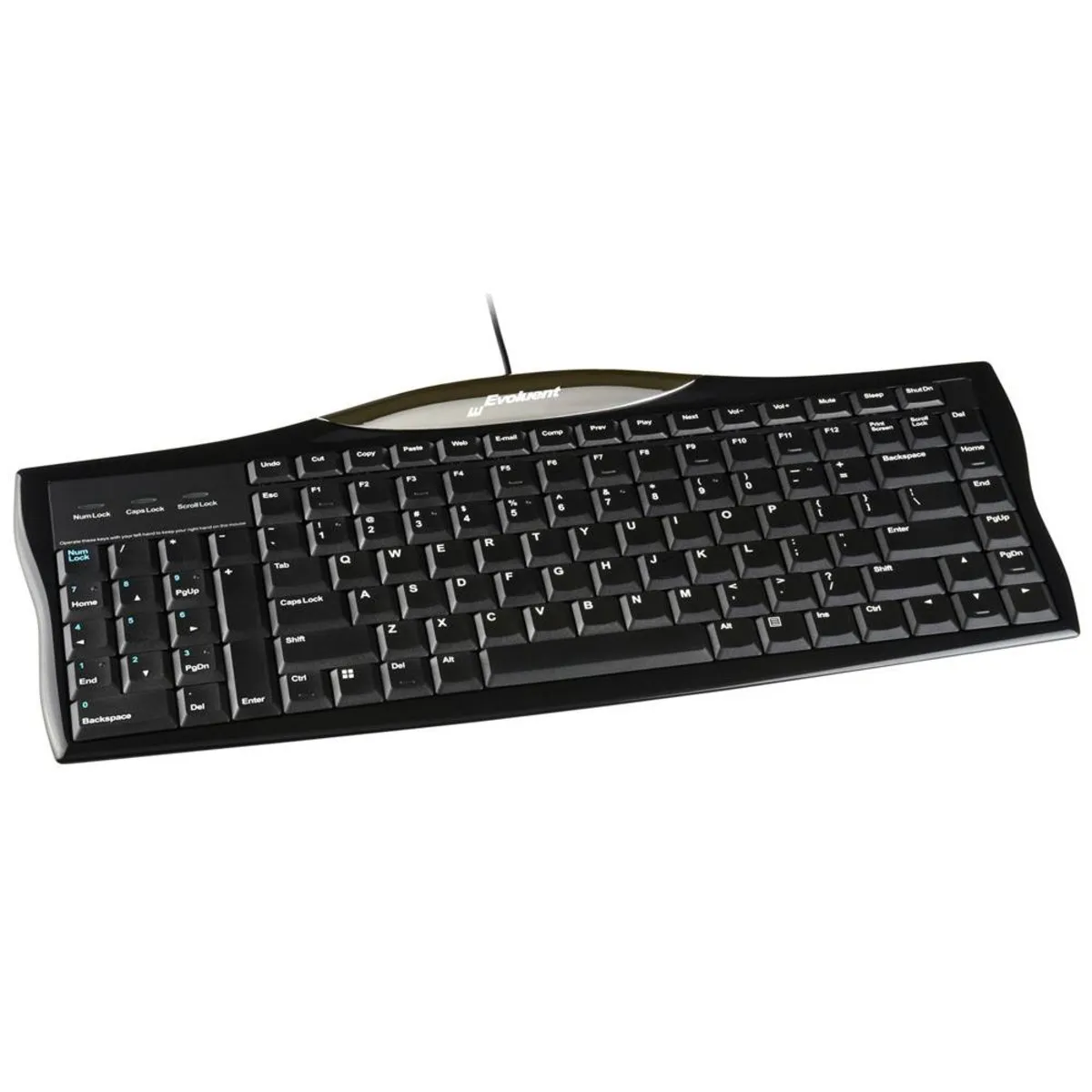
With the mouse-friendly ergonomic keyboard, Evoluent has once again introduced a great innovation. By placing the numeric keypad on the left side of the keyboard, the mouse can be kept closer to the body. This puts you in a better ergonomic posture and makes working much more comfortable.
Before the computer mouse came onto the market, the keyboard already existed. Because the numeric section played an important role then, it was on the right side. However, the arrival of the mouse brought a problem, as it also had to be placed on the right side. As a result, it was too far from the body for years.
With current ergonomic knowledge, we know that the mouse is best positioned in line with the shoulder. The mouse-friendly ergonomic QWERTY keyboard from Evoluent makes this possible again.
The keyboard has several hotkeys at the top that allow you to control the volume or open your internet browser. The keys are flat, making the keyboard flat and requiring less wrist bending to reach the keys.
What makes an ergonomic keyboard so good?
Anyone who performs a lot of computer work knows that this can be strenuous for your wrists, shoulders, back, and neck. A good keyboard can help you with this. The Evoluent, for example, has a flat design. The keys are also extra easy to press. Furthermore, you can place your mouse close to the keyboard. All of this is to minimise muscle tension, thereby preventing or reducing injuries.
Get the most out of it
This keyboard features a numeric section. This makes entering numbers easier than if the keyboard only had a row of numbers at the top. That makes the Evoluent keyboard ideal for tasks where many numbers need to be entered.
Pros and Cons
- Hotkeys at the top
- Integrated numeric keypad
- High-quality standard from Evoluent
- Fewer ergonomic benefits for left-handers
Brief specifications
| Warranty | 2 years |
| Ergonomic design | |
| Keyboard layout | QWERTY (ANSI US int.) |
| Plug&Play |
How happy will my body be with this?
| Wrist | |
| Shoulder | |
| Hand | |
| Arm |
Product features
- Ergonomic design
- Numeric keypad on the left side
- Extra hotkeys at the top
- Flat keys
- Scissor-switch keys
What's in the box?
- 1 x Wired QWERTY keyboard
Frequently asked questions
Specifications
| Item number | ERGO-KEY018 |
| Manufacturer's item number | R3K |
| Brand | Evoluent |
| Warranty | 2 years |
| Type of guarantee | Ergowerken free warranty return service |
| Colour | Black |
| Keyboard type | Full-size keyboard with numeric keypad on the left-hand side |
| Ergonomic design | |
| Keyboard layout | QWERTY (ANSI US int.) |
| Connection | Wired via USB |
| Bluetooth | not applicable |
| USB version | 2.0 |
| Type of keys | Flat keys with scissor mechanism |
| Numeric keypad | Yes, on the left-hand side |
| Shortcut keys | |
| Programmable buttons | |
| Trackball/touchpad | |
| Type of power supply | Wired |
| Battery type | not applicable |
| Rechargeable | not applicable |
| Minimum system requirements | Windows XP and above or Mac OS X (Mac/Chromebook users will not be able to use the '0' on the numeric keypad) |
| Plug and play | |
| Dimensions length x width x height | 403 x 171 x 20 millimetres |
| Product weight | 704 grams |
Reviews Evoluent Mouse-friendly ergonomic keyboard
Customers who write a review enter a prize draw for a voucher. We pick one winner and publish all reviews, including critical ones.