Stel hier je vraag over dit product
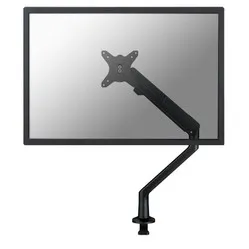
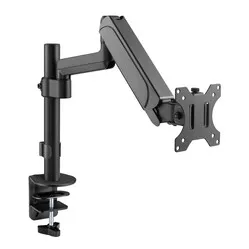
Equip Basic Plus gas-sprung monitor arm black


Product description of Equip Basic Plus gas-sprung monitor arm black
An ode to the Equip monitor arm
Caution, rotating objects!
The Equip monitor arm is so flexible in all directions that your only concern will be accidentally hitting someone in your enthusiasm. Therefore, it is recommended to also purchase safety helmets for your colleagues. While you're at it, buy one for yourself too! Just kidding, of course.
Why the Equip Basic Plus monitor arm?
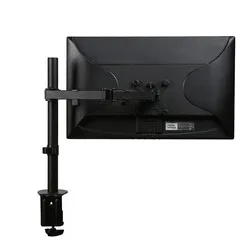
The Equip raises your monitor to the correct height, making it rotatable, pivotable, tiltable, and height-adjustable. You can adjust the height by sliding the arm along the frame. You can easily and quickly attach the arm to your desk using a desk clamp. The clamp fits desks up to a maximum thickness of 90 mm. You then attach the monitor to the 75x75 and 100x100 VESA mount. More information about VESA mounts can be found here.
The arm is suitable for monitors between 13 and 27 inches and has a maximum load capacity of 9 kg. With its built-in cable management, you keep your desk free of cables. Furthermore, the gas-sprung arm ensures light adjustment of the monitor.
What makes a monitor arm so good?
A monitor arm makes your monitor optimally adjustable. Height, width, and viewing angle improve your working posture so that your body can find more relaxation. This way, you work comfortably for longer and are less likely to develop complaints in your back, neck, or shoulders. An arm for multiple monitors can also boost productivity.
Get the most out of this product
Make sure you sit in a good, upright posture on your chair. Then place the screen perfectly straight relative to your desk and move the monitor up until the top edge of the screen is at eye level.
Finally, check if you are sitting approximately an arm's length away from your screen. Ergonomic mouse next to it, keyboard in front, and get to work. Ah, what a relief!
Don't miss this either
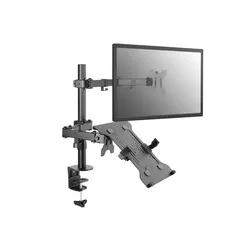
Equip also has a super handy laptop holder that can be attached to 75x75 and 100x100 VESA mounts. In combination with this monitor arm, this makes an ideal laptop holder that you can move in all directions. You can find the laptop holder here.
How happy will my body be with this?
- Neck
- Back
- Eyes
- Shoulder
Pros and Cons
- Rotatable, tiltable, pivotable
- Easy to attach
- Includes cable management
- Easy to adjust
- Large height range
Brief specifications
| Warranty | 2 years |
| Ergonomic design | |
| Colour | Black |
| Adjustable | Yes; tilt, rotate, swivel, and pivot |
| Suitable monitor sizes | 13 to 27 inches |
| view all specifications |
Product features
- Built-in cable management
- VESA mount for monitor
- Gas-sprung arm
- Easy to attach with desk clamp
- Extensive adjustment options
What's in the box?
- Equip monitor arm
- Mounting hardware and tools
- Manual
Frequently Asked Questions
Specifications
| Item number | ERGO-EPP1GV-BK |
| Manufacturer's item number | 650132 |
| Brand | Equip |
| Warranty | 2 years |
| Type of guarantee | The Ergowerken free return guarantee service |
| Colour | Black |
| Number of screens | Suitable for 1 monitor |
| Gas-sprung arm | |
| Minimum screen size | 13-inch |
| Maximum screen size | 27-inch |
| Maximum load capacity | 9 kg |
| Tilting | Yes, up to 90° upwards and up to 45° downwards. |
| Rotate | Yes, 360° |
| Swinging | Yes, up to 90° to the left and up to 90° to the right |
| Lowest setting | 0 millimetres |
| Highest position | 520 millimetres |
| Depth | 611 millimetres |
| VESA minimum | 75 x 75 |
| VESA maximum | 100 x 100 |
| Method of installation | By means of a desk clamp |
| Suitable for desk thicknesses of | 10 to 90 millimetres |
| Assembly materials included | |
| Required tools | Allen keys included |
| Cable management | |
| Product weight | 5.05 kg |
Reviews Equip Basic Plus gas-sprung monitor arm black
Customers who write a review enter a prize draw for a voucher. We pick one winner and publish all reviews, including critical ones.