Stel hier je vraag over dit product
Kinesis Advantage2 ergonomic keyboard black

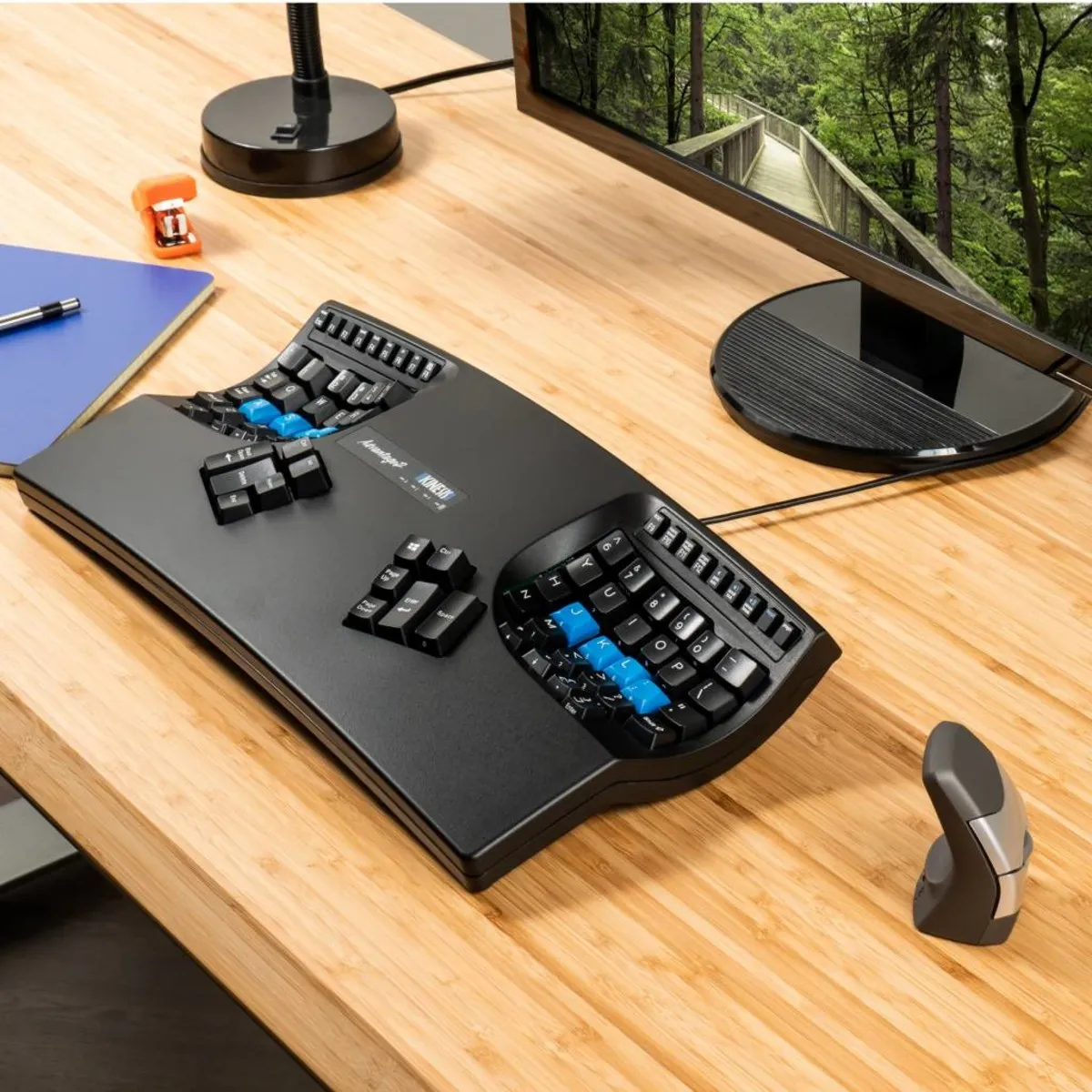


Product description of Kinesis Advantage2 ergonomic keyboard black
Is this keyboard right for me?
| Width | 419 mm |
| Depth | 232 mm |
| Height | 73 mm |
| Compatibility | PC and Mac |
| Key layout | QWERTY |
| Switch type | Cherry MX Brown tactile mechanical switches |
| Connection | Wired (USB) |
It doesn't get better than this
Patience is a virtue
Week 1: “What a %^$&* device!”. Week 2: “Oh no, I pressed backspace again instead of space”. Week 3: “Never anything else! Woooeeee!”. That's how it will go. approximately.
Why the Kinesis Advantage2?
Maximum comfort
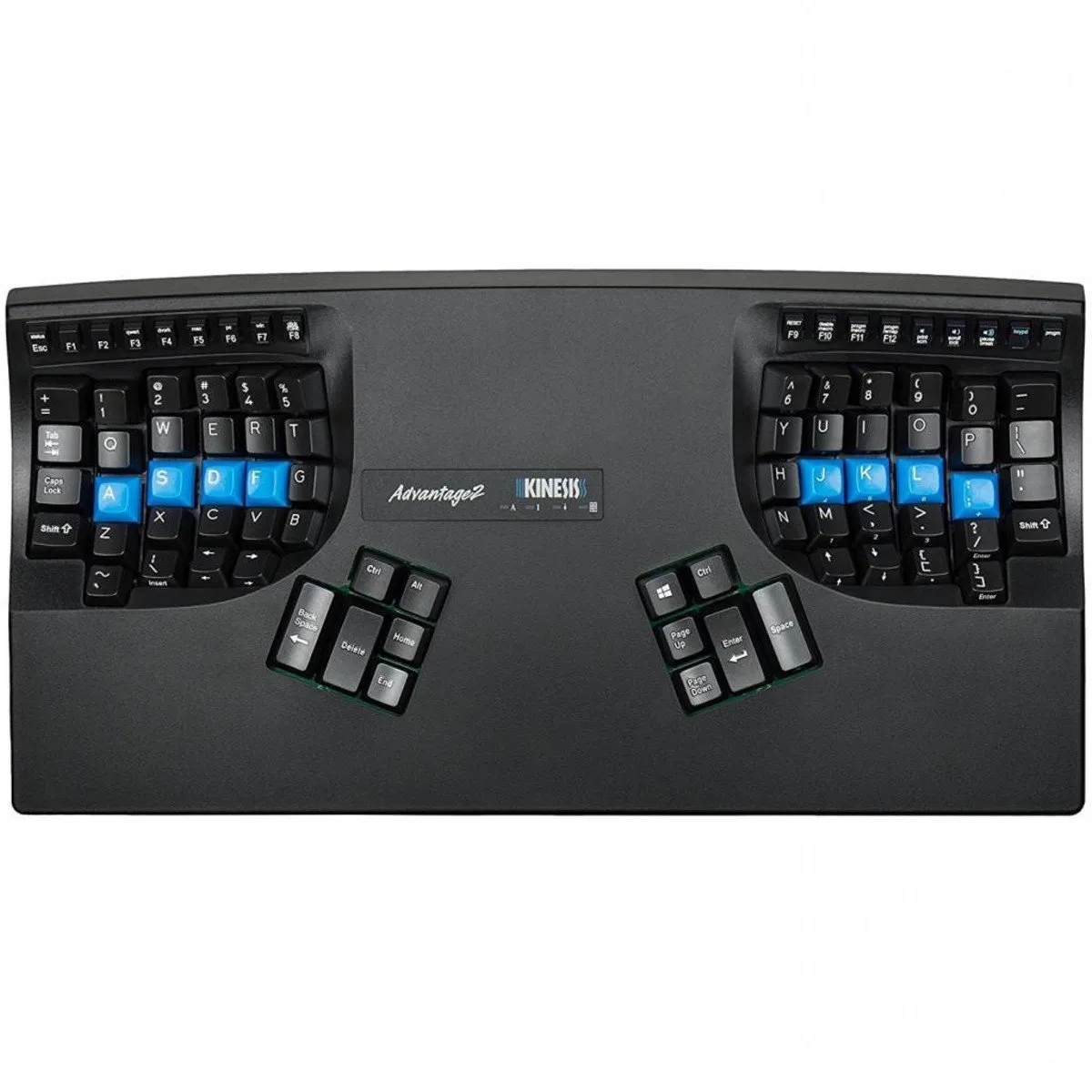
The Advantage2 series by Kinesis has been designed based on 25 years of experience in building ergonomic keyboards. The design, combined with the so-called tactile mechanical switches, aims to combat the risks that come with prolonged keyboard use by offering maximum comfort.
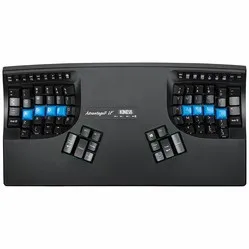
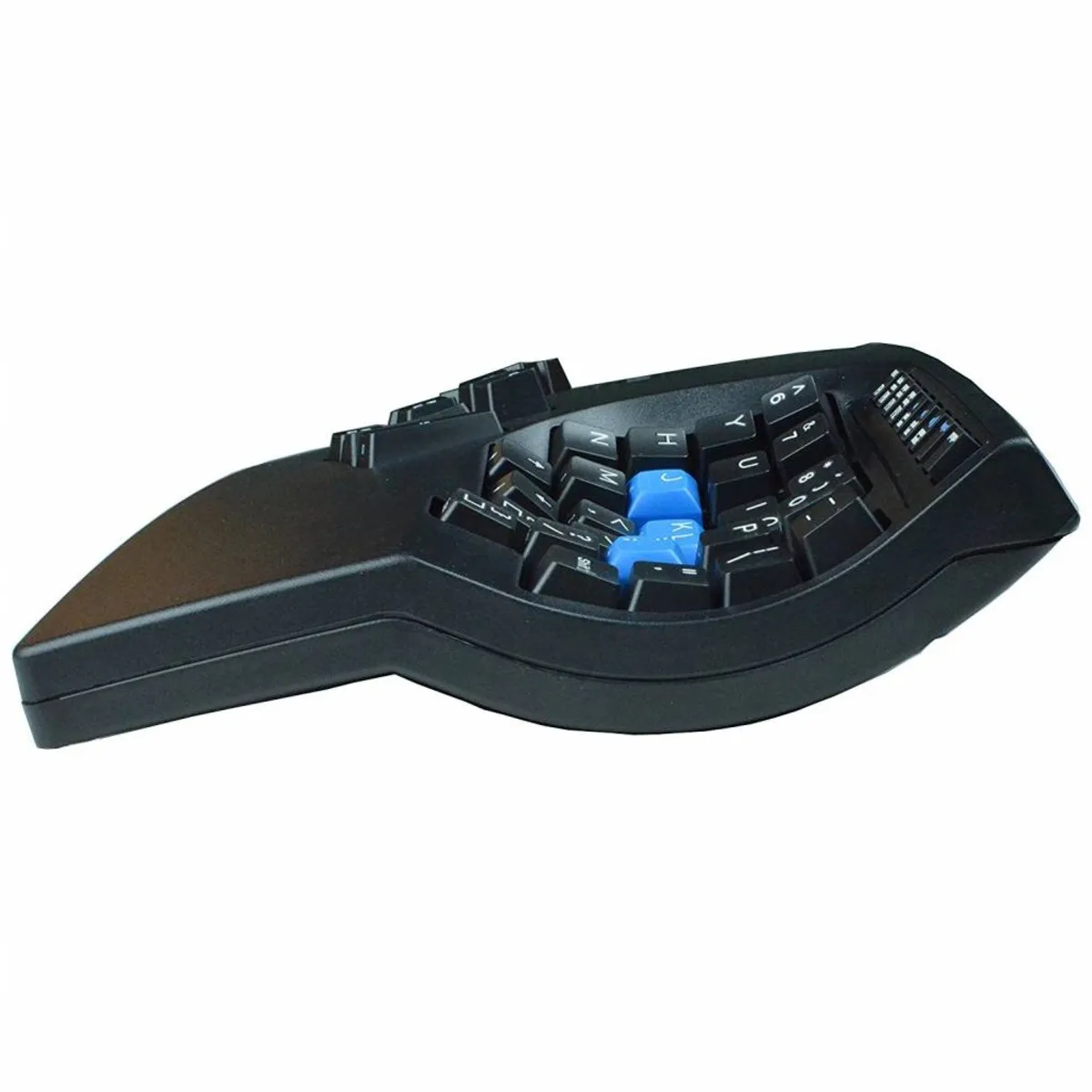
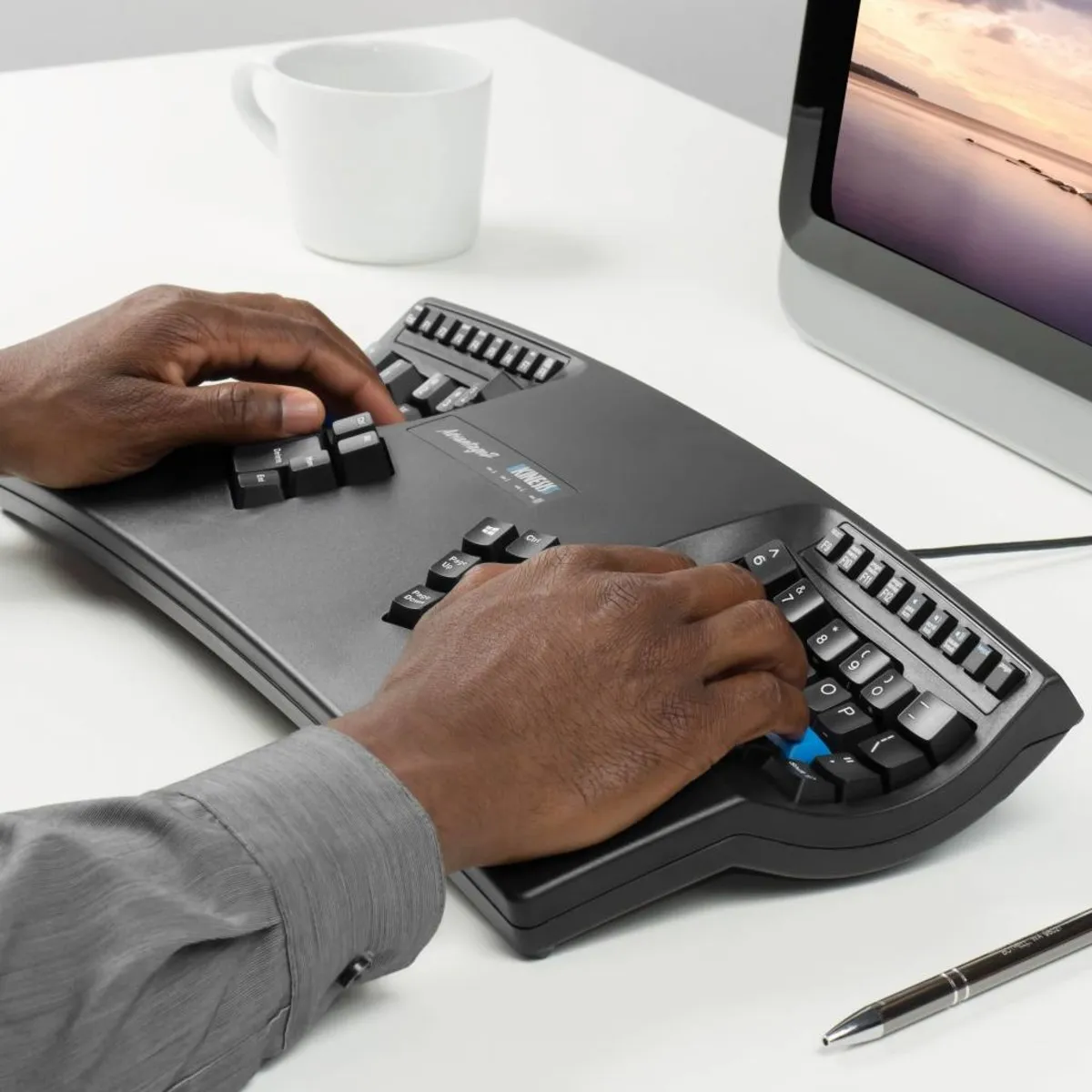
The keyboard is shaped in such a way that the arms are at shoulder width and the wrists stay in a natural posture. The included palm rests also minimise tension on the wrists, and relatively many keys are operated with the thumbs to relieve the weaker little finger. The bowl-shaped design also provides much more relaxation for the fingers because the keys are closer together.
Features
The inside of the Advantage2 is at least as extensive as the outside. Firstly, the keyboard is equipped with Cherry MX Brown tactile mechanical switches. These have low resistance when pressed and "warn" you when you have almost pressed the key by offering a small amount of resistance. This way you don't press the keys unnecessarily far down.
The keyboard also features Kinesis' new programming system, which lets you reprogram the keys to your own preference. The great thing about it is that this programme is embedded in the keyboard and its 4MB memory card. So you don't need to install any software on your computer: you do everything directly from the keyboard.
What makes an ergonomic keyboard so good?
Anyone who does a lot of computer work knows that this can be strenuous for your wrists, shoulders, back and neck. A good keyboard can help you with this. The Kinesis, for example, has a unique design for maximum comfort. The keys are also extra easy to press. You can also place your mouse close to the keyboard. All of this is to minimise muscle tension, which can help prevent or reduce injuries.
Get the most out of this product
The Kinesis Advantage2 not only has many options but also types completely differently from other keyboards. So take your time to fully get used to the way of typing. Also create macros if you often type the same (sections of) text. This lets you conjure up entire sections of text with a key combination (for example: Shift+H).
Don't miss this either
If you prefer a visual guide when programming the keys, you can open the SmartSet App directly from the keyboard. In it, you can view keyboard layouts, add and adjust macros, and change your keyboard settings.
By the way, if you're looking for the younger and improved siblings of the Advantage2, the new Advantage360 and Advantage360 Pro await you via the following links.
How happy will my body be with this?
- Wrist
- Shoulder
- Hand
- Arm
Pros and cons
- Programmable keys
- For PC, Mac, Linux and Android
- Comfortable working posture
- Quite wide
Brief specifications
| Warranty | 3 years |
| Product weight | 997 grams |
| Plug & Play | |
| Ergonomic design | |
| Cable length | 190 cm |
| view all specifications |
Product features
- Ergonomic design
- Unique shape to help prevent RSI complaints
- Split sections for maximum comfort
- Separate thumb keys
- Integrated numeric section
- Included palm rests
- Works with Windows, Mac, Linux and Android
- Cable length 190 cm
- Cherry MX Brown tactile mechanical switches
- Cherry ML low-force mechanical function keys
- With SmartSet Programming Engine
- Modern design
- Switch between QWERTY and Dvorak
What's in the box?
- 1 x Advantage2 keyboard
- 1 x Self-adhesive palm pads
- 1 x Keycap puller
- 1 x Quick Start Guide
- 4 x extra keycaps: (2) command, (1) alt/option and (1) Alt
User experience (Tim)
It's likely that you've come across the Advantage through a friend, acquaintance or an online review. It's also quite possible that you already know a lot about this keyboard before you came to us. It's not an 'impulse buy' that you just pick up.
When we started stocking the Advantage, I worked with it for a while. 4 weeks, to be precise. The main reason for this was to see if this product is really worth its money. I'm not even talking about the build quality or the extensive features it has. I mainly wanted to know if I could get used to the keyboard and whether it would actually be more pleasant to work with than an average keyboard.
The answer after 4 weeks: absolutely, without a doubt. The speed was back, my hands and wrists could relax wonderfully, and I was proud of the fact that I had finally tamed the beast. The answer after 3 days: “DAMN WHAT AN UNBELIEVABLY LOUSY THING”. For me the Advantage had 2 big challenges that gave me a headache for about 2-3 weeks.
Number 1 was the distance between the keys. Because of the design, where the keys are placed in a kind of bowl, the reach between the keys is smaller. From the home position (ASDF-JKL;) all the other keys are closer to you. The challenge here: the gain is not the same for every key. Take the B, for example. It cuddles up to the F key, while on a standard keyboard they never speak to each other. After 4 weeks that shorter reach is very pleasant, because your fingers stretch and bend far less. After the previously mentioned 3 days, you keep pressing the housing, because your brain thinks that's where the B should be.
Challenge number 2 was the relocation of a number of crucial keys such as backspace, enter and space. Kinesis has assigned these to the thumb, which makes perfect sense in terms of efficiency. Once you're used to it, it works lightning fast, but this also took me about 2-3 weeks. A nice example is the backspace key at the left thumb. From the moment I learned to type, I have always operated the space bar with my left thumb. On the Advantage this resulted, to my annoyance, in sentences like ‘theKinesiAdvantagkeyboartypewelbutthaspacebatakegettinusedto’.
In summary, I want to advise you to give yourself time with the Advantage. In the beginning you won't reach your old speed and you may even type a bit tensely. As the days go by, you'll make it more and more your own and work more comfortably. I promise you it won't disappoint you.
Frequently asked questions
Specifications
| Item number | ERGO-KIADVB |
| Manufacturer's item number | KB600 |
| Brand | Kinesis |
| Warranty | 3 years |
| Type of guarantee | Ergowerken free warranty return service |
| Colour | Black |
| Keyboard type | Compact |
| Ergonomic design | |
| Keyboard layout | QWERTY (US international) |
| Bluetooth | not applicable |
| Type of keys | Cherry MX Brown tactile mechanical, Cherry ML low-force function keys |
| Numeric keypad | Integrated |
| Shortcut keys | |
| Programmable buttons | |
| Trackball/touchpad | not applicable |
| Type of power supply | Wire |
| Battery type | not applicable |
| Rechargeable | not applicable |
| Minimum system requirements | Mac OS X v10.5, Mac OS X v10.6, Mac OS X v10.7, Mac OS X v10.8, Mac OS X v10.9, Mac OS X v10.10, Mac OS X v10.11, Windows XP, Windows Vista, Windows 7, Windows 8, Windows 10 |
| Plug and play | |
| Dimensions length x width x height | 419 x 232 x 73 millimetres |
| Product weight | 997 grams |
Reviews Kinesis Advantage2 ergonomic keyboard black
Customers who write a review enter a prize draw for a voucher. We pick one winner and publish all reviews, including critical ones.