| Width | 288 mm |
| Depth | 137 mm |
| Height | 9 mm |
| Compatibility | Windows |
| Key layout | AZERTY (ISO BE) |
| Key type | Scissor mechanism |
| Connection | Wired (USB) 150 cm |
Not made to stand still
Do you also have that different feeling about certain things you own? You might find one thing perfectly in its place and never want to move it. And you might find another so fantastic because it's perfect for quickly packing up, taking with you, and using anywhere. The R-Go Split belongs to the second group!
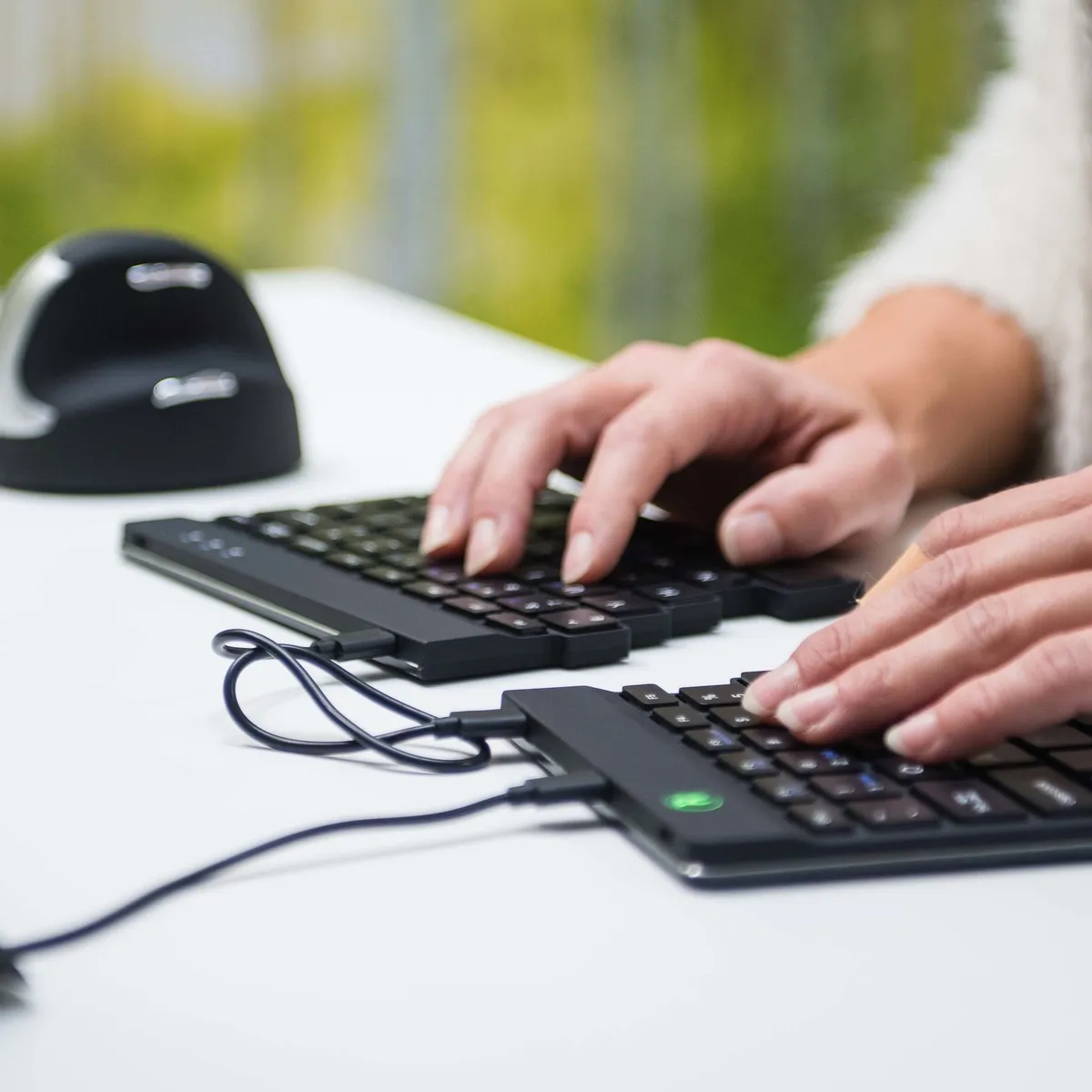
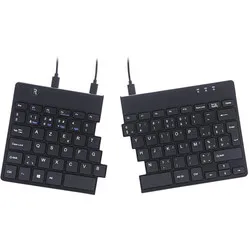
To put it simply, the split keyboard from R-go is a compact keyboard neatly divided into two pieces, allowing you to position them in the most optimal and comfortable way. The two pieces fit together perfectly, which means you can also use the R-Go Split as a normal compact keyboard.
The key press is wonderfully light, and the keyboard is very thin. These factors also play an important role in optimising relaxation, which can help prevent and alleviate complaints. The keyboard is also lightweight, making it the ideal partner for on the go.
Anyone who spends a lot of time working on a computer knows that it can be strenuous for your wrists, shoulders, back, and neck. A good keyboard can help with this. The R-Go Split, for example, has a compact design. The keys are also extra easy to press. You can also position the left and right halves in the optimal position for you. All of this is to minimise muscle tension, which can help prevent or reduce injuries.
The Split keyboard features an R-Go logo at the top of the keyboard that lights up green when you are working “well”, orange when you need to take a break, and red when you have worked too long. In this way, the keyboard helps you work in a healthy way, on top of its ergonomic benefits. For this, you need the R-Go Break pause software. Please note; this is only suitable for Windows.
The plastic components of the R-Go Split are made entirely from recycled material. R-Go is also a member of the WEEEE, a European body that regulates the collection and recycling of electronic devices.
The keyboard also has five micro-USB inputs at the top. Read the manual carefully so you connect the cables the right way. You will notice that the far left and far right USB inputs remain free. You can connect a NumPad to these ports.
On devices using the OS operating system, the right half of the keyboard does not work entirely as desired. This is easy to resolve by following these steps:
1. Download, install and open this software
2. Select the 'Simple Modifications' tab at the top of your screen
3. Click 'Add item'. Select 'left_shift' in the left column and 'right_shift' in the right column on the top row. Select 'right_shift' in the left column and 'left_shift' in the right column on the row below
4. Everything works as it should! If it still doesn't work as desired, restart your computer
5. Still not working? Call us!