With open arms
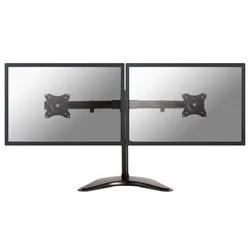
Just like an over-enthusiastic granny greeting her grandchildren, that’s exactly how the D335D stands there. It greets you with open arms and immediately asks how your monitors are getting on. As soon as it sees them, it exclaims, ‘Oh, how big they’ve grown!’ Fortunately, it can support up to 27 inches. What a strong little granny.
Why choose the Newstar Neomount monitor arm?
You can easily mount two of your monitors on the D335D. You’ll enjoy a great overview and an optimal viewing experience. Both smaller and larger screens can be mounted without any trouble. You can then slide them right up against each other to ensure the best possible view. It also improves your posture, which is great for a relaxed sitting position.
This is partly thanks to the height adjustability. The centre of your monitor can be positioned up to 45 cm above your desk. It can also rotate 360 degrees and tilt significantly (90 degrees). The monitors swivel 30 degrees, allowing both to be turned inwards for a better position relative to you. The arm can be mounted using a desk clamp, a base or a through-desk mount.
The D335D is particularly well-suited to smaller desks and counters. At just 8 cm deep, the dual monitor arm doesn’t take up much space, which actually saves space. You don’t have any excess arm length taking up a lot of room.
A monitor arm offers many advantages over a monitor on a standard stand. The most important of these is the health aspect. Thanks to the NM-D335DBLACK, you can position your monitors at the height that suits you best. Your back, shoulders and neck, in particular, will thank you for it. Do I need to have back problems before a monitor arm is worth considering? And do I need to spend full working weeks at the computer? The answer is no. The benefits will be noticeable for everyone.
This monitor arm will also enhance the professionalism of your workspace. And the space you’ve now freed up can be put to good use by placing all your important documents, tools and the like even closer at hand.
This is what makes a monitor arm so good
Thanks to a monitor arm, you can adjust the monitor to suit your sitting posture and preferences. It’s easier to read, which in turn helps you sit in a healthier and more relaxed position. Your back, shoulders, neck and even your eyes will benefit. You’ll be more comfortable, look more at ease, and your workspace will get a real professional boost.
Installing the NM-D335DBLACK
Newstar understands that not everyone has a wealth of knowledge and tools at home. So they’ve kept the assembly process simple. All you need to provide yourself is a screwdriver. Everything else is already in the box, along with a clear instruction manual. You can assemble the arm in no time at all. Before you know it, you’ll be sitting at your desk with your two monitors at the right height.
Get the most out of it
Do you work in a compact space or at a small desk? For example, in a call centre or at a customer service desk? Then this monitor arm is ideal for you. It really makes a difference, especially in small spaces. It doesn’t take up any unnecessary space, yet it’s still highly adjustable.
"My desk is one metre deep. Is the D335D suitable for me?"
Probably not. Due to the limited depth of the arm (8 cm), you’ll never be able to pull the monitor close enough. You’d be better off choosing a monitor arm with a longer arm.
"What are the dimensions of the base?"
The base is 434 mm wide and 316 mm deep.
"Can I move the two monitor arms independently of each other?"
No, as the monitors are mounted on a single arm. However, you can rotate, swivel and tilt the monitors independently of each other.
















 load capacity