







Stel hier je vraag over dit product
Keychron Q1 V2 Knob QMK carbon black hot-swappable keyboard for Windows & Mac


Product description of Keychron Q1 V2 Knob QMK carbon black hot-swappable keyboard for Windows & Mac
Is this keyboard right for me?
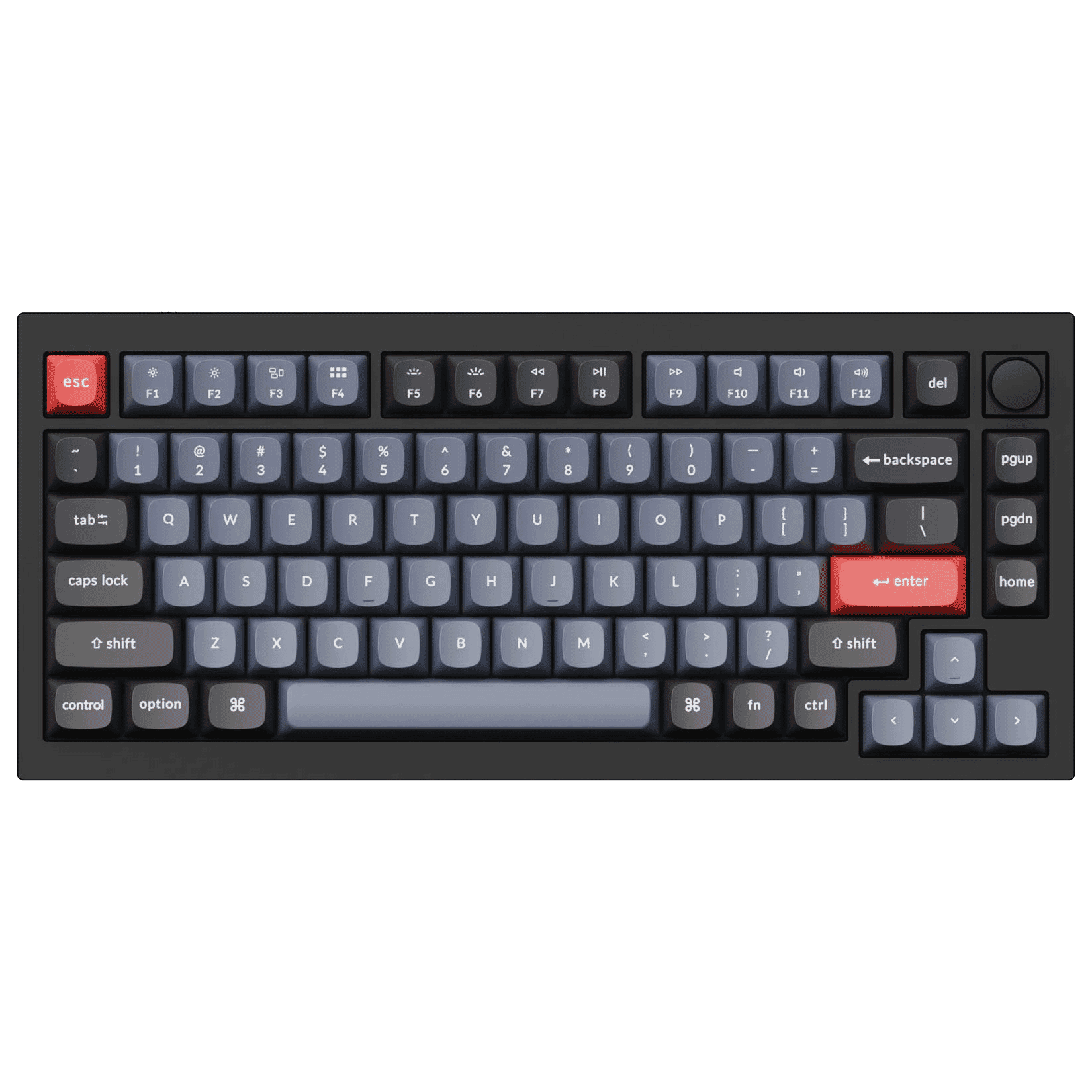
| Width | 327.5 mm |
| Depth | 327.5 mm |
| Height | 22.6 (front) - 35.8 (rear) mm, without keycaps |
| Compatibility | Windows and Mac |
| Key layout | QWERTY (ANSI US int.) |
| Programmable | QMK/VIA |
| Switches | Gateron G Pro ( Here you can read all about mechanical switches) |
An ode to the Keychron Q1 keyboard
Dress it up, dress it down
It looks at you, you look back. A small screwdriver in your left hand, a piece of foam in your right. Behind you lies a set of keycaps that will come in handy later. The tension, phew, it's intense. Slowly you move towards the board, whispering, “Tonight, you and I are going to have some fun modding and programming”.
Why the Keychron Q1 keyboard?
With its Q series, Keychron has embarked on a new path, allowing you to get more enjoyment from your keyboard. They're kicking things off with the 75% layout Q1. A strong choice, given that Keychron's current top model, the K2, also features a 75% layout.
Modding (modifying) the keyboard has been made even easier, and it now also supports QMK/VIA, allowing you to program it. The plate has also been given some flex within the casing, making typing even more pleasant. Yes, now it's getting interesting.
Difference between V1 and V2
Outwardly, the first and second versions of the Q1 look considerably similar. But there are still a few differences. You can read about them in the table below.
| Q1 V1 | Q1 V2 | |
| Knob | No | Yes |
| Switches* | Gateron Phantom | Gateron G Pro |
| Hot swappable | No | Yes |
| QMK / VIA programmable | Yes | Yes |
| Keycap profile | OEM | OSA |
| Keycap material | PBT | PBT |
| Backlight | South-facing | South-facing |
Knob
A rotary knob? On a keyboard? What would you even do with that? Well, more than you think! For example, adjusting the volume, screen brightness, brush size, or even zooming in and out. With QMK and VIA support, you can give the Knob any function you desire.
Already remarkably complete on its own
All Q1V2 models are hot-swappable and support 3- and 5-pin pre-lubed Gateron G Pro switches. The LEDs in the Q1V2 are reversed and shine towards you, making them visible even with keycaps that don't let light through. This is because the Q1V2 is equipped with OSA profile PBT keycaps.
The Q1V2 is robust and durable. Constructed from aluminium that has been polished, anodised, and sandblasted. It weighs 1825 grams and feels high-quality. The board is 22.6 mm high at the front (without keycaps). To reduce the height difference with your desk, you can choose the accompanying wrist rest.
You can easily connect your Q1V2 with an included cable that truly completes the look on your desk.
What makes an ergonomic keyboard so good?
Anyone who performs a lot of computer work knows that it can be strenuous. A good keyboard can help with this. The Keychron Q1V2, for example, has a compact design and mechanical keys, making it comfortable to type on. The keys are also extra easy to press. Furthermore, you can place your mouse close to the keyboard. All of this is to minimise muscle tension, which can help prevent or reduce injuries.
Programmable adjustments
Finally! This has been requested by Keychron fans for a very long time. The Q1V2 supports QMK and VIA and can be used on Windows, Mac, and Linux. Thanks to QMK, you can assign different functions to your keys (and the knob!), even macros. The VIA configurator makes programming easy and accessible; you don't need any specific knowledge for it. Anyone can use it, whether you're an intensive gamer or frequently work in Excel.
Up to 4 different layers can be programmed, of which Keychron has created 2 for Mac and 2 for Windows. Keychron has already dedicated a blog post to using VIA, which is definitely worth reading.
How happy will my body be with this?
| Shoulder | |
| Hand | |
| Wrist | |
| Arm |
Pros and cons
- Compact size
- Easy to modify
- Hot-swappable
- Programmable thanks to QMK/VIA
- Pre-lubed Gateron G Pro switches
- Relatively high, wrist rest recommended
Brief specifications
| Warranty | 1 year |
| Programmable keys | |
| Connection | Wired |
| Colour | Carbon Black |
| Switch type | Gateron G Pro |
| Weight | 1825 g |
Product features
- Gasket mount design
- Mechanical keys
- RGB lighting
- 75% layout
- Compact size
- Hot-swappable Gateron G Pro switch
- Programmable thanks to QMK/VIA
- Aluminium frame
- For Windows & Mac
- Easy to modify
- Wired connection
- 1825 grams
Gateron G Pro Switches
 | 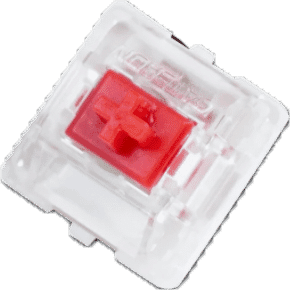 | 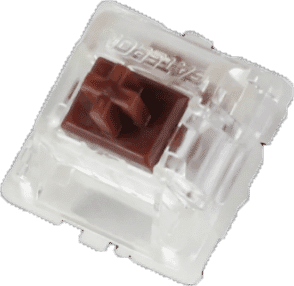 |
| Colour: | Red | Brown |
| Type: | Linear | Tactile |
| Force (g): | 45 | 55 |
| Actuation point (mm): | 2 | 2 |
| Max. travel (mm): | 4 | 4 |
| Lifespan (clicks): | 50 million | 50 million |
| Sound: |
Frequently asked questions
Specifications
| Item number | ERGO-KCQ1M1 | ERGO-KCQ1M3 |
| Manufacturer's item number | Q1-M1 | Q1-M3 |
| Brand | Keychron |
| Warranty | 1 year |
| Type of guarantee | The Ergowerken free return guarantee service |
| Colour | Carbon black (A) |
| Keyboard type | Mechanically compact |
| Ergonomic design | |
| Keyboard layout | QWERTY (ANSI US int.) |
| Connection | Wired USB-C |
| Bluetooth | not applicable |
| USB version | 2.0/3.0 |
| Type of keys | Gateron G Pro switches (red or brown) |
| Numeric keypad | |
| Shortcut keys | |
| Programmable buttons | Yes, thanks to QMK/VIA |
| Trackball/touchpad | |
| Type of power supply | Cable |
| Battery type | not applicable |
| Rechargeable | not applicable |
| Minimum system requirements | Mac OS X v10.5, Mac OS X v10.6, Mac OS X v10.7, Mac OS X v10.8, Mac OS X v10.9, Mac OS X v10.10, Mac OS X v10.11, Windows XP, Windows Vista, Windows 7, Windows 8, Windows 10 |
| Plug and play | Yes, you only need to download VIA for programming. |
| Dimensions length x width x height | 327.5 x 145 x 22.6 (front) - 35.8 (rear) mm (without keycaps) |
| Product weight | 1825 grams |
Reviews Keychron Q1 V2 Knob QMK carbon black hot-swappable keyboard for Windows & Mac
Customers who write a review enter a prize draw for a voucher. We pick one winner and publish all reviews, including critical ones.