







Stel hier je vraag over dit product
Keychron Q1 QMK navy blue hot-swappable keyboard for Windows & Mac


Product description of Keychron Q1 QMK navy blue hot-swappable keyboard for Windows & Mac
Is this keyboard right for me?
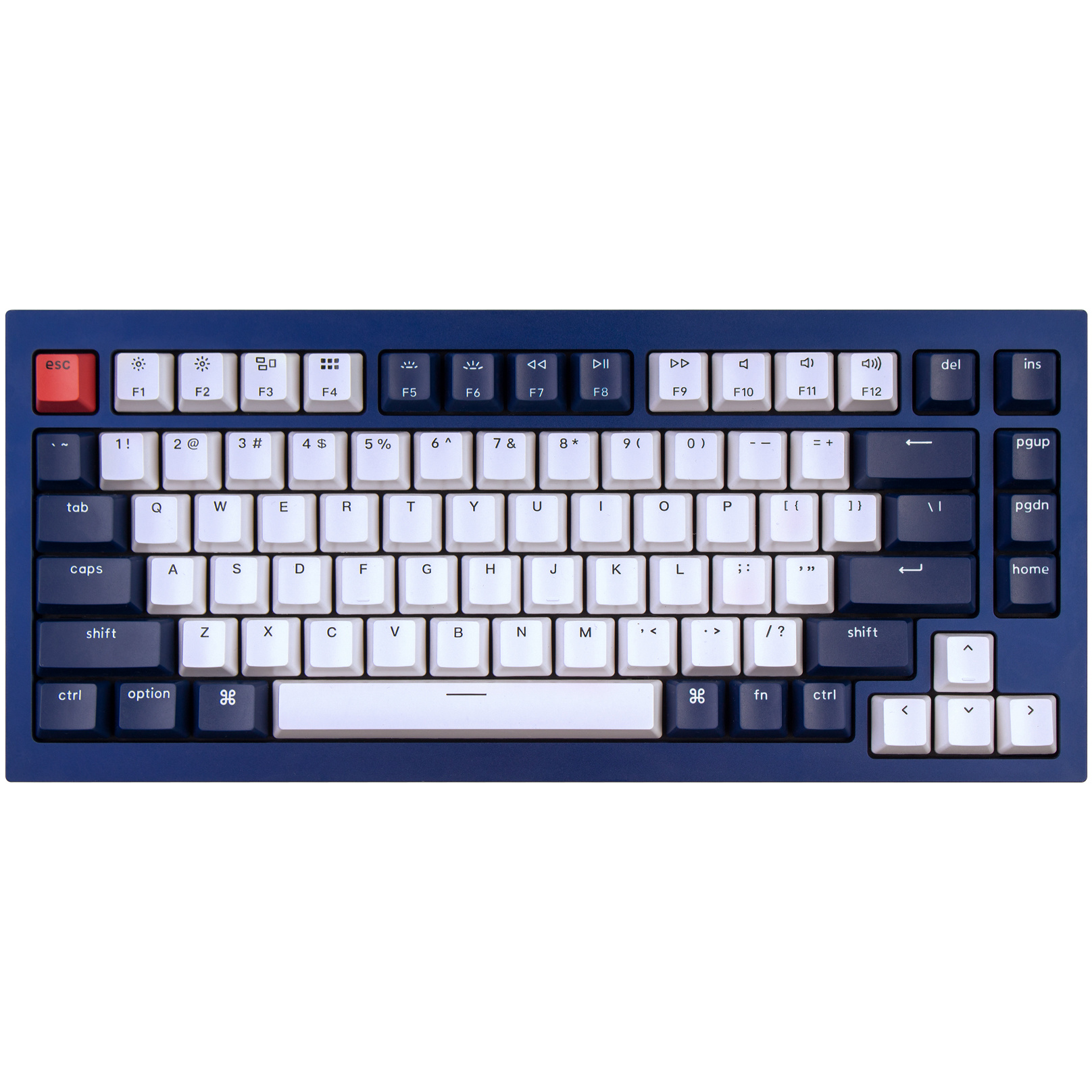
| Width | 313 mm |
| Depth | 123 mm |
| Height | 21.6 (front) - 34.8 (back) mm |
| Version | Windows and Mac |
| Key layout | QWERTY (ANSI US int.) |
| Programmable | QMK/VIA |
| Switches | Gateron Phantom See which variants |
| you can find an overview of all Keychron keyboards here |
An ode to the Keychron Q1 keyboard
Qress it on, Qress it off
It looks at you, you look back. A little screwdriver in your left hand, a piece of foam in the right. Behind you lies a set of keycaps that will come in handy later. The tension, phew, it is intense. Slowly you move towards the little board, whispering "Tonight you and I are going to have a lovely modding and programming session".
Why the Keychron Q1 keyboard?
With its Q series, Keychron has taken a new direction so that you get more enjoyment from your keyboard. They kick off with the 75% layout Q1. A strong choice, given that Keychron's current favourite, the K2, also has a 75% layout.
Modding (modifying) the keyboard has been made just that bit easier, but it now also supports QMK/VIA, letting you programme it. The plate has also been given some play within the housing, so you type even more comfortably. Yes, now it gets interesting.
Remarkably complete out of the box
All Q1 models are hot-swappable and support 3- and 5-pin switches. The LEDs in the Q1 are reversed and shine towards you, so they remain visible even with keycaps that do not let light through. The standard double shot ABS keycaps do let light through, which gives a nice effect.
The switches supplied are Gateron Phantoms, certainly not standard entry-level ones. They are more stable than the standard Gaterons and pre-lubed. They are semi-transparent and carry a glow matching their own name. Blue Phantoms have a blue glow, red Phantoms a red one.
The Q1 is robust and durable. Built from aluminium that is polished, anodised and sandblasted. It weighs 1600 grams and feels of high quality. The board is 21.6 mm high at the front (without keycaps). To reduce the height difference with your desktop, you can choose the matching wrist rest.
You connect your Q1 with a braided cable that really finishes off the look on your desk.
What makes an ergonomic keyboard so good?
Anyone who does a lot of work on the computer knows that this can be demanding on your body. A good keyboard can help you with this. The Keychron Q1, for example, has a compact design and mechanical keys, which makes it comfortable to type on. The keys are also extra easy to press. In addition, you can place your mouse close beside the keyboard. All of this is meant to minimise tension on the muscles, which can help reduce or prevent injuries.
Get the most out of your Q1
Physical adjustments
You probably already know the hot-swappable models from Keychron, where you can easily swap the switches. The Q1 goes a step further, among other things with screw-in stabilisers. With the supplied screwdriver you can replace them with other examples. Cherry and Durock are supported on the Q1.
The plate that sits in the gaskets is also interchangeable. Furthermore, as you may already have been used to with earlier Keychrons, you can also easily replace the switches and keycaps for a taste of your choice.
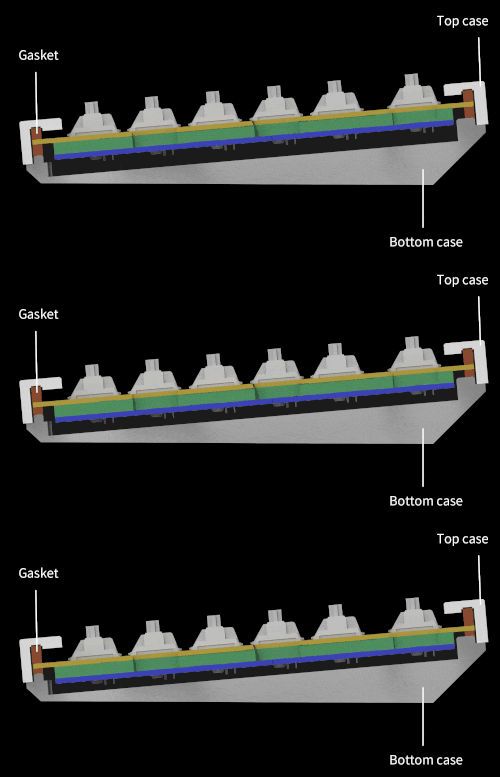
The Q1 is also the first Keychron with a gasket that lets the plate flex slightly (mount gasket design). It has about 2.5 mm of play. Keychron also supplies extra of these gaskets.
Programmable adjustments
Finally! This had been requested for a very long time by Keychron fans. The Q1 supports QMK and VIA and can be used on Windows, Mac and Linux. Thanks to QMK you can give your keys other functions, even macros. The VIA configurator makes programming easy and accessible, you do not need any specific knowledge for it. Anyone can use it, whether you are an intensive gamer or have to work a lot in Excel.
Up to 4 different layers can be programmed, of which Keychron has made 2 for Mac and 2 for Windows. Keychron has already dedicated a blog to the use of VIA that is certainly worth reading.
All-the-colours-of-the-rainbow keycaps
The keycaps are almost the only part of the keyboard that you can see. So it is no wonder if you want to replace them every now and then. For the Q1 we have 11 different sets in the colours blue, grey, white, green, black and even a rainbow set. The keycaps are made of PBT plastic and easy to clean. View the keycaps here.
How happy will my body be with this?
| Shoulder | |
| Hand | |
| Wrist | |
| Arm |
Pros and cons
- Compact size
- Easy to modify
- Hot-swappable
- Programmable thanks to QMK/VIA
- Pre-lubed Gateron Phantom switches
- Relatively high, wrist rest recommended
Concise specifications
| Warranty | 1 year |
| Programmable keys | |
| Connection | Wired |
| Colour | Black, blue or grey |
| Switch type | Gateron Phantom |
Product features
- Gasket mount design
- Mechanical keys
- RGB lighting
- 75% version
- Compact size
- Hot-swappable Gateron Phantom red/blue/brown switch
- Programmable thanks to QMK/VIA
- Aluminium frame
- For Windows & Mac
- Easy to modify
- Wired connection
- 1600 grams
What is in the box?
- 1 x compact QWERTY keyboard
- 1 x braided USB-C to USB-C cable
- 1 x USB-C to USB-A adapter
- 1 x screwdriver
- 1 x hex key
- 1 x 8 gaskets
- 1 x user manual
- 5 x Windows keycaps
- 1 x keycap puller
- 1 x switch puller
Unboxing the Q1
Gateron Phantom Switches
 | 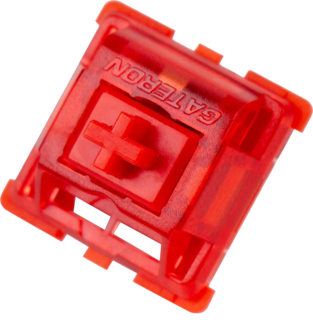 | 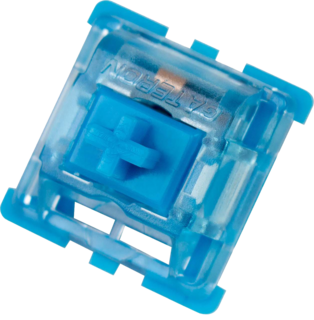 | 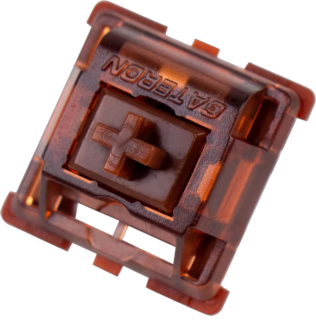 |
| Colour: | Red | Blue | Brown |
| Type: | Linear | Clicky | Tactile |
| Force (g): | 45 | 60 | 55 |
| Actuation point (mm): | 2 | 2.3 | 2 |
| Max. travel (mm): | 4 | 4 | 4 |
| Lifespan (clicks): | 50 million | 50 million | 50 million |
| Sound: |
Frequently asked questions
Specifications
| Item number | ERGO-KCQ1C1 / ERGO-KCQ1C2 / ERGO-KCQ1C3 / ERGO-KCQ1D1 / ERGO-KCQ1D2 / ERGO-KCQ1D3 / ERGO-KCQ1J1 / ERGO-KCQ1J2 / ERGO-KCQ1J3 |
| Manufacturer's item number | Q1: C1 / C2 / C3 / D1 / D2 / D3 / J1 / J2 / J3 |
| Brand | Keychron |
| Warranty | 1 year |
| Type of guarantee | The Ergowerken free return guarantee service |
| Colour | Black, grey or blue |
| Keyboard type | Mechanically compact |
| Ergonomic design | |
| Keyboard layout | QWERTY (ANSI US int.) |
| Connection | Wired USB-C (adapter included) |
| Bluetooth | not applicable |
| USB version | 2.0/3.0 |
| Type of keys | Gateron Phantom mechanical keys |
| Numeric keypad | |
| Shortcut keys | |
| Programmable buttons | Yes, thanks to QMK/VIA |
| Trackball/touchpad | |
| Type of power supply | Cable |
| Battery type | not applicable |
| Rechargeable | not applicable |
| Minimum system requirements | Mac OS X v10.5, Mac OS X v10.6, Mac OS X v10.7, Mac OS X v10.8, Mac OS X v10.9, Mac OS X v10.10, Mac OS X v10.11, Windows XP, Windows Vista, Windows 7, Windows 8, Windows 10 |
| Plug and play | Yes, you only need to download VIA for programming. |
| Dimensions length x width x height | 327.5 x 145 x 21.6 (front) - 34.8 (rear) mm |
| Product weight | 1600 grams |
Reviews Keychron Q1 QMK navy blue hot-swappable keyboard for Windows & Mac
Customers who write a review enter a prize draw for a voucher. We pick one winner and publish all reviews, including critical ones.