Top apparaat
"Ook zo gewend en super fijn."





| Width | 95 mm |
| Length | 165 mm |
| Height | 21 mm |
| Number of keys | 26 (8 of them for the calculator) |
| Key type | Scissor mechanism |
| Connection | Wired (USB-A), retractable 120 cm cable |
| Suitable for | Windows (on macOS only the calculator) |
| Hand | Left and right |
La la la, entering numbers, a quick sum with PC/CAL and SEND puts the result straight into your spreadsheet. La la la, on to the next row. Hit one wrong digit and the arrow key removes just that last one. Humming is optional, but the S-board 840 Numeric does invite it.
The BakkerElkhuizen S-board 840 Numeric is a separate numeric keypad for people who use a compact keyboard but still enter numbers regularly. The compact keyboard keeps your mouse close to your body. You only put the S-board 840 Numeric on your desk when you need it, and the rest of the time it stays in the drawer.
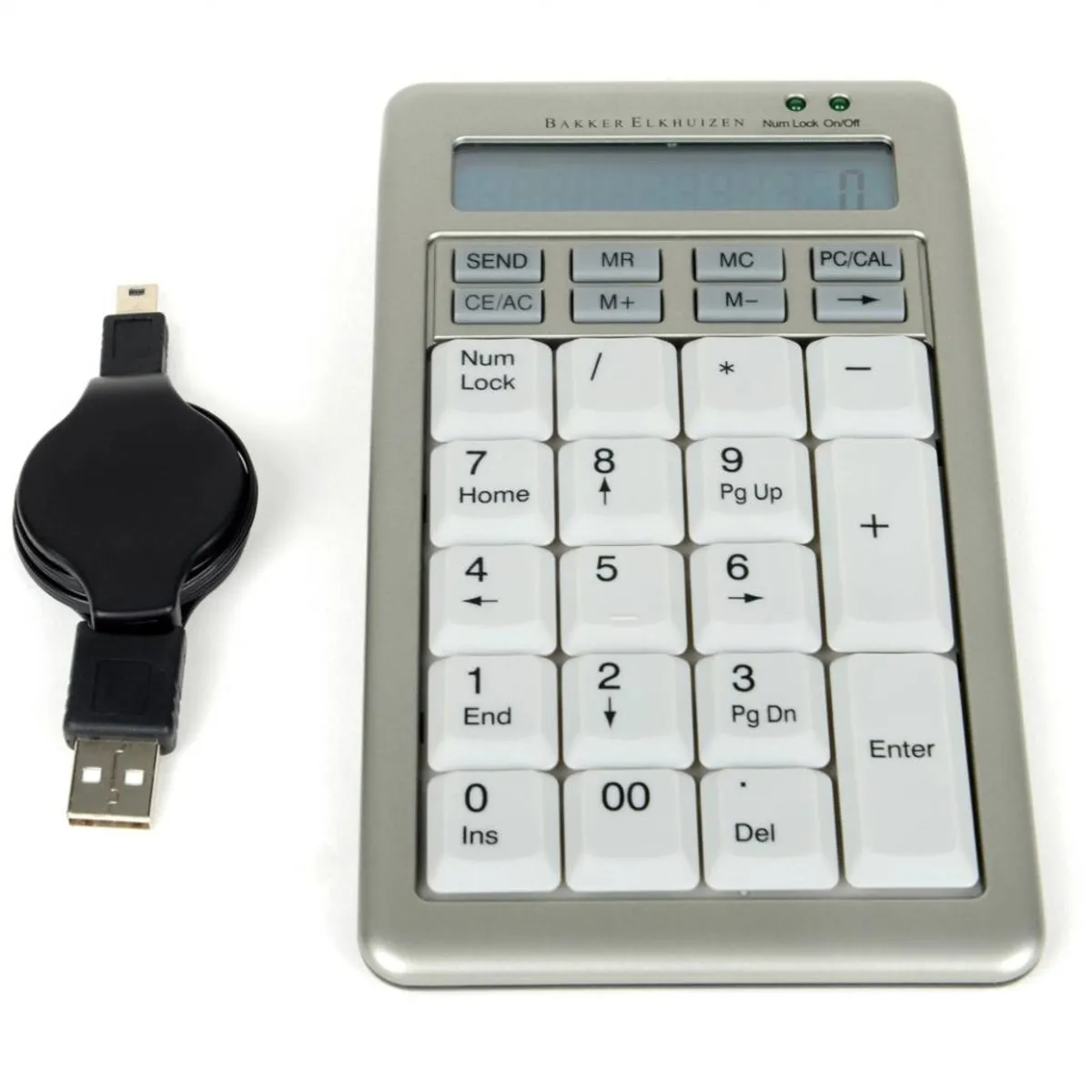
The S-board 840 Numeric is also a calculator, with its own display and eight extra calculator keys. PC/CAL switches between entering numbers and calculating, and SEND sends the result of a calculation to your computer. Useful if you work in financial administration or controlling and often double-check a figure in between.
Because the S-board 840 Numeric is separate, you choose which side it goes on. If you use your mouse on the right, place the numeric keypad to the left of your keyboard. You can also switch between your left and right hand, so the same hand does not do all the number work.
The number keys of the S-board 840 Numeric are slightly concave and have a key pitch of 19 mm, just like a regular keyboard. The 5 has a small bump, so your fingers find their place blind. The calculator keys at the top are convex, so you feel straight away that they are different.
The S-board 840 Numeric has keys with a scissor mechanism. They press down lightly and make little noise, while you still clearly feel when a keystroke counts. At a height of 21 mm the keypad sits low on your desk.
The S-board 840 Numeric has white keys with dark numbers 4 mm high. If you often look back and forth between a bright screen and the keyboard, that means less contrast difference. Two lights show whether the keypad is on and whether NumLock is active.
The advantage of a compact keyboard is that your mouse stays close. So place the S-board 840 Numeric on the side where your mouse is not, otherwise your mouse moves outwards again. If you don't need the numbers for a while, put the keypad away in the supplied sleeve.
Turn NumLock off and the number keys of the S-board 840 Numeric become navigation keys: Home, End, Page Up, Page Down, Insert, Delete and the arrows. Handy when you scroll through a long list or spreadsheet. The 00 key saves a keystroke on round amounts.
After 10 minutes without use the S-board 840 Numeric goes into sleep mode to save energy. The CE/AC key switches it back on. That is also the key you press first after connecting it.
The S-board 840 Numeric only works as a numeric keypad under Windows. You can connect it to a Mac, but according to BakkerElkhuizen only the calculator works then. If you mainly work on a Mac, this numeric keypad is not a good choice.
The S-board 840 Numeric has the same design as the S-board 840 compact keyboard. You can also find them together as a bundle on this page. The numeric keypad works just as well next to another compact keyboard.
The retractable cable of the S-board 840 Numeric is detachable, so it fits easily in the sleeve together with the keypad. If your laptop only has USB-C, use the USB-C adapter from the box. The keypad also contains a replaceable coin cell (CR2032), so the calculator also works when the keypad is not connected. According to BakkerElkhuizen that coin cell lasts 16 months on average.
In short: the BakkerElkhuizen S-board 840 Numeric is a separate numeric keypad with calculator, for people who work with a compact keyboard and enter a lot of numbers. Important: it only works as a keypad under Windows and connects by wire via USB.
| Warranty | 3 years (5 years after registration with BakkerElkhuizen) |
| Dimensions | 165 x 95 x 21 mm |
| Weight | 145 grams |
| Cable length | 120 cm, retractable |
| Number of keys | 26 |
| Battery | CR2032, replaceable |
| Colour | Silver with white keys |
| Plug & Play |
Key figures: 165 x 95 x 21 mm, 145 grams, 120 cm cable, 26 keys, 3 years warranty.
| Shoulder | |
| Hand | |
| Wrist | |
| Arm |
Score overview: Shoulder 5/5, Hand 5/5, Wrist 4/5, Arm 3/5.
| Item number | ERGO-BES840NUM |
| Manufacturer's item number | BNES840DNUM |
| Brand | BakkerElkhuizen |
| Warranty | 3 years (5 years after registration) |
| Type of guarantee | Ergowerken free warranty return service |
| Colour | Silver |
| Keyboard type | Numeric keypad |
| Connection | Wired via USB |
| Bluetooth | |
| USB port | |
| Number of keys | 26 |
| Type of keys | Scissor mechanism |
| Minimum system requirements | Windows (on macOS, only the calculator works) |
| Type of power supply | Wire |
| Battery type | CR2032 (replaceable) |
| Rechargeable | |
| Plug and play | |
| Dimensions length x width x height | 165 x 95 x 21 mm |
| Product weight | 145 grams |
Customers who write a review enter a prize draw for a voucher. We pick one winner and publish all reviews, including critical ones.