Notify me when is back in stock.
Enter your email address and we’ll notify you when it’s back in stock.
Once you submit your email address, we’ll send you a confirmation email for your sign-up.
This notification does not guarantee that you’ll be able to claim the product when new stock arrives. Want a better chance of getting it once it’s back in stock? Order and pay for it now, and you’ll be first in line when new stock becomes available.
Privacy Your email address is stored in a secure, closed database that we cannot access. After the stock update, your email address will be automatically deleted.
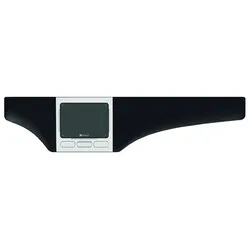
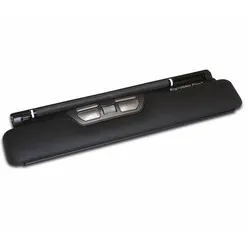
Mousetrapper® Advance 2.0 trackpad Coral
0 reviews
332,75

Your custom quote, within 24 hours in your inbox. For when you're interested in larger quantities or need approval for your order.

Mousetrapper® Advance 2.0 trackpad Coral

You are requesting a quote for:

Mousetrapper® Advance 2.0 trackpad Coral
Just follow along, requesting a quote is this easy.
1
Complete the quick form and get your quote fast.
2
Tap the orange button and we’ll get right on it.
3
You’ll receive a custom quote within 24 hours. Need a little more time? We’ll let you know. Simple and clear.
Mousetrapper® Advance 2.0 trackpad Coral
Request quote
Stel vraag

Mousetrapper® Advance 2.0 trackpad Coral

Configure your product
332,75
Incl. tax
275,00
Excl. tax
Article number: ERGO-MTADVC
The product is in stock and, if ordered before 17:00 on business days, will be delivered the next day.
Hierboven staat de verwachte levertijd. Zodra het pakket verstuurd is, ontvang je een berichtje.
Is this the right product for you?
Use our handy selection check
  • Order 2 for 316,11 each (incl. VAT) and save 5%
  • Order 4 for 307,79 each (incl. VAT) and save 7,5%
  • Order 8 for 299,48 each (incl. VAT) and save 10%

Product description of Mousetrapper® Advance 2.0 trackpad Coral

Will this mouse fit my hand?

Want to find the perfect mouse? Then be sure to measure your hand. The image below shows you how to measure your hand. This mouse is suitable for hands with the following dimensions:

Suitable for all hand sizes

handmaat voor bedrade Mousetrapper Advance trackpad

A tribute to the Mousetrapper Advance 2.0

Advanced, not complicated

It’s a bit like explaining Brexit on the children’s news. Making quite complex material accessible and understandable. The Advance does that to some extent too. It’s quite an advanced little device, but you actually get the hang of it straight away.

Why the Mousetrapper Advance 2.0?

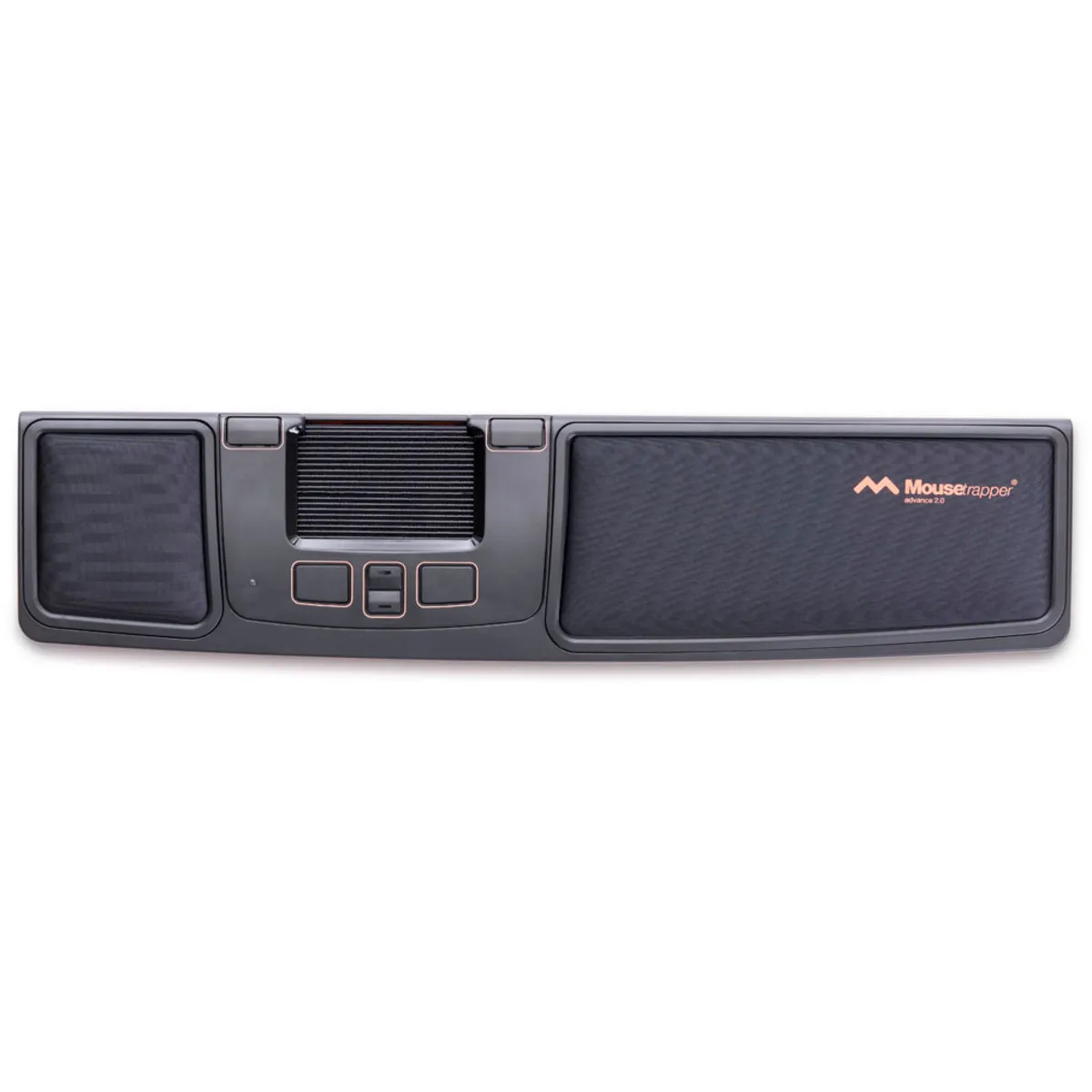
The centric Advance is perhaps Mousetrapper’s most popular model. It’s comfortable to use, has plenty of extra (programmable) buttons and an extensive touchpad, which I’ll come back to later. Because it sits directly in front of you, between you and your keyboard, you maintain a compact working posture. Your arms operate the mouse and keyboard within shoulder width, which is particularly beneficial for relaxation in the shoulders.

Using the Advance 2.0

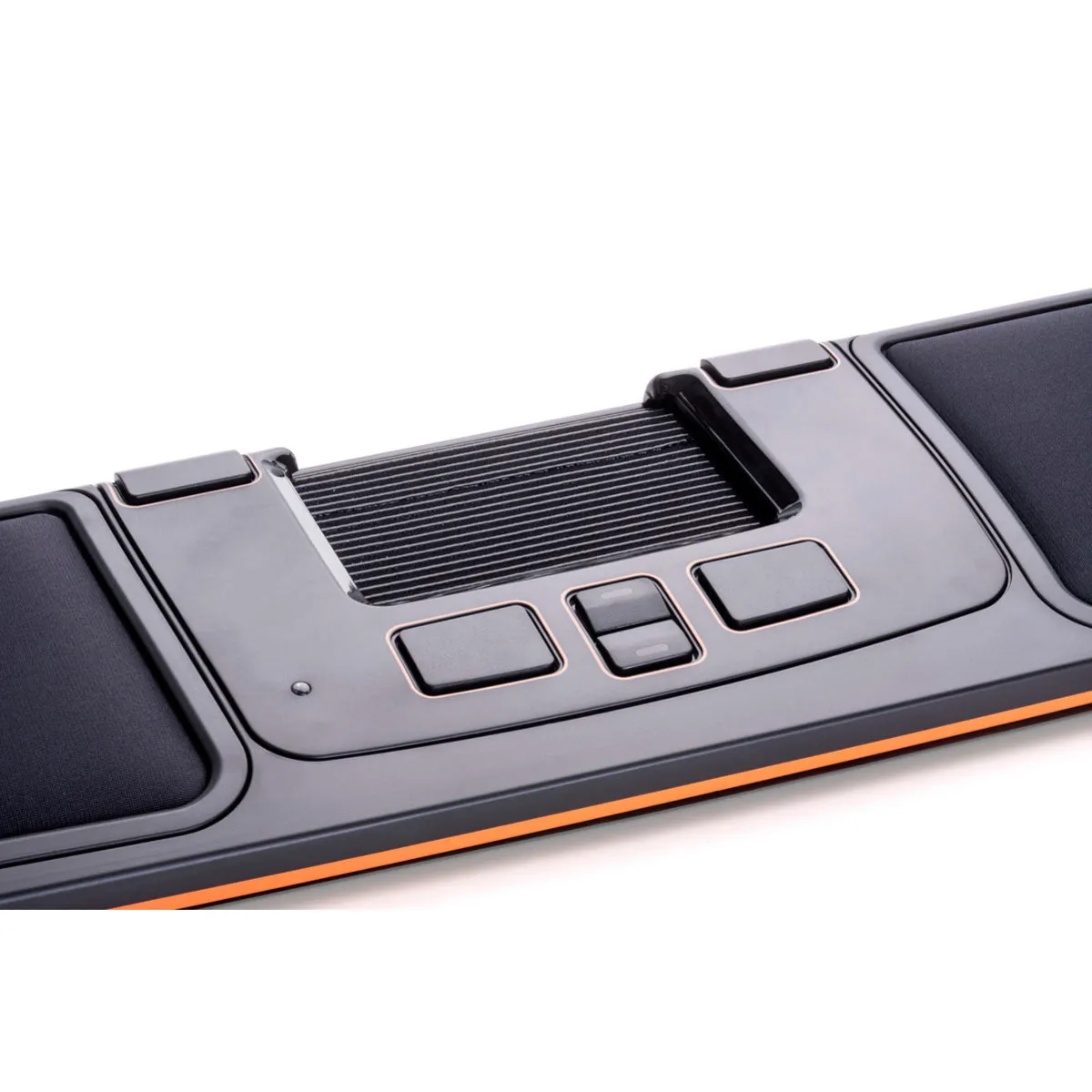
You control your cursor using the ‘pad’ on the trackpad. The pad measures approximately 8 x 5 cm and can be operated with 1 to 3 fingers at a time. This gives you a great deal of control and precision. It can be scrolled vertically and slid horizontally. There are no restrictions; the device still allows the cursor to move even when you’re at the far left or far right of the pad.

With 2000 DPI (dots per inch), your cursor flies across your screen at lightning speed. You can also reduce the sensitivity if you’d like to ‘train’ your way towards that light-speed gradually. You can increase the speed step by step.

The mouse has 6 buttons. In addition to the usual left and right mouse buttons, there are also buttons for double-clicking, copying, pasting, and scrolling up and down. You can also scroll using the mousepad, on the right-hand side.

Using the Mousetrapper driver, MTkeys, you can change button functions or switch scrolling with the scroll wheel on and off. You can even navigate forwards and backwards through folders and within browsers.

Shoulder-friendly

The Advance really comes into its own when you use both hands at the same time. I (Tim) often need to work with precision. In the back office of our webshop, but also in Photoshop. The left-click function on the Mousetrapper mat is slightly less precise because pressing it can accidentally move the cursor.

Using the Mousetrapper driver, I’ve replaced the double-click with a left-click, so I can now move the mouse with my right hand and click with my left. If that gets tedious, I could also place my favourite click on the right, allowing me to move the mouse with my left hand and click with my right. As you can see, the strain on your shoulders is nicely distributed, and you can choose which arm you use for the most work.

Raising the keyboard

This trackpad is quite low at 2 cm, but for taller and very flat keyboards, it also offers the option of raising it to the right level. There is a rubber mat underneath the Advance 2.0. If you leave it folded in, the Mousetrapper is slightly higher. When you fold it out, the Mousetrapper sits slightly lower and the keyboard on the mat is slightly higher.

An additional advantage of the mat is that the keyboard sits firmly on it and cannot simply slide away.

What makes a centric mouse so good?

A trackpad or centric mouse, as the Mousetrapper is known, is primarily designed to centre your posture. Keyboard straight in front of you, mouse straight in front of you, shoulders as relaxed as possible, and you’re ready to go.

However, there are more benefits. For instance, you can distribute the strain across your hands and arms more evenly. A product like the Advance also features far more buttons and functions than a standard mouse, meaning you rely less on the keyboard and cursor.

Get the most out of the Advance

Customise with MT keys

Mousetrapper’s intuitive driver, MTkeys, lets you easily change functions on the trackpad. With the help of an image of the Advance and clear instructions, changing functions is a piece of cake.

The Advance features as many as 6 buttons, each of which can perform a different function. It is even possible to create multiple profiles, allowing you, for example, to assign completely different functions to the buttons by switching between those profiles, or to adjust the cursor sensitivity.

An Excel profile with cut, copy and paste without formatting. Or a Photoshop profile with zoom in, zoom out and increased cursor precision. You’ll only get the most out of the Mousetrapper once you’ve installed MTkeys.

How happy will my body be with this?

  • Shoulder
  • Arm
  • Hand
  • Wrist
  •      
  •      
  •      
  •      

Pros and cons

  •  Relieves shoulder tension
  •  Can be used with either hand
  •  Programmable buttons
  •  Less portable

Key specifications

Warranty2 years
Ergonomic design 
UsageSuitable for left- and right-handed users
Number of buttons6
Plug & playYes
  View all specifications

Product features

  •  Prevents RSI symptoms
  •  Can be operated with both hands at the same time
  •  Ergonomic design
  •  Centrally positioned
  •  6 buttons
  •  More buttons for extra functionality
  •  Programmable buttons
  •  Promotes relaxed shoulders
  •  Integrated wrist rest

What’s in the box?

  •  Mousetrapper® Advance 2.0
  •  Keyboard riser
  •  USB connection cable
  •  User manual

Button functions

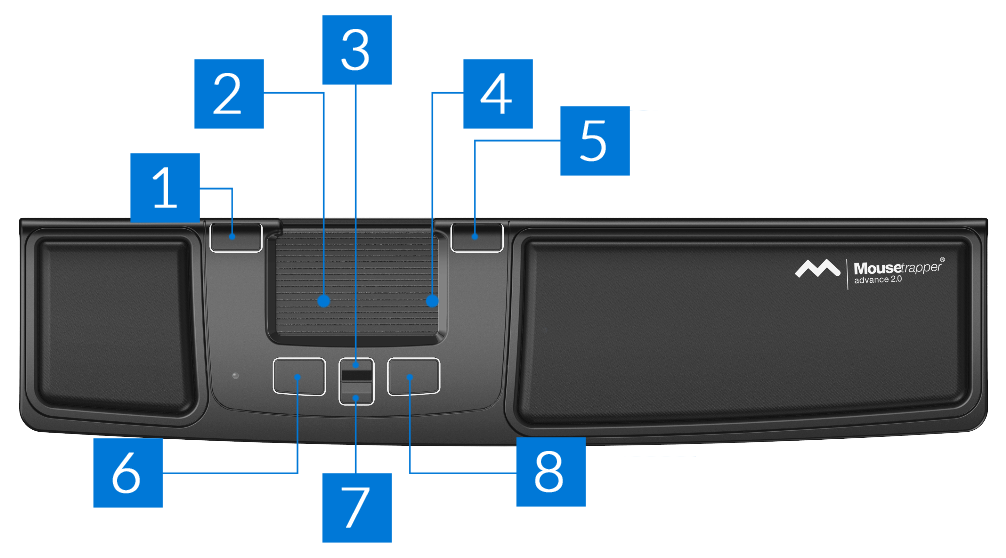
The following image shows the standard function for each button. Muisknoppen Mousetrapper Advance 2.0

You can move the cursor in all directions using the trackpad. You can operate the left mouse button by pressing the trackpad. It is also possible to scroll using the right side of the trackpad. The overview below shows the functions of the buttons.

  1. Double-click
  2. Trackpad/left mouse button
  3. Scroll up
  4. Scroll
  5. Right mouse button
  6. Copy
  7. Scroll down
  8. Paste

How to control the cursor

Frequently asked questions

You control the cursor using the trackpad. It works slightly differently from what you might be used to with the trackpad on your laptop. When you place your finger on the trackpad and move it, you move the cursor by moving the trackpad rather than just your finger. This allows you to make very precise movements with the cursor. You don’t need to lift your finger from the trackpad to click, by the way. Simply press down on the trackpad to use the left mouse button.
You position the trackpad centrally, between your keyboard and yourself. This ensures that both hands can be kept within shoulder width. This takes the strain off your shoulders and arms, allowing you to feel more relaxed.
No. The Mousetrapper completely replaces your old mouse and is probably even more comprehensive, thanks to its programmable buttons and comfortable wrist rest.
Purchases from ergowerken can always be returned free of charge within 90 days. You can choose to exchange it for another product, or we can refund your purchase price.
Item number ERGO-MTADVC
Manufacturer's item number MT120 Black/Coral
Brand Mousetrapper®
Warranty 2 years
Type of guarantee Ergowerken free warranty return service
Colour Black with orange accents
Ergonomic design Yes
Management Trackpad
Left- or right-handed This mouse can be operated with either hand.
Hand length Suitable for any arm length
Hand width Suitable for any hand size
Operation Trackpad and buttons
Included receiver not applicable
Bluetooth not applicable
USB port Yes
USB version 2.0/3.0
Number of buttons 6 programmable buttons
On/off button not applicable
Adjustable buttons Yes, using the free MTkeys® software, which can be downloaded.
Scroll wheel No
Trackball No
Adjustable sensitivity No
Sensitivity 2000 dots per inch
Type of power supply Wire
Battery type not applicable
Rechargeable not applicable
Minimum system requirements Mac OS X or Windows XP and higher
Plug and play Yes
Dimensions length x width x height 110 x 480 x 20 millimetres
Product weight 670 grams