Stel hier je vraag over dit product
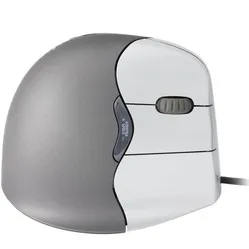
Contour Design Unimouse wired right-handed ergonomic mouse


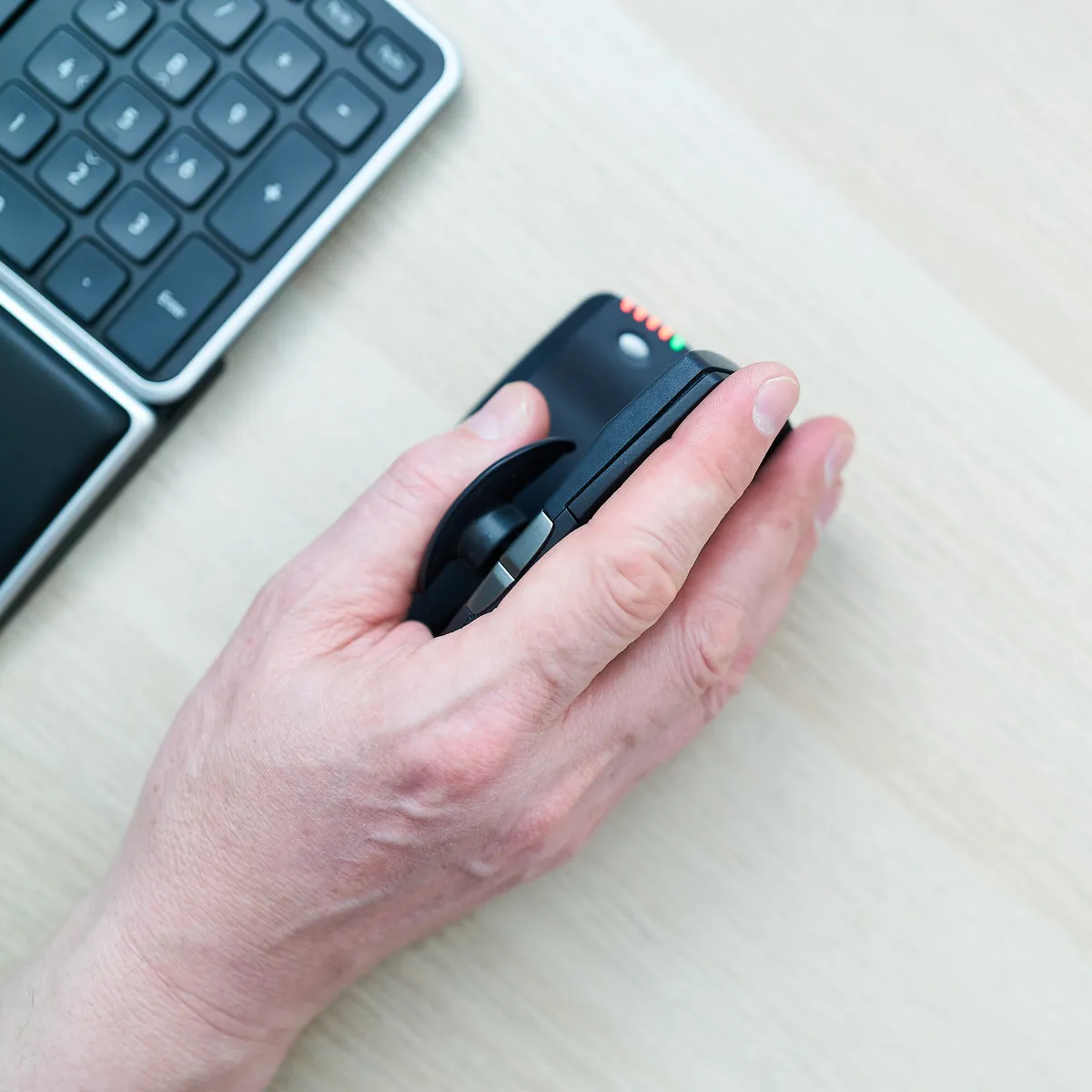


Product description of Contour Design Unimouse wired right-handed ergonomic mouse
Which size fits your hand?
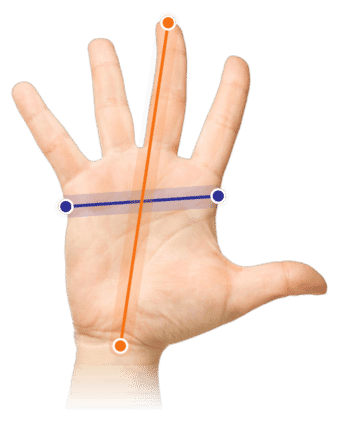
Measure your hand as shown in the image and choose your size using the table below:
| Size | Width | Length |
|---|---|---|
| Any hand size | suitable | suitable |
An ode to the Unimouse
ATS!...?
"Arm Tension Soreness?" No, it's not an abbreviation for an arm or wrist condition. It's the name Contour gave to the ultra-adjustable thumb rest of the Unimouse. It stands for: Articulating Thumb Support. That's the advantage of making something unique, you get to invent the name.
Why the wired right-handed Unimouse?
What does it mean for you as a user? A lot of comfort and possibilities. You can move the thumb rest in every conceivable direction, both horizontally and vertically. And you can set the angle of the mouse as you like it too.
Uni(que) mouse
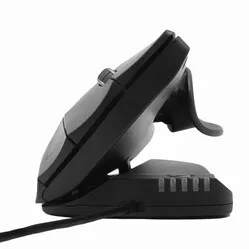
Few mice can do it, adapt to the user. The Unimouse is a particularly unique case in this respect. We've seen mice tilt before, but the Unimouse takes it to a higher level. You can set it to the angle that suits you best, anywhere between 35 and 70 degrees.
If you get tired of that, you adjust it again just as easily. Are you about to do precise (drawing) work? Then set it to the position where you have the most control, set the sensitivity to one of the 10 DPI settings (between 800 and 2800 DPI), one more small adjustment to the thumb rest, and off you go!
Suitable for every task
Its adjustable grip makes the Unimouse suitable for every profession. Below is a small selection:
- • Graphic designer
- • Administrative assistant
- • Industrial designer
- • Accountant
Control over the Unimouse
The mouse buttons give pleasant feedback, with the same resistance regardless of where you press the button. Only at the very start of the button does it give a little more resistance, and in practice you'll barely notice it.
The scroll wheel rolls nice and lightly and gives feedback with a fine little click. Thanks to the rubber finish, you never lose control.
Dynamic working with the wired Unimouse
One of the most important aspects of ergonomic working is dynamics. Contour's developers put the emphasis on this when they came up with the Unimouse.
The tilt angle of the Unimouse is steplessly adjustable, and the thumb support is easy to adjust 35 degrees in every direction. The Unimouse lets you change posture while you use it, which reduces tiring static load.
Do you suffer from wrist pain? Then set it a bit more vertically so you give your wrist muscles more rest. Do you have some complaints in your hand? Then set it flatter so you give your hand maximum support. Raise the thumb rest as well, so you don't have to grip.
Get the most out of it
The Contour mouse features a Pixart PMW3330 sensor. Thanks to this sensor, the mouse works excellently on almost any surface. You also have 10 different mouse sensitivities to play with. On reflective surfaces we advise using a mouse mat anyway, based on our own tests.
The 5 LEDs at the front of the mouse show the DPI setting. The green LEDs show DPI rising from 800 to 1600. The red lights are for the serious high-speed work and show 2000 to 4000 DPI. It has 6 buttons, including 2 buttons for forwards/backwards. The cable of the Unimouse is 200 cm long and has a USB-A connection. It weighs 150 grams without the cable (180 grams with the cable included).
Practical example: administrative assistant
Clicking, dragging and scrolling, you're busy with it all day. From window to window, field to field. A mouse that sits solidly under your hand and offers enough support, that's what matters to you. Find the right angle for maximum relaxation and raise the thumb rest a little so your thumb can rest in it relaxed. That's how you get through those long days.
Don't miss this either
The angle is adjusted using 4 friction hinges. This lets you adjust it steplessly between 35 and 70 degrees, without giving up any sturdiness. That offers countless possible postures to work in comfortably. Do take care not to accidentally press one of the buttons while adjusting the mouse.
With the Contour driver for your Unimouse you can assign other functions to the buttons. You can even change several buttons per programme, so you tick off your tasks even faster.
2024 update
In spring 2024, Contour gave a fresh update to a large part of their range, including Unimouse. A number of well-known advantages, such as being able to adjust the thumb rest, have of course remained. The update covers a number of changes in production and design;
| Old model | Model from spring 2024 | |
| Adjustable tilt angle | ||
| Unique thumb support | ||
| Programmable buttons | ||
| Left/right version | ||
| Relaxed grip and variation | ||
| 4000 DPI in 10 steps | ||
| New matte black colour | ||
| Lower ecological footprint* |
Pros and cons
- Adjustable angle
- Adjustable thumb rest
- Long mouse buttons
- Programmable buttons
- Short adjustment period (1-3 days)
- No ledge for the little finger
Brief specifications
| Warranty | 2 years |
| Ergonomic design | |
| Usage | Right-handed |
| Number of buttons | 6 |
| Plug & play | Yes |
How happy will my body be with this?
| Wrist | |
| Arm | |
| Hand | |
| Shoulder |
Product features
- Helps prevent RSI complaints
- Button functions changeable with the driver
- Vertically adjustable between 35 and 70˚
- Adjustable thumb rest
- Adjustable DPI
- 200 cm long cable
Downloads
What's in the box?
- 1 x Right-handed wired mouse
- 1 x Manual
- 1 x Quickguide
Adjustment options of the Unimouse
Frequently asked questions
Specifications
| Item number | ERGO-CUNI |
| Manufacturer's item number | UNIMOUSE |
| Brand | Contour |
| Warranty | 2 years |
| Type of guarantee | Ergowerken free warranty return service |
| Colour | Matte black |
| Ergonomic design | |
| Management | Pixart PMW3330 sensor |
| Left- or right-handed | Right-handed |
| Hand length | Suitable for any arm length |
| Hand width | Suitable for any hand size |
| Operation | Buttons and scroll wheel |
| Included receiver | not applicable |
| Bluetooth | not applicable |
| USB port | |
| USB version | 2.0 |
| Number of buttons | 6 programmable buttons |
| On/off button | |
| Adjustable buttons | |
| Scroll wheel | |
| Trackball | not applicable |
| Adjustable sensitivity | |
| Sensitivity | 800/1000/1200/1400/1600/2000/2400/2800/3400/4000 dpi |
| Type of power supply | Wire |
| Battery type | not applicable |
| Rechargeable | |
| Minimum system requirements | Mac OS / Windows |
| Plug and play | |
| Dimensions length x width x height | 127 x 76 x 50 millimetres |
| Product weight | ± 150 grams (180 grams with cable) |
Reviews Contour Design Unimouse wired right-handed ergonomic mouse
Customers who write a review enter a prize draw for a voucher. We pick one winner and publish all reviews, including critical ones.