Notify me when is back in stock.
Enter your e-mail address here and we will send you an update as soon as this product is back in stock.
After submitting your e-mail address, you will receive an e-mail confirming your subscription.
This notification is no guarantee that you can claim items from the new stock. Want to be more certain of receiving the product? Then order and pay for it right away. Your order will be reserved and shipped as soon as the new stock arrives.
Privacy Your e-mail address is stored in a closed database that we cannot access. After the stock update, your e-mail address is automatically deleted.
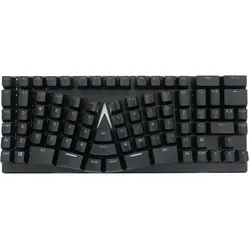
X-Bows Lite Mechanical Keyboard
0 reviews
109,00

Tell us about yourself

We'll get back to you as soon as possible with a proposal.

Stel vraag
Configure your product
Frequently bought together
109,00
Incl. VAT
90,08
Excl. VAT
Article number: ERGO-XBL-BR
The product is in stock and, if ordered before 17:00 on business days, will be shipped the same day.
Hierboven staat de verwachte levertijd. Zodra het pakket verstuurd is, ontvang je een berichtje.
Is this the right product for you?
Use our handy selection check
  • Order 2 for 104,64 each (incl. VAT) and save 4%
  • Order 4 for 101,37 each (incl. VAT) and save 7%
  • Order 10 for 98,10 each (incl. VAT) and save 10%
  • Order 20 for 95,92 each (incl. VAT) and save 12%

Product description of X-Bows Lite Mechanical Keyboard

Is this keyboard right for me?

keyboard dimensions
Width 345 mm
Depth 137 mm
Height30 mm
Programmable32-bit Master MCU + 8M Onboard Storage
VersionWindows and Mac
Key layoutQWERTY (ANSI US int.)
SwitchesGateron G Pro Mechanical See available variants
ConnectionWired (USB-C)

Why the X-Bows Lite mechanical keyboard?

Functionality

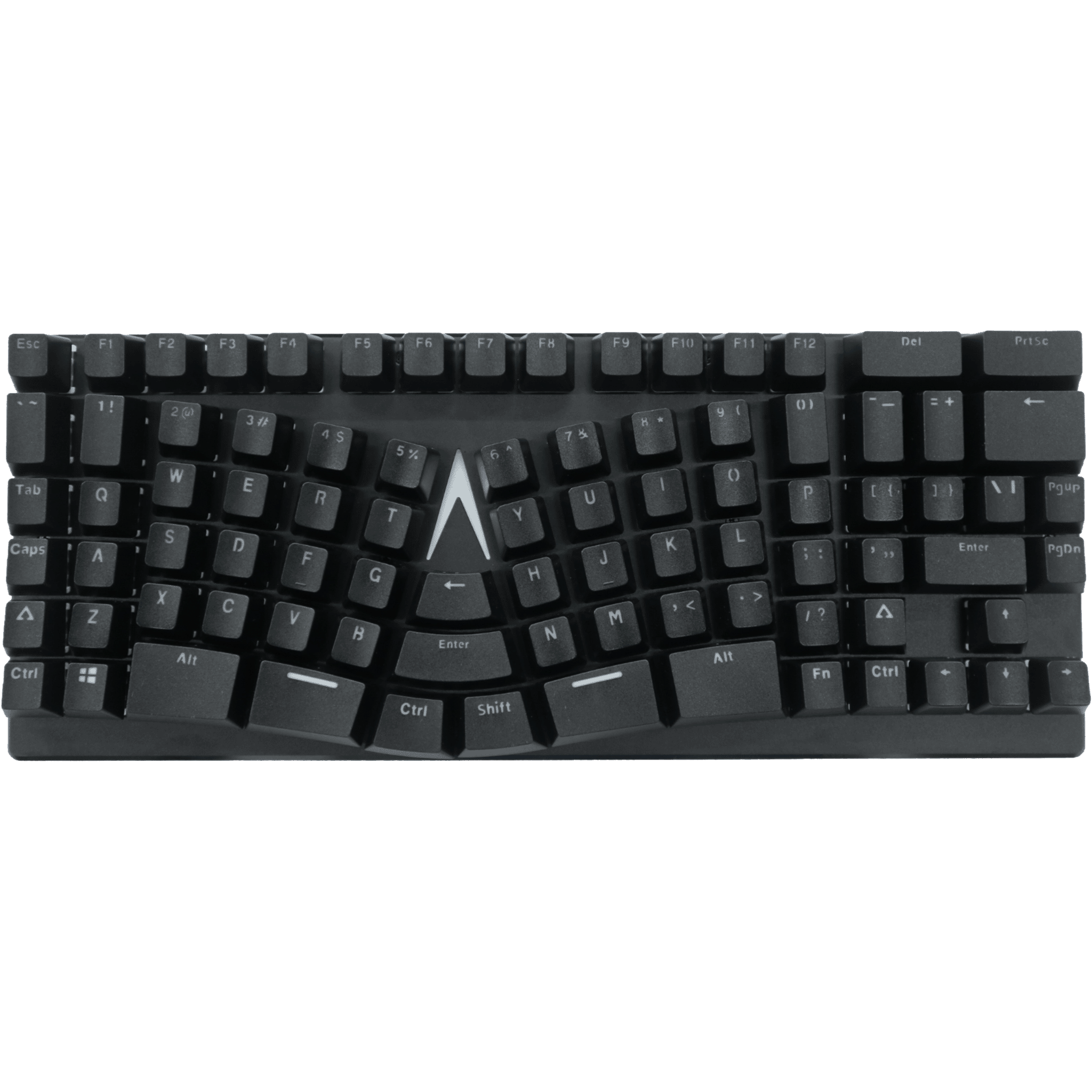
The Lite's frame is made of plastic and aluminium, making it a sturdy unit. The mechanical Gateron switches type lightly, react quickly, and have a long lifespan (100 million clicks). Currently, only Brown and Red switches are available, but X-Bows itself also offers the option for Blue and Black. Furthermore, you can remove the keycaps with the included tool. The keys are also programmable, so you can fully customise the keyboard to your liking.

Compact size

The X-Bows Lite has a compact size. The popular 75% layout has all the keys you need but omits the numeric keypad for ergonomic reasons. This allows you to keep the mouse closer to your body and within shoulder width, which benefits relaxation in the shoulder and arm.

Split design

Furthermore, the Lite is designed as a split keyboard but is held together by extra keys. These frequently used keys in the middle can now be operated with your thumb or index finger. This relieves the weaker little finger. The keys flex with your fingers for optimal relaxation.

Difference from the X-Bows Nature

Many people do not need the full QMK customisations that the Nature offers. Therefore, some have been removed from the Lite variant of the X-Bows. However, this does not mean that you cannot customise the Lite variant at all; it is simply made a bit easier for you. You can still reassign keys, as well as shortcuts and macros. Customisation is only possible on Windows. However, when you then use the keyboard on MAC, it will remember the adjustments.

Unlike the Nature, the Lite is not hot-swappable. If you want to replace your switches, you will first have to desolder the "old" switches and then solder the new ones back in. Finally, the X-Bows Lite only features White backlight. The Nature had RGB.

Matching X-Bows wrist rest

X-Bows has developed a wrist rest specifically for its keyboards. This perfectly matches the keyboards and positions your wrists at the correct height for using the keyboard. This prevents tension in the fingers, hand, wrists, and arm.

You can add the wrist rest to your order at the top right of the page. You can read more about the X-Bows wrist rest here.

What makes an ergonomic keyboard so good?

Anyone who spends a lot of time in front of a computer knows that it can be strenuous for your wrists, shoulders, back, and neck. A good keyboard can help you with this. The Lite keyboard from X-Bows, for example, has a compact and split design. The keys are easy to press and react quickly. All of this is to minimise muscle tension, thereby preventing or reducing injuries.

Get the most out of this product

With the No-Key-Rollover (NKRO) programmable driver, you can also add macros. This allows you to make entire sentences appear with a simple key combination. The keyboard also features white backlighting. The brightness and motion effects of the backlighting can be easily adjusted.

Don't miss this either

The keys of the Lite are ortholinear. This means that the keys are positioned directly above each other instead of the usual "staggered" layout. The ergonomic reasoning is that it is easier for your fingers to move straight up and down instead of diagonally. It will take some getting used to, but it's worth it!

Furthermore, there are two foldable rubber feet on the underside of the keyboard. This allows the keyboard's height to be adjusted. However, we advise against this for ergonomic reasons.

 

Pros and Cons

  •  Ergonomic ortholinear (column) layout
  •  Fully programmable
  •  Good for hand, wrist, and shoulders
  •  Mechanical keys
  •  Sturdy plastic and aluminium frame
  •  (Not yet) full Mac support

Brief specifications

Warranty2 years
Ergonomic design 
ColourBlack
Plug & play 
View specifications >

How happy will my body be with this?

Shoulder     
Hand     
Wrist     
Arm     

Product features

  •  Effective against RSI complaints
  •  QWERTY (US Layout)
  •  75% layout
  •  3 programmable layers
  •  Gateron Mechanical switches
  •  Mechanical keyboard
  •  Plastic and aluminium casing
  •  White backlight
  •  Split design
  •  Extra keys to relieve the little finger
  •  Ortholinear keys
  •  NKRO keys

Downloads

  User Manual
  Driver Manual
  Driver (Please note! This link redirects you to the X-Bows website)

Gateron Switches

Which switch suits you?

With this keyboard you choose which switches go underneath. They cost the same, so it comes down to preference. A linear switch travels smoothly with no noticeable bump; a tactile switch has one, and a clicky switch lets you hear it too.

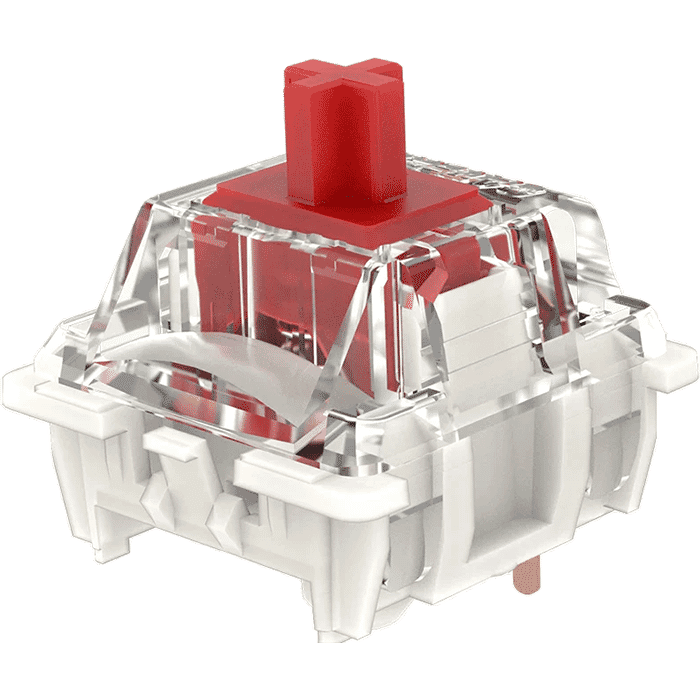
Gateron G Pro 3.0 Red switch
Gateron G Pro 3.0 Red
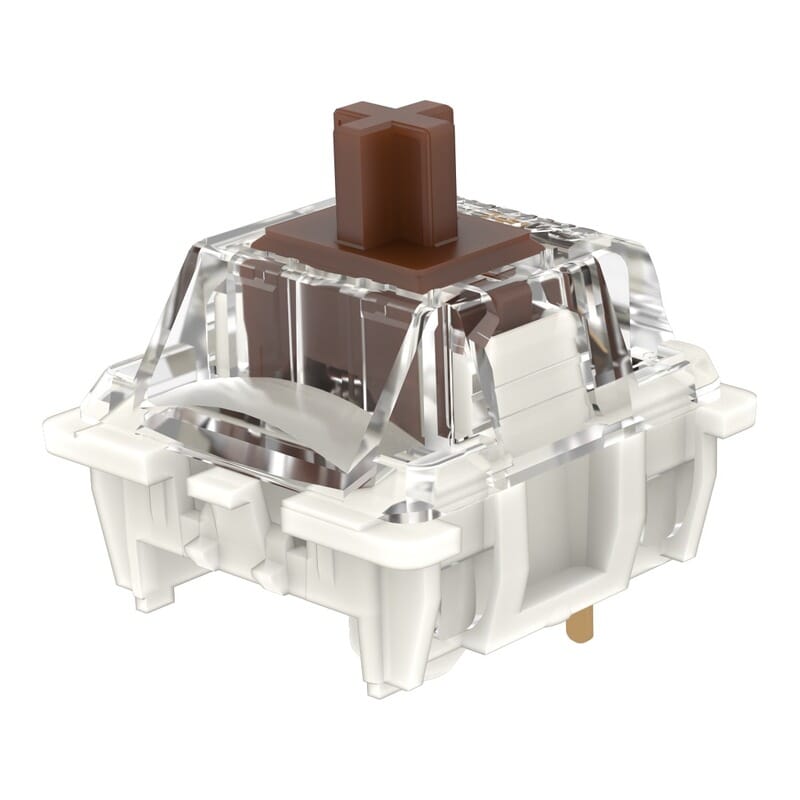
Gateron G Pro 3.0 Brown switch
Gateron G Pro 3.0 Brown
Type:Linear travels evenly. Tactile has a noticeable bump. Clicky adds an audible click to that bump.LinearTactile
Actuation force:Force:The force needed to register a keystroke. A regular rubber dome keyboard needs 55 to 60 g, so lower means lighter typing.45 g55 g
Tactile bump force:Bump force:The force at the point where you clearly feel the key give way. Only tactile and clicky switches have this; a linear switch does not. A dash means the switch does have one, but the manufacturer states no figure. Technical term: pressure point force.Not applicable
Registers after:The distance the key travels before the keystroke registers. You do not have to press the key all the way down. Technical term: pre-travel or actuation point.2.0 mm2.0 mm
Full travel:Travel:The total distance until the key can go no further.4.0 mm4.0 mm
Lifespan:The number of keystrokes per key stated by the manufacturer.100 million100 million
Sound:Indication for normal typing. Even a silent switch makes noise if you bottom out the key.QuietQuiet

What's in the box?

  • 1 x X-Bows keyboard
  • 1 x Connection cable (USB-C -> USB-A)
  • 1 x User manual
  • 1 x Keycap removal tool

Frequently Asked Questions

 "The layout looks quite unusual, is it easy to get used to?"
This keyboard has a so-called column layout for ergonomic reasons. This is more comfortable for your fingers in the long run, but you do need to get used to it. Expect to need a few weeks to adapt to the new layout.
 "Is this keyboard suitable for Mac OS?"
The keyboard has a Windows layout, but it is possible to adjust it with the software. The keyboard also works perfectly fine on a Mac.
Item number ERGO-XBL-BR | ERGO-XBL-RE
Brand X-Bows
Warranty 2 years
Type of guarantee The Ergowerken free return guarantee service
Colour Black
Keyboard type Mechanically split
Ergonomic design
Keyboard layout QWERTY (ANSI US, int)
Connection Wired USB
Type of keys Mechanical
Numeric keypad
Shortcut keys
Programmable buttons
Trackball/touchpad
Type of power supply Wired USB
Battery type Not applicable
Rechargeable Not applicable
Minimum system requirements Windows / Mac
Plug and play
Dimensions length x width x height 345 millimetres by 137 millimetres by 30 millimetres
Product weight 650 grams