Stel hier je vraag over dit product
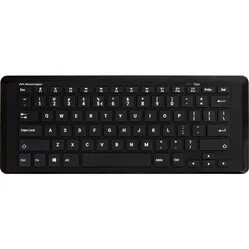
Mousetrapper® Type Mini compact wireless keyboard


Product description of Mousetrapper® Type Mini compact wireless keyboard
Is this keyboard right for me?
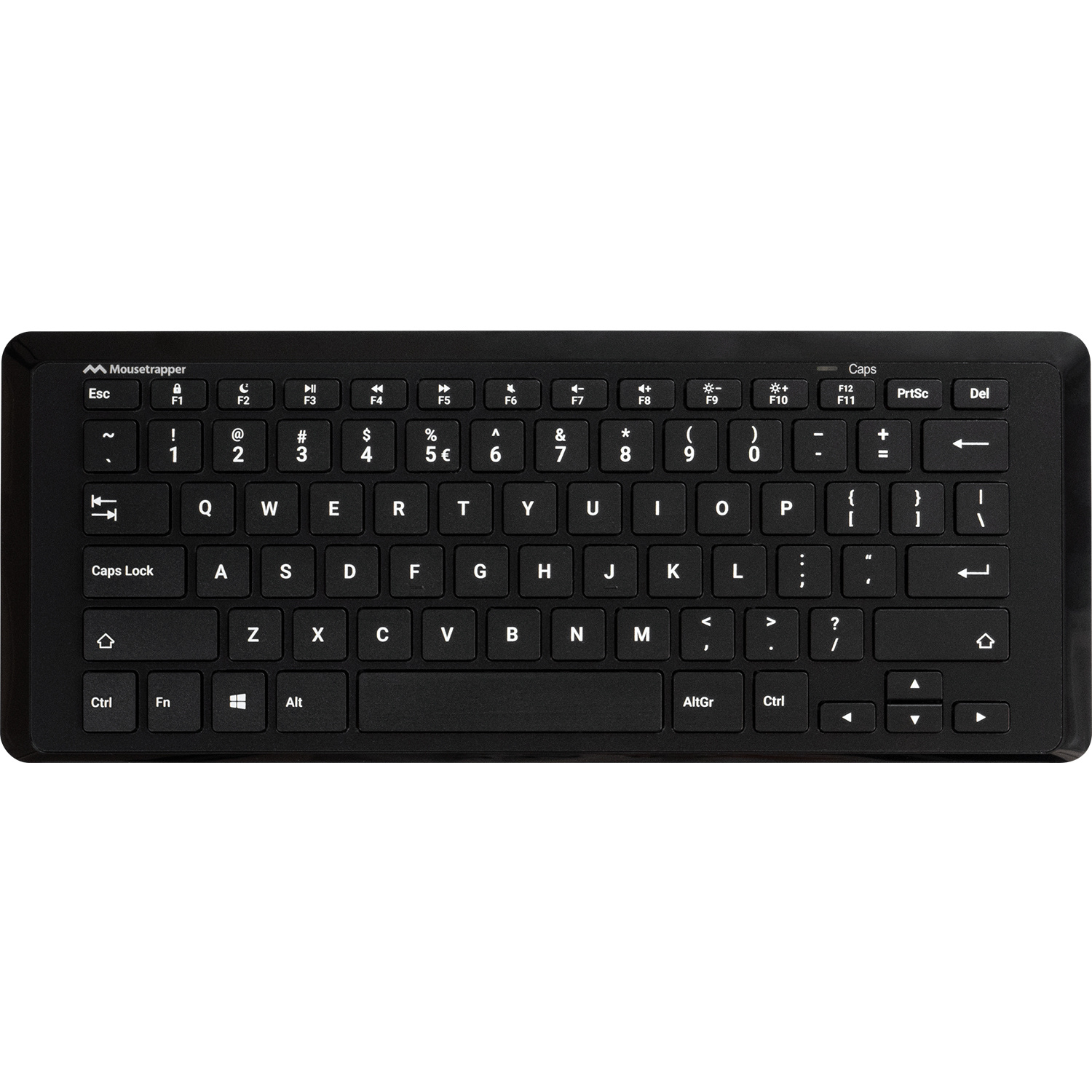
| Width | 322 mm |
| Depth | 123 mm |
| Height | 10-15 mm |
| Version | Windows |
| Key layout | QWERTY (ANSI US int.) |
| Connection | Wireless via USB & Bluetooth |
An ode to the Mousetrapper Type Mini
Negative intention!
No, before you think you're about to read a tirade about this compact keyboard from Mousetrapper, it's about the possibility of tilting the keyboard negatively.
Why the Mousetrapper Type Mini?
Compact and flat
The Mousetrapper Type Mini is a compact keyboard with a pleasantly light key press. Its compact and flat design allows you to position yourself in a comfortable posture at your workstation. This little board ensures you can work within shoulder width and no longer have to reach for your mouse. Additionally, its flat shape means you are less likely to raise your wrists while typing.
Folding out the feet
While with most keyboards we advise folding in the feet to keep the board as flat as possible, with this board we actually encourage it. The feet on this keyboard are also located at the front. This is excellent, as it allows you to set the keyboard at a negative angle, and if there's one thing your wrists appreciate, it's that. How steep you want the angle to be is up to you. You have the option to fold out short feet, which have a height of 5 mm. Prefer a steeper angle? Then fold out the taller 15 mm feet.
What makes a compact keyboard so good?
Correct posture
With a compact keyboard, you can easily operate your keyboard and mouse within shoulder width. This provides much more relaxation for the muscles in your upper arm and shoulders. This helps prevent overuse injuries and alleviate existing aches.
In addition to its compact shape, this keyboard features keys with a scissor mechanism. This provides a quiet and soft key press. By using so-called laptop keys, the keyboard is pleasantly flat.
Get the most out of the Mousetrapper Type Mini
The perfect combo
Mousetrapper is, of course, known for its central mice, so it's no surprise that this keyboard pairs perfectly with such a device. Especially in combination with the front feet, you can create a setup that is perfect for your posture.
Don't miss this either
Wireless via USB and Bluetooth
The keyboard can be used wirelessly. This can even be done in multiple ways.
- Via the included USB receiver
- Via Bluetooth
Multiple devices simultaneously
Because you can connect it wirelessly in multiple ways, it's also possible to pair multiple devices simultaneously.
Using the Fn key, you can easily switch between the different channels (devices). Fn+1, Fn+2, and Fn+3 are the Bluetooth channels, and Fn+4 is the channel for the USB receiver. So, you can pair a total of 4 devices with this keyboard. Simultaneously!
Battery
The keyboard is equipped with a rechargeable battery. You can easily charge it with the included USB-C cable. If you don't have a USB-C connection, don't worry. The packaging also contains an adapter.
100% recycled plastic
What's also green is the material. The keyboard is made entirely from recycled plastic. The packaging is also green and ink-free.
Pros and Cons
- Compact size
- Made from 100% recycled plastic
- Negative tilt possible
- Flat and quiet keys
- Detachable USB cable
- No storage compartment for the USB receiver
Brief specifications
| Layout | QWERTY (ANSI) |
| Material | 100% recycled plastic |
| Number of keys | 78 |
| Backlight | No |
How happy will my body be with this?
| Wrist | |
| Shoulder | |
| Arm | |
| Fingers |
Product features
- Compact design
- Negative tilt possible
- Wired
- Suitable for Windows
- Flat keys with scissor mechanism
- Quiet keys
- Detachable USB-C cable
What's in the box?
- Mousetrapper Type Mini
- USB-C connection cable (150cm)
- USB-C to USB-A adapter
- USB-A nano receiver
Frequently asked questions
- Turn on the keyboard using the on/off switch on the underside
- Press Fn+1 (or Fn+2/Fn+3 for the other Bluetooth channels) until the LED in the top right next to the CAPS letters starts flashing blue.
- Open your Bluetooth preferences in your PC's settings
- Click Add Bluetooth device and select MT Type Mini
Specifications
| Item number | ERGO-MTTB452WL |
| Manufacturer's item number | TB452 |
| Brand | Mousetrapper |
| Warranty | 2 years |
| Type of guarantee | The Ergowerken free return guarantee service |
| Colour | Black |
| Keyboard type | Compact |
| Ergonomic design | |
| Keyboard layout | QWERTY (US international) |
| Connection | Wireless via USB & Bluetooth |
| Bluetooth | |
| USB version | USB-A (USB receiver) |
| Type of keys | Flat keys with scissor mechanism |
| Numeric keypad | |
| Shortcut keys | Yes, under the F keys |
| Programmable buttons | |
| Trackball/touchpad | |
| Type of power supply | Rechargeable battery |
| Battery type | not applicable |
| Rechargeable | |
| Minimum system requirements | Windows |
| Plug and play | |
| Dimensions length x width x height | 123 x 322 x 10–15 mm |
Reviews Mousetrapper® Type Mini compact wireless keyboard
Customers who write a review enter a prize draw for a voucher. We pick one winner and publish all reviews, including critical ones.