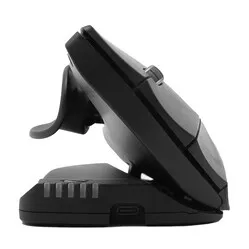
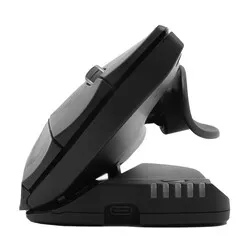
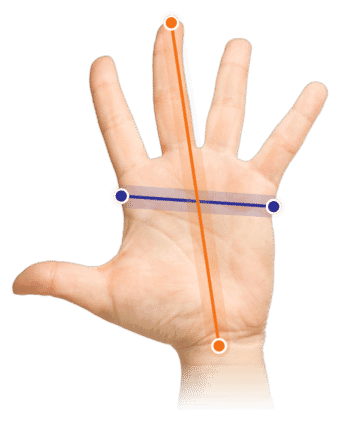
Which size fits your hand?
Measure your hand as shown in the image and choose your size using the table below:
| Size | Width | Length |
|---|
| One size | > 95 mm | > 190 mm |
Important: Is your hand narrower and/or shorter than the measurements above? Then choose the smaller Oyster wireless.
Shows you all angles
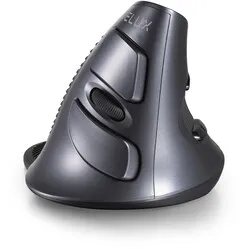
Do you finally want a mouse that DOESN'T tell you what a good working posture is? Then the Oyster is made for you. Not only can it be set at 5 different angles, but it is also symmetrically designed for both left and right-handed use.
Why the Oyster wireless?
The Oyster mouse owes its popularity to the fact that you can adjust it to your preferences. The mouse can be set at 20-30-40-50-60 degrees, which essentially means you can always find a posture that you like.
The mouse is also symmetrically designed in such a way that it can be used by both left and right hands. The integration of 2 scroll wheels contributes to this. It even gives you the option to switch hands for minor aches (if you can operate the mouse with both hands).
The ergonomic Oyster has been developed to reduce or even alleviate RSI-related complaints. Its vertical design ensures a natural posture and provides relaxation for your hand, wrist, and arm. Because you can adjust the mouse to 5 different angles, your ideal posture is quickly found.
You can connect the mouse to your laptop or PC via its wireless 2.4 GHz USB receiver.
This is what makes an ergonomic mouse so good
A traditional mouse causes continuous strain on the forearm muscles. The user has to twist the wrist to place the hand on the mouse. The design of an ergonomic mouse has an adapted shape and thus keeps your wrist off the desk. This reduces stress on nerves and blood vessels, thereby preventing RSI complaints.
Get the most out of it
The Oyster wireless is a pleasant mouse with an original design. The mouse can be used by both left and right-handed users and is adjustable in 5 positions. This allows you to set the mouse in the position that is comfortable for you.
The mouse is equipped with several handy buttons. In addition to the left and right mouse buttons and the scroll wheel, you will find two more buttons on both sides of the mouse. Two buttons perform a double click, allowing you to easily open documents. The other buttons are a cut and paste button, allowing you to quickly edit a document.
The mouse is wireless and features a USB charger. Therefore, no batteries are needed. When the mouse is empty, you connect it to your computer and charge the integrated battery. The mouse can still be used while charging.
Also, don't miss this
The cut and paste button located on the mouse does not work on Mac computers.
"Why can this mouse be set at different angles?"
It has to do with the user's personal preferences. It is also now possible to adjust the mouse to a specific complaint.
"Is this mouse really both left and right-handed?"
Yes, absolutely. The mouse has a scroll wheel on both sides. So you can turn the mouse around and continue working with the other hand.
"What if the Oyster doesn't suit me?"
If you don't like the mouse, you can return it free of charge within 90 days. Together, we will look for a mouse that suits you better.