Stel hier je vraag over dit product
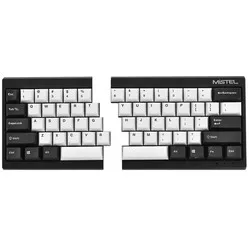
Mistel MD600 V3 Barocco RGB Black split keyboard


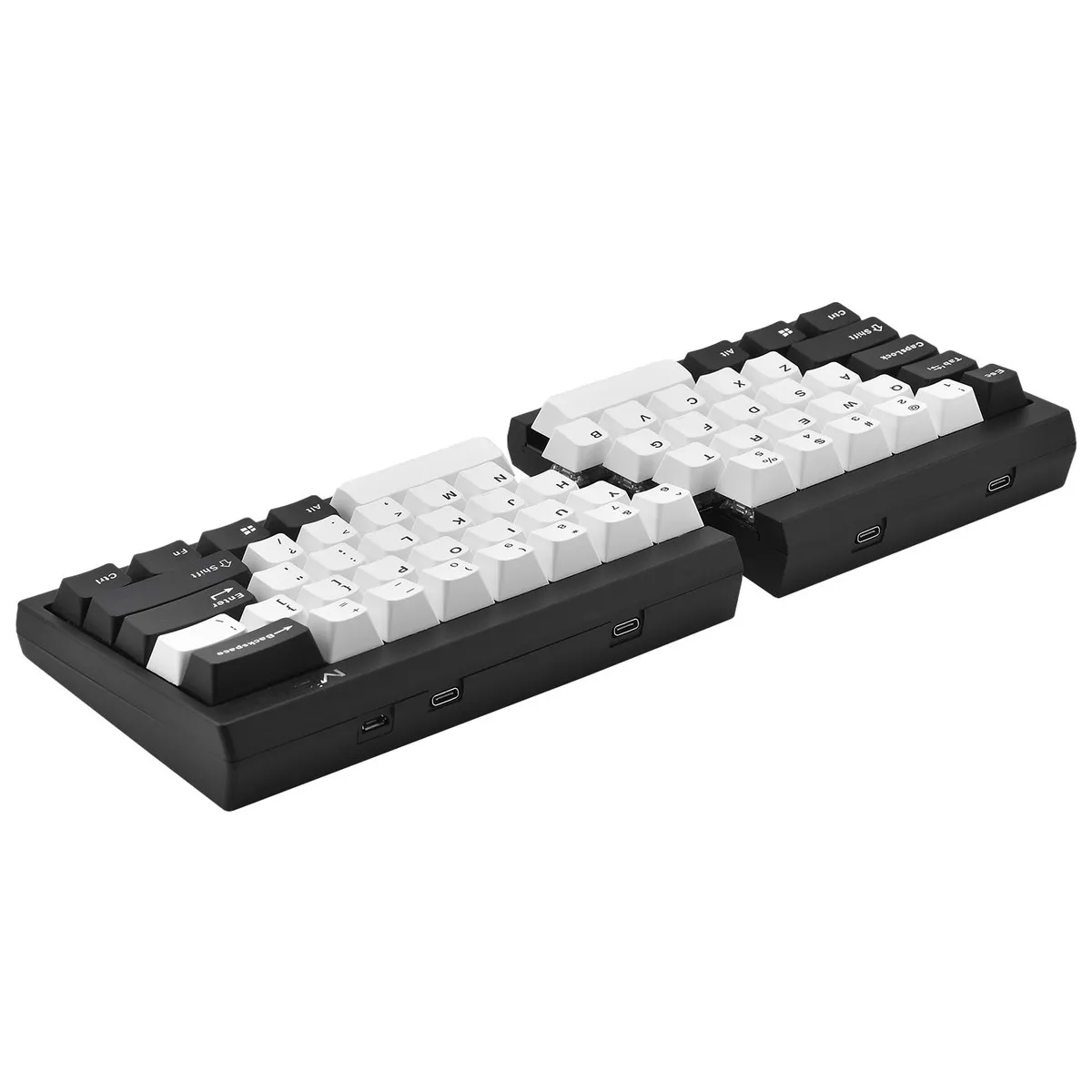


Product description of Mistel MD600 V3 Barocco RGB Black split keyboard
Is this keyboard right for me?

| Width | 295.5 mm |
| Depth | 124.5 mm |
| Height | 39.5 mm |
| Version | Windows |
| Key layout | QWERTY (ANSI US int.) |
| Key type | Mechanical (Cherry MX) |
| Connection | Wired (USB) |
An ode to the Mistel Barocco MD600
"I pity the fool!"
The Mistel Barocco is a true powerhouse; it doesn't wear gold chains and isn't bothered by a long flight. What it does do is allow you to work ergonomically at your PC. Various layouts, programmable keys, and a high-quality finish ensure you can always work comfortably.
Why the Mistel Barocco MD600 split mechanical keyboard?
You don't often see 60% keyboards in the world of ergonomics. Especially not split ones. A 60% keyboard is a full keyboard from which 40% of the size has been removed. For example, there is no separate numeric keypad, and the arrow keys have also been removed.
It's not that you have to miss these keys, as they are integrated as secondary functions. You can easily access these functions using the Fn key. For example, the arrow keys are located under the 'i/j/k/l' keys. All other Fn functions can be found in the manual.
Why a split keyboard?
A split keyboard allows you to keep the keys in line with your wrist. This means you no longer have to bend your wrist, reducing the strain on the muscles in your wrist and arm.
Split keyboards are often compact, meaning they don't have a numeric keypad. This allows you to keep your arms within shoulder-width while typing and mousing, which reduces the strain on your shoulder muscles.
Mechanical pleasure
The Mistel Keyboard is equipped with Cherry Brown or Silent Red mechanical switches. The Brown switch is suitable for both gaming and typing. Thanks to its shorter actuation point, the Silent Red switch is more suitable for gaming.
Is it Christmas yet?
The Mistel Barocco MD600 RGB features LED backlighting. Besides looking good, the keys are also more visible in a poorly lit workspace. Ideal for late-night work sessions.
The board also has lighting patterns programmed, such as the illumination of a pressed key or changing colours.
For the demanding user
Thanks to its extensive functionalities, the Mistel MD600 keyboard is suitable for various tasks.
- Programming
- Graphic design
- Regular typing
- Gaming
If you frequently work with arrow keys and numbers, it might be less suitable.
Don't miss this either!
Endless possibilities
The Mistel Barocco MD600 keyboard is packed with features, allowing you to adjust the layout from QWERTY to DVORAK and even COLEMAK. If you don't like a certain button in its standard location, you can program it elsewhere. You don't need special software for this, but keep the manual handy. It explains clearly how to program it and provides an overview of the possibilities.
For example, you can optimise your workflow by reprogramming one of the spacebars as an Fn key. This allows you to quickly operate the secondary functions of the keyboard.
It's also useful to know that the keyboard is equipped with 3 layers. This means you can program different layouts per layer. For example, consider a layout that is optimal for your main tasks and another layout for when you want to perform simple typing work, or even a special layout for a specific game.
How happy will my body be with this?
- Shoulders
- Hand
- Wrist
- Arm
Pros and cons
- Split design
- Mechanical switch
- Good for wrist, hand, and shoulders
- No arrow keys
Brief specifications
| Warranty | 2 years |
| Ergonomic design | |
| Weight | 485 grams |
| Plug & Play | |
| Colour | Black |
| view all specifications |
Product features
- Effective against RSI complaints
- QWERTY (US Layout)
- Cherry MX switch
- Mechanical keyboard
- Dual shot keycaps
- NKRO
- PBT keycaps
- RGB lighting
What's in the box?
- Left side of keyboard
- Right side of keyboard
- Connection cable (USB -> USB-C)
- Connecting cable (USB-C -> USB-C)
- Keycap puller
- Spare button and rubber feet
- Manual
Cherry MX switches
 | 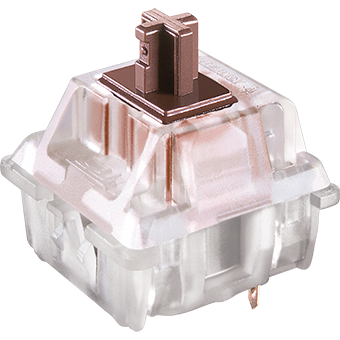 | 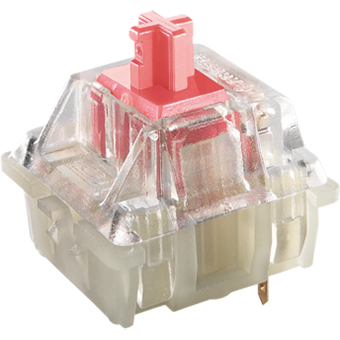 |
| Colour: | Brown | Silent Red |
| Type: | Tactile | Linear |
| Force(gr.): | 55 | 45 |
| Actuation point(mm.): | 2 | 1.9 |
| Max. travel(mm.): | 4 | 3.7 |
| Lifespan (clicks): | 100 million | 100 million |
| Noise level: | ||
| Ideal for: | All-round use | Gaming |
Frequently asked questions
Specifications
| Item number | ERGO-MD600V3BR | ERGO-MD600V3SR |
| Manufacturer's item number | MD600-BUSPDWBT3 | MD600-PUSPDWBT3 |
| Brand | Mistletoe |
| Warranty | 2 years |
| Type of guarantee | The Ergowerken free return guarantee service |
| Colour | Black |
| Keyboard type | Split keyboard |
| Ergonomic design | |
| Keyboard layout | QWERTY (ANSI US int.) |
| Connection | Wired USB |
| Bluetooth | |
| USB version | 2.0 |
| Type of keys | Mechanical |
| Numeric keypad | |
| Shortcut keys | |
| Programmable buttons | |
| Trackball/touchpad | |
| Type of power supply | Wired |
| Battery type | Not applicable |
| Rechargeable | Not applicable |
| Minimum system requirements | Windows XP and above |
| Plug and play | |
| Dimensions length x width x height | 39.5 x 295.5 x 124.5 millimetres |
| Product weight | 485 grams |
Reviews Mistel MD600 V3 Barocco RGB Black split keyboard
Customers who write a review enter a prize draw for a voucher. We pick one winner and publish all reviews, including critical ones.