Offerte aanvragen
Jouw offerte op maat, binnen 24 uur in je mailbox. Voor als je interesse hebt in aantallen. Of goedkeuring nodig hebt voor je bestelling.

Je vraagt een offerte aan voor:
Stel hier je vraag over dit product
Minicute EZmouse5 Wireless Right-handed Ergonomic Mouse




Beschrijving Minicute EZmouse5 Wireless Right-handed Ergonomic Mouse
Minicute EZmouse5 wireless ergonomic mouse
Does this mouse fit my hand?
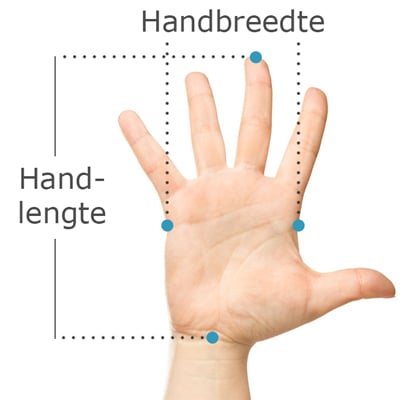
Do you want to find the ideal mouse? Then be sure to measure your hand. The following image clarifies how to measure your hand. This mouse is suitable for hands with the following dimensions:
Hand length: <140 - 189mm
Hand width: 70 - 87mm
Description
Everything considered
A great complete gadget, the Minicute EZmouse5. The clever designers even give you the option to add weight to the mouse by putting coins in the bottom. That's going to come in handy. Can you imagine? "Blast! Forgot my lunch money. Oh, wait..."
Why the Minicute EZmouse5?
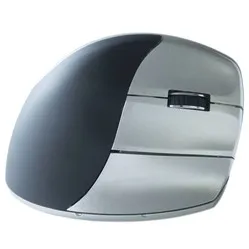
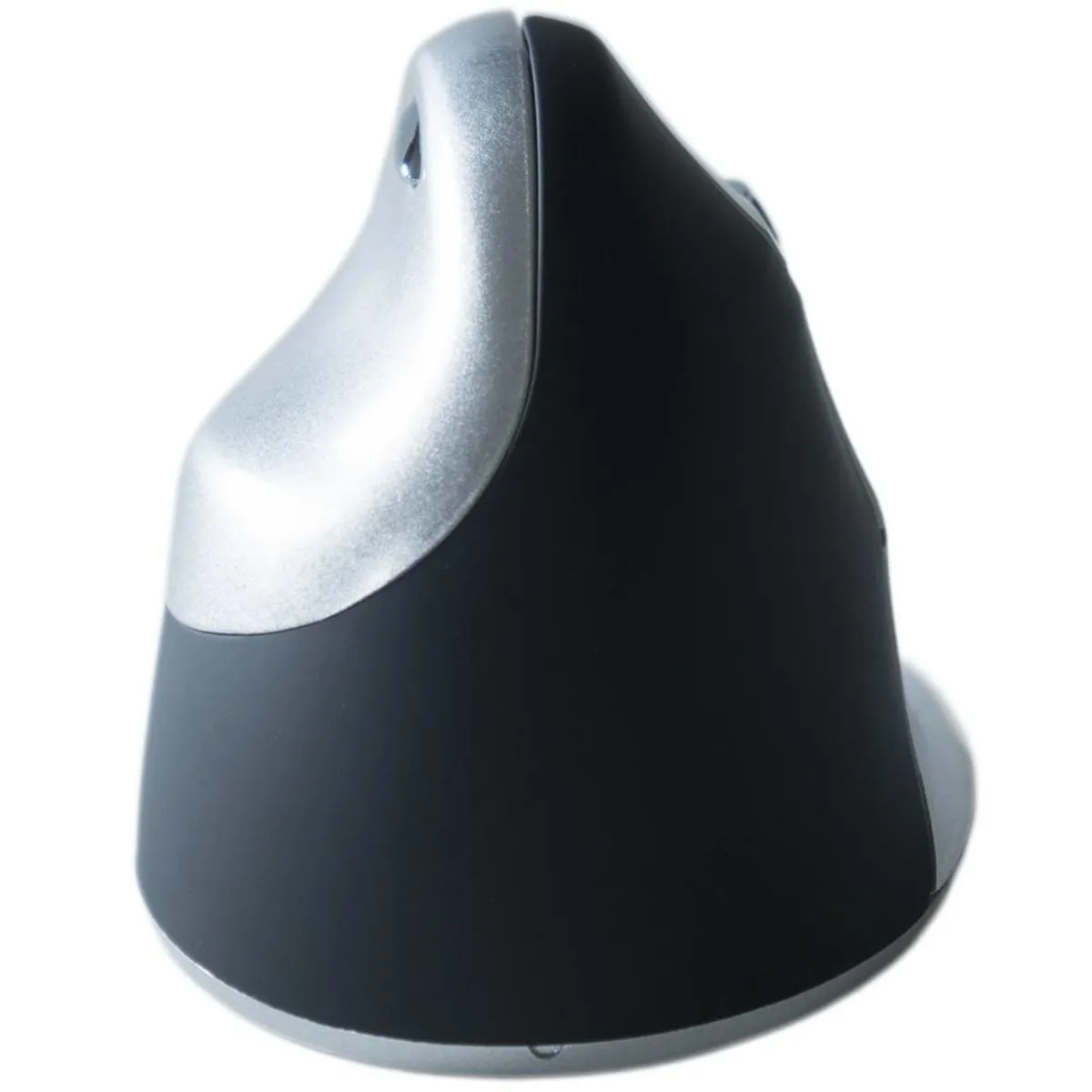
The Minicute is a very complete ergonomic mouse. Its shape prevents discomfort by forcing your hand, wrist, and arm into a natural position. This reduces muscle tension and allows you to work more relaxed. Furthermore, the detachable wrist rest prevents your hand from rubbing against the desk.
The mouse has 4 buttons stacked on the right side: the left and right mouse buttons, the scroll wheel, and the forward button. The scroll wheel features ribbed rubber, providing excellent grip while scrolling. On the left side of the mouse is the backward button, positioned just above the thumb rest for easy access.
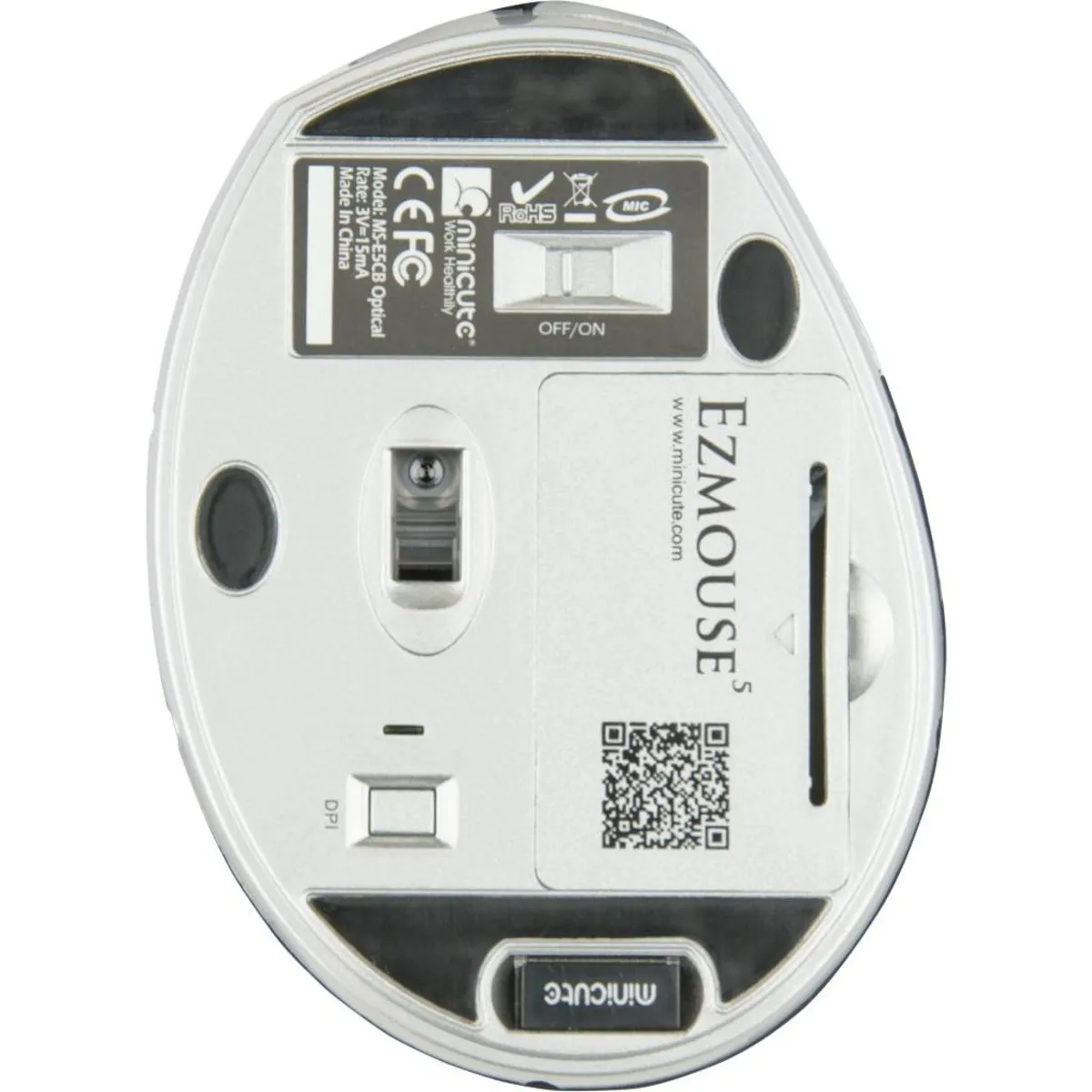
There are two compartments on the underside of the mouse. In one of these compartments, you can store the small nano USB receiver, so you won't lose it when you take the mouse with you. The two included AAA batteries go into the other compartment.
The DPI button is also located on the underside. The DPI determines how quickly the cursor responds to your mouse movements. At a higher setting, the cursor reacts faster. The mouse has 4 settings. Next to the button is an indicator that flashes once for 800, twice for 1200, three times for 1600, and four times for 2000 DPI.
What makes an ergonomic mouse so good
With a traditional mouse, your forearm is twisted. This puts strain on the muscles and, in the long term, manifests as complaints in the hand, wrist, arm, and shoulder. The design of an ergonomic mouse is often tilted. This forces your wrist and arm into a natural position, allowing you to work more relaxed.
Get the most out of it
In the same compartment as the batteries, you can also place coins to add weight to the mouse. By adding weight, you gain more feel and thus more precision with the mouse. However, it is better to make the mouse as light as possible if, for example, you suffer from shoulder pain. The mouse will then be lighter and easier to operate.
Don't miss this either
Minicute has developed software that allows you to program the buttons to your own preferences. You can find the download for this software under the downloads section.
This product is good for
hand - wrist - arm - shoulder
With its shape and wrist rest, the Minicute provides optimal support for the hand and wrist. This prevents unnecessary tension in the hand, wrist, arm, and shoulder.
Pros and Cons
- 4 DPI settings
- Includes wrist rest
- Programmable buttons
- No rechargeable battery
Brief specifications
| Warranty | 2 years |
| Ergonomic design | |
| Usage | Right-handed |
| Number of buttons | 5 |
| Plug & play | Yes |
| view all specifications |
Product features
- Prevents RSI complaints
- Ergonomic design
- Adjustable buttons
- Adjustable DPI for various tasks
- Detachable wrist rest for more precision
What's in the box?
- Right-handed wireless mouse
- 2 AAA batteries
- Detachable wrist rest
- Manual
Downloads
Specificaties
| Item number | ERGO-MI065WI |
| Manufacturer's item number | BC80368 |
| Brand | Minicute |
| Warranty | 2 years |
| Type of guarantee | Ergowerken free warranty return service |
| Colour | Silver grey with black |
| Ergonomic design | Yes |
| Management | Optical |
| Left- or right-handed | Right-handed |
| Hand length | 140 - 189 mm, measured from the top of the middle finger to the edge of the wrist |
| Hand width | 70 - 87 mm, measured on the palm, 1 cm below the four fingers |
| Operation | Buttons and scroll wheel |
| Included receiver | Yes, 2.4 GHz nano receiver |
| Bluetooth | not applicable |
| USB port | Yes |
| USB version | 2.0/3.0 |
| Number of buttons | 4 buttons |
| On/off button | Yes |
| Adjustable buttons | Yes, with the help of the driver |
| Scroll wheel | Yes |
| Trackball | No |
| Adjustable sensitivity | Yes |
| Sensitivity | 800/1200/1600/2000 dpi |
| Type of power supply | Battery |
| Battery type | 2x AAA batteries |
| Rechargeable | No |
| Minimum system requirements | Mac OS X v10.5, Mac OS X v10.6, Mac OS X v10.7, Mac OS X v10.8, Mac OS X v10.9, Mac OS X v10.10, Mac OS X v10.11, Windows XP, Windows Vista, Windows 7, Windows 8, Windows 10 |
| Plug and play | Yes |
| Dimensions length x width x height | Mouse: 106 x 72 x 75 mm Wrist rest: 155 x 99 x 5 mm |
| Product weight | 120 grams |
Reviews Minicute EZmouse5 Wireless Right-handed Ergonomic Mouse