Offerte aanvragen
Jouw offerte op maat, binnen 24 uur in je mailbox. Voor als je interesse hebt in aantallen. Of goedkeuring nodig hebt voor je bestelling.

Je vraagt een offerte aan voor:
Stel hier je vraag over dit product
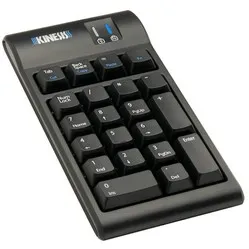
Kinesis Freestyle Pro Low Force mechanical numpad for PC


Beschrijving Kinesis Freestyle Pro Low Force mechanical numpad for PC
Is this keyboard right for me?
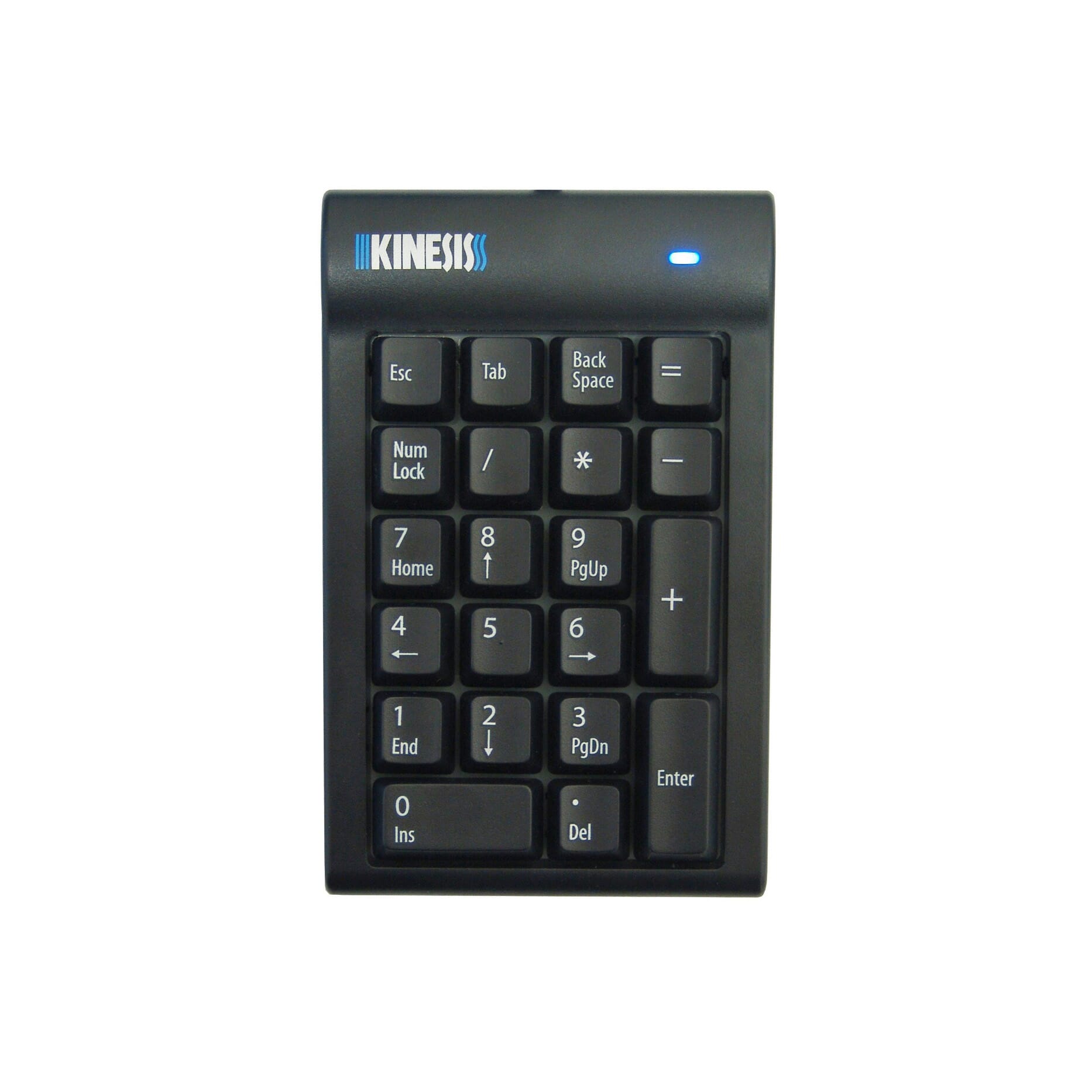
| Width | 82 mm |
| Depth | 147 mm |
| Height | 31 mm |
| Version | Windows |
| Switches | Cherry MX Brown |
| Connection | USB-A cable |
An ode to the Freestyle2 Low Force mechanical numpad
Secret weapon
Did you know that a numeric keypad is actually the secret weapon of accountants and bookkeepers? They call it the "Number Cruncher" because it helps them quickly and accurately enter huge amounts of figures. But beware, if you tap on it for too long, you might just get "Number-itis" - a condition where your fingers are so used to typing numbers that you start seeing them everywhere!
Why the Freestyle2 Low Force mechanical numpad?
Addition
The Kinesis numeric keypad is particularly useful for people who work extensively with numbers, such as accountants, bookkeepers, and data analysts. The numeric keypad is a special addition to the standard keyboard and includes the digits 0 through 9 and several extra keys such as a plus, minus, and backspace key.
The advantage of a separate numeric keypad is that you can place it both to the left and right of your keyboard. If you operate your mouse with your right hand, you can place the numpad on the left. This allows you to keep your mouse close to you and helps prevent shoulder complaints, among other things. If you mouse with your left hand? Then place the numpad on the right.
MX switches
The keypad is equipped with Brown Cherry MX mechanical switches, known for their high quality and durability. These switches have a long lifespan and offer responsive and tactile feedback when typing, providing users with a pleasant and efficient typing experience. You can read more about mechanical switches here.
What makes the Freestyle2 Low Force mechanical numpad so good?
The keypad is equipped with a USB-A cable that you simply plug into your PC. After a quick installation, you can start using it immediately. On the sides of the numpad, there are two USB-A inputs, where you can connect an (energy-efficient) device such as a mouse or hard drive. This gives you two extra USB ports at hand, so you don't have to fiddle with cables behind your PC again.
Don't miss this either
Little brother
The Kinesis numpad seamlessly complements the split Freestyle2 keyboard. It is designed in the same style, giving the keyboards the same look and feeling. This does not mean, however, that the numpad cannot be used with other keyboards.
Pros and Cons
- USB-A input for small devices
- Easy to use
- Prevents shoulder complaints
- Can be used left and right
- Not suitable for Mac
Brief specifications
| Switches | Cherry MX Brown |
| Connection | USB-A cable (1.8m) |
| Width | 8.2 cm |
| Depth | 14.7 cm |
| Height | 3.1 cm |
| Weight | 280 grams |
How happy will my body be with this?
| Shoulder | |
| Arm | |
| Wrist | |
| Hand |
Product features
- Solution for shoulder complaints
- For people who work extensively with numbers
- Can be placed both left and right
- Brown Cherry MX mechanical switches
- PC connection via USB-A cable (1.8m)
What's in the box?
- 1 x Kinesis Freestyle2 Low Force mechanical numpad
- 1 x Brief manual
Frequently asked questions
Specificaties
| Item number | ERGO-NP003BK-MXBR |
| Manufacturer's item number | 100218 |
| Brand | Kinesis |
| Warranty | 2 years |
| Type of guarantee | The Ergowerken free return guarantee service |
| Colour | Black |
| Keyboard type | Numeric keypad |
| Connection | USB-A cable |
| USB port | USB-A |
| USB version | USB 2.0 |
| Number of keys | 21 |
| Type of keys | Mechanical, Cherry MX Brown |
| Minimum system requirements | Mac OS X v10.5, Mac OS X v10.6, Mac OS X v10.7, Mac OS X v10.8, Mac OS X v10.9, Mac OS X v10.10, Mac OS X v10.11, Windows XP, Windows Vista, Windows 7, Windows 8, Windows 10 |
| Type of power supply | Cable |
| Plug and play | No |
| Dimensions length x width x height | 82 x 147 x 31 millimetres |
| Product weight | 280 grams |
Reviews Kinesis Freestyle Pro Low Force mechanical numpad for PC