Which size fits your hand?
Measure your hand as shown in the image and choose your size using the table below:
| Size | Width | Length |
|---|
| One size | N/A | > 178 mm |
"Oh, come on man!"
This is what's being exclaimed in many a manufacturer's office right now. Just when you think you've caught up with Evoluent, they pull this out of the hat. It's not fair. We don't care. And neither do you. Because it's here, ready to show off on your desk.
Why the Evoluent C wireless?
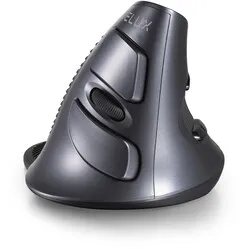
Evoluent continues to innovate. Based on feedback from their models 1 to 4, they have developed a new, improved line. The model has been named C. Nicely sharp, and that's how the mouse looks too. It is sleekly shaped, manufactured from the best materials and finished to a high standard. The mouse is available in blue (silver blue) and gold (light gold). That sounds quite chic.
The wireless Evoluent C is ideal for long working days. This is due to the mouse's great ease of use and the solid support it constantly provides. Your hand rests relaxed on the mouse, and thanks to its vertical design, your arm is placed in a healthy and relaxed posture. But Evoluent has thought carefully about more than just that.
The C ergonomic mouse is right in the broadest sense of the word. And that's a comforting thought. For example, this Evoluent model has been given extra-long buttons, so you have a better grip and click more easily. This allows your fingers to make more clicking movements while staying relaxed. It helps prevent overuse and the complaints that come with it.
You receive good feedback from the scroll wheel. The wheel has been flattened, which provides more feel. The wheel sits at a slight angle relative to the buttons. This has been carefully thought out. Thanks to this minimal tilt, it is better in line with your fingers. Your index and/or middle finger reaches the wheel more easily, making scrolling even simpler.
You immediately notice that the wireless C has a sharply drawn design. At first glance, it makes it seem a little less delicate for the hand. Experience shows that a real teddy bear is hiding under those sleek lines. The shape of the mouse follows the contours of your hand, giving you more support and control. It also places your wrist and arm in a better posture.
The angle of the mouse is a little less vertical than we are used to from Evoluent. It turns out that this provides the right balance between the grip your hand has on the mouse and the posture your wrist and arm adopt. A mouse that is too flat puts more tension on the muscles, but a mouse that is too vertical encourages 'squeezing', which is tiring for the fingers.
The Evoluent C is suitable for hands at least 178 mm long, measured from the edge of the wrist to the tip of the middle finger.
This is what makes an ergonomic mouse so good
Relaxed, comfortable and productive mousing. That is the feeling an ergonomic mouse should give you. It does this through its special design, which places your hand, wrist and arm in a better posture. This lowers the tension in your muscles. It enables you to work for several hours a day with the most-used tool
A normal/traditional mouse usually does not give you these benefits. They are too flat, too small and therefore not made for daily use. You don't get the support you need, forcing you to work with the mouse in a cramped way. The consequences are not positive. Tingling hands, stiff wrists and even shoulder pain can result from the wrong mouse. These complaints are also known as RSI.
Get the most out of it
Evoluent has packed a mountain of strong features into its new C. It gives you a mouse with exceptionally high control and precision. First of all, thanks to the optical sensor under the mouse, which tracks your movements perfectly. In addition, your thumb rests relaxed in the special indentation, and your fingers never lose their hold on the long buttons. Thanks to the lip for your little finger, you can move the mouse as much as you like. Your fingers will never drag across the desk.
This makes the mouse suitable for virtually any kind of work and any need. Do you work a lot in Word and Excel? Then the mouse gives your hand wonderful support and you glide across the screen. You click easily and scroll effortlessly through large blocks of text. The C also signs up for precise tasks. Photoshop, CAD programmes: it is lord and master there too. The mouse gives your wrist the freedom needed to carry out certain fine tasks.
For both types of task, the sensitivity of the mouse is an important point. That sensitivity can be adjusted with a simple click. The LEDs you can see on top of the mouse indicate which of the 4 cursor speed (DPI) settings is active.
The wireless C features Evoluent's now famous button layout. This enables you to perform your tasks faster. You can assign the third mouse button to a function you frequently use, and the forward and backward buttons make navigating through browsers, folders, and files even easier. With the DPI button, you can set the mouse to 500, 1000, 1500, or 2000DPI. The higher the DPI, the more sensitive the mouse. The updated sensor under the mouse makes it even more accurate.
Don't miss this either
A great helper tool from Evoluent is the Evoluent Mouse Manager. With this programme, you can easily customise the button functions to your own preferences. You can download this driver under the downloads section.