






Update mij als weer op voorraad is.
Vul hier je e-mailadres in en wij geven jou een update wanneer wij weer voorraad hebben.
Je ontvangt na het versturen van jouw e-mailadres een e-mail met daarin de bevestiging van jouw inschrijving.
Wij kunnen met deze notificatie geen garantie bieden dat je 100% zeker weten aanspraak maakt bij nieuwe voorraad. Wil je meer kans om het product te krijgen bij nieuwe voorraad? Kies er dan voor om het nu gelijk te bestellen en af te rekenen. Dan krijg je
Privacy
Je e-mailadres wordt opgeslagen in een gesloten database. Wij kunnen die niet inzien. Je e-mailadres wordt na de voorraad update automatisch weer verwijderd.
Keychron

Keychron is the go-to brand for mechanical keyboards at Ergowerken. They specialise in wireless, ergonomic and versatile designs. Keychron keyboards are designed for various devices such as Mac, Windows, iOS and Android. They also offer various connection options, including Bluetooth, USB and dongle connectivity. Keychron keyboards are popular with typing enthusiasts, gamers and professionals due to their durability, customisable keys and programmable functions.
- Variety of keyboard sizes
- Durable products
- Wired and wireless connectivity
- Ergonomically designed
- Programmable models
Keychron producten
Categories, discounts and highlights of this brand.
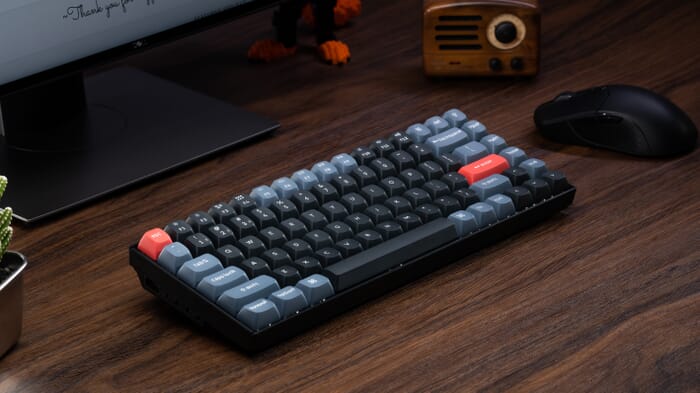
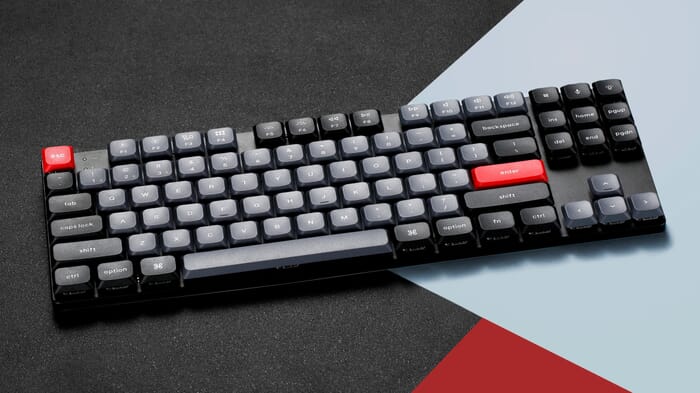
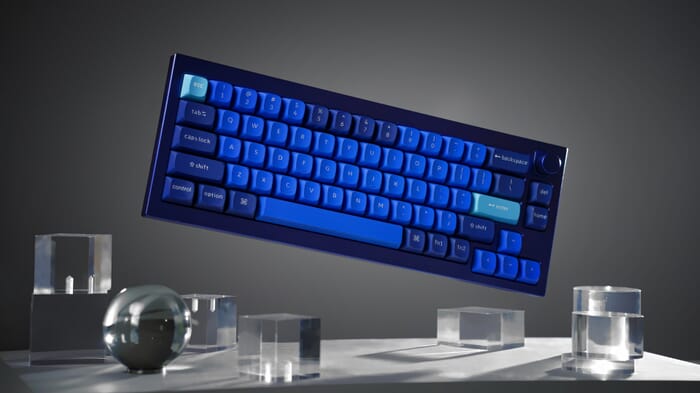
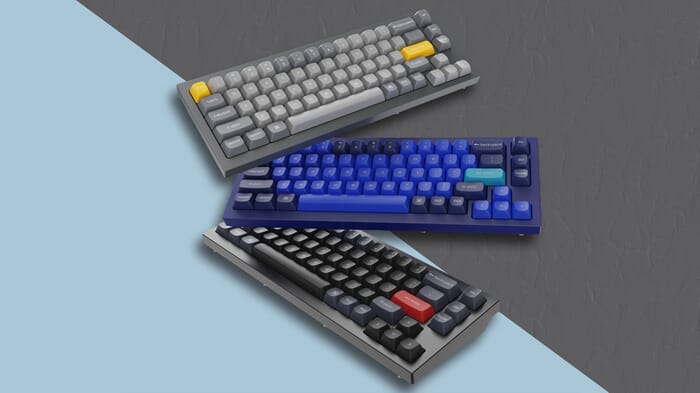
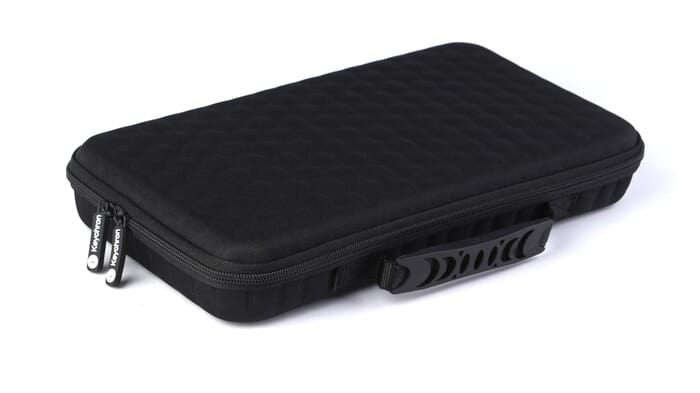
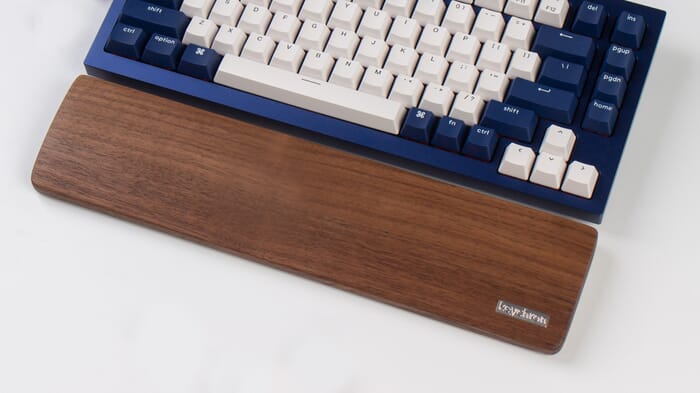
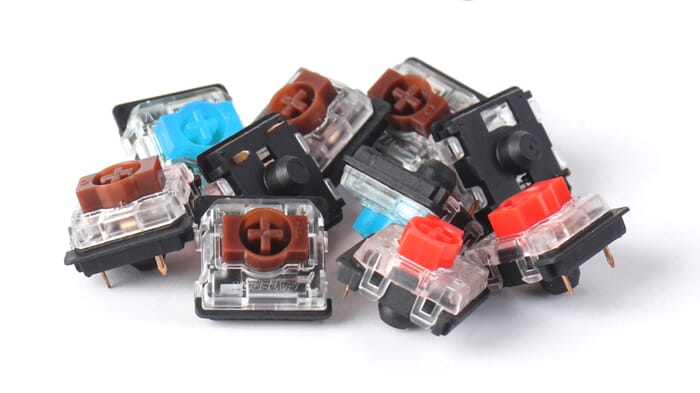
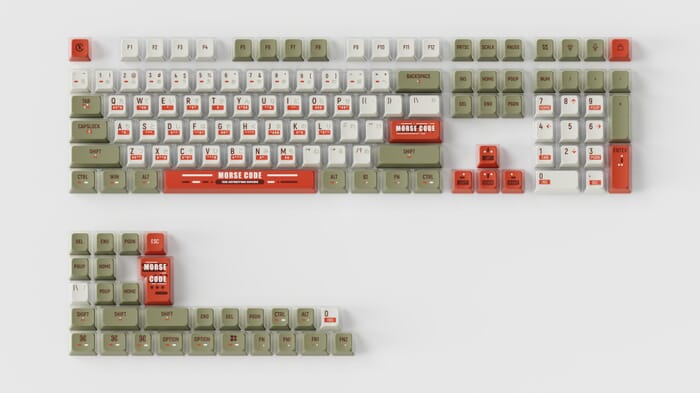
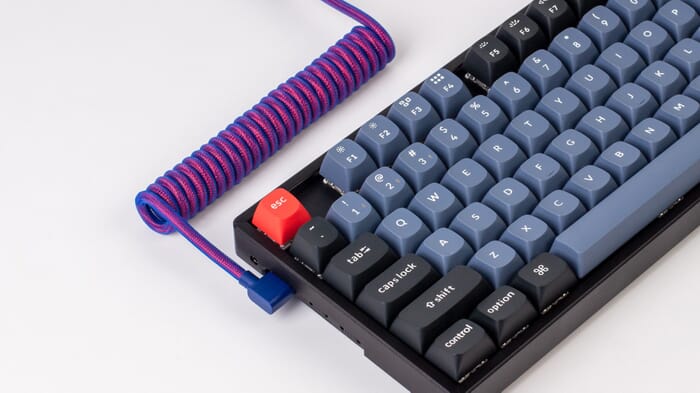

"I won’t forget the look on my son’s face when he saw his Christmas present for the first time. Pure admiration for the design!" – Willeke V on the Keychron K2
All models
Choosing a keyboard isn’t always easy. Especially when there are dozens of different choices and options. Below, we’ve listed all Keychron models. This allows you to compare models, which will hopefully make your choice a little easier.
Image Model Version Layout Size Profile Backlight Connection Bluetooth version Battery capacity (mAh) Hot-swappable Switch type Switch colour QMK compatible Max. number of connections K1 (V5) 87-keys Tenkeyless 80% Low
 or
5.1
2000
/
Low Profile Gateron Mechanical
3
K1 Pro
87-keys
Tenkeyless
80%
Low
or
5.1
2000
/
Low Profile Gateron Mechanical, Low Profile Keychron Optical
3
K1 SE (V5)
87-keys
Tenkeyless
80%
Low
or
5.1
2000
/
Low profile Gateron mechanical, Low profile Keychron optical, Low profile Gateron Mechanical
3
K2 (V2)
84-keys
Compact tenkeyless
75%
High
or
5.1
2000
/
Low Profile Gateron Mechanical
3
K1 Pro
87-keys
Tenkeyless
80%
Low
or
5.1
2000
/
Low Profile Gateron Mechanical, Low Profile Keychron Optical
3
K1 SE (V5)
87-keys
Tenkeyless
80%
Low
or
5.1
2000
/
Low profile Gateron mechanical, Low profile Keychron optical, Low profile Gateron Mechanical
3
K2 (V2)
84-keys
Compact tenkeyless
75%
High
 or
5.1
4000
/
Gateron or Gateron hot-swap
3
K2 Pro
84-keys
Compact tenkeyless
75%
High
or
5.1
4000
Keychron K Pro Mechanical
3
K3 (V2)
84-keys
Compact tenkeyless
75%
Low
or
5.1
1150
/
Keychron Optical Low Profile
3
K3 Pro
84-keys
Compact tenkeyless
75%
Low
or
5.1
1150
/
Low Profile Gateron
3
K4 (V2)
100-keys
Compact full size
96%
High
or
5.1
4000
/
Gateron G Pro
3
K4 Pro
100-keys
Compact full size
96%
High
or
5.1
4000
Keychron K Pro Mechanical
3
K5
104-keys
Full size
100%
Low
or
5.1
2000
/
Low profile Gateron Mechanical, Low Profile Keychron
3
K5 SE
104-keys
Full size
100%
Low
or
5.1
2000
/
Low profile Gateron mechanical, Low profile Keychron optical, Low profile Gateron Mechanical
3
K5 Pro
108-keys
Full size
100%
Low
or
5.1
2000
/
Low profile Gateron Mechanical, Low profile Keychron Mechanical
3
K6
68-keys
Compact
65%
High
or
5.1
4000
/
Gateron G Pro Mechanical, Gateron G Pro Mechanical, LK Optical
3
K6 Pro
68-keys
Compact
65%
High
or
5.1
4000
Keychron K Pro Mechanical
3
K7
68-keys
Compact
65%
Low
or
5.1
1150
/
Low profile Gateron Mechanical, Low Profile Keychron optical, low profile Gateron Mechanical
3
K7 Pro
68-keys
Compact
65%
Low
or
5.1
1150
Low Profile Gateron Mechanical
3
K8
87-keys
Tenkeyless
80%
High
or
5.1
4000
/
Gateron G Pro Mechanical, Gateron Optical, Keychron Optical
3
K8 Pro
87-keys
Tenkeyless
80%
High
or
5.1
4000
Gateron G Pro Mechanical
3
K10
104-keys
Full Size
100%
High
or
5.1
4000
/
Gateron G Pro Mechanical
3
K10 Pro
108-keys
Full Size
100%
High
or
5.1
4000
Keychron K Pro Mechanical
3
K12
61-keys
Mini
60%
High
or
5.1
4000
/
Gateron G Pro Mechanical, Keychron Optical
3
K14
72-keys
70%
High
or
5.1
4000
/
Gateron G Pro Mechanical
3
Q0
21-keys
Numpad
High
-
-
Gateron G Pro Mechanical
1
Q0 plus
26-keys
Numpad
High
-
-
Gateron G Pro Mechanical
1
Q1 V2
82-keys
Compact tenkeyless
75%
High
-
-
Gateron G Pro
1
Q1 Pro
82-keys
Compact tenkeyless
75%
High
or
5.1
4000
Keychron K Pro Mechanical
3
Q2
67-keys
Compact
65%
High
-
-
Gateron G Pro
1
Q3
87-keys
Tenkeyless
80%
High
-
-
Gateron G Pro
1
Q4
61-keys
Mini
60%
High
-
-
Gateron G Pro
1
Q5
100-keys
Compact Full Size
96%
High
-
-
Gateron G Pro
1
Q6
108-keys
Full Size
100%
High
-
-
Gateron G Pro
1
Q7
72-keys
70%
High
-
-
Gateron G Pro
1
Q8
69-keys
Compact Alice Layout
65%
High
-
-
Gateron G Pro
1
Q9
52-keys
Ultra mini
40%
High
-
-
Gateron G Pro
1
Q10
88-keys
Compact tenkeyless Alice Layout
75%
High
-
-
Gateron G Pro
1
Q11
89-keys
Compact tenkeyless Split
75%
High
-
-
Gateron G Pro
1
Q12
102-keys
Compact Full Size Southpaw
96%
High
-
-
Gateron G Pro
1
Q60
60-keys
Mini (Special)
60%
High
-
-
Gateron G Pro
1
Q65
72-keys
(Special)
65%
High
-
-
Gateron G Pro
1
V1
82-keys
Compact tenkeyless
75%
High
-
-
Keychron K Pro Mechanical
1
V2
67-keys
Compact
65%
High
-
-
Keychron K Pro Mechanical
1
V3
87-keys
Tenkeyless
80%
High
-
-
Keychron K Pro Mechanical
1
V4
61-keys
Mini
60%
High
-
-
Keychron K Pro Mechanical
1
V5
100-keys
Compact Full Size
96%
High
-
-
Keychron K Pro Mechanical
1
V6
108-keys
Full Size
100%
High
-
-
Keychron K Pro Mechanical
1
V7
72-keys
70%
High
-
-
Keychron K Pro Mechanical
1
V8
68-keys
Compact Alice Layout
65%
High
-
-
Keychron K Pro Mechanical
1
V10
88-keys
Compact tenkeyless Alice Layout
75%
High
-
-
Keychron K Pro Mechanical
1
C1
87-keys
Tenkeyless
80%
High
-
-
/
Keychron Mechanical, Gateron G Pro Mechanical
1
C2
104-keys
Full size
100%
High
-
-
/
Keychron Mechanical, Gateron G Pro Mechanical
1
S1
84-keys
Compact tenkeyless
75%
Low
-
-
/
Low Profile Mechanical
1
or
5.1
4000
/
Gateron or Gateron hot-swap
3
K2 Pro
84-keys
Compact tenkeyless
75%
High
or
5.1
4000
Keychron K Pro Mechanical
3
K3 (V2)
84-keys
Compact tenkeyless
75%
Low
or
5.1
1150
/
Keychron Optical Low Profile
3
K3 Pro
84-keys
Compact tenkeyless
75%
Low
or
5.1
1150
/
Low Profile Gateron
3
K4 (V2)
100-keys
Compact full size
96%
High
or
5.1
4000
/
Gateron G Pro
3
K4 Pro
100-keys
Compact full size
96%
High
or
5.1
4000
Keychron K Pro Mechanical
3
K5
104-keys
Full size
100%
Low
or
5.1
2000
/
Low profile Gateron Mechanical, Low Profile Keychron
3
K5 SE
104-keys
Full size
100%
Low
or
5.1
2000
/
Low profile Gateron mechanical, Low profile Keychron optical, Low profile Gateron Mechanical
3
K5 Pro
108-keys
Full size
100%
Low
or
5.1
2000
/
Low profile Gateron Mechanical, Low profile Keychron Mechanical
3
K6
68-keys
Compact
65%
High
or
5.1
4000
/
Gateron G Pro Mechanical, Gateron G Pro Mechanical, LK Optical
3
K6 Pro
68-keys
Compact
65%
High
or
5.1
4000
Keychron K Pro Mechanical
3
K7
68-keys
Compact
65%
Low
or
5.1
1150
/
Low profile Gateron Mechanical, Low Profile Keychron optical, low profile Gateron Mechanical
3
K7 Pro
68-keys
Compact
65%
Low
or
5.1
1150
Low Profile Gateron Mechanical
3
K8
87-keys
Tenkeyless
80%
High
or
5.1
4000
/
Gateron G Pro Mechanical, Gateron Optical, Keychron Optical
3
K8 Pro
87-keys
Tenkeyless
80%
High
or
5.1
4000
Gateron G Pro Mechanical
3
K10
104-keys
Full Size
100%
High
or
5.1
4000
/
Gateron G Pro Mechanical
3
K10 Pro
108-keys
Full Size
100%
High
or
5.1
4000
Keychron K Pro Mechanical
3
K12
61-keys
Mini
60%
High
or
5.1
4000
/
Gateron G Pro Mechanical, Keychron Optical
3
K14
72-keys
70%
High
or
5.1
4000
/
Gateron G Pro Mechanical
3
Q0
21-keys
Numpad
High
-
-
Gateron G Pro Mechanical
1
Q0 plus
26-keys
Numpad
High
-
-
Gateron G Pro Mechanical
1
Q1 V2
82-keys
Compact tenkeyless
75%
High
-
-
Gateron G Pro
1
Q1 Pro
82-keys
Compact tenkeyless
75%
High
or
5.1
4000
Keychron K Pro Mechanical
3
Q2
67-keys
Compact
65%
High
-
-
Gateron G Pro
1
Q3
87-keys
Tenkeyless
80%
High
-
-
Gateron G Pro
1
Q4
61-keys
Mini
60%
High
-
-
Gateron G Pro
1
Q5
100-keys
Compact Full Size
96%
High
-
-
Gateron G Pro
1
Q6
108-keys
Full Size
100%
High
-
-
Gateron G Pro
1
Q7
72-keys
70%
High
-
-
Gateron G Pro
1
Q8
69-keys
Compact Alice Layout
65%
High
-
-
Gateron G Pro
1
Q9
52-keys
Ultra mini
40%
High
-
-
Gateron G Pro
1
Q10
88-keys
Compact tenkeyless Alice Layout
75%
High
-
-
Gateron G Pro
1
Q11
89-keys
Compact tenkeyless Split
75%
High
-
-
Gateron G Pro
1
Q12
102-keys
Compact Full Size Southpaw
96%
High
-
-
Gateron G Pro
1
Q60
60-keys
Mini (Special)
60%
High
-
-
Gateron G Pro
1
Q65
72-keys
(Special)
65%
High
-
-
Gateron G Pro
1
V1
82-keys
Compact tenkeyless
75%
High
-
-
Keychron K Pro Mechanical
1
V2
67-keys
Compact
65%
High
-
-
Keychron K Pro Mechanical
1
V3
87-keys
Tenkeyless
80%
High
-
-
Keychron K Pro Mechanical
1
V4
61-keys
Mini
60%
High
-
-
Keychron K Pro Mechanical
1
V5
100-keys
Compact Full Size
96%
High
-
-
Keychron K Pro Mechanical
1
V6
108-keys
Full Size
100%
High
-
-
Keychron K Pro Mechanical
1
V7
72-keys
70%
High
-
-
Keychron K Pro Mechanical
1
V8
68-keys
Compact Alice Layout
65%
High
-
-
Keychron K Pro Mechanical
1
V10
88-keys
Compact tenkeyless Alice Layout
75%
High
-
-
Keychron K Pro Mechanical
1
C1
87-keys
Tenkeyless
80%
High
-
-
/
Keychron Mechanical, Gateron G Pro Mechanical
1
C2
104-keys
Full size
100%
High
-
-
/
Keychron Mechanical, Gateron G Pro Mechanical
1
S1
84-keys
Compact tenkeyless
75%
Low
-
-
/
Low Profile Mechanical
1
Popular sign
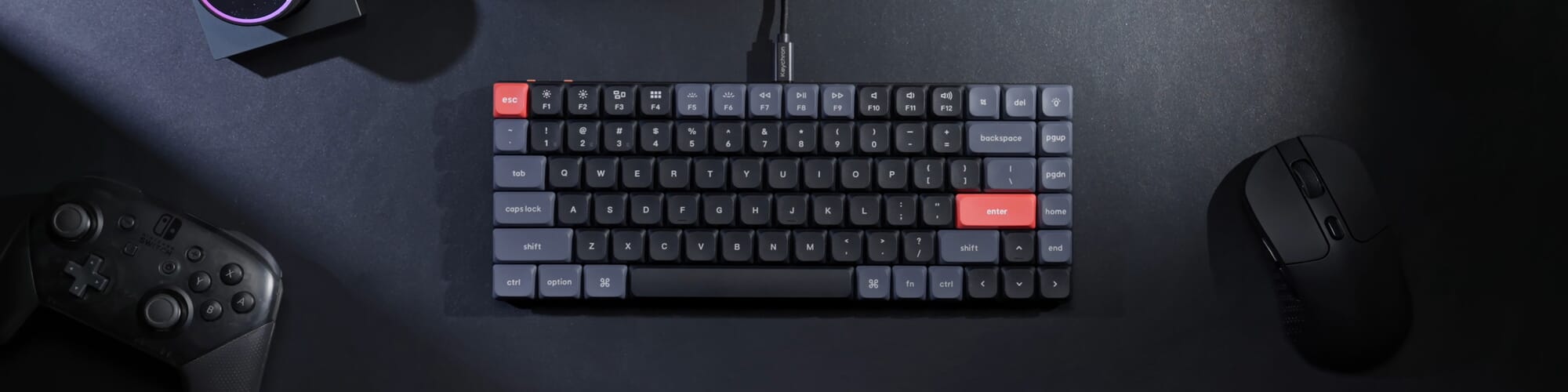
The Keychron K4 V2 keyboards are flying off the shelves here. But why is this particular model such a favourite? It’s because it’s a fairly compact keyboard, yet it features virtually all the keys you need. It has a row of multimedia keys at the top, a full numpad, and the arrow keys are also part of the keyboard. Of course, the design isn’t the only thing that makes this keyboard so popular.
The YouTube channel ShortCircuit has made a great video that explains it all in detail.
What do you think of this?
Many customers have already gone before you in purchasing a Keychron keyboard. One of the best-selling and highest-rated models is the Keychron K2.
J M was so taken with the K2 that he went and bought two straight away: “Great keyboard. This is the second Keychron K2 I’ve bought from Ergowerken. The reason I had to buy two is that it can’t handle cola. But I liked the keyboard so much that I just went and bought the same one again.”
Bart was switching from a Bakker & Elkhuizen Q board: “This is definitely a step up. The typed words just fly off the keyboard. A lovely compact model, so the mouse can sit nice and close by – brilliant. My only comment is that I need to get used to the DEL key; I’d expected it to be top right, but it’s one key over. But that’s all. Highly recommended.”
Rodi actually finds the K2 just a bit too high; he says: “The keyboard is very thick, which means RSI is a risk. That’s why it should only be used with some sort of wrist rest.” We do indeed recommend always using a wrist rest with a slightly taller keyboard.
A popular low-profile keyboard from Keychron is the K3 Pro. This model has only recently been on the market, but the reviews are glowing. Zainoel thinks it has a nice design and is a practical, good keyboard. “Highly recommended!”. Ronald is also very satisfied: “A great keyboard with a pleasant keystroke. The layout wasn’t quite to my taste (I don’t find the position of the Page Up/Down and Home/End keys logical), but it can be adjusted with very little effort. I use it on both a macOS and Windows machine without any issues.”
Choose the right keyboard
Choosing the right Keychron keyboard depends on a number of factors, including your personal preferences, the keyboard layout and the features you intend to use.
Firstly, it is important to consider which layout you want. Keychron offers keyboards in various sizes, including full-size, tenkeyless and compact designs. If you enter a lot of numbers, a full-size keyboard with a numpad can be useful. However, if you want more freedom of movement whilst typing, a compact keyboard may suit you better. In terms of ergonomics, we recommend a compact keyboard. This gives you more space to move the mouse. When using a full-size keyboard, it is best to use a central mouse.
It is also important to decide which switches you prefer when typing. Keychron uses various types of mechanical switches, such as Gateron or Cherry (MX). Each type of switch has its own characteristics, such as the force required to press the key, the actuation distance and the noise level. You can try out different switches and decide which one suits you best. You can read more about mechanical switches here.
Finally, it is important to decide which features you need. Keychron offers keyboards with various programmable features, such as macros, customisable keys and RGB lighting. Decide which features are important to you and choose a keyboard that offers them.
If you want to choose the right Keychron keyboard, it is important to consider these factors and experiment with different models and switches to determine which suits you best. By choosing a keyboard that meets your needs, you can enjoy a pleasant and responsive typing experience.
Need help choosing the right model? Pop over to the chat. Jesse, Tim or Mark will be happy to help!
Return period
Once you’ve received your Keychron product, you have 90 days to try out your new purchase. Unpack your keyboard carefully, plug it in, and give it a quick test to see if it’s right for you. If not, simply send it back. We do not recommend using the product for 90 days, as this increases the likelihood of signs of use. We expect the product to be returned in new condition. You can read all the terms and conditions regarding the 90-day return period here.
Are you having trouble figuring it out or do you have another question? Please feel free to contact us via chat, email or phone. We’re happy to help!
Filters
0 reviews
109,00 Incl. tax
90,08 Excl. tax
0 reviews
189,00 149,00 Incl. tax
123,14 Excl. tax

0 reviews
189,00 159,00 Incl. tax
131,41 Excl. tax

0 reviews
119,00 Incl. tax
98,35 Excl. tax
0 reviews
139,00 Incl. tax
114,88 Excl. tax
0 reviews
129,00 Incl. tax
106,61 Excl. tax


0 reviews
44,95 Incl. tax
37,15 Excl. tax
0 reviews
134,95 Incl. tax
111,53 Excl. tax
0 reviews
29,95 Incl. tax
24,75 Excl. tax

0 reviews
189,00 159,00 Incl. tax
131,41 Excl. tax
0 reviews
39,95 Incl. tax
33,02 Excl. tax