Stel hier je vraag over dit product
Mistel MD770 RGB black mechanical keyboard


Product description of Mistel MD770 RGB black mechanical keyboard
Is this keyboard right for me?
| Width | 334.5 mm |
| Depth | 140 mm |
| Height | 27 (front) - 34.5 (rear) mm |
| Compatibility | Windows & Mac |
| Key layout | QWERTY (ANSI US int.) |
| Connection | Wired (USB) 180 cm |
| Switches | Cherry MX View variants |
An ode to the Mistel Barocco MD770 RGB
So happy with arrow keys
Arrow keys, those wonderfully fine arrow keys. We already wrote about them with the MD600, we already talked about them with Mistel, and we simply got them. On the MD770, bottom right, where you want them. What a delight.
Why the Mistel Barocco MD700 split mechanical keyboard?
Mechanical typing feels better
The MD770 is a mechanical keyboard with Cherry MX switches. You can choose from Brown, Blue, Red, Red Silent and Black. A mechanical keyboard is characterised mainly by registering a keystroke without the key in question being fully pressed. You can type with more relaxation in your hand, which makes it ideal for intensive typing work.
75% layout
Mistel's 75% keyboard is one that has been long awaited. It had already hinted at its arrival a little. The popular Mistel MD600 board with a 60% layout was extremely popular, but especially in office environments the demand for arrow keys was a frequent one. This latest from Mistel, with a length of 334.5 mm, is still compact, but much more suited to office work.
Split keyboard
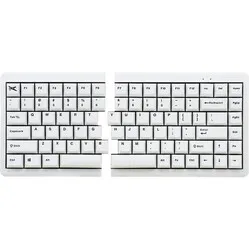
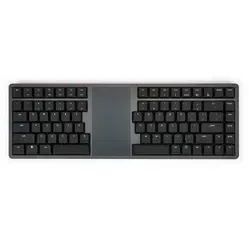
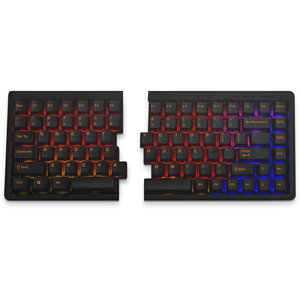
The mechanical MD770 is a split keyboard. The keyboard is broken up into 2 separate parts that can be positioned freely. The 38-centimetre coiled cable between the boards can easily be stretched to over 60 cm. So you have all the room you need to place the split parts where and how you want them.
This gives you plenty of options. What we often advise is to place the split parts slightly apart and open. This aligns the hands better with the forearms, which benefits relaxation. You can even lay a numeric pad between the parts, or some notes.
RGB illuminated
This RGB version of the MD770 has LED backlight. You can choose from 10 pre-programmed lighting modes. There are some nice options among them, for example the 'reactive' mode. In this mode the board lights up from the letter you last pressed. You can also make the LEDs brighter, dimmer, faster and slower. And of course there is also the option to switch the lighting off completely.
Double Shot keycaps
The MD770 is fitted with double shot keycaps. Here, 2 layers of plastic are pressed into each other. This technique makes it possible to avoid printing the lettering on the board. It is simply a plastic cap that slides into another plastic cap.
For the demanding user
The Mistel MD770 keyboard, thanks to its extensive functionality, is suitable for various kinds of work.
- Programming
- Graphic design
- Regular typing work
- Gaming
Get the most out of your MD770
Small and large adjustments
There is an enormous amount you can adjust on this keyboard. The easiest adjustments are made with the so-called dip switches on the underside of the board. With these 4 switches you can do the following:
- Windows to MAC layout
- Caps Lock and left CTRL swap positions
- Left Windows and left ALT swap positions
- Caps Lock and FN swap positions
There's much more you can adjust. The QWERTY, Colemak and Dvorak layouts, for example, are available by default with a small key combination. Want to go further? Then in the 3 available extra layers of the keyboard you can assign functions to different places, or even register MACROS. Think for example of an 'Office' layer where under the number row you place functions like cut (CTRL + X) and paste (CTRL + V).
You don't need any software for this, by the way. The keyboard has its own memory and, with the help of the manual, you'll get the hang of it fairly quickly.
Don't miss this either!
Suitable for MAC
Mistel has made the MD770 suitable for MAC. Flipping the first dip switch changes the layout from Windows to Mac. The only thing unfortunately missing is included keycaps.
How happy will my body be with this?
- Shoulders
- Hand
- Wrist
- Arm
Pros and cons
- Split design
- Mechanical switch
- Good for wrist, hand and shoulders
- Mechanical keys are noisy
Brief specifications
| Warranty | 2 years |
| Ergonomic design | |
| Weight | 790 grams |
| Plug & Play | |
| Switch type | Mechanical MX switches |
| view all specifications |
Product features
- Effective against RSI complaints
- QWERTY (US Layout)
- Cherry MX Brown/Blue/Red/Black/Red Silent switches
- Mechanical RGB keyboard
- Dual shot keycaps
- Front height: 27 mm
- Rear height without feet: 34.5 mm
- Keyboard width: 334.5 mm
- 75% layout
- 4 USB C ports
- Coiled cable between split parts
- NKRO
- Suitable for both MAC and Windows
- QWERTY, Colemak and Dvorak pre-programmed
What's in the box?
- Left side RGB keyboard
- Right side RGB keyboard
- Connection cable (USB A -> USB C)
- Connecting cable (USB C -> USB C)
- Keycap puller
- Key caps and rubber feet
- Manual
Downloads
Cherry MX Switches
 | 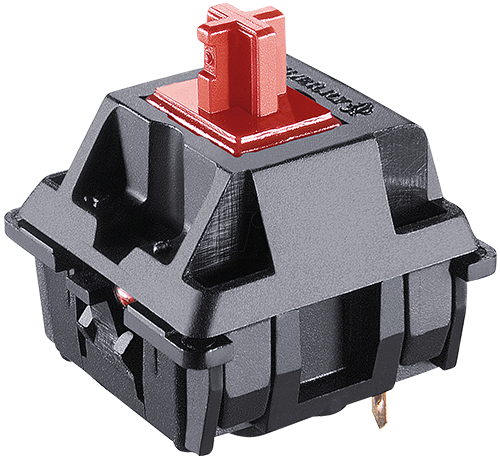 | 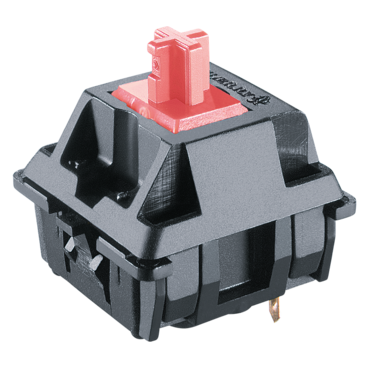 | 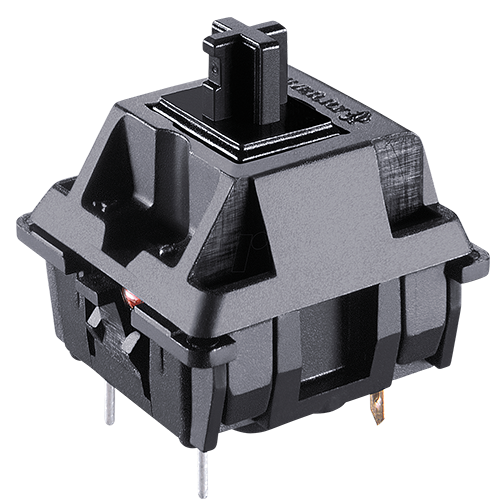 | 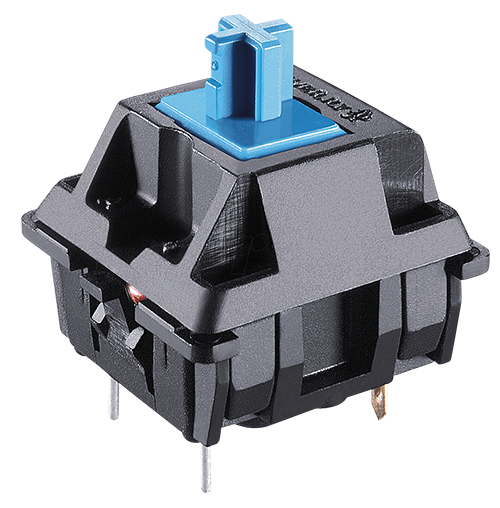 | 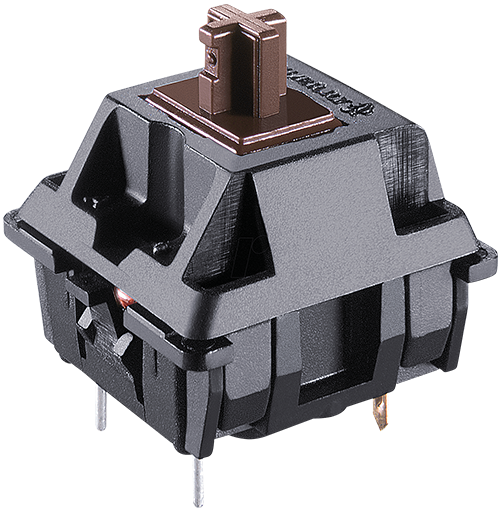 | 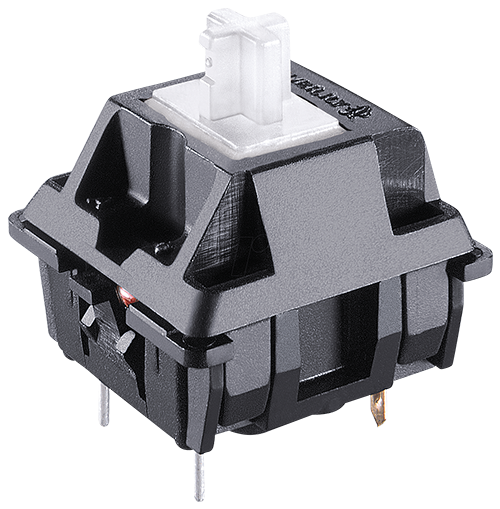 |
| Colour: | Red | Silent Red | Black | Blue | Brown | Clear |
| Type: | Linear | Linear | Linear | Clicky | Tactile | Tactile |
| Force (gr.): | 45 | 45 | 60 | 60 | 55 | 65 |
| Actuation point (mm.): | 2 | 1.9 | 2 | 2.2 | 2 | 2 |
| Max. travel (mm.): | 4 | 3.7 | 4 | 4 | 4 | 4 |
| Lifespan (clicks): | 100 million | 50 million | 100 million | 50 million | 100 million | 50 million |
| Sound level: |
Frequently asked questions
Productbundels
Specifications
| Item number | ERGO-MD770BR-RGB / -MD770BL-RGB / -MD770B-RGB / MD770R-RGB / MD770RS-RGB |
| Manufacturer's item number | MD770-AUSPDBLT1 / MD770-BUSPDBLT1 / MD770-CUSPDBLT1 / MD770-RUSPDBLT1 / MD770-PUSPDBLT1 |
| Brand | Mistletoe |
| Warranty | 2 years |
| Type of guarantee | The Ergowerken free return guarantee service |
| Colour | Black |
| Keyboard type | Mechanical |
| Ergonomic design | |
| Keyboard layout | QWERTY (ANSI US int.) |
| Connection | Wired |
| Bluetooth | not applicable |
| Type of keys | Cherry MX RGB switches |
| Numeric keypad | |
| Shortcut keys | Programmable |
| Programmable buttons | |
| Trackball/touchpad | |
| Type of power supply | Cable 180 cm |
| Battery type | not applicable |
| Rechargeable | not applicable |
| Minimum system requirements | Windows 7 and MAC |
| Plug and play | |
| Dimensions length x width x height | 334.5 x 140 x 27 (front) - 34.5 mm (rear) |
| Product weight | 790 grams |
Reviews Mistel MD770 RGB black mechanical keyboard
Customers who write a review enter a prize draw for a voucher. We pick one winner and publish all reviews, including critical ones.