Stel hier je vraag over dit product
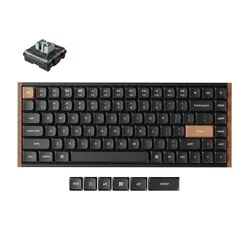
Keychron K3 HE low profile magnetic keyboard for Windows & Mac


Product description of Keychron K3 HE low profile magnetic keyboard for Windows & Mac
Is this keyboard right for me?
| Width | 318.6 mm |
| Depth | 126 mm |
| Height (with keycaps) | 22.0 mm (front) to 25.4 mm (back) |
| Version | Windows & Mac |
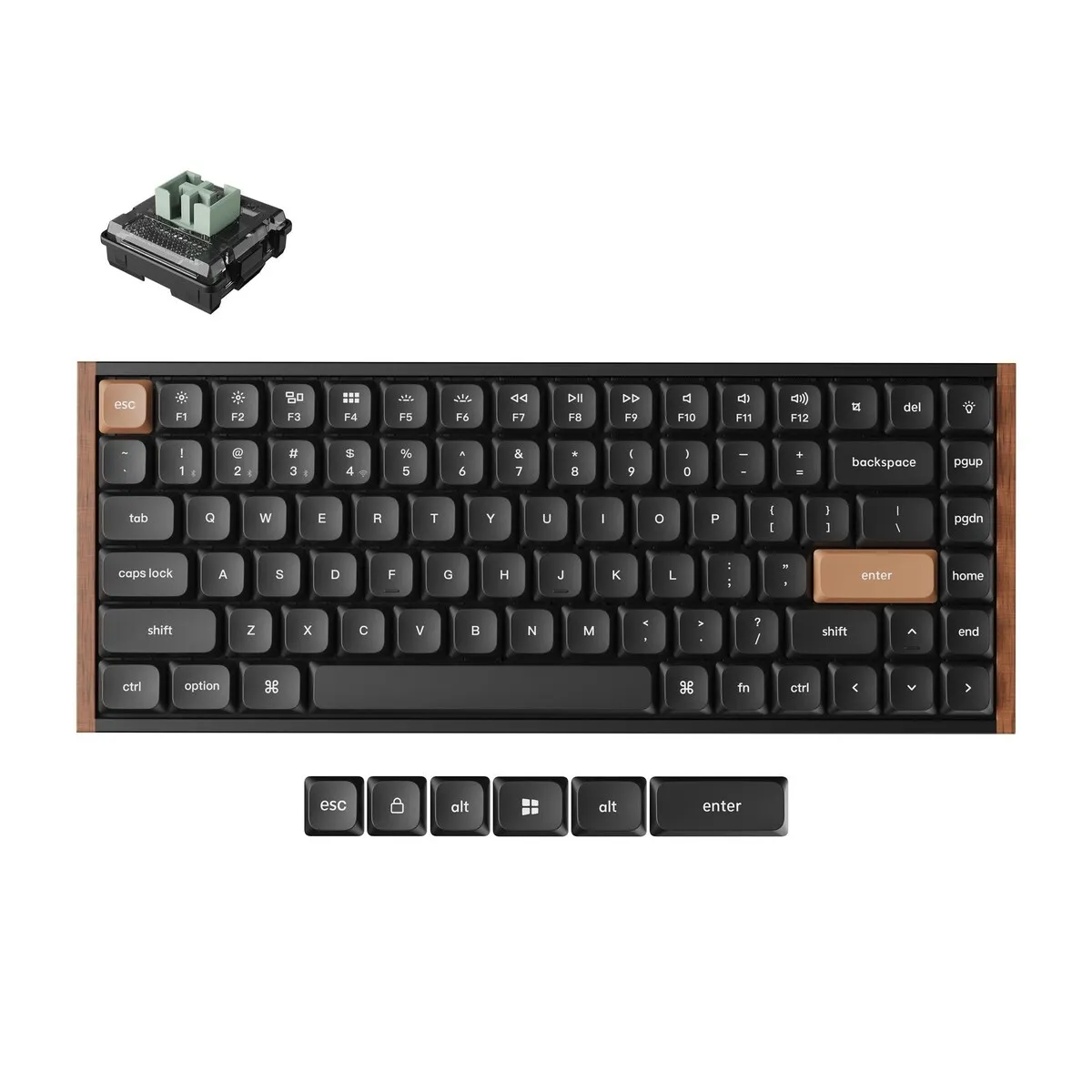
| Key layout | QWERTY (ANSI US), 84 keys |
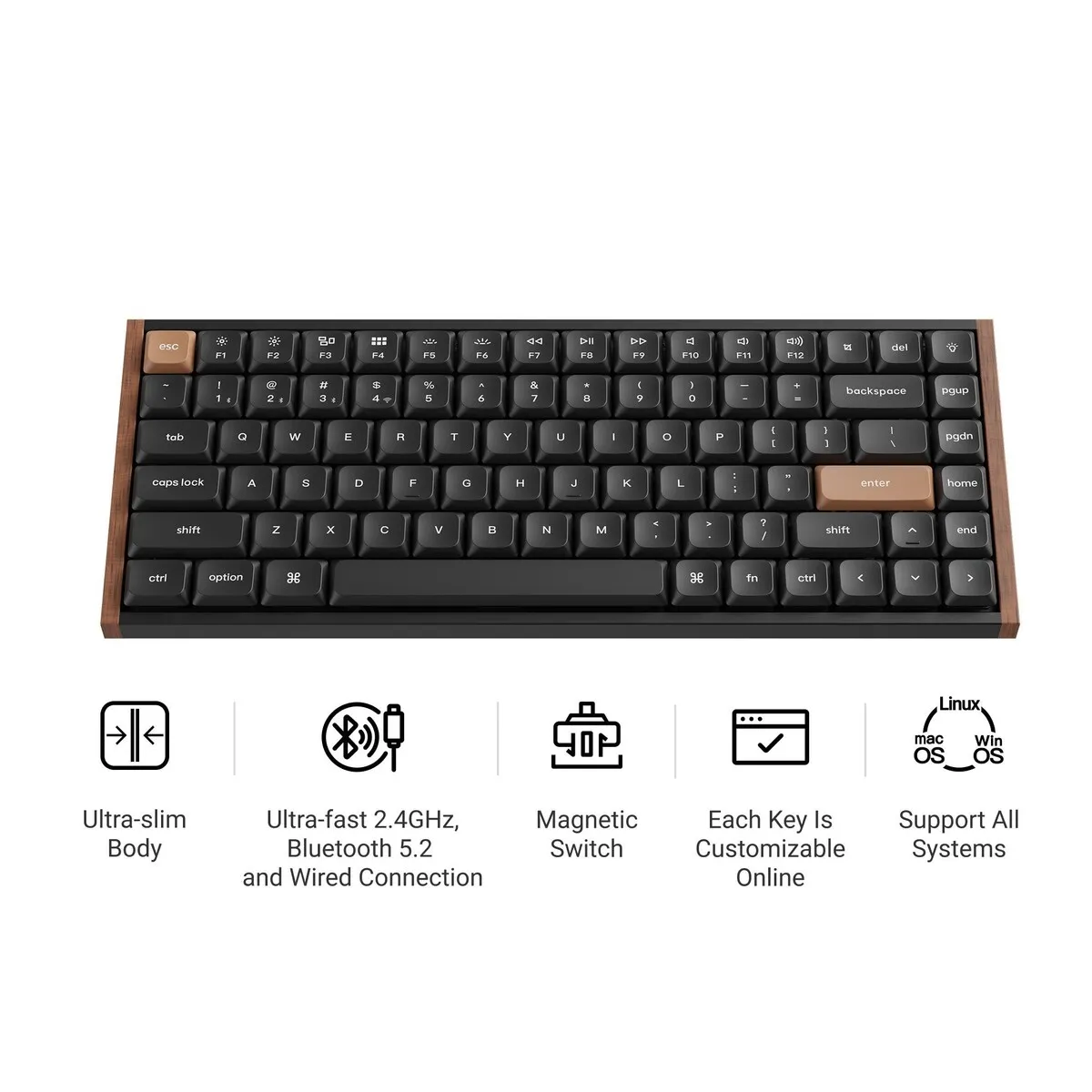
| Connection | 2.4 GHz, Bluetooth 5.2 and USB-C |
| Switch | Keychron Ultra-Fast Lime, low profile magnetic |
An ode to the K3 HE
A plank with a secret
From the outside, the K3 HE looks like a neat little plank of wood with keys on it. Nothing special, you would think.
Except that under every key sits a tiny magnet keeping track of how deep you press. A bit like a librarian with a black belt in karate. Calm on the outside, surprisingly capable within.
Why the K3 HE?
Low and magnetic
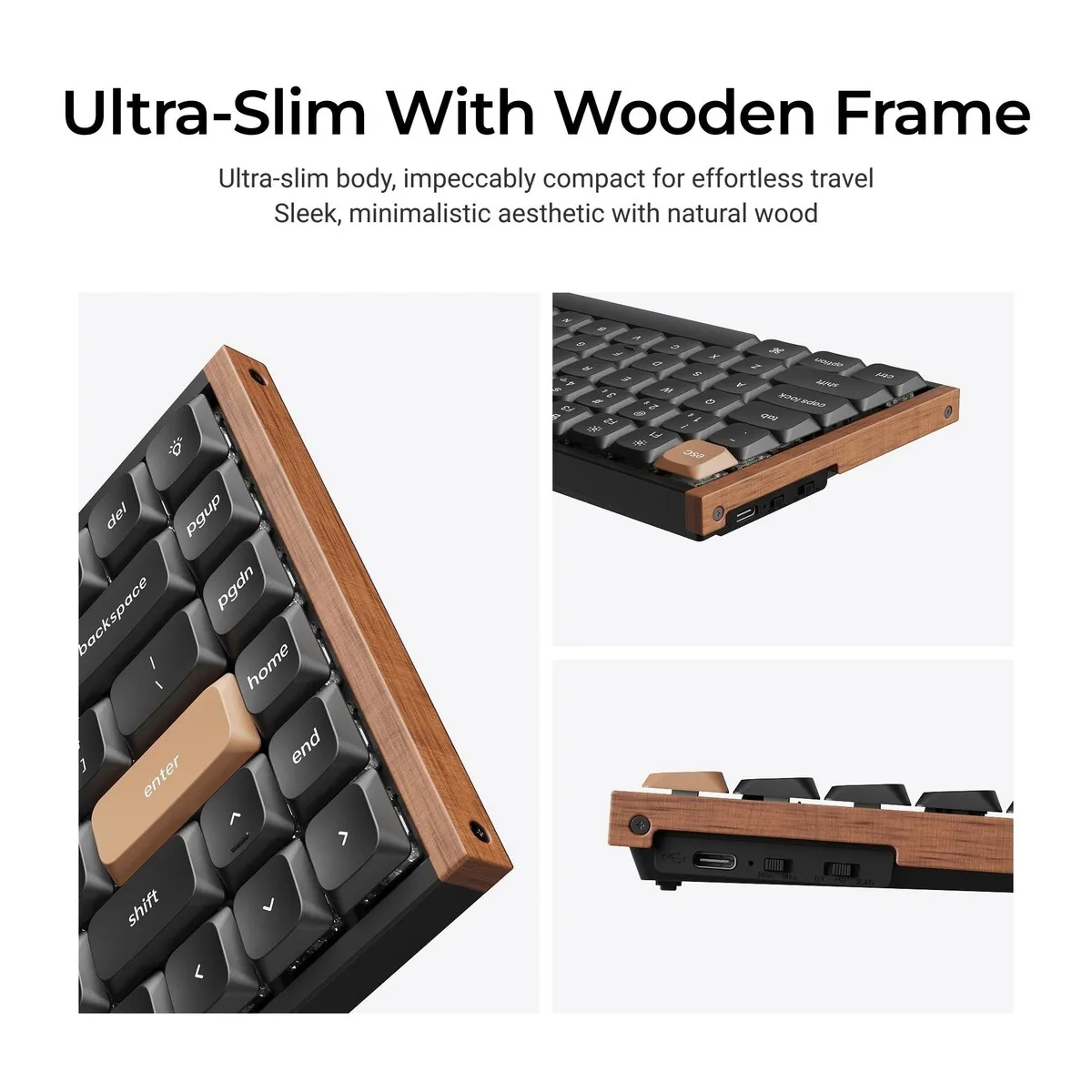
The Keychron K3 HE is a low profile magnetic keyboard. The switches are 12.1 mm tall and the front edge measures 22.0 mm with keycaps. Your hands rest lower than on a regular mechanical keyboard, which can help your wrists bend upwards less.
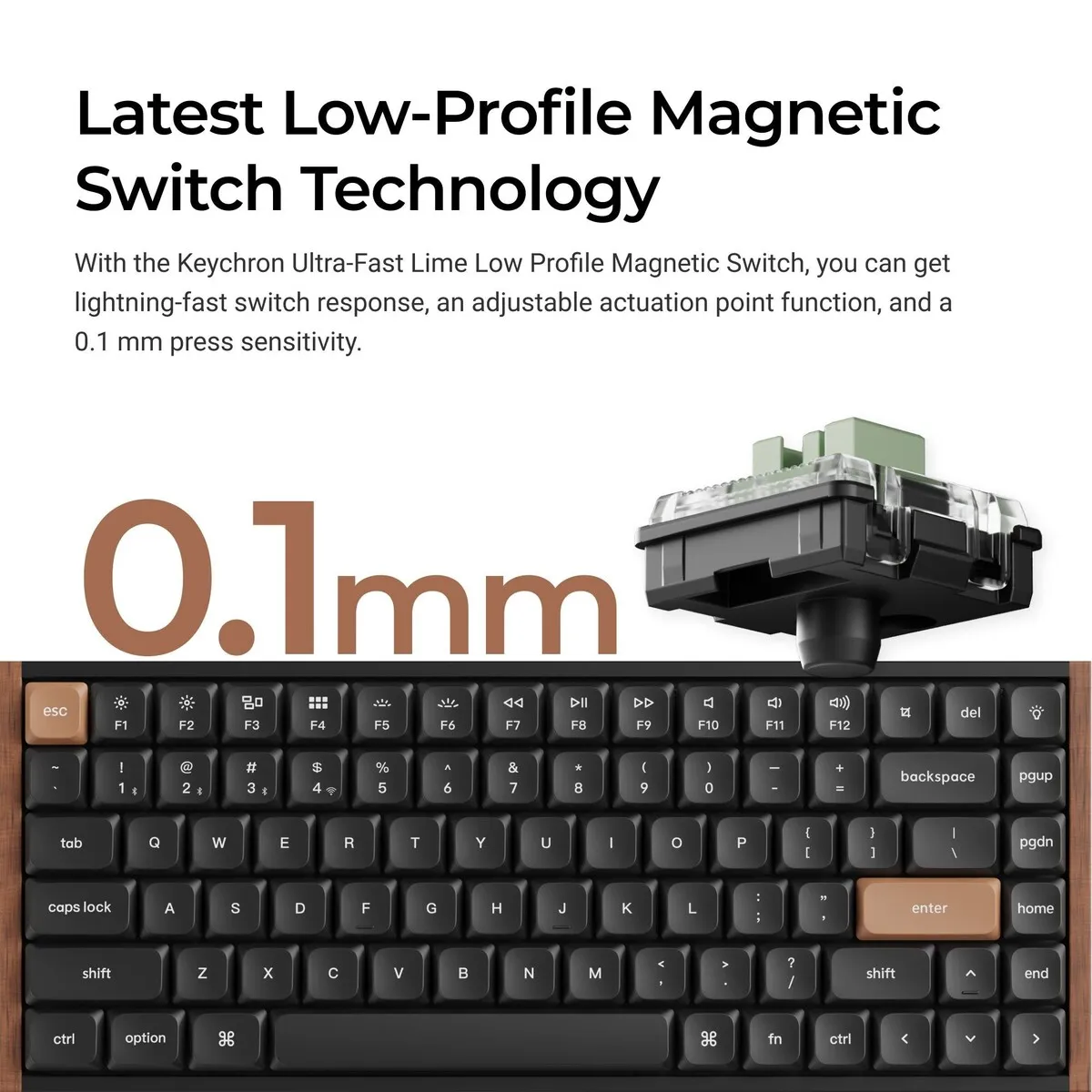
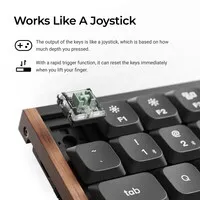
Under every key of the K3 HE, a magnetic sensor measures how far the key has been pressed. No contact needs to close, so you decide at which point a key counts.
Key response to suit you
On the K3 HE you set the actuation point per key, anywhere between 0.2 and 2.9 mm, in steps of 0.1 mm. If you like a light touch, choose a shallow actuation point and a key registers after only a small movement. If you prefer a more deliberate press, set it deeper.
It works the other way round too: give a deeper actuation point to keys you tend to hit by accident, such as Caps Lock or Delete. On the K3 HE a stray touch then does nothing, while a deliberate press still works.
Compact 75% size
The K3 HE has a 75% layout with 84 keys. Function keys and arrow keys are included; only the number pad is missing. At 318.6 mm wide, it brings your mouse much closer to the keyboard. That can help your right shoulder rotate outwards less.
What makes the K3 HE so good?
Linear Lime switches
The K3 HE uses Keychron Ultra-Fast Lime low profile magnetic switches made of POM and lubricated at the factory. They are linear, so they travel down without a noticeable bump. The spring needs 30 grams of force at the start and 60 grams at the bottom. Keychron rates them at 100 million keystrokes.
Three ways to connect
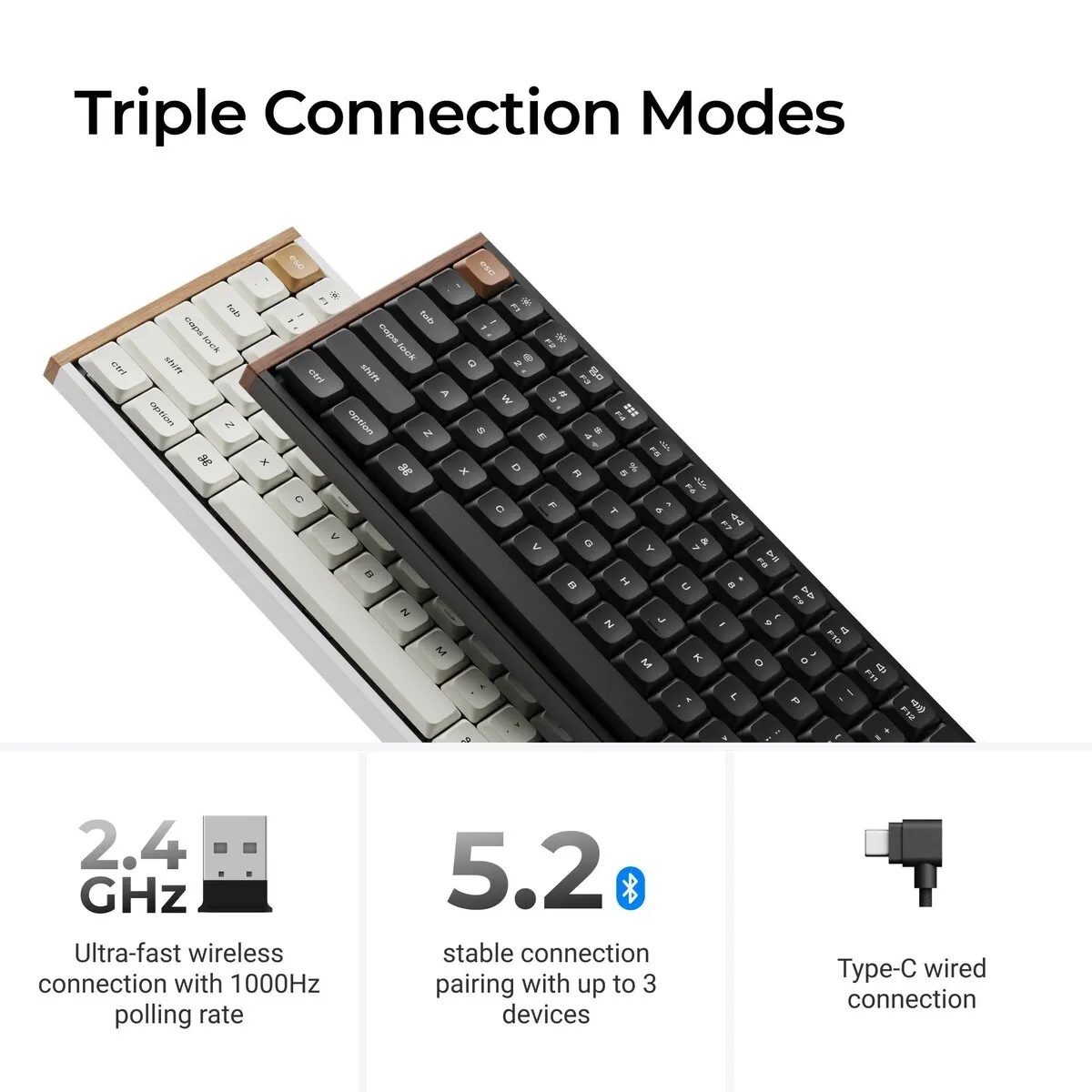
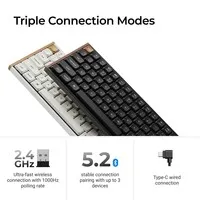
Connect the K3 HE with the included 2.4 GHz receiver, via Bluetooth 5.2 or with a USB-C cable. Over Bluetooth the keyboard remembers three devices, so a key combination switches between laptop, computer and tablet. Wired and over 2.4 GHz the polling rate is 1000 Hz; over Bluetooth it is 125 Hz. For typing, both are more than enough.
Battery
The K3 HE has a 2600 mAh battery that lasts up to 55 hours according to Keychron, measured in a lab test. Charging takes about 3.8 hours, and you can keep typing while it charges. For comparison, Keychron rates the mechanical K3 Ultra 8K at up to 550 hours. If you mostly use the K3 HE wirelessly, plan on charging it regularly.
Get the most out of your K3 HE
Set up with Keychron Launcher
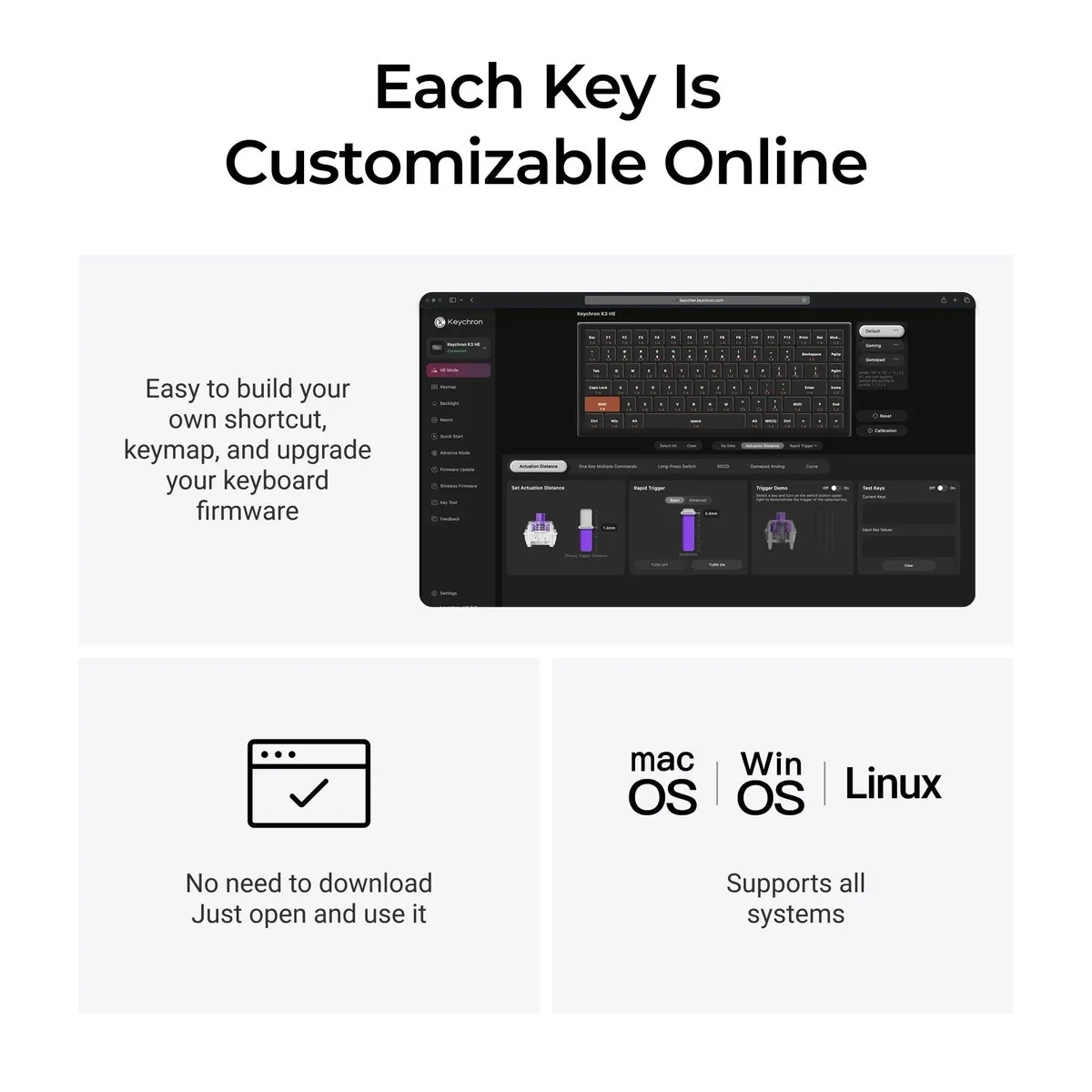
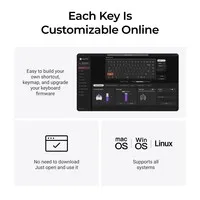
The actuation point and the other magnetic features of the K3 HE are set in Keychron Launcher. It is a web app, so there is nothing to install. Open it in a recent version of Chrome, Edge or Opera with the keyboard connected by cable. On a Mac that only has Safari, you will need to add one of those browsers.
A tip from the manual: the K3 HE has separate layers for Mac (layers 0 and 1) and Windows (layers 2 and 3). If you work on Windows, edit layer 2 rather than the top layer. That saves a lot of searching.
Lighting to taste
The K3 HE has RGB backlighting with more than 22 effects, including a calm static white. In Launcher you can give each key its own colour or split the board into two zones. Note that the keycap legends do not let light through. In the dark, the K3 HE glows around the keys rather than through the letters.
Rapid trigger and more
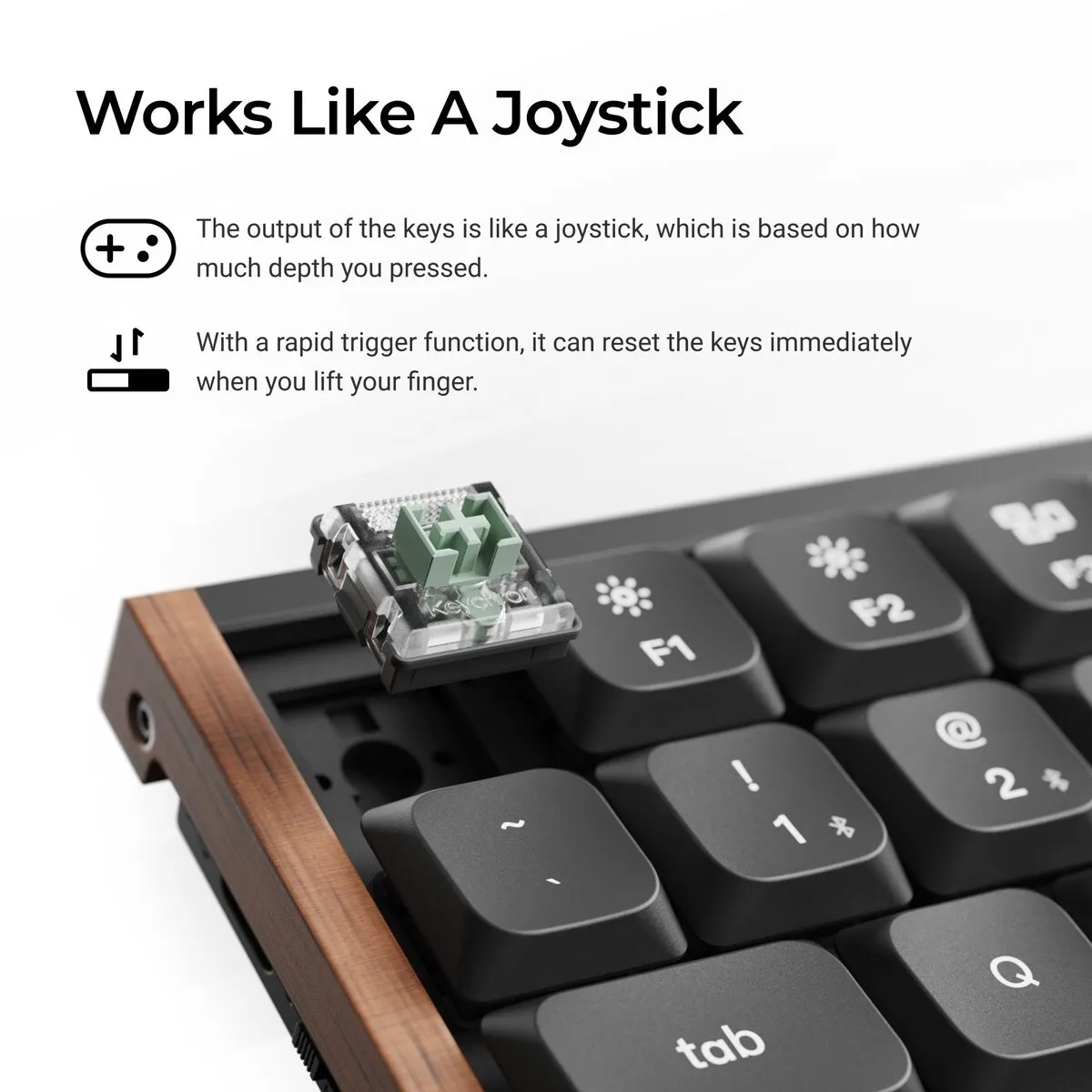
Rapid trigger can be switched on or off per key. A key then resets as soon as you release it slightly, instead of only above the actuation point. You can also give a single key up to four actions, depending on how deep you press.
For everyday office work you do not need rapid trigger or multiple actions. The K3 HE types perfectly well with just an actuation point that suits you.
Don't miss this
Swapping switches
The K3 HE is hot swappable: the included puller lets you remove a switch without soldering. Note that Keychron only supports its own Ultra-Fast Lime low profile magnetic switches in the K3 HE. Mechanical switches and full-height magnetic switches do not fit.
For Mac and Windows
The small switch at the top left of the K3 HE toggles between Mac and Windows. Mac keycaps come fitted, and the Windows keycaps are in the box. Linux works too, there are just no dedicated keycaps for it.
Wood, aluminium and 575 grams
The K3 HE combines wooden accents with aluminium side frames, and the plate under the switches is aluminium as well. The bottom case is plastic. At 575 grams, the K3 HE is easy to take to the office.
Typing angle
Keychron lists three typing angles for the K3 HE: 2, 4.5 and 7.5 degrees. Thanks to the low front edge, many people type comfortably on the K3 HE without a wrist rest. If in doubt, keep the feet folded in. The steeper the keyboard, the further your wrist bends backwards.
US layout
The K3 HE has a US QWERTY layout (ANSI) with a wide, single-row Enter key. If you are used to a European ISO layout, a few keys around Enter and the left Shift sit slightly differently. On Windows you type the euro sign with the US-International layout via AltGr + 5, and on a Mac with Option + Shift + 2.
Pros and cons
- Low design with a 22 mm front edge
- Actuation point adjustable per key
- Light enough to take with you
- Handy if you switch between Mac and Windows
- Less ideal if you rarely want to charge
- Less ideal if you want backlit letters
- Less ideal if you enter a lot of numbers, there is no number pad
Short specifications
In short: the Keychron K3 HE is a low profile magnetic 75% keyboard for the office, working from home and on the go. Key points: actuation point adjustable per key, battery up to 55 hours.
| Product type | Magnetic keyboard, 75% low profile |
| Brand | Keychron |
| Model | K3 HE |
| Switch | Keychron Ultra-Fast Lime, low profile magnetic |
| Actuation point | Adjustable from 0.2 to 2.9 mm |
| Rapid trigger | |
| Hot swappable | Yes, Keychron Lime low profile magnetic only |
| Layout | QWERTY (ANSI US), 84 keys |
| Connection | 2.4 GHz, Bluetooth 5.2 (3 devices), USB-C |
| Polling rate | 1000 Hz (wired and 2.4 GHz), 125 Hz (Bluetooth) |
| Battery | 2600 mAh, up to 55 hours |
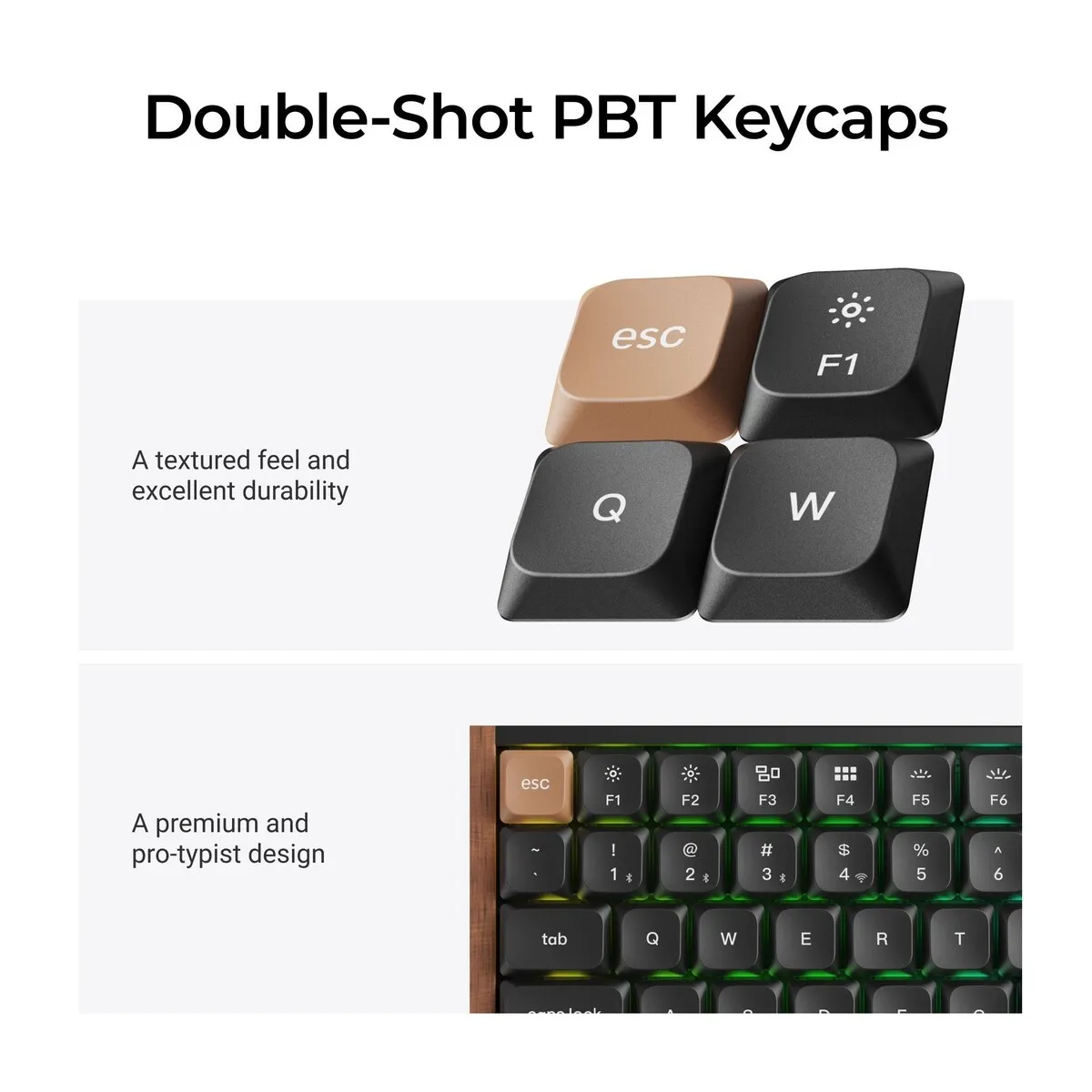
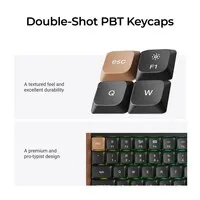
| Keycaps | Double shot PBT, LSA profile, legends not shine-through |
| Backlight | RGB, adjustable per key |
| Case | Aluminium and wood, plastic bottom case |
| Dimensions | 318.6 x 126 mm |
| Weight | 575 grams |
| Systems | macOS, Windows and Linux |
Key figures: actuation point 0.2 to 2.9 mm, 84 keys, 318.6 x 126 mm, 575 grams, 2600 mAh battery and up to 55 hours wireless.
How happy will my body be?
| Fingers | |
| Wrist | |
| Shoulders | |
| Hand |
Score overview: fingers 5/5, wrist 4/5, shoulders 3/5, hand 3/5.
Product features
- Low profile magnetic switches, linear
- Actuation point 0.2 to 2.9 mm, in 0.1 mm steps
- Rapid trigger on or off per key
- Up to four actions per key, depending on press depth
- Front edge 22.0 mm high, with keycaps
- 75% layout with 84 keys
- QWERTY (US layout)
- Hot swappable for Keychron Lime low profile magnetic switches
- Double shot PBT keycaps for Mac and Windows
- RGB backlight, adjustable per key
- 2.4 GHz, Bluetooth 5.2 and USB-C
- 2600 mAh battery, up to 55 hours
- Programmable with QMK and Keychron Launcher
- N-key rollover, wireless and wired
- Aluminium and wood, 575 grams
Downloads
Getting started
Both are provided by Keychron.
Setup and updates
These links open the Keychron website in a new window. Only update the firmware if something does not work properly; Keychron itself advises this.
What's in the box?
- 1 x Keychron K3 HE keyboard, fully assembled
- Extra keycaps for Windows
- 1 x USB-C cable
- 1 x USB-A to USB-C adapter
- 1 x 2.4 GHz receiver (USB-A)
- 1 x extension adapter for the receiver
- 1 x keycap and switch puller
- 1 x screwdriver
Frequently asked questions
The switch in this keyboard
The K3 HE comes with Keychron Ultra-Fast Lime low profile magnetic switches. They are linear and lubricated at the factory. You set the point at which a key registers yourself, per key.
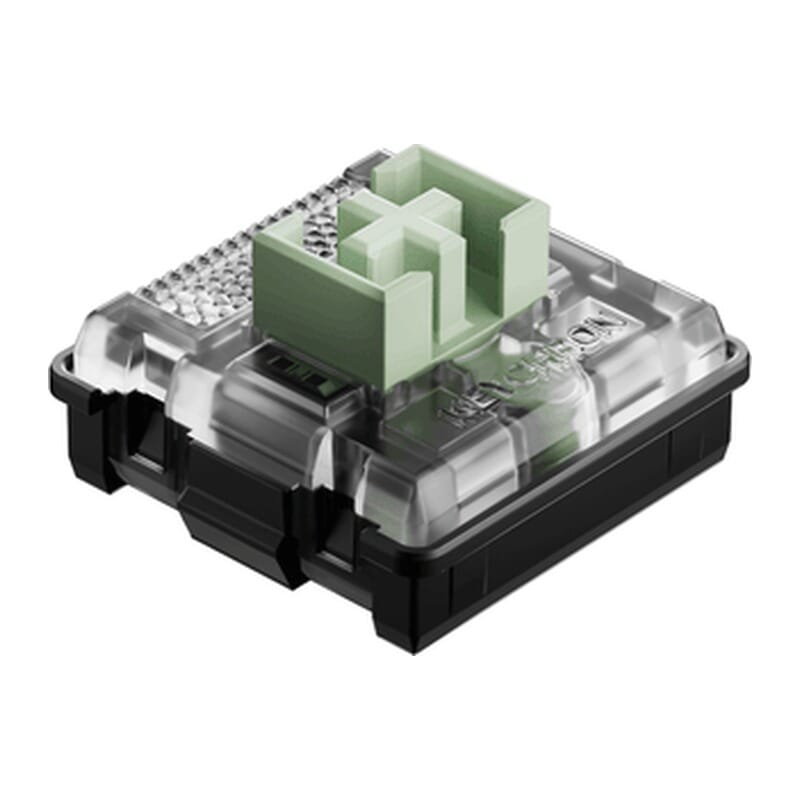 | |
| Type:Linear travels evenly. Tactile has a noticeable bump. Clicky adds an audible click to that bump. | Linear (magnetic) |
| Actuation force:Force:The force needed to register a keystroke. A regular rubber dome keyboard needs 55 to 60 g, so lower means lighter typing. | 30 to 60 g |
| Tactile bump force:Bump force:The force at the point where you clearly feel the key give way. Only tactile and clicky switches have this; a linear switch does not. A dash means the switch does have one, but the manufacturer states no figure. Technical term: pressure point force. | Not applicable |
| Registers after:The distance the key travels before the keystroke registers. You do not have to press the key all the way down. Technical term: pre-travel or actuation point. | Adjustable, 0.2 to 2.9 mm |
| Lifespan:The number of keystrokes per key stated by the manufacturer. | 100 million |
Specifications
| Item number | ERGO-KCK3HF1 |
| Manufacturer's item number | K3H-F1 |
| Brand | Keychron |
| Warranty | 1 year |
| Type of guarantee | Ergowerken free return warranty service |
| Colour | Black with wooden frame |
| Keyboard type | Magnetic (Hall Effect), low profile |
| Ergonomic design | |
| Keyboard layout | QWERTY (ANSI US int.) |
| Connection | Wired or wireless (2.4 GHz and Bluetooth) |
| Bluetooth | 5.2 |
| Type of keys | Keychron Ultra-Fast Lime Low-Profile Magnetic |
| Numeric keypad | |
| Shortcut keys | |
| Programmable buttons | Yes, via the Keychron Launcher (web app) |
| Trackball/touchpad | |
| Type of power supply | Cable or battery |
| Battery type | 2600 mAh rechargeable battery |
| Rechargeable | |
| Minimum system requirements | macOS, Windows, Linux |
| Plug and play | |
| Dimensions length x width x height | 318.6 x 126 mm |
| Product weight | 575 g |
Reviews Keychron K3 HE low profile magnetic keyboard for Windows & Mac
Customers who write a review enter a prize draw for a voucher. We pick one winner and publish all reviews, including critical ones.