Which size fits your hand?
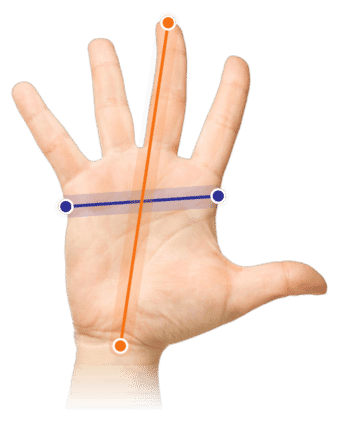
Measure your hand as shown in the image and choose your size using the table below:
| Size | Width | Length |
|---|
| One size | 70 - 95 mm | 140 - 190 mm |
Unobtrusively among the best
For me, the best purchases are the ones you are not immediately taken with but slowly cannot do without. The HE Break is one of those. Its looks will not blow you away, and its use and functionality are not over the top. But give this unassuming performer a chance and it will grow into your best companion.
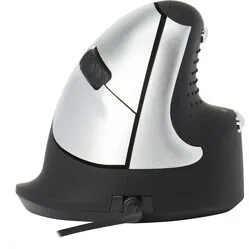
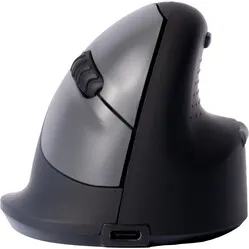
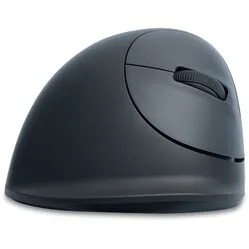
The Break mouse from R-Go is exceptionally comfortable. The vertical design keeps your hand, wrist and arm in a natural position while you use the mouse. Your thumb rests in a recess fitted with rubber studs, and the outside of your hand rests on a small ledge at the bottom of the mouse. This way your whole hand is supported, so you can find optimal relaxation.
The mouse has 6 buttons and a scroll wheel: the left and right mouse buttons in the usual places with a DPI button in front, the scroll wheel in between, a backward and forward button at the top and bottom of the thumb recess, and an on/off button on the underside of the mouse. The DPI settings are 500, 1500, 2000 and 3500. The mouse connects via a USB cable and is ready to use straight away.
The Break mouse regulates your breaks
The name of the Break mouse comes from somewhere. The mouse features an R-Go logo on the side that lights up green when you are doing “well”, orange when it is time to take a break, and red when you have been working for too long. In addition to its ergonomic benefits, the mouse also helps you work in a healthy way. For this you need the free downloadable software. PLEASE NOTE: the link takes you to the R-Go website.
An ergonomic mouse helps you get through the day as relaxed as possible. The R-Go HE Break mouse, for example, has a tilted design. The speed of the mouse and the buttons can also be adjusted. All of this is to make the mouse as comfortable as possible, so you can experience optimal relaxation.
With the special software for the Break mouse, you can programme the backward and forward buttons. For example, you can turn them into “cut” and “paste”, or use the buttons for selecting text and changing the volume. By programming frequently used actions right next to your thumb, you will need far less mousing throughout the day. The software is available as a free download here.
The plastic parts of the HE Mouse are made entirely from recycled material. R-Go is also a member of the WEEE, a European body that regulates the collection and recycling of electronic devices.
"Can I programme the buttons?"
You can! With the free R-Go software, you can assign different functions to the backward and forward buttons. Download the software
here. PLEASE NOTE: the link takes you to the R-Go website.
"I suffer from RSI. Is this mouse suitable for me?"
Absolutely! This mouse was developed especially for people with RSI complaints. Its special design can help reduce complaints.
"Is it difficult to get used to the HE Break mouse?"
The mouse naturally feels a bit different from a traditional mouse. Still, most people get used to this mouse very quickly.
"Why is this mouse so tilted?"
It has to do with the natural position of the arm/hand. The tilted design allows you to find more relaxation in your working posture.