Notify me when is back in stock.
Enter your e-mail address here and we will send you an update as soon as this product is back in stock.
After submitting your e-mail address, you will receive an e-mail confirming your subscription.
This notification is no guarantee that you can claim items from the new stock. Want to be more certain of receiving the product? Then order and pay for it right away. Your order will be reserved and shipped as soon as the new stock arrives.
Privacy
Your e-mail address is stored in a closed database that we cannot access. After the stock update, your e-mail address is automatically deleted.

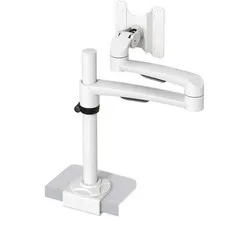
Oslo monitor arm white
0 reviews
Stel hier je vraag over dit product
Oslo monitor arm white


Product description of Oslo monitor arm white
The main specifications of the Oslo monitor arm
Number of monitors 1
1
 1
1Monitor size 10 - 32 inch
 10 - 32 inch
VESA
 75/100
 75/100
Height
 max. 300 mm
 max. 300 mm
Rotate
 180 degrees
 180 degrees
Tilt
 +90/-90 degrees
 +90/-90 degrees
Swivel
 360 degrees
 360 degrees
Depth
 465 mm
 465 mm
Load capacity max. 14 kg
 max. 14 kg
Clamp or grommet
 Clamp
Clamp
 Clamp
ClampDesk thickness 0 - 31 mm
 0 - 31 mm
This product is good for
back - shoulder - neck
Raising the monitor to the correct height is good for your sitting posture. This improves immediately, which has an effect especially on your back, neck, and shoulders. You can sit back and relax.
Pros and cons
- Monitor easy to adjust
- Rotatable, tiltable, and swivelling
- Helps against neck and shoulder complaints
- Desk clamp max. 31 mm thick
Brief specifications
| Number of screens | 1 |
| Warranty | 2 years |
| Tilt | 90 degrees |
| Rotate | 180 degrees |
| Swivel | 360 degrees |
| view all specifications |
Product features
- Desk clamp attachment
- White
- Easy to install
- Arm length of 465 mm
- No tools needed for adjustment
What's in the box?
- Monitor arm
- Mounting material
- Manual
Frequently asked questions
"Do I need to drill into my desk to mount the Oslo monitor arm?"
No, because the monitor arm is easy to install with a desk clamp. Please note that the maximum desk thickness is 31 mm.
"I suffer from neck pain, is this monitor arm suitable for me?"
With a well-adjusted monitor arm, you improve your working posture. Please note that the monitor arm must be able to reach the correct height. The Oslo arm can go up to a maximum of 300 mm high. Check in advance the height you think you need. The rule of thumb is that the top edge of your screen should be at least at eye level. If you can touch-type, it can even be slightly higher.
"I have a desk with a thickness of 35 mm. Can I attach this monitor arm to this desk?"
No, that is not possible. The maximum thickness on which you can mount this arm is 31 mm.
Specifications
| Item number | ERGO-MA15W |
| Warranty | 2 years |
| Type of guarantee | The Ergowerken free return guarantee service |
| Colour | White |
| Number of screens | Suitable for 1 monitor |
| Gas-sprung arm | |
| Maximum screen size | 27-inch |
| Maximum load capacity | 14 kilograms |
| Tilting | Yes, up to 90˚ |
| Rotate | Yes, up to 180˚ |
| Swinging | Yes, up to 360˚ |
| Lowest setting | Depending on the size of the screen |
| Highest position | 300 millimetres |
| Depth | 465 millimetres |
| VESA minimum | 75 x 75 millimetres |
| VESA maximum | 100 x 100 millimetres |
| Method of installation | By means of a desk clamp |
| Suitable for desk thicknesses of | 0 to 31 millimetres |
| Assembly materials included | |
| Required tools | Phillips screwdriver for mounting the display |
| Cable management | |
| Product weight | 2100 grams |
Reviews Oslo monitor arm white
Customers who write a review enter a prize draw for a voucher. We pick one winner and publish all reviews, including critical ones.