Offerte aanvragen
Jouw offerte op maat, binnen 24 uur in je mailbox. Voor als je interesse hebt in aantallen. Of goedkeuring nodig hebt voor je bestelling.

Je vraagt een offerte aan voor:
Stel hier je vraag over dit product
BakkerElkhuizen FlexTop 170 laptop stand 10"-16"


Beschrijving BakkerElkhuizen FlexTop 170 laptop stand 10"-16"
An ode to the FlexTop 170 laptop stand
Use your STAND
What people get up to at the weekend is up to them. But when you use a laptop during the week in the office or at school, we do recommend using a laptop stand. At first glance, you wouldn't think it, but the compact stand can prevent many complaints!
Why the FlexTop 170 laptop stand?
Hybrid working
The FlexTop170 is specially designed for those who have different workplaces. Its compact and foldable design makes it easy to take with you. What's more, it weighs (almost) nothing, just 187 grams. It is suitable for lightweight laptops, tablets, and mobile screens up to 16 inches in size. The flexible height adjustment ensures that the laptop stand is set up quickly, allowing you to get started right away. The FlexTop170 has anti-slip feet on the bottom, which ensure the stand stays firmly in place. Finally, the foam rubber lining prevents scratches on your beautiful laptop.
What makes the FlexTop 170 laptop stand so good?
Easy to use
The FlexTop170 is easy to set up. First, fold up the support at the bottom (where the BakkerElkhuizen logo is located) and click it into the designated opening. Then, detach the flexible height adjustment from the magnetic adjustment at the bottom. Next, choose one of the 7 heights and set your personal height between 110 mm and 225 mm. This allows you to bring your screen to eye level, making your work more comfortable. You prevent bending your back and neck, thereby preventing complaints.
High-quality material
The FlexTop170 is made of aluminium sandwich material. This is lighter than normal aluminium. The laptop stand therefore weighs only 187 grams. Yet it is incredibly strong. The same material is used in the automotive industry; it is highly resistant to dents and easy to clean. The open design of the FlexTop170 not only looks sleek and modern but also ensures that your laptop stays cool at the sides.
Get the most out of your FlexTop 170 laptop stand
Pack up and go
When folded, the FlexTop170 measures just 206 x 277 x 6.5 mm. This means you can easily slide it into your laptop bag at the end of your workday. With the included eco-friendly protective cover, your laptop stand is protected, and a longer lifespan is guaranteed.
Don't miss this either
Place the FlexTop170 directly in front of you. Place your laptop or other screen on the stand. Make sure you are sitting in a good, upright posture in your chair. Then check if the top edge of the screen is approximately at eye level, and adjust the height if it isn't.
Finally, check if you are sitting approximately an arm's length away from your screen. Ergonomic mouse next to it, keyboard in front, and get to work. Ah, what a relief!
More variants
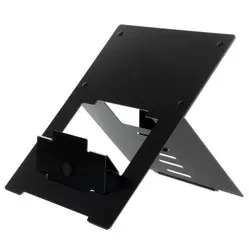
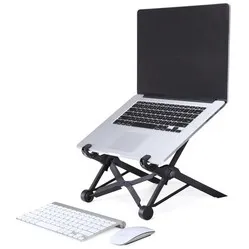
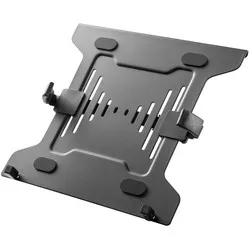
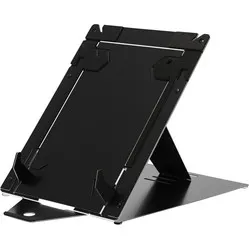
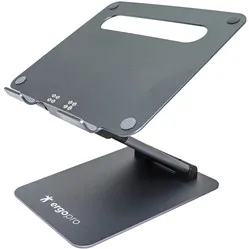
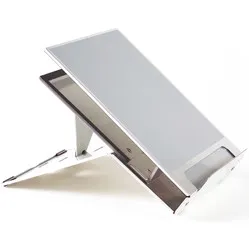
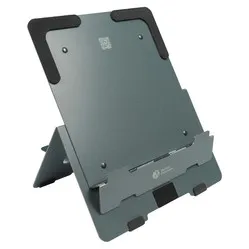
BakkerElkhuizen has released four laptop stands as part of its Hybrid Working campaign: the FlexTop 170, Ergo-Q 160, UltraStand Universal and the Ergo-Q Hybrid Pro. The table below shows what makes each laptop stand unique.
Pros and Cons
- Adjustable
- Easy to carry
- Doesn't scratch your laptop
- Lightweight
- Setting up the bottom support can be difficult for people with rheumatism or Parkinson's, as it requires a fair amount of strength
Brief specifications
| Brand | BakkerElkhuizen |
| Suitable for hybrid working | |
| Weight | 187 grams |
| Dimensions | 206 x 277 x 6.5 mm |
| Number of positions | 7 |
| Suitable for | Laptops and mobile screens up to 16 inches |
How happy will my body be with this?
| Neck | |
| Head | |
| Back | |
| Shoulder |
Product features
- Anti-slip feet
- Easy to set up
- 7 different heights (110 mm to 225 mm)
- Ensures an upright posture
- Ample ventilation space
- Made of high-quality aluminium sandwich material
- Lighter than normal aluminium
- More resistant to dents
- Dark grey in colour
- Includes eco-friendly cover
- Compact and ultra-thin
- Easy to carry in any backpack or laptop bag
- Size of 206 x 277 x 6.5 mm
- Magnetic closures to keep it folded
What's in the box?
- 1 x FlexTop 170 laptop stand
- 1 x Eco-friendly protective cover
Frequently asked questions
BakkerElkhuizen Hybrid Working laptop stands
Specificaties
| Item number | ERGO-BNEFT |
| Manufacturer's item number | BNEFT170DG |
| Brand | BakkerElkhuizen |
| Warranty | 5 years |
| Type of guarantee | The Ergowerken free return guarantee service |
| Colour | Dark grey |
| Adjustable | Yes, stepwise in 7 heights |
| Material | Aluminium sandwich |
| Minimum laptop size | 10-inch |
| Maximum laptop size | 16-inch |
| Maximum load capacity | 3 kilograms |
| Dimensions length x width x height | 206 x 277 x 6.5 mm (folded) |
| Product weight | 187 grams |
Reviews BakkerElkhuizen FlexTop 170 laptop stand 10"-16"