Stel hier je vraag over dit product
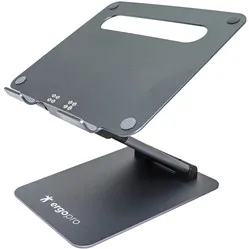
Ergopro C5 sit-stand laptop stand 10"-17"




Product description of Ergopro C5 sit-stand laptop stand 10"-17"
An ode to the Ergopro C5
Up in the air
The C5 is reminiscent of a cherry picker; the use of hinges and counterweight, and just when you think it has reached its highest position, you press a button and it goes even higher. Height will certainly no longer be an issue.
Why the Ergopro C5 laptop stand?
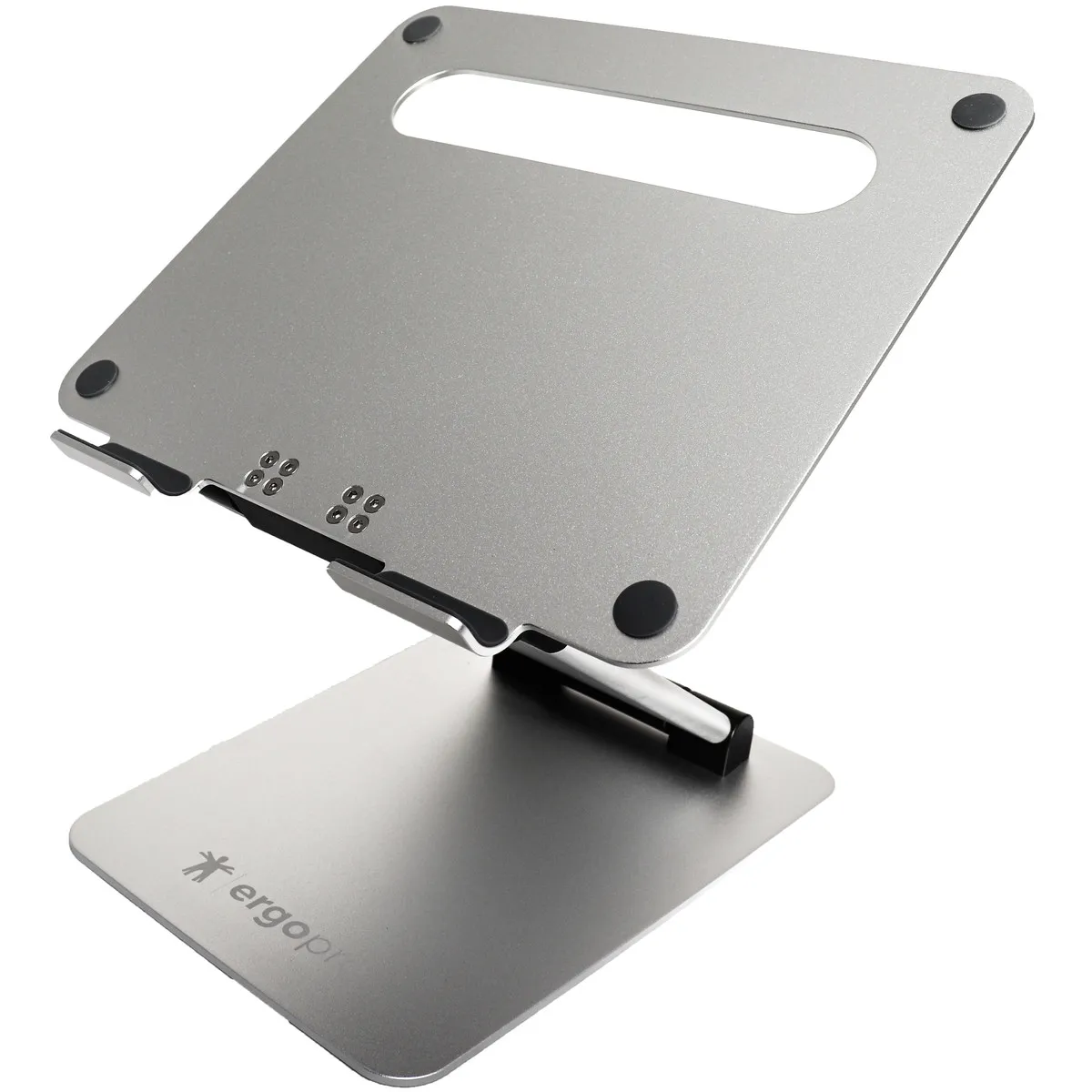
The Ergopro C5 laptop stand is strong in its simplicity and offers an enormous range of height adjustment. The stand can raise your laptop up to 480 mm high. Using two hinges, on the base and on the platform, you can adjust the height and angle of your laptop. With the press of a button, you can extend the arms under the platform to raise the laptop even higher. It has ten positions, with each position raising your laptop by one centimetre.
The hinges can be tightened or loosened with the included Allen key. The laptop stand also features rubber caps under the base and on the platform to prevent the stand and your laptop from slipping and/or getting damaged. Three extra caps are included for optional use. The platform has a ventilation hole so your laptop can easily dissipate heat.
Although the stand only weighs 1.25 kilograms, it can support 10 kilograms and is suitable for laptops from 10 to 17 inches. So you can be sure it can handle the weight of your laptop!
What makes a laptop stand so good?
Laptops are generally too low, causing you to work hunched over, often unconsciously. A laptop stand allows you to position the laptop at eye level. This reduces strain on the neck, back, shoulders, and eyes.
Get the most out of this product
Place the laptop stand directly in front of you. Place your laptop in the centre with the front against the holders. Ensure you are sitting in a good, upright posture on your chair. Then position the screen perfectly straight relative to your desk and move the laptop stand up until the top edge of your screen is at eye level.
Finally, check that you are sitting approximately an arm's length from your screen. Ergonomic mouse next to it, keyboard in front, and get to work. Ah, what a relief!
Don't miss this either
Do you prefer to work standing up or do you regularly work at a low table? No problem! With the Ergopro C5, you can raise your laptop up to 35 centimetres higher in a horizontal position. If you tilt the laptop to its maximum, you gain at least another 10 centimetres in height!
How much will my body benefit from this?
- Neck
- Back
- Eyes
- Shoulder
Pros and Cons
- Sturdy base
- Extendable arm
- Large height range
- Folds into a small package
- Easy to adjust
- Takes up little space
- Not ideal for portability
Brief specifications
| Warranty | 2 years |
| Ergonomic design | |
| Colour | Anthracite/Silver-grey |
| Adjustable | Yes, stepless up to 26 cm. Then 10 positions up to 35 cm |
| Suitable laptop sizes | 10 to 17 inches |
| view all specifications |
Product features
- Easy to use
- Extendable arm with 10 positions (1cm per position)
- With ventilation hole
- Load capacity of 10 kg
- Up to +/- 48 cm high
What's in the box?
- Ergopro C5 laptop stand
- 3x extra rubber caps
- Allen key
Frequently asked questions
Specifications
| Item number | ERGO-EPTALL |
| Brand | Ergopro |
| Warranty | 2 years |
| Type of guarantee | The Ergowerken free return guarantee service |
| Colour | Anthracite/Silver Grey |
| Adjustable | Yes, infinitely foldable and extendable in steps |
| Material | Aluminium |
| Minimum laptop size | 10 inches |
| Maximum laptop size | 17-inch |
| Maximum load capacity | 10 kilograms |
| Dimensions length x width x height | Plate: 240 x 275 mm | Base: 265 x 182 mm |
| Product weight | 1.25 kilograms |
Reviews Ergopro C5 sit-stand laptop stand 10"-17"
Customers who write a review enter a prize draw for a voucher. We pick one winner and publish all reviews, including critical ones.