A must-read!
We don't expect you to have landed here because you already decided beforehand that you wanted cable management, the option to mount a docking station, and integrated anti-theft locks on your laptop stand. Now that you're here, I would definitely read on.
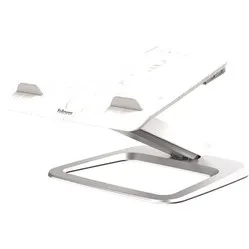
The Kensington SmartFit can be set to 4 different heights, is nice and sturdy, and leaves space under the laptop to store items. The stand is at a fixed and ideal angle to support laptops up to 15.6 inches and up to 3.5 kg. However, the stand cannot be folded, making it ideal primarily for a fixed workstation.
The SmartFit features cable management on the underside of the support platform to keep your workspace free of cables. In addition, enthusiasts have the option to mount a suitable Kensington docking station under the laptop stand; these provide extra USB, HDMI, and network ports. Finally, you can mount Kensington locks on the left and right at the back to make the laptop stand theft-proof.
Laptops are generally too low, causing you to work hunched over, often unconsciously. A laptop stand allows you to raise the laptop to eye level. This reduces strain on the neck, back, shoulders, and eyes.
Place the laptop stand directly in front of you. Place your laptop in the middle with the front against the holders. Ensure you are sitting in a good, upright posture in your chair. Then, position the screen perfectly straight relative to your desk and move the laptop stand up until the top edge of your screen is at eye level.
Finally, check that you are sitting approximately an arm's length from your screen. Ergonomic mouse next to it, keyboard in front, and get to work. Ah, what a relief!
The SmartFit laptop stand also has a big brother where the lower platform has been converted into a wireless charger. This allows you to easily charge your phone, for example, when you're not using it, and pick it up just as easily without fumbling with cables. You can find this variant here.
"At what height should my screen be for a healthy workstation?"
The top edge of the screen should be at eye level. It can even be slightly higher if you can touch-type.
"Can I take the laptop stand with me in a bag?"
No, the laptop holder is quite large and cannot be folded. This makes it not very easy to carry.