Which size fits your hand?
Measure your hand as shown in the image and choose your size using the table below:
| Size | Width | Length |
|---|
| Any hand size | suitable | suitable |
Computer mouse, but different
Can you imagine it? There you are, with your new mouse. “Hey [insert your own name], what's that?”. You look up, lean back extra far for effect, and nonchalantly reply, “A computer mouse”. Wow...
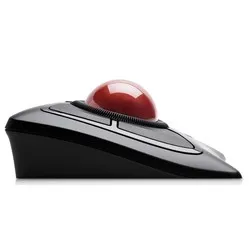
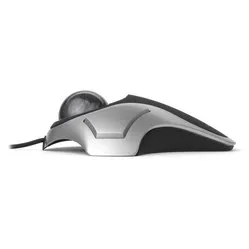
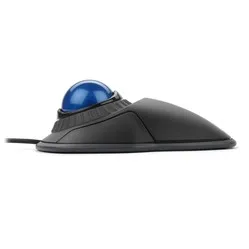
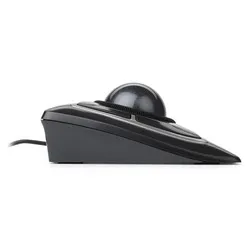
The Kensington trackball is an ergonomic masterpiece. Different, absolutely, but at least as good. With the trackball, you don't have to move your mouse across the desk. The cursor is controlled by rolling the ball on top, and you scroll by rotating the ball left and right around its axis. Furthermore, the mouse has four mouse buttons, which are distributed around the ball. Because you don't have to move the mouse across the desk, your arm and shoulder remain optimally relaxed.
Ergonomic mice are designed to prevent and cure related complaints, such as RSI. The shape and/or operation of these mice contribute to optimal muscle relaxation. This allows you to work more comfortably, more efficiently, and thus, more effectively.
With Kensington's free app, you can completely customise the mouse. Here you have the option to adjust the sensitivity (speed) of the cursor and scrolling. You also have a wide choice of functions that you can assign to the mouse buttons. The software can be downloaded for free here.
A trackball works differently from other computer mice. Therefore, give yourself time to get used to it. After getting accustomed, play around with the settings in the free app and make this your optimal work companion.
"What can I do with TrackballWorks™?"
TrackballWorks™ allows you to program the SlimBlade™ trackball mouse as desired. You can change the functions assigned to buttons, adjust sensitivity, and modify scrolling speed and direction.
"I have shoulder pain, is the SlimBlade™ trackball mouse suitable for me?"
Yes, because you don't have to move the trackball mouse itself, you can reduce muscle tension in your arms and shoulders.
"Can I program the buttons?"
Yes, you can, using the free TrackballWorks™ software.
"If I don't like the trackball, can I still exchange it?"
Certainly, we offer a 90-day trial period. If you don't like the Slimblade trackball mouse, you can return it for free.