







Stel hier je vraag over dit product
Keychron K2 Pro Mechanical Keyboard for Windows & Mac - Aluminium Casing


Product description of Keychron K2 Pro Mechanical Keyboard for Windows & Mac - Aluminium Casing
Is this keyboard right for me?
| Width | 316.6 mm |
| Depth | 126.91 mm |
| Height | 32 mm front | 42.07 mm back |
| Version | Windows and Mac |
| Key layout | QWERTY (ANSI US int.) |
| Switches | Keychron K Pro (red or brown) |
| Connection | Bluetooth 5.1 and USB |
Please note! This is the product page for the aluminium version.
An ode to the K2 Pro
Take a moment to settle in
Normally we use this bit of text to write something fun and light-hearted about a product. This time, though, I want to use it to make sure you settle in with a cup of coffee or tea before you start reading, because there is quite a lot to tell you about the K2 Pro. Sitting comfortably? Perhaps a biscuit to go with it? Let’s go!
Why the K2 Pro?
Handsome looks
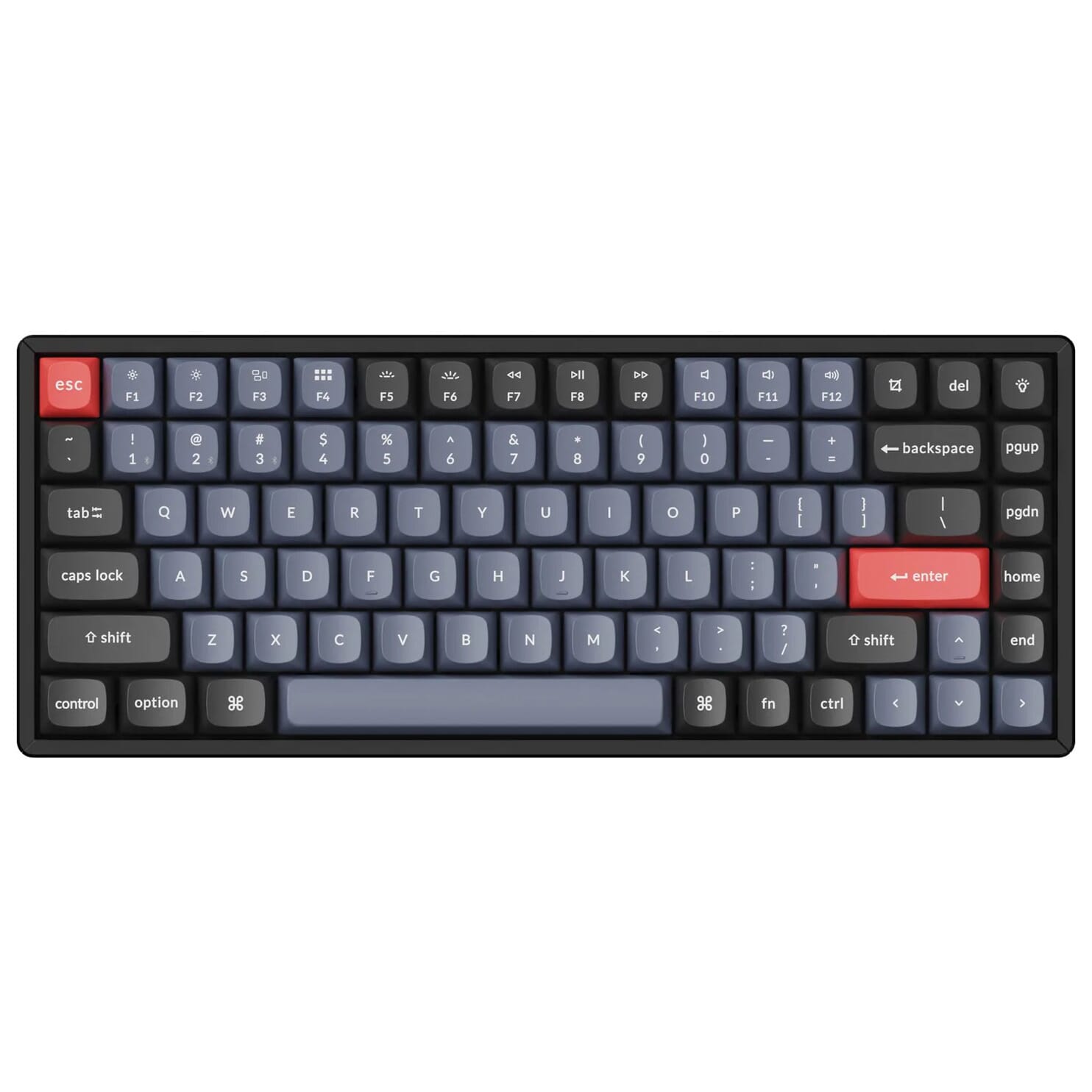
To begin with, the K2 Pro has a compact 75% format (84 keys). That means the numeric section on the right-hand side of the keyboard is not included. That is very pleasant for your shoulders when you use your mouse right-handed, as you can now keep it nice and close to you. Along the top of the keyboard there are 12 multimedia keys, which let you easily adjust settings such as the volume or the brightness of your screen.
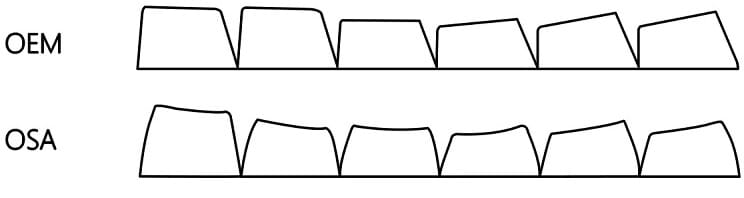
The first thing you notice when you look at this keyboard is, of course, the keycaps. Previously the keycaps were made of ABS, a type of plastic that often left fingerprints behind. The keycaps on the K2 Pro keyboard are made of a different type of plastic: double-shot PBT. These keycaps are wear-resistant and not prone to (grease) marks such as fingerprints. The keycaps are no longer shine-through, however, so the backlight only comes out from underneath the sides of the keys. Finally, the keycaps have an OSA profile, which is very similar to the OEM profile, but with rounded corners.
The K2 Pro is available with a plastic (ABS) housing and an aluminium housing.
Hot swappable & mechanical switches
Underneath the redesigned keycaps you will find Keychron K Pro switches, with a choice between red and brown. Red switches are linear and give the same resistance throughout when you press the key (travel distance). Brown switches are tactile and give a noticeable ‘bump’ halfway through the travel distance. Which to choose depends on the user’s preferences. The red switches are often used for all-round work, while keen typists tend to go for the brown version.
The K2 Pro is fully hot swappable, which means you can easily remove switches from the keyboard and click new ones in. In this case you do not need to solder. Almost all 3-pin and 5-pin MX-style switches can be used (including Cherry, Gateron, Kailh, Panda, etc.). The K Pro switches in the keyboard are pre-lubed, which lets you type extra smoothly. Finally, the stabilisers are screwed onto the plate (rather than fitted underneath the plate), which provides better stability for the larger keys.
With or without a cable
You can use the K2 Pro wired or wireless. Using the supplied USB-C cable, you can easily charge the keyboard. You will find the battery life in the table on the right-hand side of the page. Connecting wirelessly is easy with Bluetooth 5.1. You can connect to as many as three devices at once, which is handy when you work on a desktop with a laptop or tablet alongside it. With one press of a button you can switch to the device you want.
Difference from the K2
The Keychron K2 Pro came onto the market in late 2022, a good two years after its previous predecessor, the K2 (V2). Keychron chose to redesign the K2 Pro completely. The following improvements have been made:
- • The option to set macros using VIA/QMK
- • Longer battery life
- • RGB pointing downwards (previously upwards)
- • PBT instead of ABS keycaps
- • On the inside of the board, a layer of sound-absorbing foam and a layer of silicone have been added to improve the typing experience. This adds extra weight and improved stability.
What makes the K2 Pro so good?
QMK/VIA programmable
The Keychron K2 Pro can be programmed using QMK/VIA software. With this software you can give every key the function you want, such as combination keys and macros. By compressing a series of actions into one press of a button, you will be able to work faster. In the blog that Keychron has written you can read all about this software.
Please note: VIA is still awaiting approval from GitHub (Jan 2023) and is therefore not recognised automatically. You have to download and import your K2 Pro keymap manually. You can download it on the Keychron website under the heading “Get the keymap working on VIA”.
Not to be missed either
For Windows, Mac and Linux
The Keychron K2 Pro can be used on Windows and Mac. At the top of the keyboard there is a switch that lets you easily change operating system. In addition, extra keycaps are supplied to replace keys such as command and option. The keyboard can also be used on Linux, but no extras are supplied for this.
Matching wrist rest
The underside of the K2 Pro keyboard is fitted with adjustable feet, allowing you to use the keyboard flat or at an angle of 5º, 9.2º and 12º. We would, however, advise you not to use these, because this can actually cause complaints in the wrists. We do recommend using a matching wrist rest where your wrists can rest in a relaxed position.
Pros and cons
- Hot swappable
- Programmable keys
- High quality
- Wireless on 3 devices at once
- For Windows, Mac and Linux
- No numeric section
Brief specifications
| Warranty | 1 year |
| Ergonomic design | |
| Version | 75% with 84 keys |
| Weight | 1070 grams |
| Dimensions | 316.6 x 126.91 mm |
How happy will my body be with this?
| Hand | |
| Arm | |
| Wrist | |
| Shoulder |
Product features
- For Windows, Mac and Linux
- QKA/VIA programmable
- Compact 75% layout (84 keys)
- Usable wired and wireless
- Charging with supplied USB-C cable
- Bluetooth 5.1
- Includes Keychron K Pro switches
- Hot swappable
- Aluminium housing
- 12 multimedia keys
- Updated version of the K2 (V2)
- RGB backlight
Battery life of the K2 Pro
| 300 hours | Backlight off |
| 100 hours | Backlight on, lowest brightness |
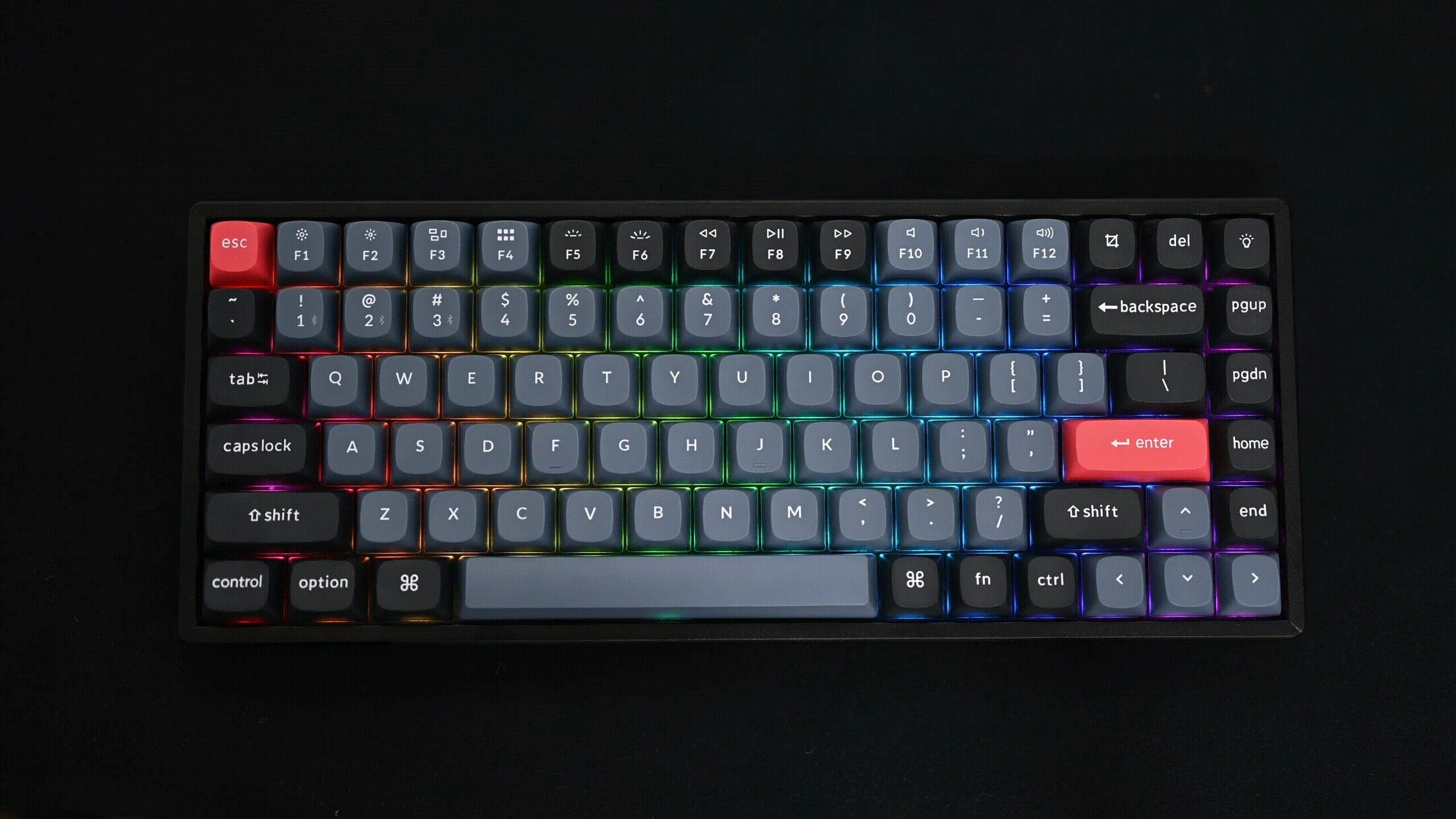
RGB lighting
What is in the box?
- 1 x K2 Pro keyboard
- 1 x USB-C to USB-A
- 1 x Extra keycaps
- 1 x Switch puller
- 1 x Keycap puller
- 1 x Screwdriver
Frequently asked questions
Specifications
| Item number | ERGO-KCK2PJ1 | ERGO-KCK2PJ3 |
| Manufacturer's item number | K2P-G1 | K2P-G3 |
| Brand | Keychron |
| Warranty | 1 year |
| Type of guarantee | The Ergowerken free return guarantee service |
| Colour | Black with blue and red |
| Keyboard type | Mechanical |
| Ergonomic design | |
| Keyboard layout | QWERTY (ANSI US int.) |
| Connection | Wireless (Bluetooth) and USB-C to USB-A cable |
| Bluetooth | Yes, version 5.1 |
| Type of keys | Keychron K Pro mechanical switches (red or brown) |
| Numeric keypad | |
| Shortcut keys | |
| Programmable buttons | |
| Trackball/touchpad | |
| Type of power supply | Battery or cable |
| Battery type | 4000 mAh lithium polymer battery |
| Rechargeable | |
| Minimum system requirements | Mac OS X v10.5, Mac OS X v10.6, Mac OS X v10.7, Mac OS X v10.8, Mac OS X v10.9, Mac OS X v10.10, Mac OS X v10.11, Windows XP, Windows Vista, Windows 7, Windows 8, Windows 10 |
| Plug and play | |
| Dimensions length x width x height | 316.6 x 126.91 x 42.07 millimetres |
| Product weight | 1070 grams |
Reviews Keychron K2 Pro Mechanical Keyboard for Windows & Mac - Aluminium Casing
Customers who write a review enter a prize draw for a voucher. We pick one winner and publish all reviews, including critical ones.