





Geweldig
"Er zit geen milliseconde delay op de bluetooth functie lijkt het. Het design is goed en keycaps makkelijk af te halen. Overall een heel goed product echte aanrader"



| Width | 317 mm |
| Depth | 107 mm |
| Height incl. keycaps | 30 mm(front) - 37 mm (back) |
| Compatibility | Windows and Mac |
| Key layout | QWERTY (ANSI US int.) |
| Switch type | Keychron mechanical switches |
| Connection | Wireless (Bluetooth) and wired via USB |
| Switches | Gateron View all variants |
Normally, we use this section of text to write something fun and light-hearted about a product. But now I want to use it to make sure you start reading with a cup of coffee or tea, because there is quite a lot to tell about the K6. Are you seated? Perhaps a biscuit too? Let's go!
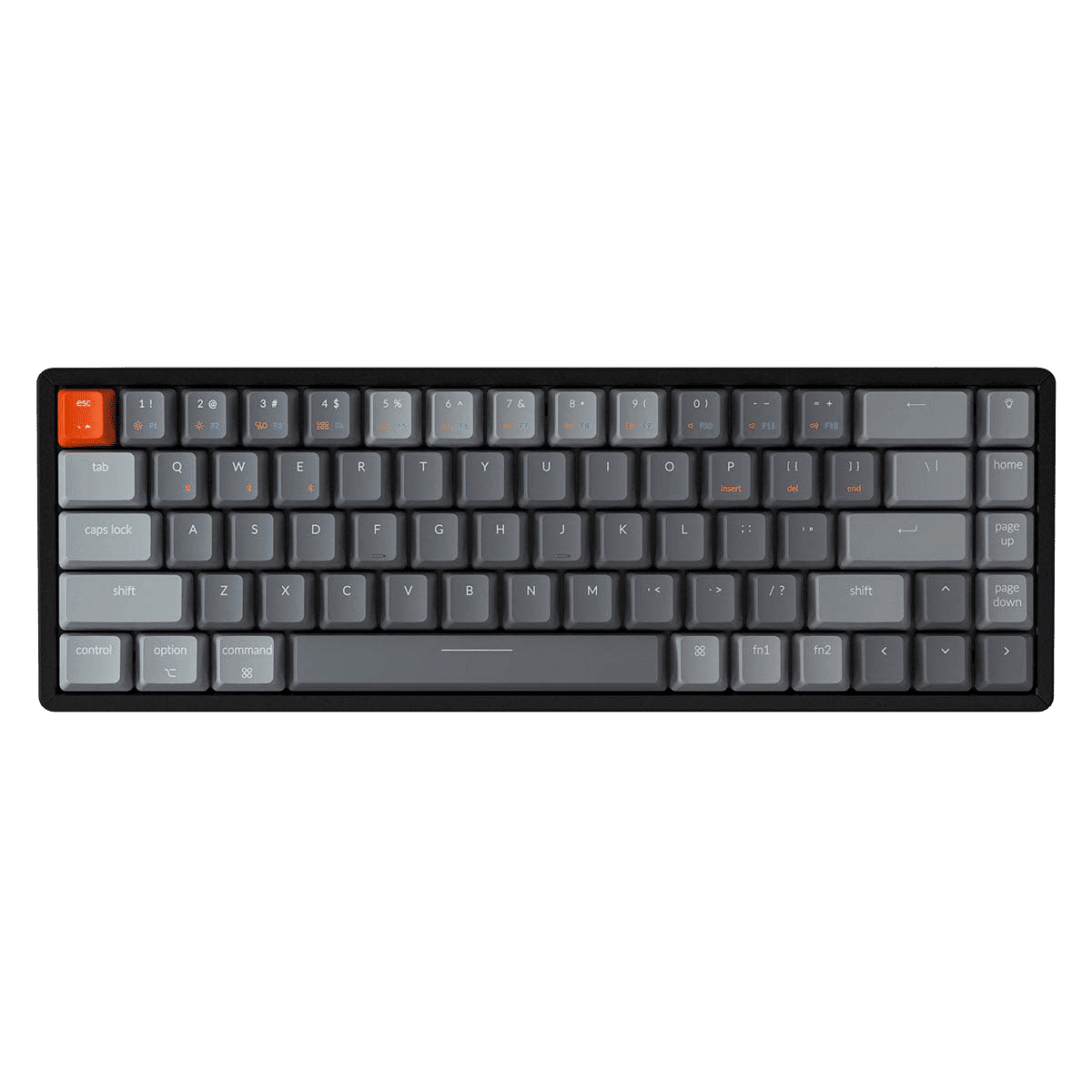
The Keychron K6 is specially designed to optimise your workspace while providing you with all the necessary keys/shortcuts. This means that a numeric keypad is absent, for ergonomic reasons, but it does have shortcuts that can be used by pressing combination keys.
The K6's connectivity is fantastic. Via Bluetooth, you can wirelessly connect up to three devices to the keyboard simultaneously. Using combination keys, you can quickly and easily switch between your devices. For example, one moment you might be working on your laptop, and the next you can quickly type a WhatsApp message about dinner. A fourth device can be connected with a cable (USB). Of course, connecting a single device and using the USB cable for that is also possible.
Keychron has designed two wrist rests specifically for the K6. One is made from American walnut wood. The other combines this same wood with resin for a unique look. The wrist rests also feature 4 anti-slip points that ensure they stay in place.
Thanks to the support, your wrists and hands are at the correct height to use the keyboard. This optimises relaxation and helps prevent injuries. You can add the wrist rests to your order at the top right of the page. You can read more about the wooden wrist rest here. And here you can read more about the resin wrist rest.
PLEASE NOTE: Keychron wrist rests are natural products and therefore never identical. The product received may therefore differ from the photo.
The Retro Mac Keycaps for the K6 give your keyboard a cool look. All keys, including the arrows, are printed in italic instead of straight. Most keycaps are white, the rest are grey, and the orange Escape key is replaced by a red key. You can find more information about the Retro keycaps here. You can add the keycaps to your order at the top right of the page.
The Keychron carrying case is the optimal way to transport your Keychron keyboard. The case opens and closes with a zip and consists of a compartment for the keyboard and a compartment for the cable inside. The case is made of plastic and canvas, which provides a combination of durable, sturdy, very light, and stylish. The rubber handle makes carrying easy. You can find more information about the case here. You can add this to your order at the top right of the page.
Anyone who performs a lot of computer work knows that this can be strenuous for your wrists, shoulders, back, and neck. A good keyboard can help you with this. The Keychron K6, for example, has a compact design. The keys are also extra easy to press. You can also place your mouse close to the keyboard. All of this is to minimise muscle tension, which can help prevent or reduce injuries.
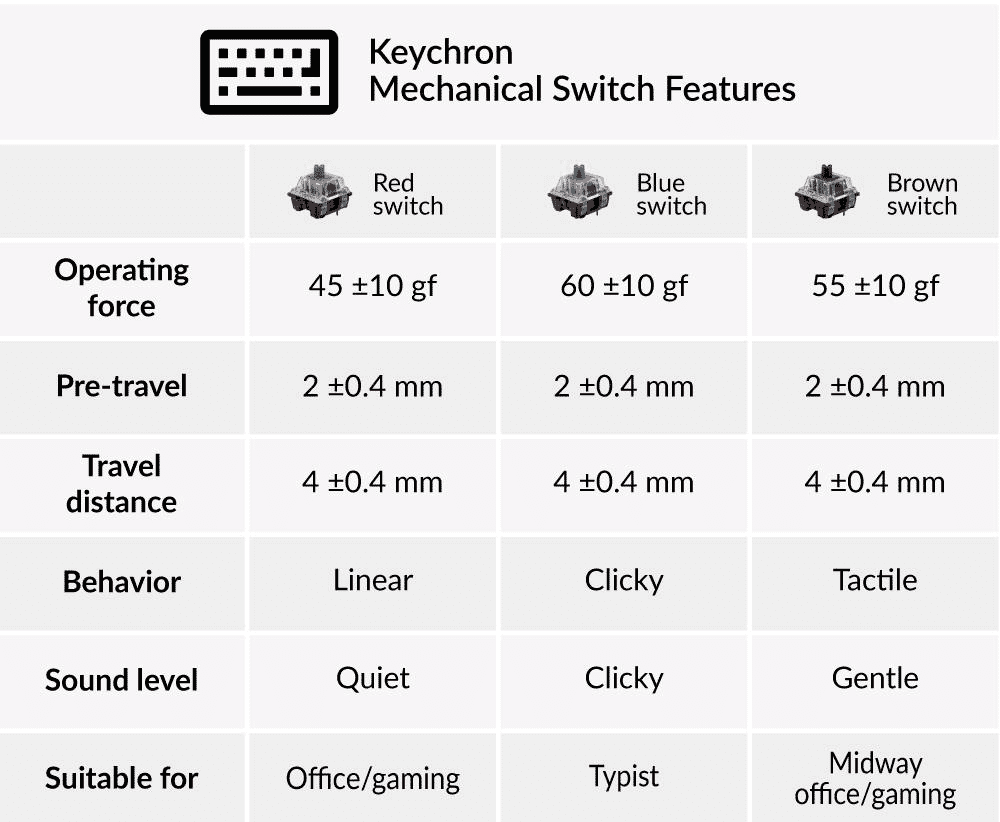
Here you choose not only the keyboard but also the type of switches it is equipped with. You can choose from Red, Brown, and Blue Keychron mechanical switches. Here you will find an overview of the different switches so you can choose the right one for you
The K6 can be updated to remove any production and/or design flaws. Therefore, regularly check this Keychron page to see if updates are available.
The Keychron K6 features a powerful 4000mAh battery that lasts up to 570 hours with normal use. You can choose between a plastic and an aluminium casing.
The K6 can easily be raised slightly by unfolding two feet at the back. But we advise against this for ergonomic reasons. The Keychron K6 is suitable for both Windows & Mac. With a slider switch on the side, you can easily switch between operating systems. System-related keys are included and can be easily swapped by yourself.
| Shoulder | |
| Hand | |
| Wrist | |
| Arm |
| Warranty | 1 year |
| Colour | Grey/white |
| Layout | 68-keys |
| Ergonomic design | |
| Plug & Play | |
| view all specifications |
 | 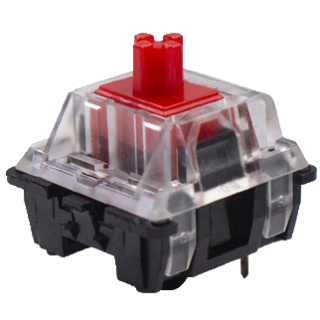 | 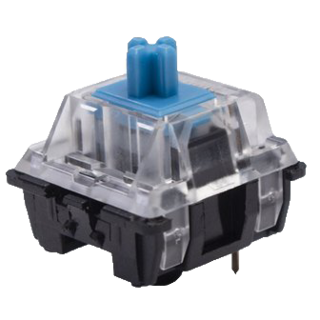 | 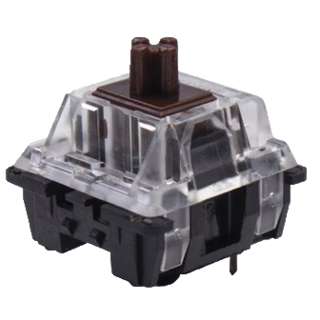 |
| Colour: | Red | Blue | Brown |
| Type: | Linear | Clicky | Tactile |
| Force(g): | 45 | 60 | 55 |
| Actuation point(mm.): | 2 | 2 | 2 |
| Max. travel(mm.): | 4 | 4 | 4 |
| Lifespan (clicks): | 50 million | 50 million | 50 million |
| Sound: |
| Version | Charging time | Backlight | Battery life |
| RGB backlight | 3 hours | Off | 240 hours 30 days |
| RGB backlight | 3 hours | On | 72 hours 9 days |
| Item number | ERGO-KCK6K3 |
| Manufacturer's item number | K6: K3 |
| Brand | Keychron |
| Warranty | 1 year |
| Type of guarantee | The Ergowerken free return guarantee service |
| Colour | Grey |
| Keyboard type | Compact |
| Ergonomic design | |
| Keyboard layout | QWERTY (ANSI US int.) |
| Connection | Wireless (Bluetooth) and USB-C cable to USB-A (120 cm) connection |
| Bluetooth | |
| USB version | 2.0/3.0 |
| Type of keys | Keychron mechanical keys |
| Numeric keypad | |
| Shortcut keys | |
| Programmable buttons | |
| Trackball/touchpad | |
| Type of power supply | Battery |
| Battery type | 4000mAh Li-Polymer battery |
| Rechargeable | |
| Minimum system requirements | Mac OS X v10.5, Mac OS X v10.6, Mac OS X v10.7, Mac OS X v10.8, Mac OS X v10.9, Mac OS X v10.10, Mac OS X v10.11, Windows XP, Windows Vista, Windows 7, Windows 8, Windows 10 |
| Plug and play | |
| Dimensions length x width x height | 317 x 107 x 37 millimetres |
| Product weight | 664 grams |
Customers who write a review enter a prize draw for a voucher. We pick one winner and publish all reviews, including critical ones.