It'll make you spontaneously sing
“Oh, just adjust it, adjust it, adjust it.
I know you can't resist.
Soon you'll start
Talking your colleagues into getting one.”
That's how the song goes, isn't it?
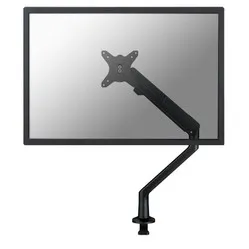
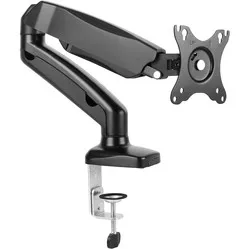
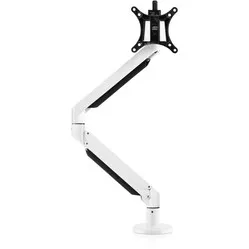
The Galaxy positions your monitor at the correct height, making it rotatable, swivelable, tiltable, and height-adjustable. Thanks to the gas-sprung arm, you can easily adjust the height. The Galaxy features two arms with three hinges, all of which are 360° rotatable. The viewing angle can be adjusted between -45° and 110°.
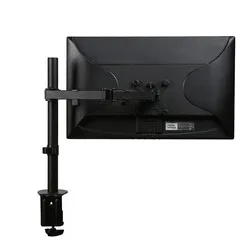
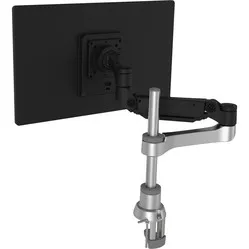
With the desk clamp, you attach the frame to the edge of your desk (max. 50 mm). However, this desk clamp is also suitable for grommet mounting. For this, you will need to drill a hole in your desktop. Using a VESA mount (75 and 100 mm), the screen is attached to the arm. More information about VESA mounts can be found here. The arm is suitable for screens up to 12 kg.
Furthermore, it is made from 100% recyclable and sustainable material. Optionally, you can add the Galaxy Crossbar to make this monitor arm suitable for two screens. The Crossbar is always supplied in the same colour as the monitor arm.
A monitor arm makes your monitor optimally adjustable. Height, width, and viewing angle improve your working posture so that your body can find more relaxation. This allows you to work comfortably for longer and develop fewer complaints in your back, neck, or shoulders. An arm for multiple monitors can also boost productivity.
Make sure you sit in a good, upright posture in your chair. Then place the screen perfectly straight relative to your desk and move the monitor up until the top edge of the screen is at eye level.
Finally, check that you are sitting approximately an arm's length away from your screen. Ergonomic mouse next to it, keyboard in front, and get to work. Ah, what a relief!
Galaxy crossbar and laptop holder
By adding the Galaxy crossbar, you make a single monitor arm suitable for two screens of up to 27 inches each. With the crossbar, you can slide both screens closer together or further apart, rotate them inwards and outwards, tilt them forwards and backwards, and rotate them horizontally or vertically. The iron handle facilitates adjustment. The crossbar can be added to your order at the top right.
Finally, it is possible to add a laptop holder. The laptop holder provides a stable and movable platform for your laptop. This way, you can efficiently use your laptop as both a computer and a screen.