







Top 5 products for your home office
Table of Contents
1. Working from home
2. The importance of the right equipment
3. Our top 5 products for working from home
3.1 Home office with a laptop
3.2 Home office with a PC
4. Tips for working from home
1. Working from home
As early as 2019, around 1.3 million Dutch people were already working from home as standard. Later, when the coronavirus pandemic broke out, the entire Dutch population was even urged to work from home whenever possible. We are now free of all restrictions and can simply return to the office. However, that does not mean we will stop working from home altogether. Research (Kager, 2021) shows that only 10% want to return to working exclusively in the office. 20% want to work only from home, and 70% would like to alternate between the two.
2. The importance of the right tools
Some people are better suited to working from home than others. This often depends on various factors, such as family circumstances, a partner’s working hours, and the home environment. Not everyone has the resources or a suitable space to work productively from home. However, if you work from home (regularly), it is important to have this sorted out.
A good workspace is important because it allows you to work more productively. Many people, whether consciously or not, adopt an incorrect working posture. This can lead to discomfort in the neck, back, shoulders, wrists and even the legs. Serious discomfort can often be easily prevented by, for example, adjusting your desk and desk chair correctly. In addition, there are many more handy tips and products that can help you create a comfortable home workspace. Below, we’ve put together a top 5 list of products that we’re convinced you can’t do without in your home workspace.
3. Our top 5 home office products
For our top 5, we have distinguished between two types of workspaces: one with a laptop and one with a desktop PC.
3.1 Home workspace with a laptop (mobile workspace)
Ergopro Basic Plus office chair
If you want to work ergonomically in a responsible manner, a good office chair is virtually indispensable. If you sit on a dining chair at home for 8 hours, you will undoubtedly experience various aches and pains. The Basic Plus office chair from Ergopro ensures that you can work in comfort. The chair has various adjustment options, allowing everyone to tailor it to their preferences.
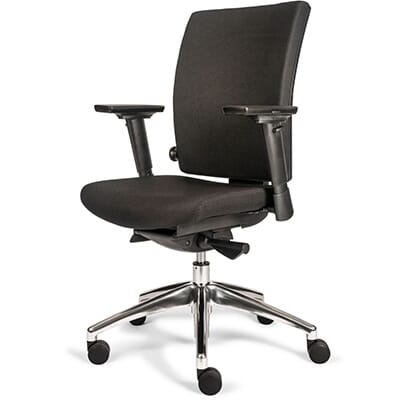
Advantages:
- Adjustable to your own preferences
- Multifunctional castors
- Complies with (N)EN 1335 standard
- With armrests
- 10-year warranty
Nexstand laptop stand
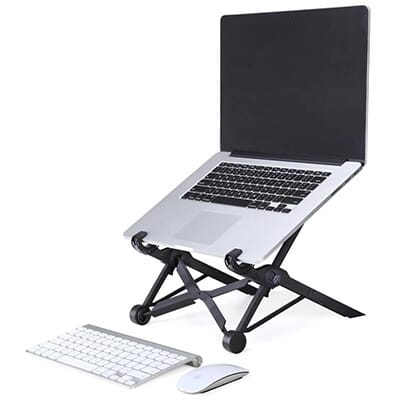
To prevent back and neck problems, it is important that your screen is at eye level. It is therefore advisable to place your laptop on a stand such as the Nexstand. This adjustable laptop stand has 8 height settings and raises your screen by 14 to 32 cm.
The Nexstand is made from glass-fibre reinforced nylon, which is extremely strong. It can easily support laptops weighing up to 10 kg. What’s more, it folds away, so you can easily store it away at the end of your working day.
Advantages:
- Lightweight
- Adjustable
- Easy to carry
- Suitable for most laptops (11.6–17”)
- Affordable solution for persistent complaints (haha)
Penclic KB3 keyboard
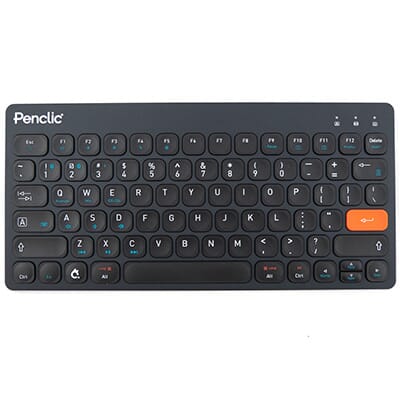
Because you have placed your laptop, and therefore its built-in keyboard, on a laptop stand, you can no longer use it. This is neither ergonomic nor practical. That is why we recommend using an external keyboard, such as the Penclic KB3. This keyboard is wireless, keeping your workspace tidy. In addition, the KB3 is very slim and compact, making it easy to carry around or store away. The keyboard is compatible with both Windows and Mac.
Advantages:
- Compact size
- Very slim (5–10 mm)
- For Windows and Mac
- Can be used wired or wireless
- Long battery life
Delux Mini
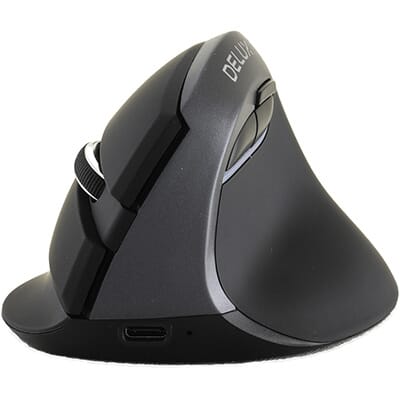
A good mouse is also a must-have for your home office. The Mini from Delux features a vertical design, which is gentle on your wrist. This helps prevent nagging aches and pains. Just like the Penclic KB3, the Mini can be used both wired and wireless.
Advantages:
- Suitable for hands up to 185 mm long
- 5 buttons + scroll wheel
- Quiet click
- Can be used wired or wireless
- Adjustable sensitivity
Penclic M2 mouse mat
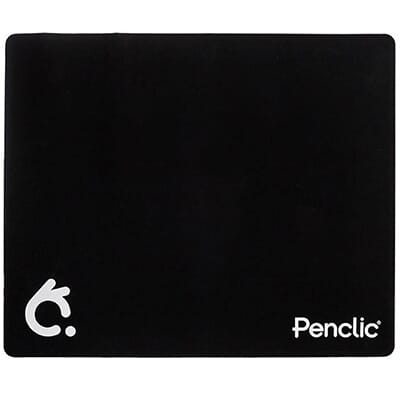
Nowadays, dining tables often have a sturdy surface. Even a glass table doesn’t always work well with a computer mouse. If you want to use your mouse without any problems at your home workspace, it’s advisable to use a mouse mat. With the M2 from Penclic, you can easily get to work at any workspace. The M2 is made of flexible material and is therefore easy to fold.
Advantages:
- Non-slip underside
- Smooth top
- Available in 3 colours
- Easy to fold
- Provides a comfortable surface for your mouse anywhere
3.2 Home office with PC (fixed workstation)
Nowadays, people work a lot on laptops. Especially if you work in a hybrid setup, a laptop or other mobile screen is almost indispensable. Of course, people also work from home using a desktop PC with a monitor. We’ve put together a top 5 for this too.
Ergopro Basic Plus office chair
If you want to work ergonomically in a responsible manner, a good office chair is virtually indispensable. If you sit on a dining chair at home for 8 hours, you will undoubtedly experience various aches and pains. The Basic Plus office chair from Ergopro ensures that you can work in comfort. The chair has various adjustment options, allowing everyone to adapt it to their liking.
Advantages:
- Adjustable to your own preferences
- Multifunctional castors
- Complies with (N)EN 1335 standard
- With armrests
- 10-year warranty
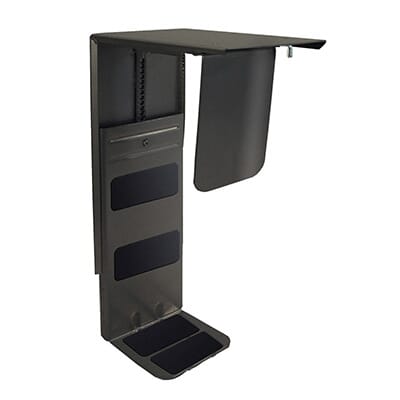
Ergopro Basic CPU holder
By lifting your computer off the floor, it collects less dust and dirt, and you create more space under your desk. This gives you greater freedom of movement, keeps your workspace tidy and makes cleaning easier. The Ergopro Basic CPU stand offers various adjustment options and is suitable for computers weighing up to 30kg.
Advantages:
- Suitable for almost any CPU
- Available in white, black or silver
- Easy to install
- Wide range of adjustment options
- Sturdy construction
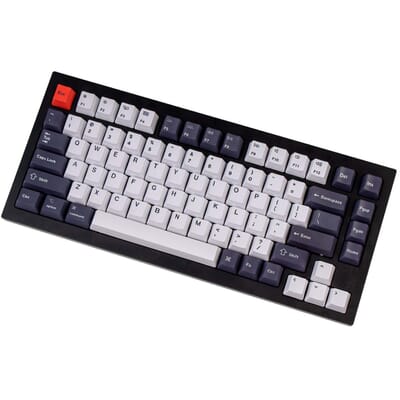
Keychron Q1 keyboard
If you do a lot of typing, it’s advisable to invest in a good keyboard. The Keychron Q1 is a true all-rounder and you can fully customise it to your liking. The keyboard is hot-swappable, meaning you can easily swap out the switches. You can also programme each key using VIA software. Finally, the Q1 comes with a coiled cable. This allows you to use your keyboard with a cable whilst keeping your desk tidy.
Advantages:
- Mechanical keys
- Compact size (75%)
- Hot-swappable
- Customisable keys
- Very solid build quality
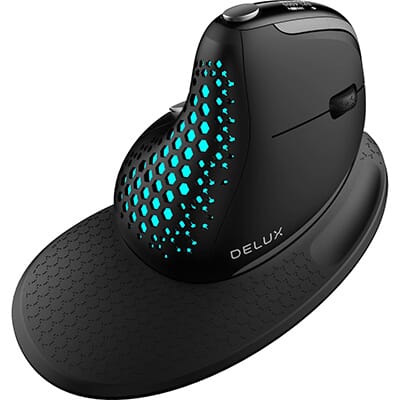
Delux Seeker ergonomic mouse
To prevent discomfort in your hand, wrist and shoulder, it is important to use an ergonomic mouse. These are often designed vertically, placing the arm in a natural position. The Seeker is also designed in this way. This ergonomic mouse is a real powerhouse. It features two scroll wheels that allow you to scroll both horizontally and vertically. The mouse has 5 buttons which, if you’re using Windows, you can customise entirely to your liking.
Advantages:
- Can be used wired or wireless
- Two scroll wheels
- Five (customisable) buttons
- Lightweight
- Wrist rest included
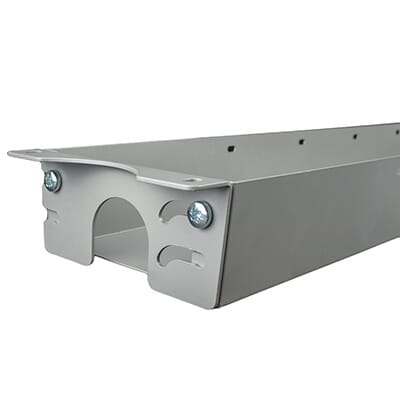
Extend cable tray
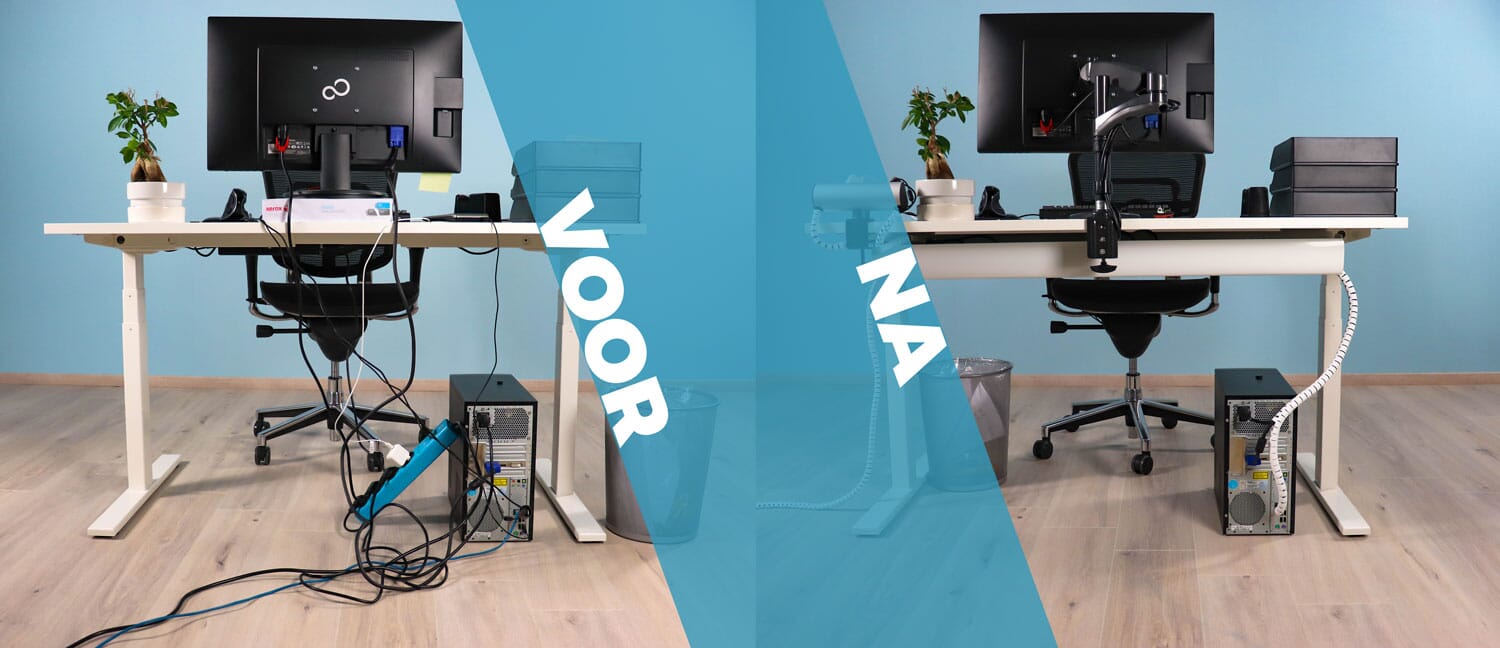
A fixed workstation often involves more cabling than a mobile one. To keep your home workstation neat and tidy, it’s important to conceal cables. You can do this using Velcro and cable ties, but a cable tray is also a useful addition. The Extend is easy to mount underneath your desk. The advantage of the Extend is that it is adjustable in length and height, meaning it almost always fits. When you purchase the Extend, we recommend taking advantage of the bundle discount. With this bundle, you can add a cable guide, Velcro and/or cable ties to your basket at a great discount. This will ensure your workspace looks neat and tidy again.
Advantages:
- Adjustable in length and height
- Mounting materials included
- Suitable for almost any desk
- Plenty of space for cables
- Available in 3 colours
4. Tips for working from home
Plan your dayAct as if you were going to work as usual. Set your alarm, have a shower and get dressed. Agree with yourself on a time to start work, when to take a break, and when your working day ends. This way, you’ll have a routine and keep your private life and work separate.
Take frequent short breaksIf you take short breaks more often, you’ll find it easier to stay focused. During your break, try not to ‘just’ watch an episode of your favourite series. It’ll only make it harder to get back to work.
Get enoughexerciseGo and get a cup of coffee more often, or walk up to the attic and back. Even better: consider a desk bike or a sit-stand desk so you can vary your activity.
Do something relaxing in betweenFor example, pop outside for a bit and take the dog with you. Doing something relaxing takes your mind off work for a while, and you’ll be ready to tackle it all again afterwards.
Stay in touch with colleagues and your managerJust because you’re working from home doesn’t mean you’re on your own. Agree on what’s expected of each other. But the social aspect is important too. Why not organise an online Friday afternoon drinks session, for example?