Stel hier je vraag over dit product
R-Go Top Down ceiling mount


Product description of R-Go Top Down ceiling mount
Description of the R-Go Top Down ceiling mount
An ode to the Top Down ceiling mount
How does it hang?
Often we run out of space on the ground and don't use any of the space on the ceiling. That's what they thought at R-Go too! You can hang it anywhere; In the most prominent spot, best position and/or least obstructive spot. The point is: you can hang the Top Down anywhere, but especially where you want it.
Why the R-Go Top Down ceiling mount?
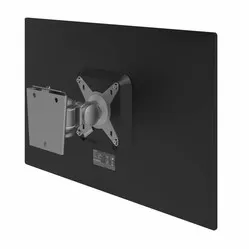
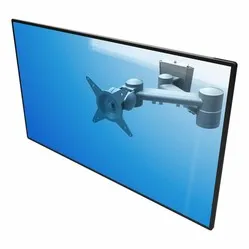
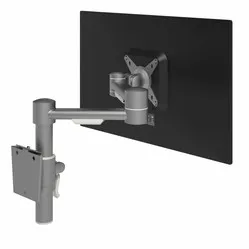
With the Top Down ceiling mount, you can effortlessly hang your screen from the ceiling. The Top Down is secured with two screws. Furthermore, the mount allows for hanging 1 screen via a VESA connection (75 and 100 mm). More information about VESA connections can be found here.
You attach the screen to the mini arm. This allows you to tilt the screen 45° up and 45° down, and rotate it 90° both left and right. The mount has a maximum load capacity of 10 kg and is suitable for screens up to 27 inches. Furthermore, you can adjust the arm higher or lower by sliding it along the mount (±70 cm).
What makes a ceiling mount so good?
A ceiling mount is a cost-efficient way to hang your screen where you want it and make it adjustable. An adjustable screen gives you the ability to place it in the best position, which benefits visibility and/or your posture. In addition to the ergonomic benefits, a ceiling mount can save space as it doesn't occupy any surface area.
Get the most out of this product
If you use the ceiling mount for your computer screen, make sure you sit in a good, upright posture on your chair. Then keep the screen perfectly straight relative to your desk or the floor. If the top edge of the screen is at eye level, you have found the correct height and can attach the ceiling mount.
After this, check if you are sitting approximately an arm's length away from your screen. Ergonomic mouse next to it, keyboard in front, and get to work. Ah, what a relief!
How happy will my body be with this?
- Neck
- Back
- Eyes
- Shoulder
Pros and Cons
- 3-year warranty from a Dutch brand

- Saves space
- Tilt, swivel, and slide adjustable
- Sturdy steel construction
- Drilling into ceiling necessary for mounting
Brief specifications
| Warranty | 3 years |
| Maximum screen size | 27 inches |
| Colour | Silver-grey |
| Adjustable | Yes; tilt, swivel, and slide |
| Maximum load capacity | 10 kg |
| view all specifications |
Product features
- VESA mounting for screen
- To be mounted with screws
- Hangs from ceiling
- Makes screen adjustable
What's in the box?
- R-Go Top Down ceiling mount
- Manual
Frequently asked questions
Specifications
| Item number | ERGO-PBRGTD |
| Manufacturer's item number | RGOSC140 |
| Brand | R-Go |
| Warranty | 3 years |
| Type of guarantee | The Ergowerken free return guarantee service |
| Colour | silver grey |
| Maximum screen size | 27-inch |
| Tiltable | Yes, up to 90° |
| Swinging | Yes, up to 180° |
| Maximum load capacity | 10 kilograms |
| VESA minimum | 75 x 75 millimetres |
| VESA maximum | 100 x 100 millimetres |
| Method of installation | On the ceiling |
| Assembly materials included | |
| Required tools | Drill and screwdriver |
| Dimensions length x width x height | 790 x 120 x 120 millimetres |
| Product weight | 2 kg |
Reviews R-Go Top Down ceiling mount
Customers who write a review enter a prize draw for a voucher. We pick one winner and publish all reviews, including critical ones.