





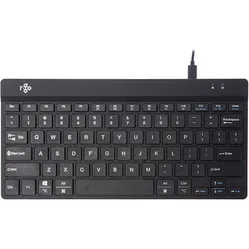
Lekker stevig
"Op dit toetsenbord kan ik lekker stevig rammen als ik type. De toetsjes zitten net ver genoeg uit elkaar om fouten te voorkomen."




| Width | 280 mm |
| Depth | 135 mm |
| Height | 5-10 mm |
| Compatibility | Windows and Mac |
| Key layout | QWERTY (ANSI US int.) |
| Key type | Scissor mechanism |
| Connection | Wired (USB) and wireless via Bluetooth |
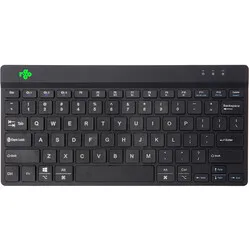
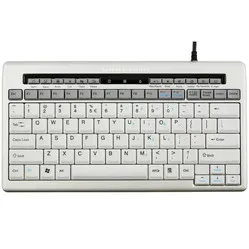
Just look at it; flat, sleek, stunningly beautiful and ready to help you comfortably. Take a seat and reach your destination tirelessly. Yes, we are still talking about the Penclic KB3. What else?
The Penclic is designed to be as low and narrow as possible. But no compromise has been made here between comfort and the size of the board; the keys are the same size and are spaced as far apart as on any other 'normal' keyboard. There is no numpad on the Penclic, allowing you to place your mouse closer to the keyboard. This way, your elbows are kept closer to your body, which ensures a better working posture.
The KB3 also has flat and easy-to-press keys thanks to its scissor mechanism. The keyboard's low profile keeps your wrists as flat as possible. This helps prevent and alleviate RSI complaints.
You connect the Penclic KB3 via Bluetooth to all your devices; Windows, MacOS, iOS and Android. If your laptop does not have Bluetooth, you can connect it with the included USB cable. The USB cable also serves as the charging cable for the keyboard. Fully charged, the battery lasts about two weeks.
This keyboard does not have a numeric keypad. But Penclic has developed an external NumPad that perfectly matches the KB3. The NumPad has flat keys and the ability to program macros. You can read more about the N3 here. You can add the N3 to your order at the top right of this page.
Anyone who performs a lot of computer work knows that this can be strenuous for your wrists, shoulders, back, and neck. A good keyboard can help you with this. The Penclic, for example, has a flat design. The keys are also extra easy to press. You can also place your mouse close to the keyboard. All of this is to minimise muscle tension, which helps prevent or reduce injuries.
You can connect up to three devices simultaneously to the Penclic KB3; two Bluetooth connections and one USB connection. You switch quickly and easily between your devices by using the “Fn” key in combination with “1”, “2” or “3”. Handy if you want to quickly and easily reply to text messages in between tasks.
Also take the time to master the functions under the Fn key. This way, you avoid unnecessary mouse usage. This allows you to work more effectively, faster, and more ergonomically.
| Warranty | 2 years |
| Product weight | 284 grams |
| Colour | Gold |
| Ergonomic design | |
| Plug & Play | |
| view all specifications |
| Item number | ERGO-PCKB3BK |
| Manufacturer's item number | KB3 |
| Brand | Penclic |
| Warranty | 2 years |
| Type of guarantee | Ergowerken free warranty return service |
| Colour | Gold with white accents |
| Keyboard type | Compact |
| Ergonomic design | |
| Keyboard layout | QWERTY (ANSI US int.) |
| Bluetooth | |
| USB version | 2.0/3.0 |
| Type of keys | Flat keys with scissor mechanism |
| Numeric keypad | |
| Shortcut keys | |
| Programmable buttons | |
| Trackball/touchpad | |
| Type of power supply | Battery |
| Battery type | Li-ion battery |
| Rechargeable | |
| Minimum system requirements | Mac OS X v10.5 and above / Windows XP and above / Android / iOS / Linux |
| Plug and play | |
| Dimensions length x width x height | 135 x 280 x 5 (front) - 10 (rear) millimetres |
| Product weight | 284 grams |