






TRACKBALL MOUSE
FROM JUST 39.95
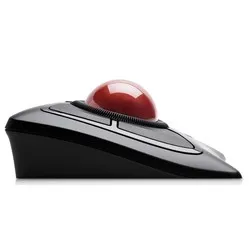
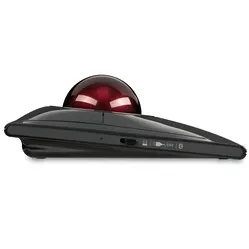
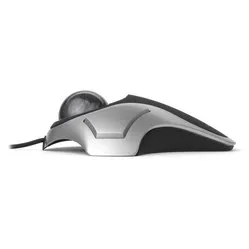
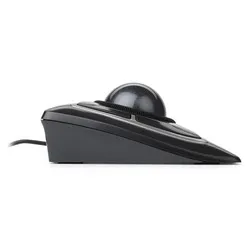
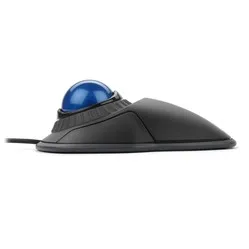
What is a trackball mouse good for?
A trackball mouse is a very good alternative to a 'regular' mouse that you have to drag across the desk. Because you control your computer's cursor with the ball on the mouse, you don't have to physically move it. So you can actually achieve the same result with less effort.
It therefore saves a lot of dragging and strain on your arm and shoulder. The shoulder, in particular, can find much more relaxation with a trackball. Movements are primarily made from the hand and wrist. The fact that a trackball can be operated left- and right-handed also makes it an ideal partner. This allows you to distribute the load nicely. Do you suffer from shoulder pain? Then a trackball mouse is definitely worth considering. For complaints in your hand and wrist, there are better alternatives.
There are more brands on the market, but with us, you will only find the Kensington trackball. Other brands sometimes design a trackball with the ball near the thumb. However, the thumb is not at all made for so many precise actions, and you will quickly develop complaints. That is why we advise against them. Kensington has a lot of experience in this field and makes high-quality products. All mice work with Kensington's own driver, TrackballWorks. With this, you can change the functions of the buttons and other settings.
Besides the health aspect, a trackball is also highly recommended for precision work. You can control the mouse very accurately with your fingers. For example, in CAD work or Photoshop, this is absolutely welcome and can increase productivity.
Wired or wireless?
To choose the right trackball mouse, you will need to answer a few questions for yourself. For example, you might consider purchasing a wireless trackball mouse. This way, you have more freedom of movement, can switch more easily between left and right, and can take it with you more easily when you regularly change workstations.
On the other hand, you will have to charge a wireless mouse now and then or replace the batteries. Do you want a wireless mouse with Bluetooth? Then first check whether the device you are working with also has Bluetooth.
Programmable buttons
All trackball mice in our range feature customisable buttons. This means that, with the help of an app or driver, you can assign specific functions to buttons. For example, if you frequently need to cut/copy and paste, you can set this to be done with a single mouse click.
The advantage of this is that you have to perform fewer actions for the same purpose. This is not only faster but also a big plus from an ergonomic perspective. The sensitivity of the mouse can also be adjusted. This way, you always work with the right accuracy for different tasks.
Reviews from our customers about their trackball mouse
If you are still in doubt about purchasing a trackball mouse, some positive reviews from our customers might convince you.
For example, Erik says he is very happy with the Kensington Expert Mouse wireless trackball mouse, and especially likes the scroll ring: “Works great! So now I finally have a full-fledged trackball solution on the left, including a scroll option!’’.
The Kensington Orbit wired trackball mouse is also popular with our customers. Monique says: “Nice wide mouse where my hand can rest comfortably, trackball responds well and is easy to set up yourself. I am very happy with the scroll ring. Exactly the reason I wanted to test this one. A keeper!”