







How long should you stand at a sit-stand desk?
Table of Contents
1. How long should you stand at a sit-stand desk?
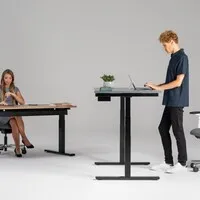
Buying a sit-stand desk is one thing, but making good use of it is another matter. A common assumption is that you should stand as much as possible. That is not the case. Standing for long periods is just as taxing as sitting for long periods, just in different parts of your body.
The general guideline is not to work in the same position for more than thirty to sixty minutes at a time. If you alternate between sitting and standing every thirty to sixty minutes, you’re giving your body the variety it needs.
Do you work at a desk all day? Then a good balance throughout the day is just as important as the chair or desk itself.
Sit-stand desks
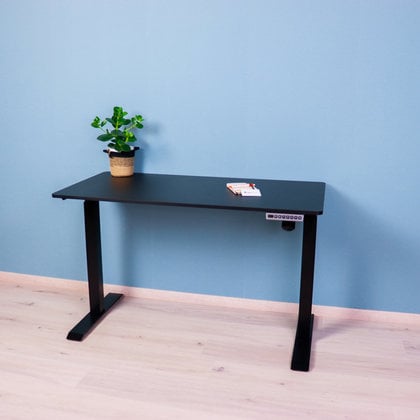
View our range of electrically adjustable sit-stand desks for home and office.
View sit-stand desksWhy variety is so important
Your body isn’t designed to sit or stand still for long periods. Muscles become tired, blood flow decreases and joints are subjected to one-sided strain. By regularly changing your posture, you engage different muscle groups and keep your circulation flowing more effectively.
This not only reduces discomfort but also boosts energy levels and improves concentration throughout the working day.
2. What are the risks of standing for too long?
Many people think that standing is automatically healthier than sitting. That is partly true, but standing for too long at a time also has its downsides. It is good to be aware of these so that you use your sit-stand desk correctly.
Strain on the legs and feet
Standing for long periods puts extra pressure on the joints in your feet, ankles and knees. Especially on a hard floor, this can cause fatigue and pain.
Strain on the lower back
If your desk isn’t at the right height, or if you’re standing with a hunched back, standing for long periods can also lead to tension in the lower back. Good posture is essential even when standing.
Reduced blood flow in the legs
When standing still for long periods, the return flow of blood from the legs to the heart becomes less efficient. This can lead to a heavy or tired feeling in the legs.
Loss of concentration
Standing takes more energy than sitting. When working whilst standing for long periods, your concentration is therefore more likely to wane, particularly during tasks that require a lot of mental effort.
3. How do you balance sitting and standing throughout the day?
There is no universal formula that works for everyone, but there are practical guidelines that offer a good starting point. The trick is to find a rhythm that suits your working day and your body.
The 1:1 or 2:1 ratio
A commonly used guideline is to sit for about thirty minutes and stand for thirty minutes per hour, or to stand for one hour for every two hours of sitting. Which ratio works best varies from person to person. Start with shorter periods of standing and build them up gradually.
Use a timer or reminder
It’s easy to get absorbed in your work and forget to change your posture. Set a reminder on your phone or computer, or use an app that reminds you to move.
Link standing to specific times
Another approach is to link standing to specific activities. Think of making phone calls, reading emails or attending short meetings. This way, you naturally incorporate variety into your working day.
Listen to your body
Do you feel your back starting to protest or your legs getting tired? That’s the signal to change your posture. Your body tells you when it’s time for a change, if you just pay attention.
4. What mistakes are commonly made?
A sit-stand desk only really delivers benefits if you use it properly. These are the most common mistakes we see in people who are just starting to work standing up.
Standing all day because it seems ‘healthier’
This is by far the most common mistake. People buy a sit-stand desk with the idea that standing is better than sitting and consequently stand all day. That is just as one-sided as sitting all day and will ultimately lead to health issues too.
Starting to stand for long periods too quickly
If you’re not used to standing whilst working, your muscles aren’t ready for it yet. Start with short periods of standing, lasting ten to fifteen minutes, and gradually build this up over the course of a few weeks.
Not adjusting the desk properly for standing work
The height of the desk when standing is different from when sitting. Always check that your elbows are at an angle of about 90 degrees when typing, even when standing.
Neglecting the rest of the workspace
A sit-stand desk works best when the rest of the workspace is also well organised. A monitor arm, for example, ensures that your screen is at the correct height even when standing.
5. How can you make standing work more comfortable?
A few simple adjustments can make the difference between pleasant and tiring standing work.
Use an anti-fatigue mat
An anti-fatigue mat reduces pressure on your feet, ankles and knees. The slightly springy surface also encourages small movements in the leg muscles, which improves blood circulation. This is a valuable addition for anyone who regularly works standing up.
Wear good shoes
If you’re standing on a hard floor without a mat, the sole of your shoes should provide good cushioning. Don’t stand barefoot or in flat, thin-soled shoes if you plan to stand for long periods. High heels aren’t ideal in this situation either.
Change your posture whilst standing
Standing doesn’t have to be static. Shift your weight regularly from one leg to the other, put one foot slightly forward or use a footrest. Small movements help to keep your muscles active. If necessary, have a little dance to loosen up.
Readjust your monitor
When you switch from sitting to standing, the ideal position of your screen changes too. A monitor arm makes it easy to quickly adjust your monitor to the correct height. Ensure that the top edge of your screen is roughly at eye level and that the screen is at arm’s length. Are you moving it closer? Then lower the screen slightly.
6. Frequently asked questions about standing work
- How long should you stand at a sit-stand desk?
A good guideline is not to stand for more than thirty to sixty minutes at a time. There is no golden rule. The most important thing is variety! Alternate regularly with sitting or use a standing aid so that your body gets enough variety.
- Is standing all day healthy?
No. Standing for long periods is just as taxing as sitting for long periods and can lead to tired legs, back tension and reduced concentration. Variety is the most important thing to bear in mind.
- How many hours a day should you stand?
There is no fixed standard, but many ergonomists recommend standing for around two to three hours spread throughout an eight-hour working day. Start with less and build it up gradually to prevent overloading certain parts of the body.
- Does an anti-fatigue mat really help?
Yes, an anti-fatigue mat reduces pressure on the feet and joints and stimulates small muscle movements that improve blood circulation. It is certainly a useful addition, especially if you work standing up regularly. If you work standing up for longer periods at a time, a mat with more cushioning is recommended.
- Do I need to adjust my monitor differently when standing?
Yes. The correct monitor height changes when you switch from sitting to standing. You’ll be slightly higher in relation to your screen, and with a monitor arm you can quickly adjust the height and angle. This ensures your screen is always at the correct height.
7. In conclusion
A sit-stand desk is a worthwhile investment, but its effectiveness largely depends on how you use it. It’s not about standing as much as possible, but about varying your position as much as possible. Change your posture every thirty to sixty minutes, listen to your body, and gradually build up your standing work if you’re not yet used to it.
This way, you’ll get the most out of your sit-stand desk and work more comfortably, with fewer aches and pains and more energy throughout the day.
Would you like to further optimise your workspace? Then take a look at our sit-stand desks, monitor arms and other ergonomic solutions for a healthier working day.